TrustRadius: an HG Insights company

Stripo

Score9.3 out of 10

21 Reviews and Ratings

What is Stripo?

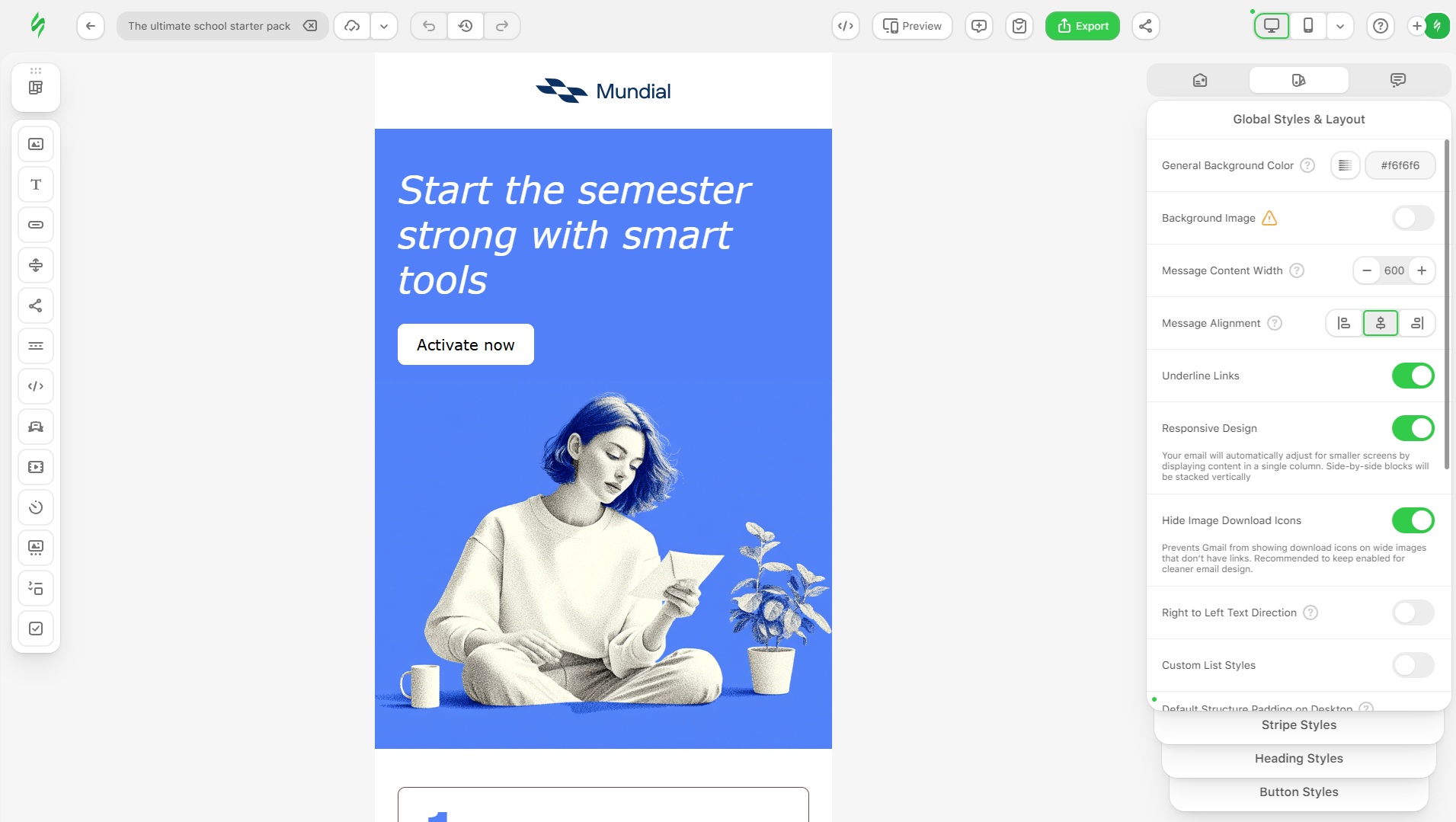
Stripo.email is an email builder that enables users and teams across different industries to design responsive email templates without any HTML skills, using a drag-and-drop editor and a full HTML/CSS code editor.

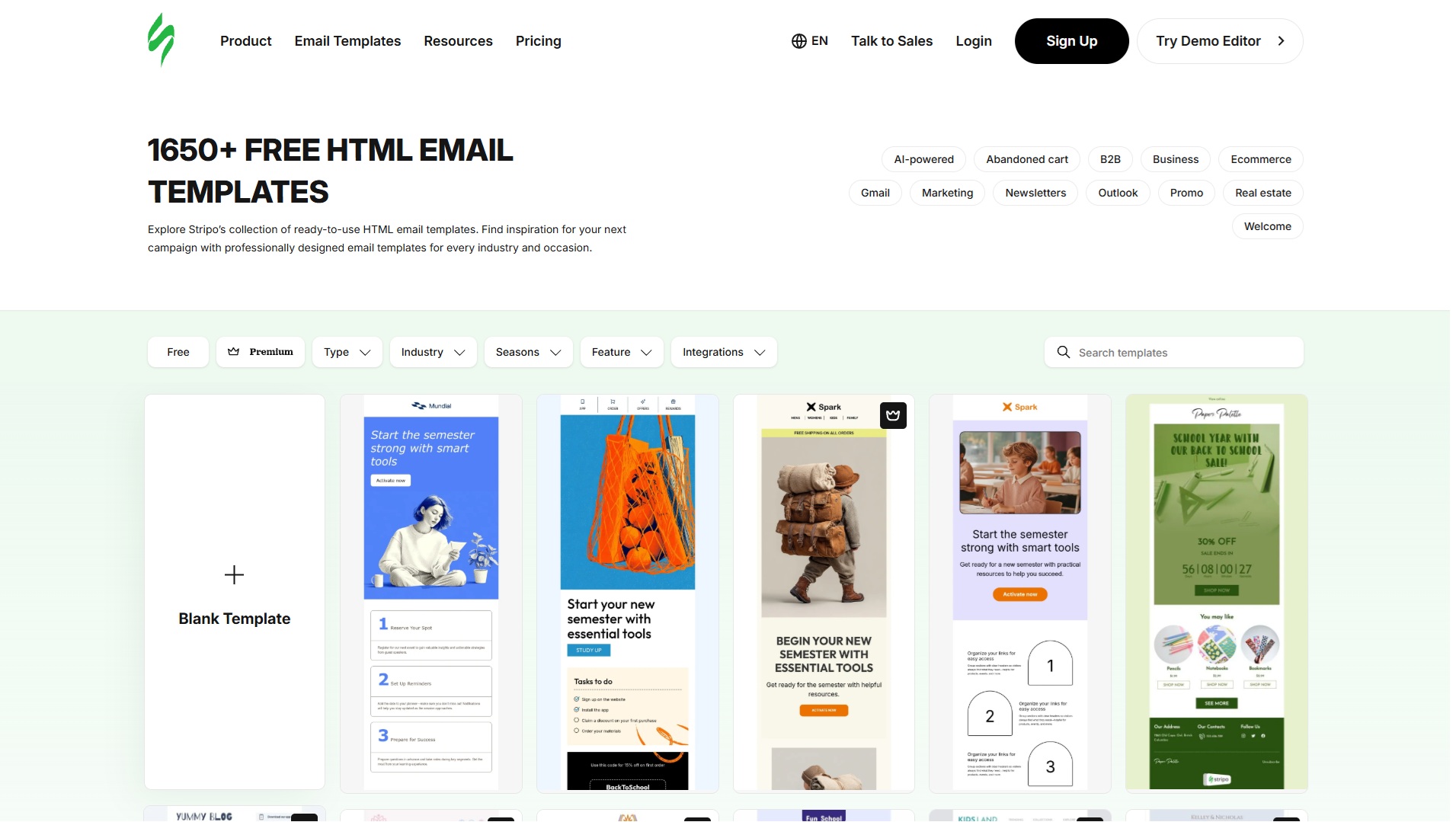
The compilation comprises 1,700+ free responsive HTML email templates. Stripo is integrated with 90+ ESPs and email clients, including Mailchimp, Campaign Monitor, SendGrid, HubSpot, Salesforce Marketing Cloud, GetResponse, UniSender, eSputnik, Outlook, and Gmail.

Stripo provides inspiration for email campaigns with hundreds of email templates crafted by professionals and guest designers, showing multiple ways to diversify promo newsletters — from design ideas to gamification and quiz elements embedded in emails.

Stripo also allows marketers and designers to build emails faster, with tools for creating emails of any complexity, including interactive, real-time, and AMP content. AI covers the full creative cycle — campaign creation, copy, subject lines, images, and interactive widgets, all built in.

Once an email is ready, Stripo can test how it will render in major email clients, and lets users share, comment, and approve with colleagues and clients before sending emails to an email automation system. From there, users can push emails to their marketing automation system with just one click — Stripo delivers emails with pure HTML code, so they can be sent from any ESP to customers right away, with no further actions required.

Stripo implements AMP4Email technology, and it enables users to build real-time content for emails with little to no coding skills.

Categories & Use Cases

Media

Screenshot of Stripo Landing
Screenshot of Stripo Editor
Screenshot of Stripo Templates

1 / 3

Screenshot of Stripo Landing

Top Performing Features

  • WYSIWYG email editor

    Users can create html emails through a drag-and-drop interface, without html coding knowledge.

    Category average: 8.5

  • Mobile optimization

    Users can easily optimize emails and landing pages for mobile devices.

    Category average: 8.7

  • Dynamic content

    Users can tailor email, website or landing page content depending on the viewer or recipient (e.g., email salutations that include the recipient’s name).

    Category average: 8.1

Areas for Improvement

Stripo is an Easy To Use Email Designer

Use Cases and Deployment Scope

We use Stripo to create emails easily by saving modules that are commonly used, as well as having different folders for commercial and residential which include even more specific topics in those. Stripo also allows us to attach videos and clickable links that help keep our audience engaged. It also allows different team members to collaborate on the same email.

Pros

  • Save past designs as modules for easy use
  • Allows to segment in different folders to find things easily
  • Allow different team members to log in and collaborate on designs
  • Attach videos and links

Cons

  • Directly attach video files without links
  • Make email animations that are easy to use
  • Connect to many more CRMs

Return on Investment

  • Allowing us to make phone numbers clickable has provided more incoming calls
  • Having buttons that link to our online forms also create leads for us

Usability

Alternatives Considered

Constant Contact

Other Software Used

Canva, WorkWave PestPac, Sprout Social

Stripo is a great tool for busy marketing teams that want beautiful emails

Use Cases and Deployment Scope

Our marketing team uses Stripo to create branded emails that we then send through to our clients and prospects via a connection with Salesforce. Stripo allows us all to quickly and effectively create high quality looking emails, newsletter, invites, and all email comms without any HTML coding. Email is our main touchpoint for clients and prospects so we rely on Stripo heavily as a marketing group and it has really saved us time while improving the quality visually.

Pros

  • Standard templates
  • Brand guidelines - fonts, colors, etc
  • Duplicating previous emails that worked well
  • Easy UX

Cons

  • Security - recent data breach
  • Editing multiple elements or sections at once
  • Connection with Salesforce

Return on Investment

  • Increase in MQLs - marketing qualified leads
  • Cutting the email production time dramatically
  • Brand value - elevated to a premium email experience

Usability

Alternatives Considered

Pardot LeadDeck (discontinued), Salesforce Agentforce Marketing and Adobe Marketo Engage

Other Software Used

Adobe Acrobat, Microsoft 365 Copilot, MindTickle

Stripo Improves Productivity.

Use Cases and Deployment Scope

Stripo makes it very easy to manage templates for different messages. The pre-built blocks (personalized by us) help us maintain a standard across all departments and adhere to brand guidelines for colors, logos, and fonts. We can easily send test emails or copy the preview links to share when asking for approval.

Pros

  • Templates.
  • Brand Guidelines.
  • Exporting to our email sending tool.

Cons

  • Improvements for dark mode emails.

Return on Investment

  • Time Reduction with edits.
  • Productivity Improvement with Preview Link feature.

Usability

Alternatives Considered

Mailchimp Transactional Email (Mandrill)

Other Software Used

Braze, Figma, Amplitude Analytics, Zoho People

Great email design tool

Use Cases and Deployment Scope

We use it for all of our email templates. It helps us create great looking emails very easily and quickly. Whenever we need to make any change, we make the necessary changes in Stripo easily and then export it to our CRM. The process is very smoother and quick and is easy to execute.

Pros

  • Great looking email designs
  • Ability to make updates easily
  • sending it to the CRM easily

Return on Investment

  • Emails look better and performance has improved

Usability