TrustRadius: an HG Insights company

Syskit Point

Score7.7 out of 10

3 Reviews and Ratings

What is Syskit Point?

SysKit Point is a Automated Office 365 Governance and Security tool, from SysKit in Zagreb. It is designed to enable users to get a full overview of an Office 365 environment and ownership across Microsoft Teams, SharePoint Online, Office 365 Groups, and OneDrive in a central web interface. With it, the vendor says users can create easy-to-read security reports and proactively manage users and access.

Read more details.

Categories & Use Cases

Media

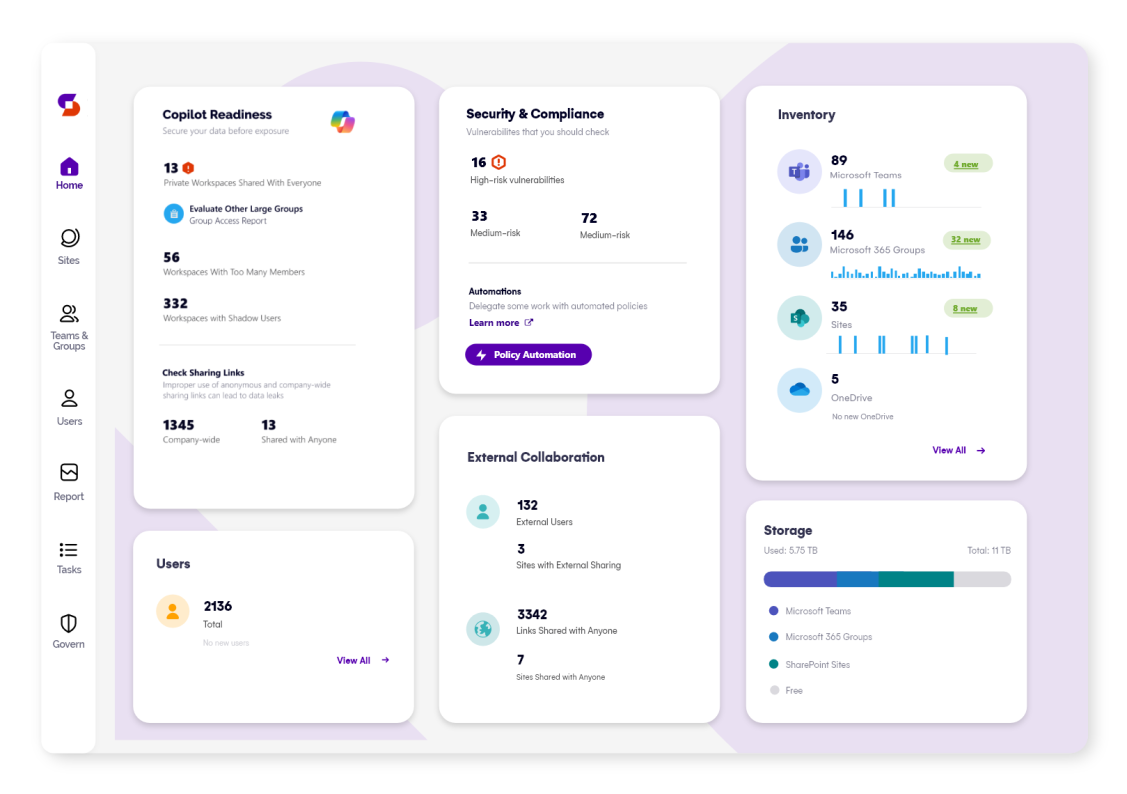
Screenshot of Syskit Point’s dashboard, which offers a centralized view of yoan ur entire Microsoft 365 environment. This offers visibility across Microsoft Teams, SharePoint, OneDrive, Microsoft 365 Groups, and Power Platform. Viewers can quickly identify who has access to what, monitor external sharing, and spot potential risks before they become issues. With real-time insights, detailed reports, and automated governance workflows, the Syskit Point dashboard helps stay in control, simplify management, and protect sensitive data.
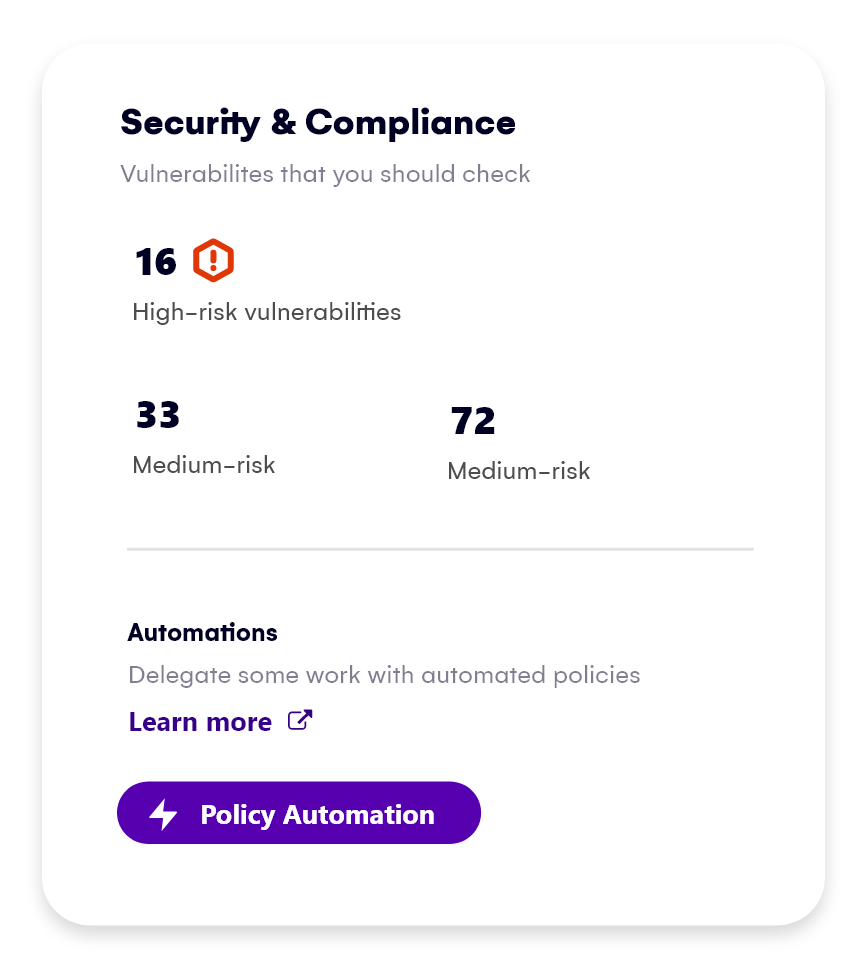
Screenshot of Syskit Point’s Security & Compliance Dashboard, which provides a centralized view of permissions, user activity, and external sharing across a Microsoft 365 environment. Users can monitor who has access to sensitive data, enforce policies, and take immediate action to prevent unauthorized access or data leaks. With built-in compliance and security checks, the dashboard helps to ensure regulatory alignment and quickly mitigate potential risks.
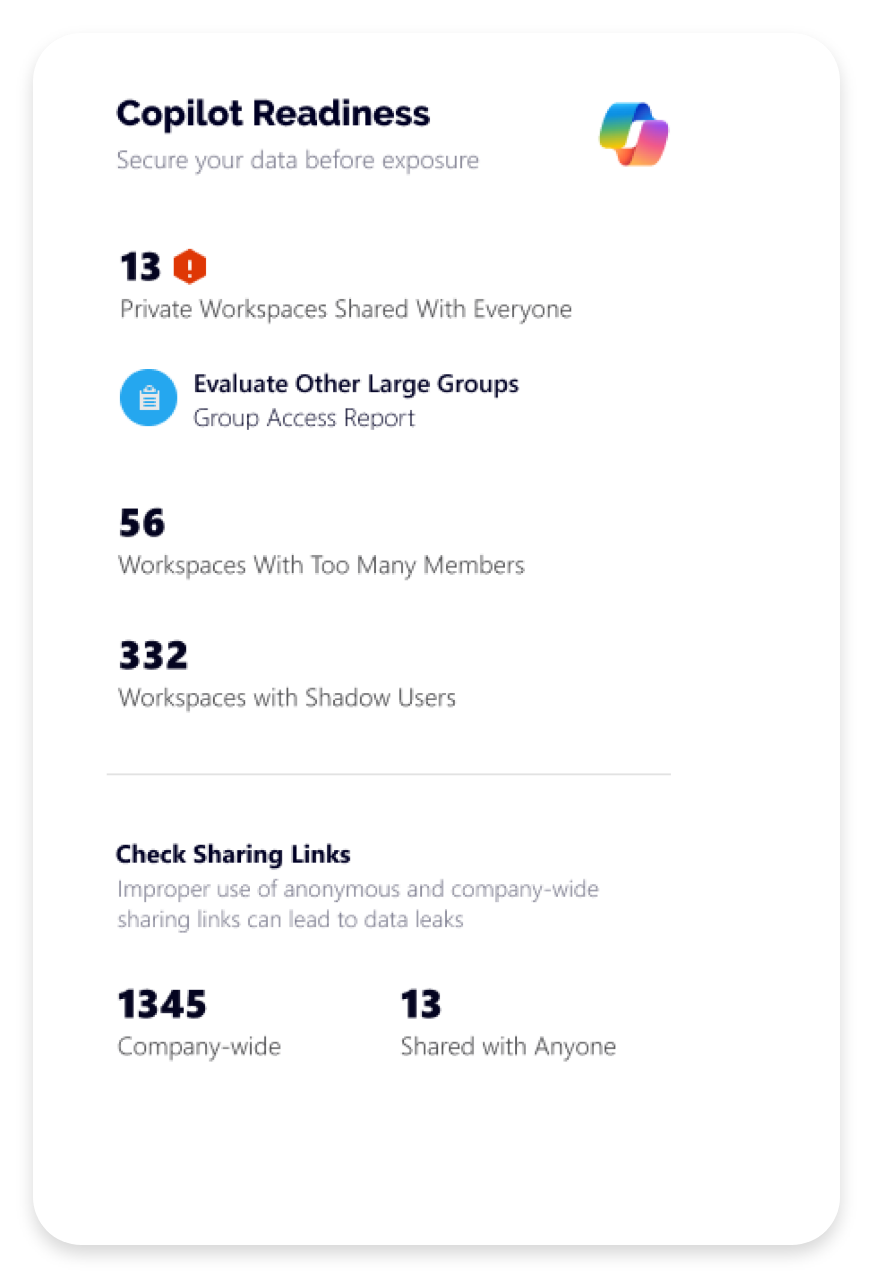
Screenshot of how Syskit Point helps prepare a Microsoft 365 environment for Copilot by ensuring only secure, relevant data is accessible. It identifies oversharing risks, enforces access controls, and provides visibility into sharing activity, so Copilot delivers accurate, trustworthy outputs without exposing sensitive information. With proactive permission reviews and workspace lifecycle management, Syskit Point ensures data is clean, compliant, and Copilot-ready.
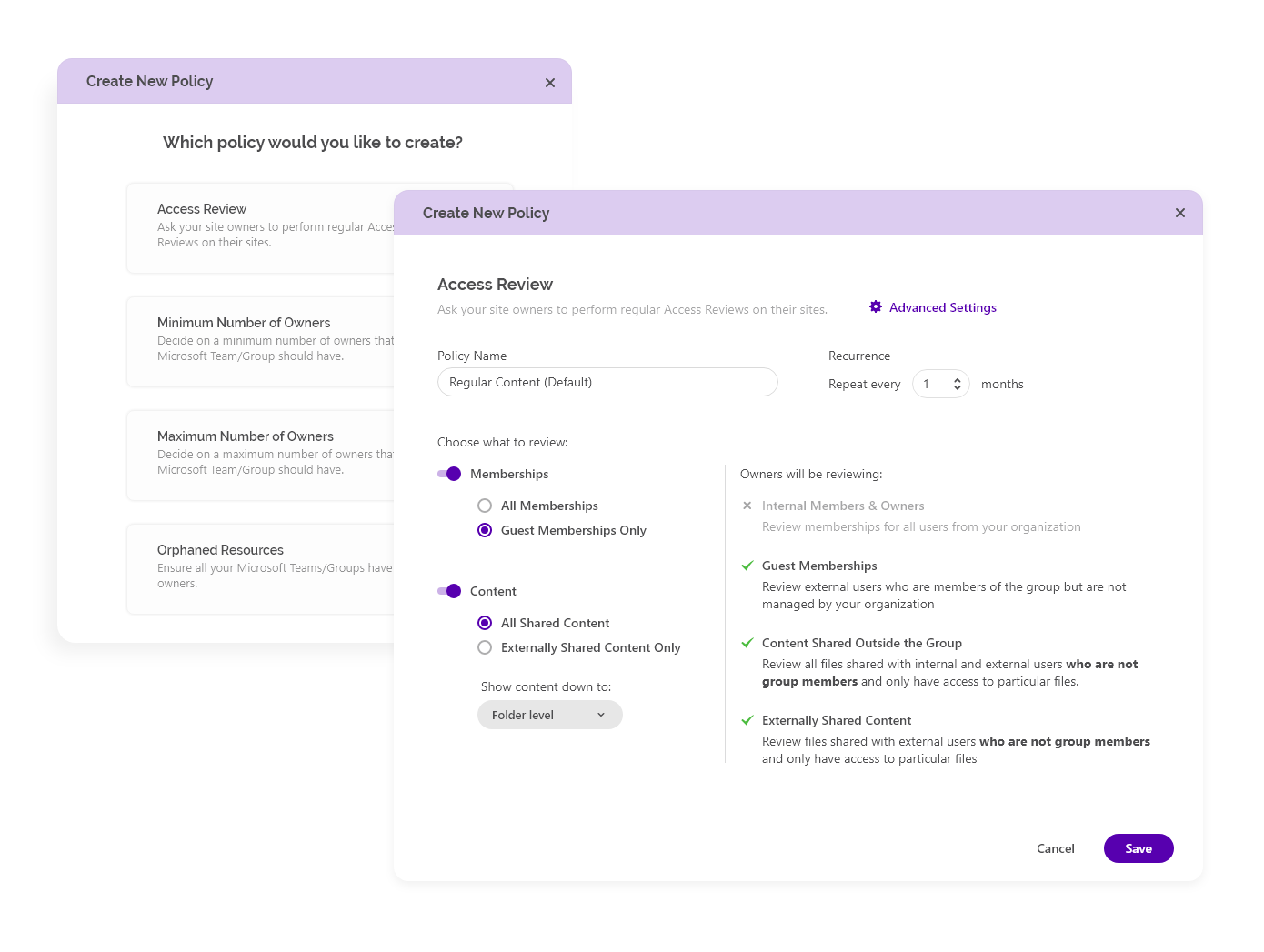
Screenshot of how Syskit Point simplifies Microsoft 365 governance with automated access reviews and workspace lifecycle management. It empowers resource owners to regularly review access, manage permissions, and keep workspaces secure and well-organized. With policy-based automation, storage optimization, and clear ownership responsibilities, Syskit Point helps prevent oversharing, reduce unnecessary access, and ease the governance burden on IT teams.
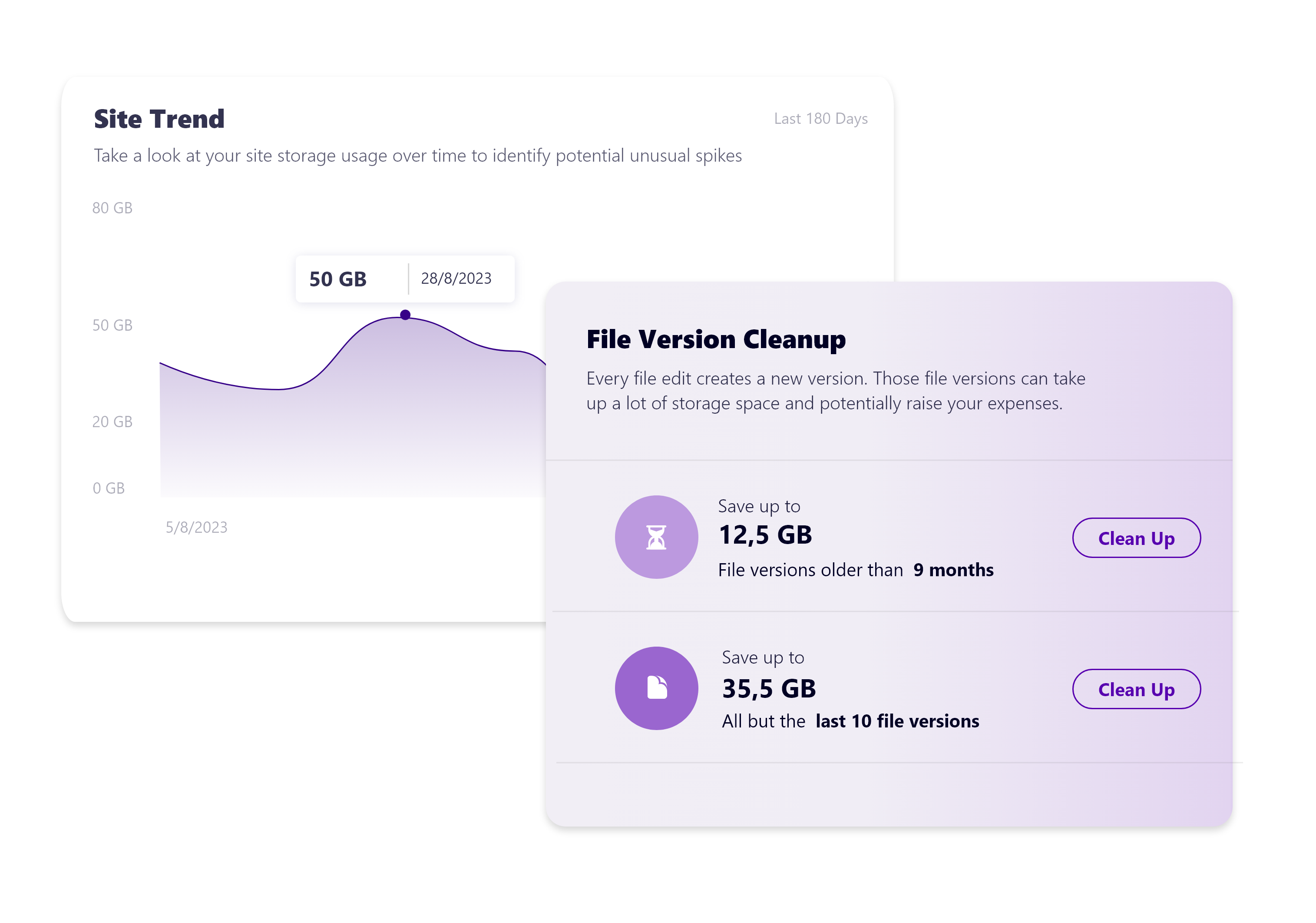
Screenshot of how Syskit Point provides clear visibility into SharePoint storage usage, helping resource owners track storage trends, identify oversized workspaces, and spot unnecessary file versions. With built-in cleanup options and customizable policies, owners can remove outdated or redundant data, optimize storage, and prevent capacity issues. This proactive approach supports cost savings, improves workspace organization, and helps maintain a healthy Microsoft 365 environment.

1 / 5

Screenshot of Syskit Point’s dashboard, which offers a centralized view of yoan ur entire Microsoft 365 environment. This offers visibility across Microsoft Teams, SharePoint, OneDrive, Microsoft 365 Groups, and Power Platform. Viewers can quickly identify who has access to what, monitor external sharing, and spot potential risks before they become issues. With real-time insights, detailed reports, and automated governance workflows, the Syskit Point dashboard helps stay in control, simplify management, and protect sensitive data.

Syskit Point - the only way to make sense of SharePoint permissions

Pros

  • Identifies opportunities for saving space through numbers of versions and provides a simple mechanism for deleting old versions.
  • Ease of investigation and allocation of individual user permissions.
  • Provides great views of sites and files that are overshared and provides a simple way to remediate.
  • With the licensing add-on, it easily shows total licensing spend and also opportunities for rationalising them and reducing the spend.
  • I love the Orphaned User report. Before this we would get enquiries from users why some previous employee still had access to their site. This report allows you to easily see where these users still have access granted and simplifies removing them.

Cons

  • Nothing springs to mind - we just find the tool so useful
  • We did have one issue with how the tool report on Sharepoint space, where as we were using Sharepoint Archiving, it would always report that we were over 100% of or assigned space. In reality we were not, but we did report tis to support and it now correctly atributes the space to live and archived data correctly
  • TBF - Support have been very pro-active in addressing any issues as they arise.

Return on Investment

  • Users and owners love the visibility it gives them of their sites and associated permissions
  • One of the main reasons we got Syskit Point was to have visibility and be able to alert on site permissions being overshared. The tool makes this very easy to do.

Usability

Other Software Used

ManageEngine Endpoint Central, Halcyon Anti-Ransomware Platform, WithSecure Elements Endpoint Protection