
11x vs. Patch My PC Patch Management
| Product | Rating | Most Used By | Product Summary | Starting Price |
|---|---|---|---|---|
 11x | N/A | N/A | 11x is an AI and Automation company that builds autonomous digital workers. Alice tracks market data and identifies ideal buyers, and Agent Julian is an inbound sales rep. | $3,000 per month |
 Patch My PC Patch Management | Score9.1 out of 10 | Enterprise companies (1,001+ employees) | Software that extends Microsoft Configuration Manager to deploy and patch third-party applications. It is designed to handle the tedious task of packaging, testing, troubleshooting, and deploying applications in the environment. The software automates the creation and patching of third-party applications. Optionally, users can configure automatic deployment rules for complete automation and control over third-party patch management in the enterprise. | $1 per year per seat |
| 11x | Patch My PC Patch Management | |||||||||||||||
|---|---|---|---|---|---|---|---|---|---|---|---|---|---|---|---|---|
| Editions & Modules | No answers on this topic |
| ||||||||||||||
| Offerings |
| |||||||||||||||
| Entry-level Setup Fee | No setup fee | No setup fee | ||||||||||||||
| Additional Details | Pricing is structured per product, with two digital workers available as standalone or together. Alice (outbound digital worker) runs prospecting, multi-channel outreach, deliverability infrastructure, and meeting booking. Plans start at $3,000 per month on Growth, billed annually, with capacity for up to 5 end users and 2,000 new prospects per month. Pro and Enterprise tiers scale to 5,000 and 10,000+ prospects respectively, with multi-language outreach (105+ languages), custom integrations, SSO, and dedicated CSM support at the Enterprise level. Alice is priced per lead, not per send: cost stays the same whether a sequence runs three touchpoints or thirty. Julian (inbound digital worker) qualifies inbound leads in real time across voice, chat, SMS, and WhatsApp. Voice starts at $5,333 per month on Growth (2,000 calls per month). Chat starts at $2,417 per month on Growth (3,000 chats per month, 2 languages). Pro tier supports 4,000 calls and 7,000 chats per month with voice and accent cloning, real-time API lookup, and tailored onboarding. Enterprise supports 50,000+ calls and 100,000+ chats per month, with advanced routing, custom MCP integration, and Alice handoff orchestration. What's included across all plans: Onboarding, CRM sync, deliverability infrastructure, knowledge base, meeting scheduling, and analytics. Customers bring their own CRM license and, for SIP calling on Julian, their own telephony provider. SOC 2 Type II compliance is standard. SSO and custom DPA/SLA are included at the Enterprise tier. Contract structure: Annual is the default across both products. Pro and Enterprise plans support two- and three-year commitments with discount tiers. Contracts do not auto-renew without 30 days' written notice. Price increases at renewal are capped, and multi-year commitments lock in the current rate for the full term. Custom pricing. Pro and Enterprise plans are custom-quoted based on contact volume, end users, channels, and concurrency. Growth plan pricing is published. For full pricing details, please contact us. | — | ||||||||||||||
| More Pricing Information | ||||||||||||||||
| 11x | Patch My PC Patch Management | |||||||
|---|---|---|---|---|---|---|---|---|
| Threat Intelligence |
| |||||||
| Vulnerability Management Tools |
| |||||||
| 11x | Patch My PC Patch Management | |
|---|---|---|
| Small Businesses | No answers on this topic | No answers on this topic |
| Medium-sized Companies |  Piper the AI SDR by Qualified Score8.9 out of 10 |  Tenable Nessus Score8.8 out of 10 |
| Enterprises |  Conversica Score4 out of 10 | Tenable Vulnerability Management Score8.9 out of 10 |
| All Alternatives | View all alternatives | View all alternatives |
| 11x | Patch My PC Patch Management | |
|---|---|---|
| Likelihood to Recommend | - | 10.0 |
| Likelihood to Renew | - | 10.0 |
| Implementation Rating | - | 10.0 |
| 11x | Patch My PC Patch Management | |
|---|---|---|
| Likelihood to Recommend | No answers on this topic |
|
| Pros | No answers on this topic |
|
| Cons | No answers on this topic |
|
| Likelihood to Renew | No answers on this topic |
|
| Implementation Rating | No answers on this topic |
|
| Alternatives Considered | No answers on this topic |
|
| Return on Investment | No answers on this topic |
|
| ScreenShots | 11x Screenshots 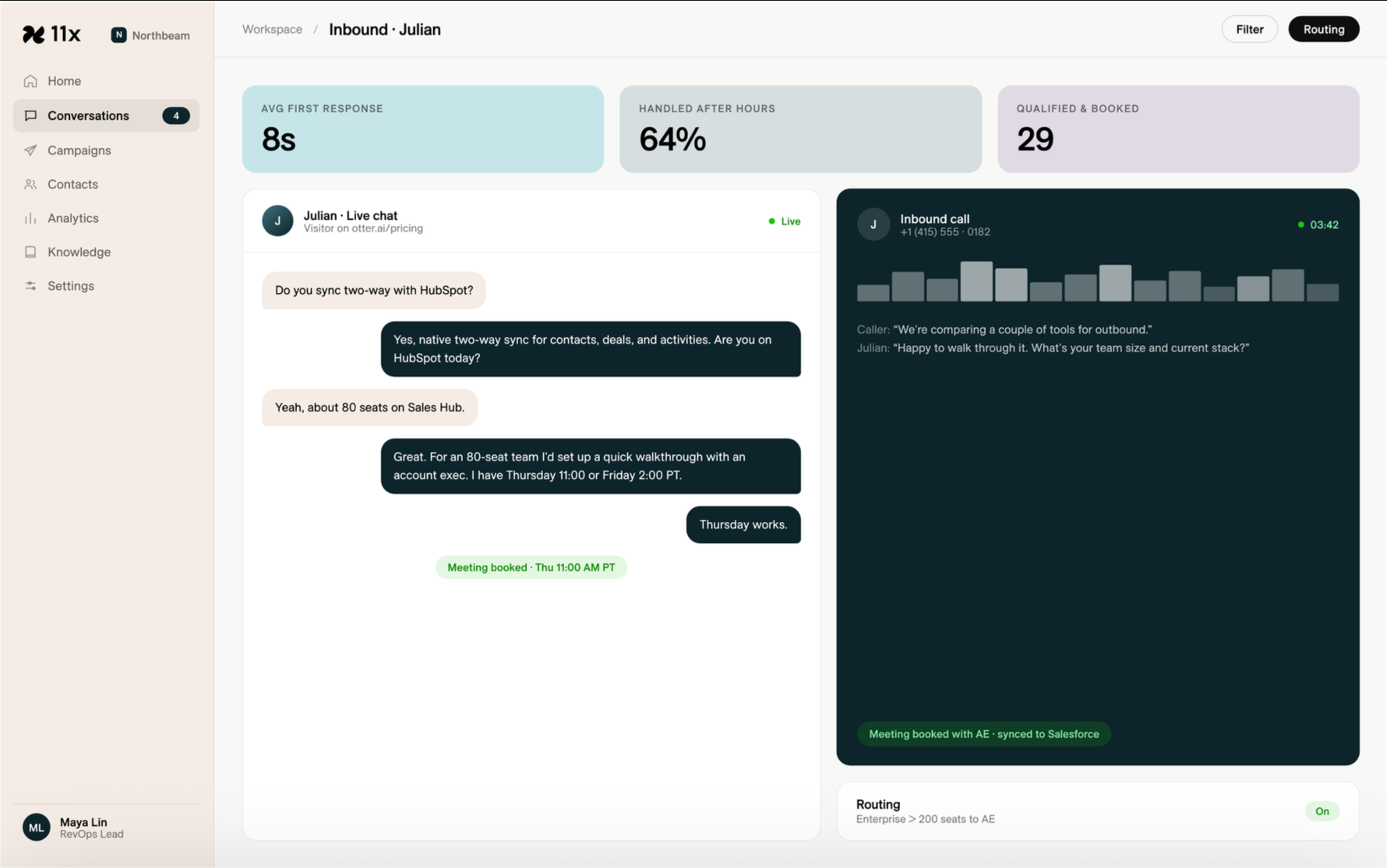   | Patch My PC Patch Management Screenshots      |
