TrustRadius: an HG Insights company

SolarWinds Access Rights Manager (ARM) vs. Lightning Tools DeliverPoint

Save this comparison

Save this comparison

Add Product

Recommended Comparisons

    Overview
    ProductRatingMost Used ByProduct SummaryStarting Price

    SolarWinds Access Rights Manager (ARM)

    Score8.5 out of 10
    N/ASolarWinds Access Rights Manager (ARM) is designed to assist IT and security admins to quickly and easily provision, deprovision, manage and audit user access rights to systems, data, and files. By analyzing user authorizations and access permission you get visualization of who has access to what and when they accessed it. Demonstrate compliance with most regulatory requirements with customized reports. Provision and deprovision users using…N/A

    Lightning Tools DeliverPoint

    Score8.2 out of 10
    Enterprise companies (1,001+ employees)
    DeliverPoint supports reporting and managing SharePoint permissions. Site Owners, Site Collection Administrators, and SharePoint Administrators can run permission reports that reflect the permissions of every user. Site collections, Teams Channels, Hub Sites, SharePoint Sites, OneDrive, Lists, Folders and Items can all be reported on individually or in bulk. Permissions can be modified, transferred, copied or deleted between accounts as staff changes occur.

    $2,500

    per year per installation

    Pricing
    SolarWinds Access Rights Manager (ARM)Lightning Tools DeliverPoint
    Editions & Modules
    No answers on this topic
    DeliverPoint OnPrem
    From $1950
    per year per installation
    DeliverPoint OnPrem Enterprise Edition
    POA
    per year per installation
    DeliverPoint Online
    From $2500
    per year per installation
    DeliverPoint Online Enterprise Edition (>10,000 users)
    POA
    per year per installation
    Offerings
    Pricing Offerings
    SolarWinds Access Rights Manager (ARM)Lightning Tools DeliverPoint
    Free Trial
    YesYes
    Free/Freemium Version
    NoNo
    Premium Consulting/Integration Services
    NoYes
    Entry-level Setup FeeNo setup feeNo setup fee
    Additional DetailsPrices listed are starting prices for "stock" product. $2.50 per user/year on top of base price Enterprise product is designed for 10,000+ users, and can be customised if required to meet business needs. Prices are based on 12 month contract from 1st purchase month. Installation included in price. Full technical support available. Online versions will have access to free product updates during contract period.
    More Pricing Information
    Community Pulse
    SolarWinds Access Rights Manager (ARM)Lightning Tools DeliverPoint
    Considered Both Products
    SolarWinds
    No answer on this topic
    Lightning Tools
    No answer on this topic
    Key User Insights
    Would buy again
    73%
    Would buy again
    8 Answers
    No answers on this topic
    Delivers good value for the price
    80%
    Delivers good value for the price
    8 Answers
    No answers on this topic
    Happy with the feature set
    82%
    Happy with the feature set
    9 Answers
    No answers on this topic
    Lived up to sales and marketing promises
    80%
    Lived up to sales and marketing promises
    8 Answers
    No answers on this topic
    Implementation went as expected
    70%
    Implementation went as expected
    7 Answers
    No answers on this topic
    Features
    SolarWinds Access Rights Manager (ARM)Lightning Tools DeliverPoint
    Identity Management
    Comparison of Identity Management features of SolarWinds Access Rights Manager (ARM) and Lightning Tools DeliverPoint
    Feature
    SolarWinds Access Rights Manager (ARM)
    -
    Ratings
    Lightning Tools DeliverPoint
    7.7
    1 Ratings
    6% below category average
    ID-Management Access Control00 Ratings7.31 Ratings
    Account Provisioning and De-provisioning00 Ratings8.21 Ratings
    Best Alternatives
    SolarWinds Access Rights Manager (ARM)Lightning Tools DeliverPoint
    Small Businesses
    No answers on this topic
    JumpCloud
    Score9.3 out of 10
    Medium-sized Companies
    HPE Aruba Networking ClearPass Policy Manager
    Score8.7 out of 10
    OneLogin by One Identity
    Score9.4 out of 10
    Enterprises
    HPE Aruba Networking ClearPass Policy Manager
    Score8.7 out of 10
    RSA Access Manager (Discontinued)
    Score10 out of 10
    All AlternativesView all alternativesView all alternatives
    User Ratings
    SolarWinds Access Rights Manager (ARM)Lightning Tools DeliverPoint
    Likelihood to Recommend
    9.0
    (14 ratings)
    8.2
    (1 ratings)
    Likelihood to Renew
    9.1
    (2 ratings)
    -
    (0 ratings)
    Usability
    9.0
    (2 ratings)
    -
    (0 ratings)
    Availability
    8.2
    (1 ratings)
    -
    (0 ratings)
    Performance
    7.3
    (1 ratings)
    -
    (0 ratings)
    Support Rating
    4.5
    (1 ratings)
    -
    (0 ratings)
    Implementation Rating
    6.4
    (2 ratings)
    -
    (0 ratings)
    Configurability
    5.5
    (1 ratings)
    -
    (0 ratings)
    Ease of integration
    1.8
    (1 ratings)
    -
    (0 ratings)
    Product Scalability
    4.5
    (1 ratings)
    -
    (0 ratings)
    Vendor post-sale
    4.5
    (1 ratings)
    -
    (0 ratings)
    Vendor pre-sale
    8.2
    (1 ratings)
    -
    (0 ratings)
    User Testimonials
    SolarWinds Access Rights Manager (ARM)Lightning Tools DeliverPoint
    Likelihood to Recommend
    SolarWinds
    It [SolarWinds Access Rights Manager (ARM)] is well suited for small to medium sized companies who want to enhance and ease up their daily work. As well as it is suited for organized structures, it has its problems with very complex environments. For example, if you are working with direct and multiple permissions instead of having more granular group based permissions.
    Incentivized
    Read full review
    Lightning Tools
    Copy user permissions through the whole sites of SharePoint farm
    Read full review
    Pros
    SolarWinds
    • SolarWinds Access Rights Manager is easy to set up and configure. We had the first report generated in a few hours.
    • The automated feature for the reports is great. We just set it and forget it and now the reports get emailed on schedule.
    Incentivized
    Read full review
    Lightning Tools
    • Discover Site Permisions
    • Sheduled reports of required lists, libraries, sites...
    • Compact set of commands which works with user permissions
    Read full review
    Cons
    SolarWinds
    • Licensing model when we changed over to SolarWinds was [I feel] a nightmare. It needs to be more streamlined and SolarWinds needs to understand what their customers require. When we changed over to SolarWinds we found it very hard to get answers to what modules we were still licensed for.
    • Our current system is not functioning. We can't login to the application with the accounts we created that were working. The error that appears doesn't help to resolve it. So at present we just renewed licenses for this year and we can't use the system.
    Incentivized
    Read full review
    Lightning Tools
    • Linking basic information to the object selected in the left panel (site structure view)
    Read full review
    Likelihood to Renew
    SolarWinds
    It is in place and working. No time or money to consider anything else.
    Incentivized
    Read full review
    Lightning Tools
    No answers on this topic
    Usability
    SolarWinds
    SolarWinds ARM improved the data access for the organization and it saved time and money by providing accurate data for access rights when it expired to avoid unauthrized access. The solution helped the staff to grant access to users and manage them propely by using the great and friendly interface
    Incentivized
    Read full review
    Lightning Tools
    No answers on this topic
    Reliability and Availability
    SolarWinds
    On occasion the server will need to be restarted to get things running again
    Incentivized
    Read full review
    Lightning Tools
    No answers on this topic
    Performance
    SolarWinds
    Satisfactory performance
    Incentivized
    Read full review
    Lightning Tools
    No answers on this topic
    Support Rating
    SolarWinds
    Very slow response times and sometimes I found the solution and ended up sharing it with support
    Incentivized
    Read full review
    Lightning Tools
    No answers on this topic
    Implementation Rating
    SolarWinds
    It was my first exposure to this type of product and I wasn’t given the time to figure out how best to implement it. I would say get a plan together of what you are tying to accomplish first
    Incentivized
    Read full review
    Lightning Tools
    No answers on this topic
    Alternatives Considered
    SolarWinds
    I found the installation and configuration to be much easier and more straightforward. What also assisted in the decision to go with Access Rights Manager, was the fact we already made use of Solarwinds products. Knowing from previous experiences with their support staff, meant we knew how great their after-hours support was whenever we had any technical issues with the platform. We felt it would be better to keep it all under one roof so to speak
    Incentivized
    Read full review
    Lightning Tools
    No answers on this topic
    Scalability
    SolarWinds
    No experience with this
    Incentivized
    Read full review
    Lightning Tools
    No answers on this topic
    Return on Investment
    SolarWinds
    • Team leads recieve automated reports of permissions within their team, and it allows them to proactively audit their team members
    • Security specialists have really clear dashboards to audit individuals
    • We can be sure we never leave a permission open after a person leaves
    Incentivized
    Read full review
    Lightning Tools
    • Speeds up the management of user permissions
    • Provides a comprehensive overview of permissions and settings of individual security levels across areas of company informations
    Read full review
    ScreenShots

    SolarWinds Access Rights Manager (ARM) Screenshots
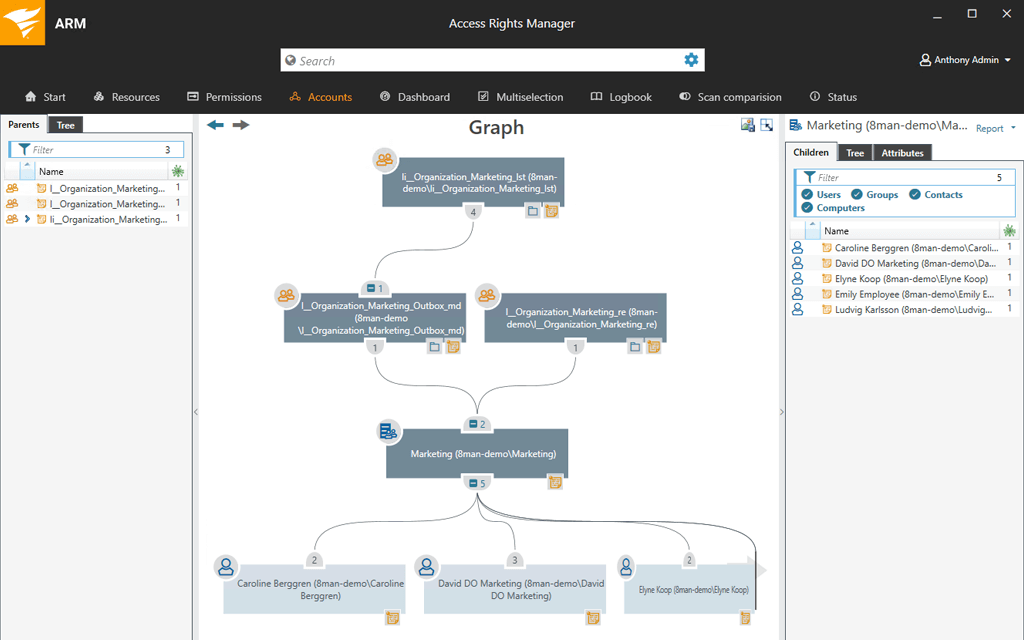
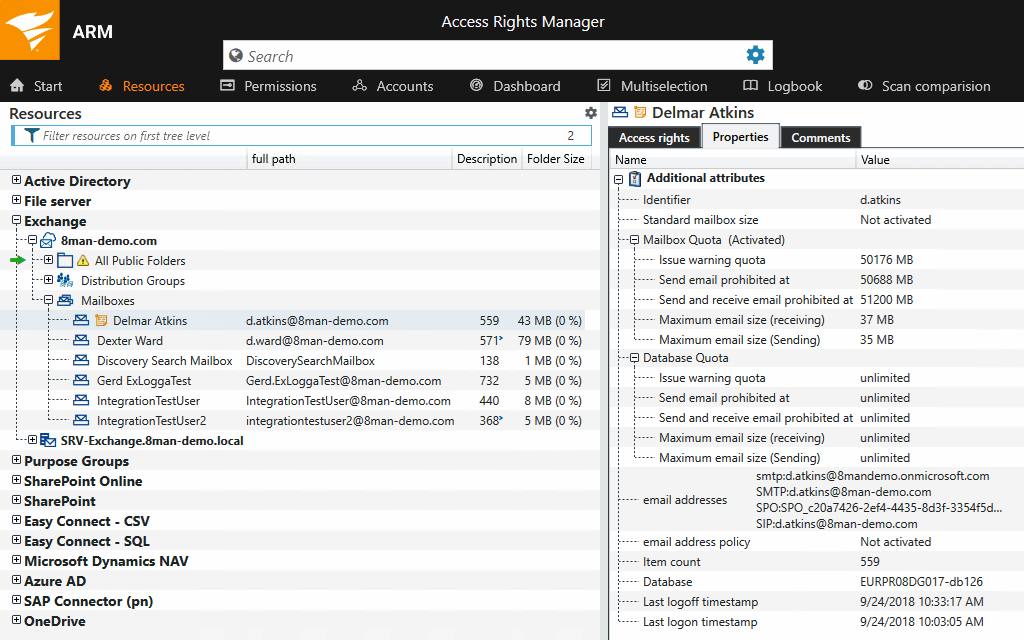
    Screenshot of Active Directory graphical analysisScreenshot of Create userScreenshot of Exchange Distribution Group propertiesScreenshot of File server permissions analysisProduct screenshotScreenshot of Report configuration

    Lightning Tools DeliverPoint Screenshots
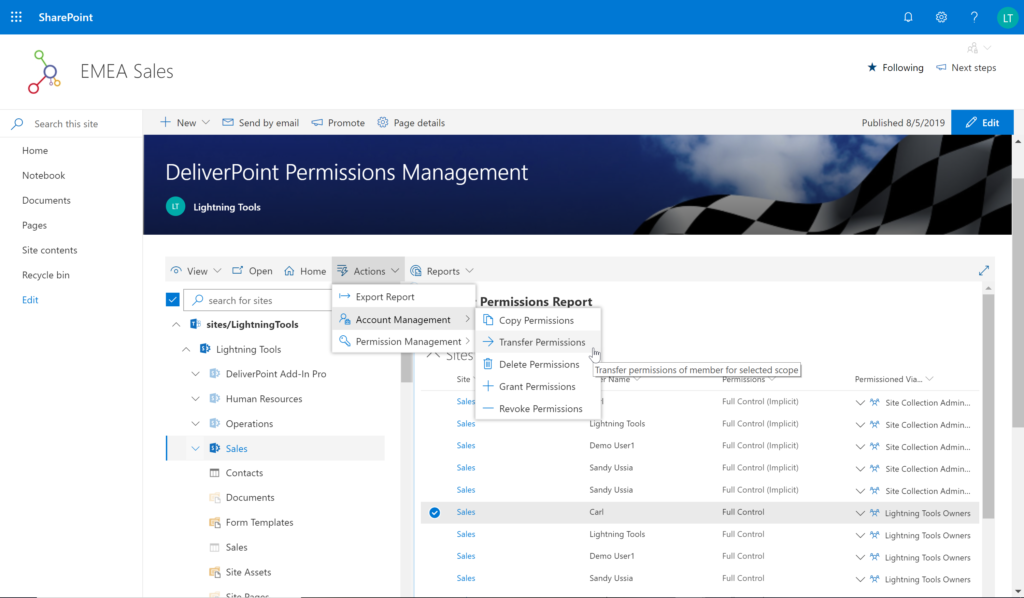
    Screenshot of CONTEXTUAL SHAREPOINT PERMISSION REPORTING
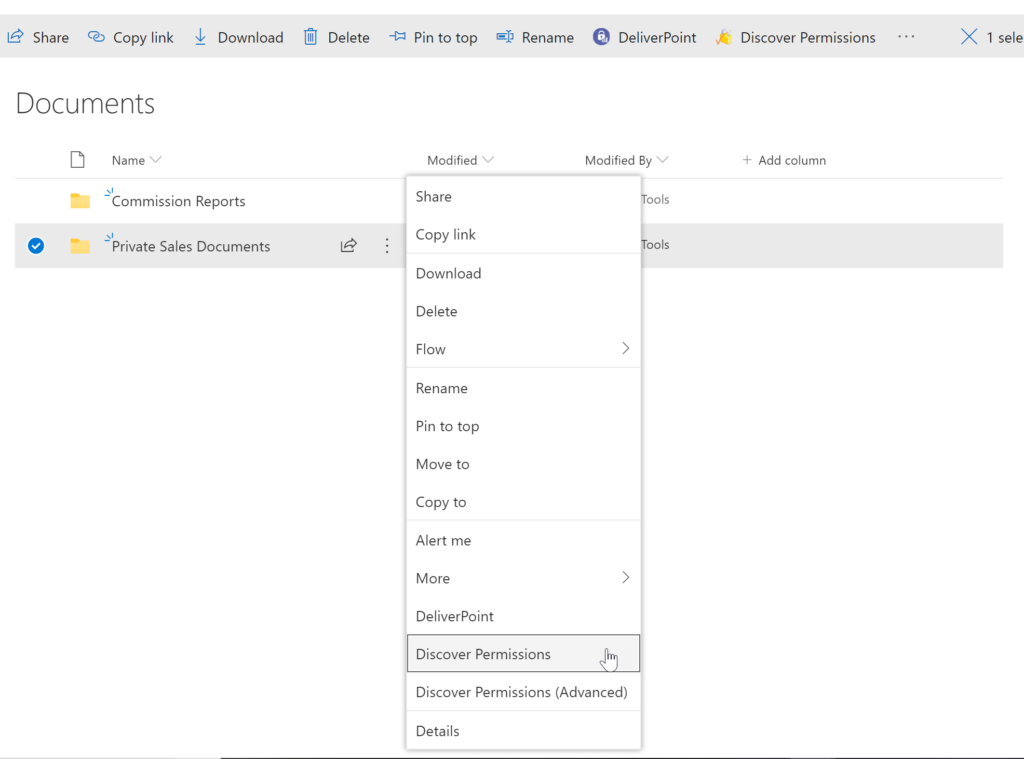
SharePoint Permissions are not just the responsibility of IT. Business Users (Content Owners) can create sites, lists, libraries and of course list and library content. The business user is capable of sharing the content with internal users, but perhaps also external users. Sharing such content can result in users gaining permissions to sites or content not intended to be shared. For example, if a site is shared, the user who the site is shared with becomes a member of the members group by default. That members group may have Edit permissions to other sites or content elsewhere within the site collection. DeliverPoint gives visibility of such permissions to support better SharePoint permission decisions from within the Site, List or Library itself.Screenshot of GRANULAR SHAREPOINT CONTENT PERMISSION REPORTS
The DeliverPoint Discover Permissions report displays a full transparent report of all users that have permissions to the site, list/library or item. This displays what permissions each account has to the selected object, as well as how the permissions were assigned. Filter can be used for each user to check for duplicate permissions, filter by Permission Level to see which users are granted each permission level, and also filter by the ‘Permissioned Via’ column to see who has received permissions via a particular SharePoint, Microsoft 365 Group, or Azure AD Security group. The Discover Permissions report can be executed against multiple documents or items, lists and within the site or subsites.Screenshot of EXTERNAL SHARING LINKS REPORTING AND MANAGEMENT
Within SharePoint, users can share links with anyone, internal users and external users. DeliverPoint provides an External Sharing Links report that can be used within a site or across sites. The user can see who shared the link, when they shared the link, and optionally remove the link if it’s required.Screenshot of REPORT AND MANAGE PERMISSIONS FROM WITHIN MICROSOFT TEAMS
DeliverPoint is also available within Microsoft Teams. Team Owners can produce Microsoft Teams Permission reports within their Teams Channels and across Private Channels. The reports provide confidence and assurance that permissions are set correctly and that sharing isn’t out of control. Changes to permissions can be made contextually within a Team or centrally across multiple Teams should permissions need to be removed or managed.Screenshot of MANAGE SHAREPOINT PERMISSIONS
Using DeliverPoint, Site Owners, Site Collection Administrators and Tenant Administrators can manage permissions across the objects that they have Full Control to. Within organizations, users change roles, leave organizations, or join organizations. Making permission changes to accounts to reflect these changes is time consuming. DeliverPoint can be used to simply select the scope to change, and perform the change as one operation. The operations include Transfer, Delete, Copy or Revoke Permissions.Screenshot of UNIQUE PERMISSION REPORTING
The DeliverPoint Unique Permissions Report enables Site Collection Administrators or SharePoint Administrators to view the permissions assigned to a specific user account or group throughout site collections. The report includes all Microsoft 365 Groups, SharePoint Groups and Active Directory Security Groups that the user is a member of. A list of Site Permissions, List Permissions and Item Permissions that the user has been assigned permissions to are listed, allowing  the permissions to be removed or transferred if they are incorrect.