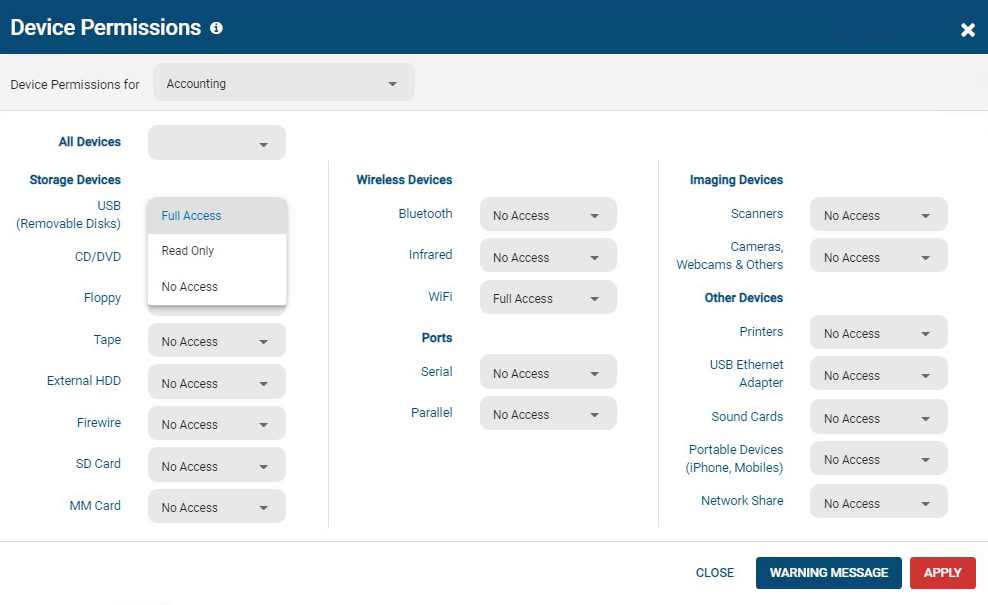
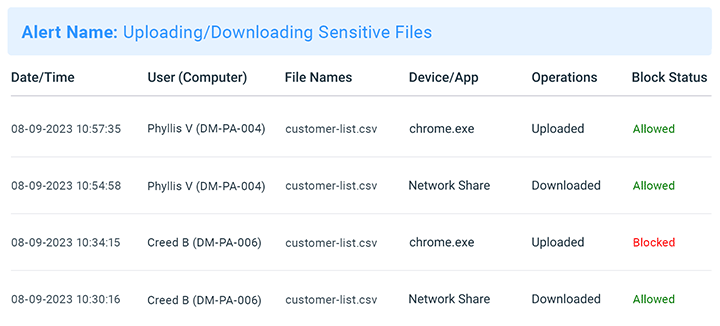
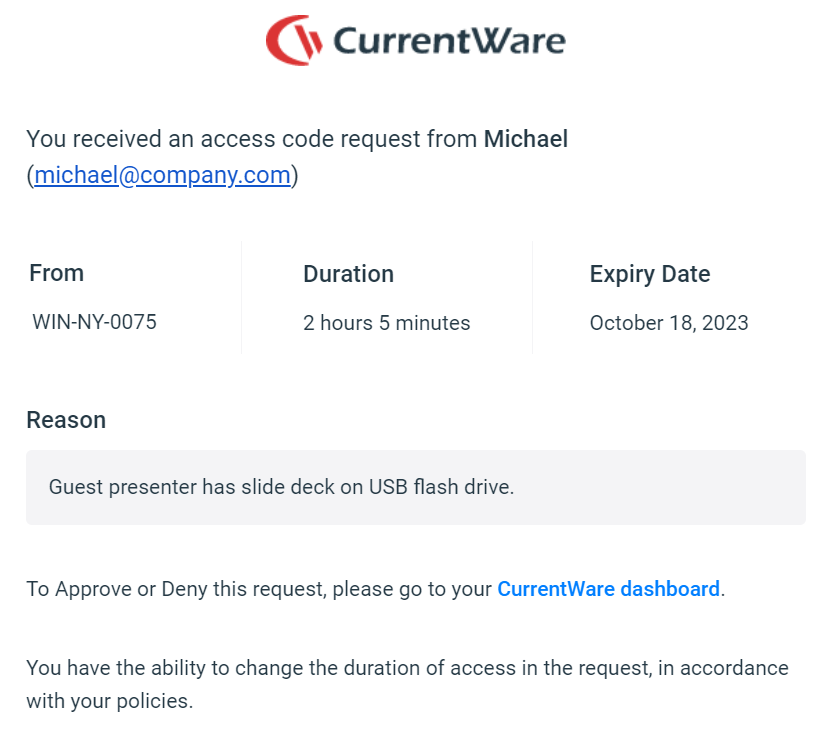
AccessPatrol by CurrentWare provides a solution for securing company endpoints against data breaches caused by illicit data transfers and rogue USB devices. AccessPatrol can be used to block flash drives, cell phones, tablets, Bluetooth, and more. File operations alerts and permissions can be configured to alert IT administrators to suspicious file operations and proactively prevent data transfers by unauthorized users.
$6
per month (billed annually) per user
Microsoft Defender for Endpoint
Score 8.8 out of 10
N/A
Microsoft Defender for Endpoint (formerly Microsoft Defender ATP) is a holistic, cloud delivered endpoint security solution that includes risk-based vulnerability management and assessment, attack surface reduction, behavioral based and cloud-powered next generation protection, endpoint detection and response (EDR), automatic investigation and remediation, managed hunting services, rich APIs, and unified security management.
$2.50
per user/per month
Pricing
AccessPatrol by CurrentWare
Microsoft Defender for Endpoint
Editions & Modules
10-99 Users
$6
per month (billed annually) per user
100+ Users
Volume & prepurchase discounts available. Please contact sales for info.
Per User Per Month
Academic
$2.50
per user/per month
Standalone
$5.20
per user/per month
Offerings
Pricing Offerings
AccessPatrol by CurrentWare
Microsoft Defender for Endpoint
Free Trial
Yes
Yes
Free/Freemium Version
No
No
Premium Consulting/Integration Services
No
No
Entry-level Setup Fee
No setup fee
No setup fee
Additional Details
Pricing is based on the volume of licenses purchased. There are additional discounts available for educational organizations, non-profits, managed services providers, and businesses that pre-purchase multiple-year plans.
I've used Sophos, Bitdefender, SentinelOne, and, of course, Microsoft Defender for Endpoint. We chose this at the time because we were such a Microsoft shop that it just seemed to integrate well with all the other things that we had set up with Microsoft.
Previously, we've used Sophos. We've used, way back when, McAfee, Norton, Symantec, all those. And we finally settled on Microsoft Defender for Endpoint. We're a Microsoft technology stack shop. So obviously it was natural. It's built into Windows, so we're not adding …
Unless you have a dedicated Security Operations Center working twenty four hours a day seven days a week that is able to constantly monitor Cylance and make the necessary changes for your users, it is not worth the trouble. Microsoft Defender for Endpoint does what it needs to …
Microsoft Defender for Endpoint consistently showed better user experiences during scans due to the reduced amount of resources used on each system compared to our previous endpoint protection solutions. However, the main reason we chose Microsoft Defender for Endpoint is …
Microsoft Defender for Endpoint offers strong integration with Microsoft 365 and Azure services, which provide a unified security experience. While McAfee Trellix is known for solid antivirus, Microsoft Defender excels in integration in the ecosystem.
Defender is far easier to deploy and manage than Sophos and tends to work without as many issues. The threat assessment portal provides an in-depth view of the organization's security posture, whereas Sophos only shows the patching status of the PCs. We did need Intune to get …
Cylance's policy is to block everything and requires an active person to monitor and unblock legitimate processes. As updates and software continue to evolve, it is a full-time job to be a Cylance administrator. Microsoft Defender for Endpoint is a set-and-forget solution that …
Microsoft Defender for Endpoint is the most cost effective solution considering our Microsoft 365 licensing status. While many 3rd party solutions are great and have been used over the years, in the non-profit world, cost is a huge driving factor of items. Coupled with …
Microsoft Defender for Endpoint is on par or exceeds the competitor products and provides an enterprise grade EDR solution. Based on the savings by bundling Microsoft products under the E5 license and the benefits it provides; it is an excellent choice for customers looking for …
MDE integrates much more into our M365 ecosystem than any other MDR possibly could. Bitdefender may have provided a similar level of endpoint protection but the reporting, vulnerability reporting and other incident tracking and correlation are critical in today's business …
Crowdstrike is the more feature complete product but licensing model and cost does not work well with the small business model. ESET Protect is considerably more complicated from a licensing perspective but once operational is a fine product.
Microsoft Defender for Endpoint is far more robust and easy to use than NinjaOne's RMM tools. Microsoft Defender for Endpoint allows us to easily manage our endpoints, from an almost single pane of glass, whereas Ninja has multiple settings, policies, etc. that are harder to …
We use Microsoft Defender for Endpoint along with Crowdstrike on some of our critical systems as it enhances the protection we have for our environment.
We have not used anything else other than Microsoft Defender for Endpoint. Maybe we've used other antivirus software like Sophos and things like that. They're just not all encompassing and that's why we moved to use this product.
I have been working with customers that they are transitioning from Sentinel One, CrowdStrike to Defender for Endpoint, right? So I think it's because they see the value in the product and also they see how much they can save in terms of the cost for companies because they …
We previously used CrowdStrike on our servers. However, the seamless integration of Microsoft Defender (MD) with XDR and the entire Microsoft ecosystem led us to choose Microsoft Defender for Endpoint (MDE).
What we love more about this product is the way this pro gets integrated into the other family of solutions, especially Defender for Identity or the XDR solutions. We think that the market, the customers are full of unattended consults coming out from different vendors and that …
I can definitely tell you where it’s more suited, because we haven’t come across any less appropriate scenarios. But definitely in regard to how we centrally manage our user space and our endpoints, it’s been beneficial from an API perspective and is really transferable, with strong collaboration with our Azure stack. It works very well.
It really protects our endpoints. We've used other antivirus programs in the past, and they haven't had that full confidence in those products compared to what Microsoft Defender for Endpoint does for us.
Another pro is that it's easy to manage the management console through Intune to see Microsoft Defender for Endpoint up in the cloud and see the state of our devices.
Another pro is we haven't had an incident since we installed it.
Microsoft Defender is closely catching -up in market with existing competitors they have added DLP endpoint & DLP Network and Cloud DLP solution last year with OCR capabilities. I would say Microsoft Defender is not legacy Vendor in end point security, the need to learn from other vendors in market and focus on new XDR technologies, which is going to be new battle for all vendors
Microsoft Defender for Endpoint is a great EDR to have that works quickly and silently in the background and it integrates well with other Microsoft services. As an IT manager, I can appreciate that I do not get bombarded by alerts for every small detail. On the flipside, the management site can use some work in being more clear and should be more streamlined so I'm not clicking through multiple pages to figure out what happened
Microsoft Defender for Endpoint chugs along just fine no matter what we throw at it and what systems it's running on. It doesn't take up a lot of resources either, so that's welcomed.
Overall support is really good for this product. Since it's a Microsoft product, you will get good support from a number of different resources, including knowledgebase articles on the web, support from Microsoft technicians, and documentation (which tends to very thorough). Also, there is a vast user support community for this product, so user support forums would also be another valuable channel to get help if needed. I don't envision too many people will have issues/problems with the product, as it tends to run good overall.
Deployment was handled by our team here and everything went pretty smoothly. We did have a few hiccups in our test group, but that only took a bit to get ironed out.
I've used Sophos, Bitdefender, SentinelOne, and, of course, Microsoft Defender for Endpoint. We chose this at the time because we were such a Microsoft shop that it just seemed to integrate well with all the other things that we had set up with Microsoft.
Another positive impact is that Microsoft Defender for Endpoint is built into the Windows OS. So naturally, it is much easier to load it out and manage it, rather than acquiring it through party ER, deploying it, and managing it separately. So that's definitely on the positive side that we observe there's a byproduct of changing Microsoft Defender for Endpoint.