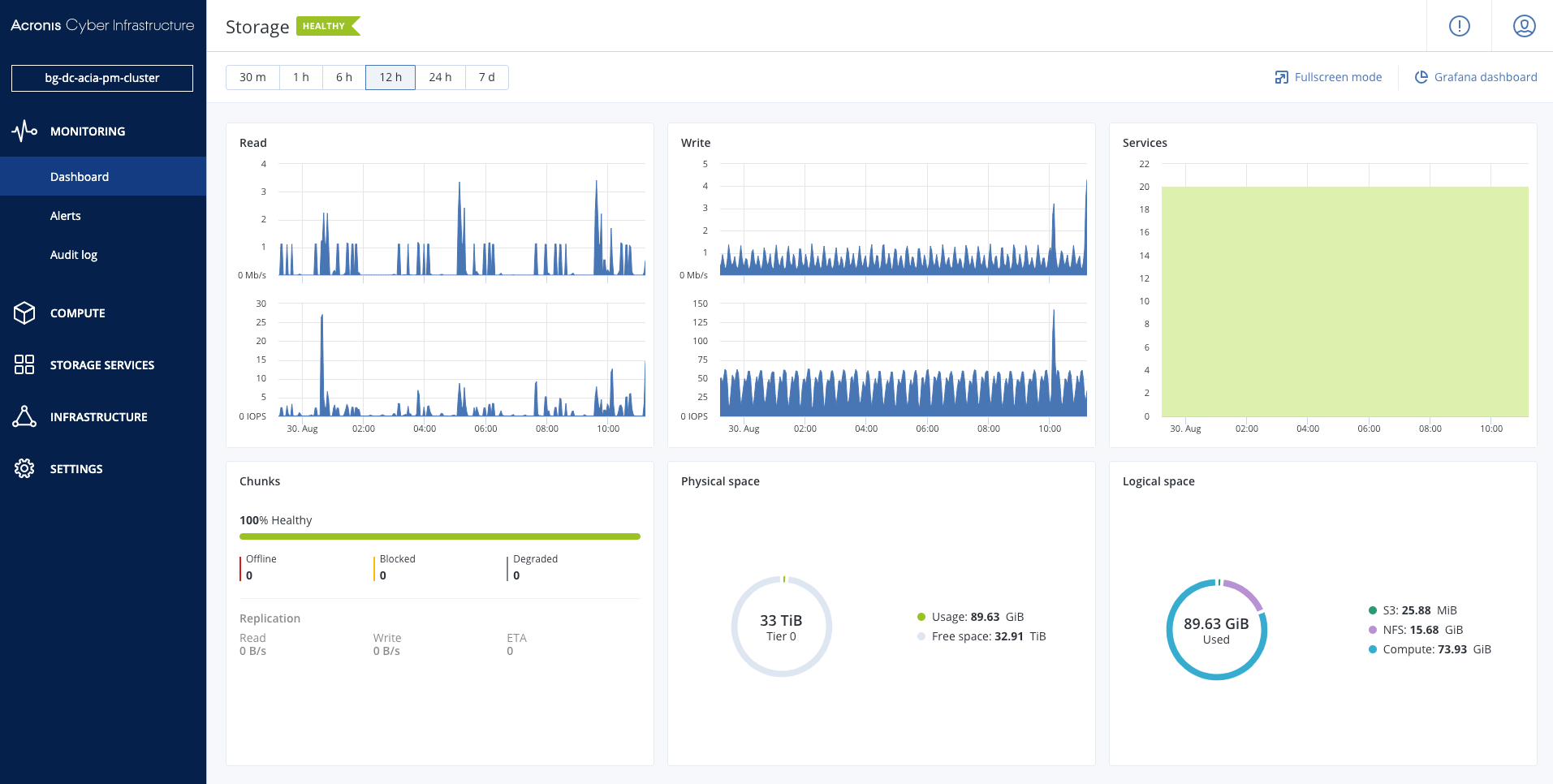
Acronis Cyber Infrastructure is a legacy software-defined storage (SDS) and hyperconverged infrastructure (HCI) solution. Originally designed to serve as a trusted, multi-tenant foundation for cyber protection, the platform enabled service providers and enterprises to utilize industry-standard hardware to store backup data, manage block/file/object storage, and run disaster recovery workloads in deeply integrated Acronis environments. Product Evolution &…
N/A
Oracle VirtualBox
Score 8.4 out of 10
N/A
Oracle VirtualBox is an open source, cross-platform, virtualization software, enables developers to deliver code faster by running multiple operating systems on a single device.
N/A
VMware vSphere
Score 7.9 out of 10
N/A
An enterprise workload platform, vSphere is used to improve the performance for a data center. It is used to boost operational efficiency, supercharge workload performance, and accelerate innovation.
$995
per year
Pricing
Acronis Cyber Infrastructure (legacy)
Oracle VirtualBox
VMware vSphere
Editions & Modules
No answers on this topic
No answers on this topic
Standard
$995.00
per year
Enterprise
$3,995.00
per year
Offerings
Pricing Offerings
Acronis Cyber Infrastructure (legacy)
Oracle VirtualBox
VMware vSphere
Free Trial
Yes
No
No
Free/Freemium Version
Yes
Yes
No
Premium Consulting/Integration Services
No
No
No
Entry-level Setup Fee
Optional
No setup fee
No setup fee
Additional Details
—
—
—
More Pricing Information
Community Pulse
Acronis Cyber Infrastructure (legacy)
Oracle VirtualBox
VMware vSphere
Considered Multiple Products
Acronis Cyber Infrastructure (legacy)
No answer on this topic
Oracle VirtualBox
Verified User
Anonymous
Chose Oracle VirtualBox
Oracle VirtualBox is the better choice due to its cost-effectiveness, ease of use and feature set. However VMware Workstation is more suitable due to its superior performance, better features and better integration with enterprise tools. VMware Workstation also provides a …
It always depends on the usecase which product is better suited. But generally, Oracle VM VirtualBox is very easy to set up on every operating system and is intuitive in the usage. Compared to VMware Workstation it offers less features but for a basic setup, I prefer Oracle VM …
Oracle's solution is entirely free, although a bit clumsy and visually outdated. Hyper-V can and will be a better match due to having more resources, offering full Microsoft Support, and being focused mainly on corporative uses, but for a small environment, it can be like …
VirutalBox is very similar to using Vmware with the slight difference in appearance and what might be considered a less polished look. However, what it lacks in polish and looks it makes up for in functionality, easy of use and the wide range of operating systems and features …
While Parallels Desktop has always positioned itself better than VirtualBox, it will never be able to compete against free and open-source software. Yes, it is true that it has some extra seasonings that can make the scale move towards Parallels at the time of the election, …
VMWare Workstation required VMWare Workstation Pro to create the system before we could use it. The license requirements for the latter was the issue as we needed this for dev/test environments as well as to show POC on virtualization without necessarily incurring a cost at the …
Docker, and automated machine provisioning in DevOps often uses the metaphor "treat your machines like cattle, not pets." VirtualBox's intended use is definitely in the creation, management and use of "pet" machines, whereas many similar products are more in the "cattle" …
The main benefits of Oracle VM VirtualBox are its licensing terms (it is free), its open-source nature, and its active community. However, its various competitors do a much better job when it comes to both ease of use and, most importantly, speed. For example, Parallels Desktop …
We've used VMware, and continue to use it for some projects. But, in my experience, the latest updates to VMware run very slowly, particularly on macOS. Many blog posts offer tweaks to help speed up VMware, but none of these tweaks make a significant difference.
Front-End Web Developer, Office of Mediated Education
Chose Oracle VirtualBox
We primarily use Oracle VM VirtualBox because it's free, and it is the default provider for Vagrant, which we use for our development VMs. The user interface of VirtualBox looks a little clunky in macOS, but I actually almost never see the main VirtualBox interface because I …
With regards to how some of the other virtualization software packages stack up again VirtualBox, I would say VirtualBox is ahead of the game especially when it comes to cost savings, as there is no ongoing cost for running the software. A big disadvantage to one of the other …
As I mentioned earlier, Oracle VM VirtualBox and VMWare Workstation offer roughly the same type of features. One of the main differences is that VMWare Workstation is a commercial product while Oracle VM VirtualBox is open-source. Resource utilization and graphics support is …
VirtualBox is just as robust and as functional as the VMware desktop product. It actually has more features and in some ways is easier to work with. I've also found that VirtualBox supports newer operating systems better than VMware Workstation. There's also the cost advantage …
I have used Parallels as well as VMware Workstation and have always returned to VirtualBox. VirtualBox is free which makes it easy to try. Compared to the others, it does everything I need. In +7 years I have not been able to justify the cost of a Parallels Desktop or VMware …
It's free, fast, and really well built. Obviously, VMware is the key competitor, but I consider that more of an enterprise app for building and managing entire networks of virtual systems, whereas VirtualBox is fantastic as a personal VM tool. What it lacks in enterprise-grade …
In a Windows environment, Docker would not even be possible, to begin with. Also, on the way around, having a Linux based Machine, without Oracle VM VirtualBox, one would have to create a partitioned disk and enable it at boot time in order to be able to run Windows in such a …
It's much more useful than VMware workstation player because you can't edit anything at all with that free version of vmWare. This is just about as capable as VMware fusion and Workstation until you pay even more to use vSphere, and then you start having enterprise features.
We feel like we made a good decision going with Oracle VM VirtualBox because it was more enterprise ready. They had great customer success team and proper API compatibility which allowed for great integration into our legacy tools. The support we got from the development …
VMware vSphere is leader in virtualization segment and ease of use and manageability is very easy and integrated with more vendors in ecosystem like Redhat openshift, VMware vSphere is directly integrated whereas for Nutanix you require third party tools. VMware vSphere is …
Hyperv is great for limited vm build out, low cost companies, and limited in size organizations. Microsoft has a great product but its just not a robust and scalable as vsphere is. Citrix's platform is great for simple virtualization needs and for special 3D graphics …
vSphere is superior to any other on-premises hypervisor that I've personally used or heard about. vSphere is the de facto industry standard, receives substantially more partner support and investment, and benefits from a significantly longer maturation period than other …
We could not migrate to AOS then due to limitation by SAP supportability. A few months after going live, there was a whitepaper saying that AHV will now support it. We continued to use vSphere. It has given us what we need to be agile and extremely efficient with our hardware …
vSphere simply is best-in-class for its features and functionality. It does guest OS management, thin provisioning, deployment, management, networking, vMotion, and automation better than all the rest. vSphere is always the first to implement new and advanced features and push …
We came from VirtualBox where every user had their own VMs and was responsible for managing them. Turns out that's not a great solution when people leave or when disaster strikes. Further, the performance was abysmal.
We have tried a few other virtualization platforms, and even though you do pay for the support, it's worth it for the extra you get. Datastore migration, host migration affinity rules are all tools we use that others don't seem to have. And if they do, they don't work as well.
There's no comparison, VMWare is the market leader. It's pricey, but its feature set is years ahead of the competition. In particular, the ability to manage a large fleet of servers across multiple sites through a single pane of glass is great!
We opted for vSphere because of our IaaS/PaaS provider. Being one of the pioneers in server virtualization, VMware have proven to be quite reliable and robust, and thus widely adopted by virtualization service providers including ours. Also, the price is noticeably lower using …
We started testing our virtual infrastructure back 9 years ago we test XenServer but it was too complicated for us. When we tested vSphere from Vmware, It just worked, all we had to do was click. At the time, we were looking to have a virtualized video security server and …
I have only used Hyper-V on a workstation. Not to the same standard as VMware. From what I have seen, VMware vSphere console has a whole lot more features but I cannot fully tell you that one is better than the other.
I researched on the web and upon stumbling on millions and millions of articles, found that vSphere is a technology that was leading in the magic quadrant at that time. The technology was able to cater to the business needs and requirements for its vision and goals. The …
In terms of security, VMware has made important security enhancements, which now provides the same security features and level as Hyper-V. In terms of scalability, VMware improved scalability, which supports up to 64 hosts in the cluster now and it can now accommodate more than …
vSphere is much easier to use for a larger enterprise and also is easier to set up than Hyper-V. XenServer is simply not popular so while not a bad choice it is not the best because so little will be available for it. I cannot speak to the latest versions of Citrix since I …
vSphere is superior to Hyper-V. I have had several issues in Hyper-V that I have not experienced in vSphere. vSphere just works. It costs more money, but it works. I am curious to see the outcome of the Microsoft licensing model as they try to take on VMWare with Hyper-V. …
vSphere has a lot more feature sets than Hyper-V but at a much higher cost of entry versus MS Hyper-V. I have not been able to play with Hyper-V as much as I would have liked, but the setup and ongoing maintenance seems to be easier in vSphere than with Hyper-V
vSphere has more functionality than workstation pro and Hyper-v from Microsoft. It is expensive but for a good reason, the amount of control you have with vSphere is amazing. VMware is constantly adding new features and keeps their software up to date. Hyper-V is great but with …
It is best suited when you want to have different operating systems on your laptop or desktop. You can easily switch between operating systems without the need to uninstall one. In another scenario, if you expect some application to damage your device, it would be best to run the application on the VM such that the damage can only be done to the virtual machine. It is less appropriate when time synchronization is very important. At times the VMs run their own times differently from the host time and this may cause some losses if what you doing is critical. Another important thing to take note of is the licensing of the application you want to run your VM. Some licenses do not allow the applications to be run on virtual servers so it is not appropriate to use the VM at this time.
vSphere is well suited for multiple VMWare hosts and can be very useful in larger enterprises where vMotion is used to load balance and failover running virtual machines. In smaller businesses with one or two hosts then the features can be overkill. The addition of virtual TPM support is a very nice addition to provide vm security in a more Microsoft supported methodology.
Can spin up multiple VMs on a host-only network that speak to each other and allow for interesting test environments spun up at will.
Cross-platform functionality allows me to run it on my Linux Desktop and know that tutorials I make with it could be approached by someone on a Windows or Mac OSX system. Hyper-V is limited to Windows, and VMware Workstation requires a license (VMware Player is free, but is not open-source and is more limited in comparison to VirtualBox).
If you are testing tools like Vagrant and Test-Kitchen, VirtualBox often seems to have the highest amount of support and documentation when it comes to compatibility (though, many people do use Hyper-V or VMware Workstation without issues).
The memory footprint is high, and requires above 8 GB of memory to run an Ubuntu VM smoothly (considering developing inside ubuntu OS inside a MacBook Pro).
Some known issues with OVF/OVA images import/export. We had the issue of some sections in OVF being ignored (especially Startup and Install sections).
Some intermittent issues when mounting external hard drives and trying to access them from within the running VM.
More detail in recent tasks. Instead of just showing a task called "Reconfigure virtual machine" also have a link to more detailed information as to what was reconfigured, changed or removed.
We are constantly looking for change that will benefit our company. We are not ones to stick with a product simply because it is what we know, but rather looking for what fits us best. We can't imagine another product on the market today doing a better job of handling our infrastructure than vSphere.
I love using the Graphical User Interface. The VirtualBox Manager is very easy to understand and use. You can quickly create, configure and manage all your virtual machines in one window. It makes operating virtual machines easy and simple. When using VBoxManage it gives the user comprehensive control over VirtualBox so that you can use automation and scripting at the command-line interface
Very useful for environments where space and energy consumption are issues and management is not very keen on upfront spending on hardware every time whenever requirement comes from any dept for provisioning a machine for their occasional use, easily can be done in case of VMware vSphere in few clicks. Backup, security, monitoring and management everything is covered but at additional cost.
I rarely ever have to contact support and when I do need to resolve an issue, there is always an abundance of kb articles and research information available that can help quickly resolve the issue. Depending on the type of support contract you have, you may get support from some offshore group in another country and this could be a little challenging because of the language barrier.
Just make sure that when you implement, that the person implementing truly knows what they are doing and has a plan of action coming in. Since our initial implementation using a consulting service, I have implemented a few vSphere just from what I learned at the initial implementation and use over time, and the person implementing really needs to know what they are doing or you will miss out on features that may help you down the line
VirutalBox is very similar to using Vmware with the slight difference in appearance and what might be considered a less polished look. However, what it lacks in polish and looks it makes up for in functionality, easy of use and the wide range of operating systems and features it supports without the need of buying the full professional edition
The only problem I have found is that the deployment is dependent and intrinsically linked to the Host OS. This is different from bare metal solutions which remove that dependency on a Host OS. The latter is more reliable and removes a layer of potential failure.
Having vSphere helped my business quickly recover from a ransomware attack which would have crippled us for weeks if we were not virtualized. I think the ROI on something like that is immeasurable.
vSphere has allowed my company to purchase bigger server hardware to host 3 or 4 virtual servers, which was at a cost much lower than buying 3 or 4 server hardware boxes, saving us thousands each time we need to upgrade hardware.