Acunetix by Invicti vs. esChecker

Overview
ProductRatingMost Used ByProduct SummaryStarting Price
Acunetix by Invicti
Score 8.0 out of 10
N/A
AcuSensor from Maltese company Acunetix is application security and testing software.
$4,500
esChecker
Score 0.0 out of 10
N/A
esChecker: a MAST by eShard esChecker combines years of penetration testing experience with a dynamic engine simulating attack techniques. No source code is needed, only the app binary (Android apk or iOS ipa). It takes 30 minutes to find out how an app reacts against many hacking techniques, so that the user can now reserve pentest budget to in-depth vulnerability analyses. What is a MAST? Mobile Application Security Testing solutions implement security…N/A
Pricing
Acunetix by InvictiesChecker
Editions & Modules
Websites Scanned: 5
4,500
Websites Scanned: 6-10
7,200
Websites Scanned: 11-20
10,800
Websites Scanned: 21-35
22,540
Websites Scanned: 36-50
26,600
Websites Scanned: Over 50
Contact for quote
No answers on this topic
Offerings
Pricing Offerings
Acunetix by InvictiesChecker
Free Trial
YesYes
Free/Freemium Version
NoNo
Premium Consulting/Integration Services
NoYes
Entry-level Setup FeeNo setup feeNo setup fee
Additional Details
More Pricing Information
Community Pulse
Acunetix by InvictiesChecker
Best Alternatives
Acunetix by InvictiesChecker
Small Businesses
GitLab
GitLab
Score 8.7 out of 10
GitLab
GitLab
Score 8.7 out of 10
Medium-sized Companies
Veracode
Veracode
Score 8.8 out of 10
Veracode
Veracode
Score 8.8 out of 10
Enterprises
Veracode
Veracode
Score 8.8 out of 10
Veracode
Veracode
Score 8.8 out of 10
All AlternativesView all alternativesView all alternatives
User Ratings
Acunetix by InvictiesChecker
Likelihood to Recommend
9.0
(3 ratings)
-
(0 ratings)
User Testimonials
Acunetix by InvictiesChecker
Likelihood to Recommend
Invicti Security
It is best suited for integrated security testing of applications which are hosted on web servers. The most important thing is the integration of DevSecOps which is crucial in today's fast paced environment of rapid development. The core of Acunetix is application scanning which is really great and I highly recommend this product to everyone
Read full review
eShard
No answers on this topic
Pros
Invicti Security
  • Fast.
  • Easy-to-use.
  • Great customer support.
  • Reporting features.
  • Supports importing state files from other popular application testing tools.
  • Has other features built-in beyond just scanning for vulnerabilities.
Read full review
eShard
No answers on this topic
Cons
Invicti Security
  • Configuration of DevSecOps can be improved for ease
  • Dashboard can have API integration
  • Broaden the scope of vulnerabilities
Read full review
eShard
No answers on this topic
Alternatives Considered
Invicti Security
ZAP is a free tool, and adequate. But it is to that extent less friendly. I would not be as confident of the results and it definitely can't produce reports on par with Acunetix. There would be a lot of legwork on our end if we desired to switch to this tool.
Read full review
eShard
No answers on this topic
Return on Investment
Invicti Security
  • Saved money compared to other commercial scanners, especially over the long run.
  • Scan speed seems to be pretty good compared to some of the bulkier commercial products out there. However, that largely has to do with proper configuration.
  • A downside is that is requires a bit of extra work just to get it set up to scan APIs, web services, etc.
Read full review
eShard
No answers on this topic
ScreenShots

Acunetix by Invicti Screenshots

Screenshot of DashboardScreenshot of FilteringScreenshot of scan results

esChecker Screenshots

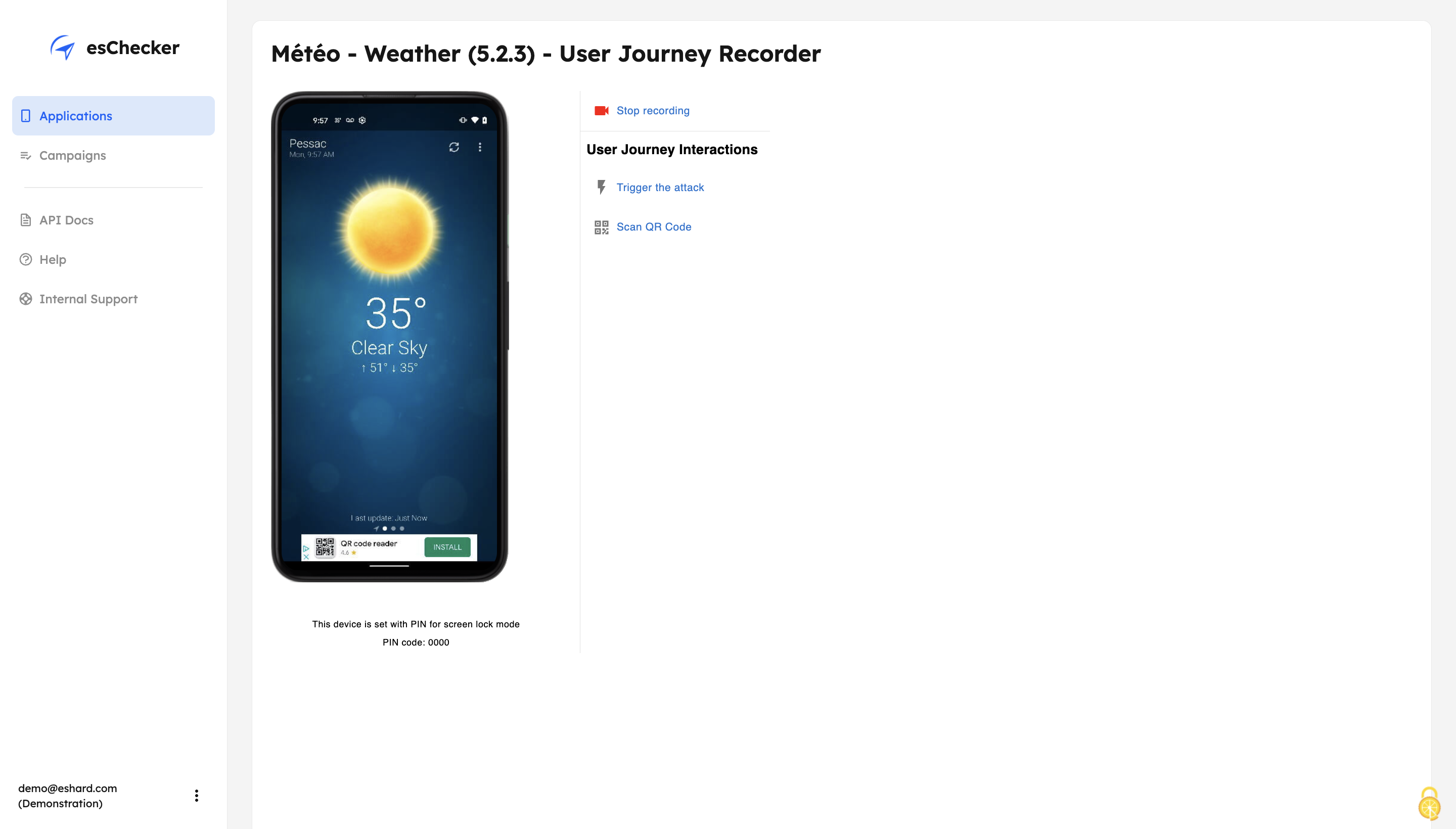
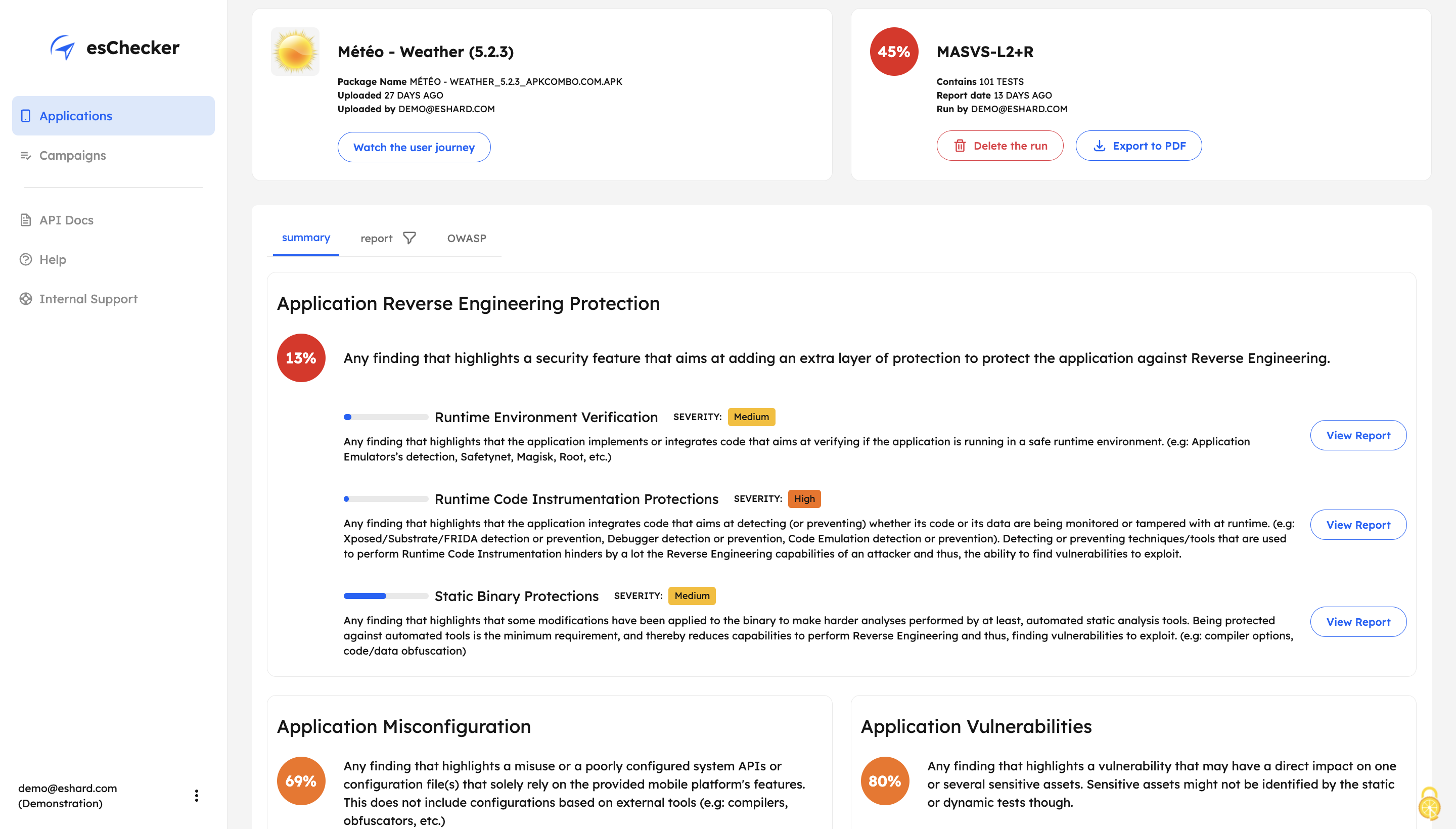
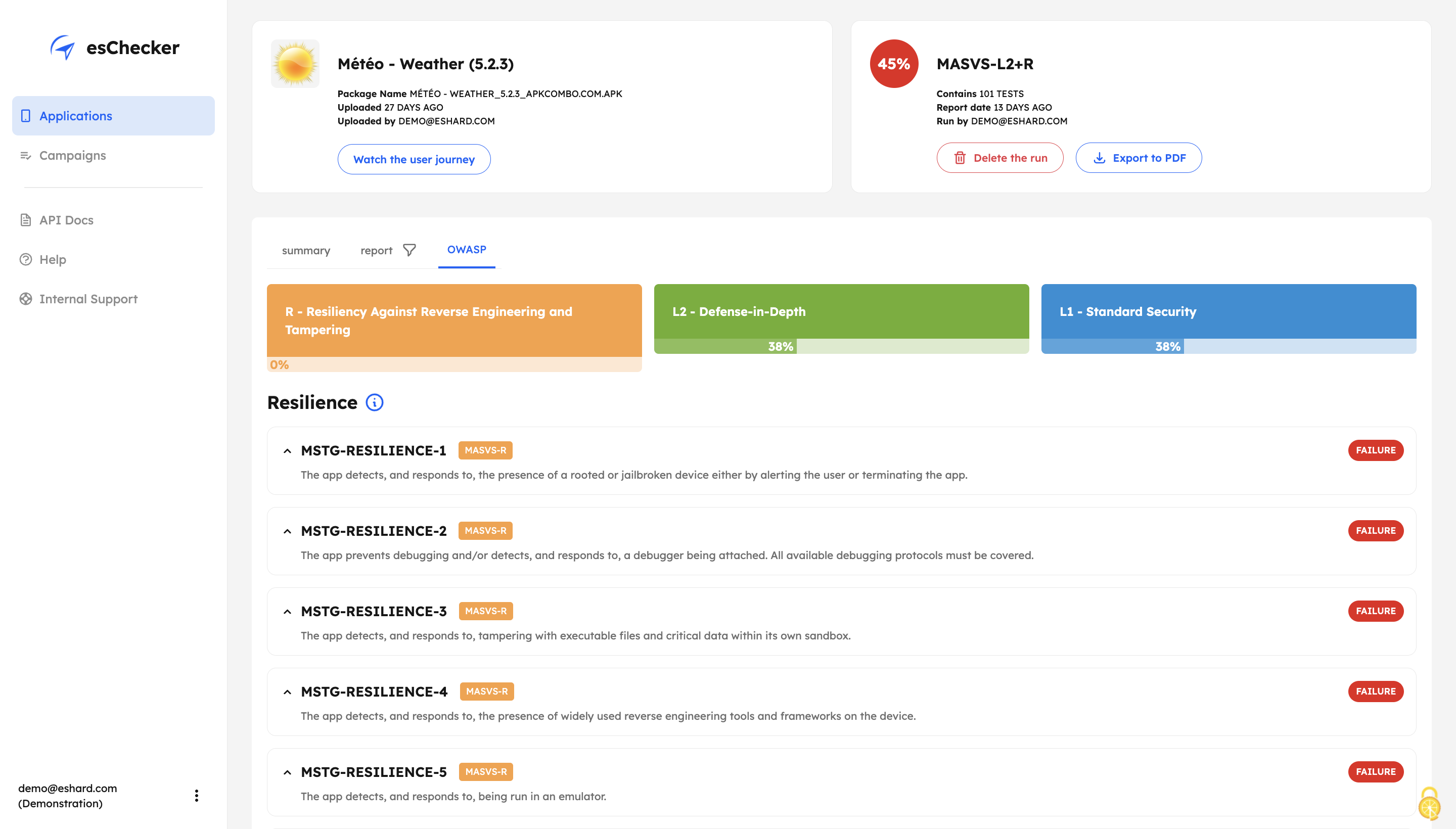
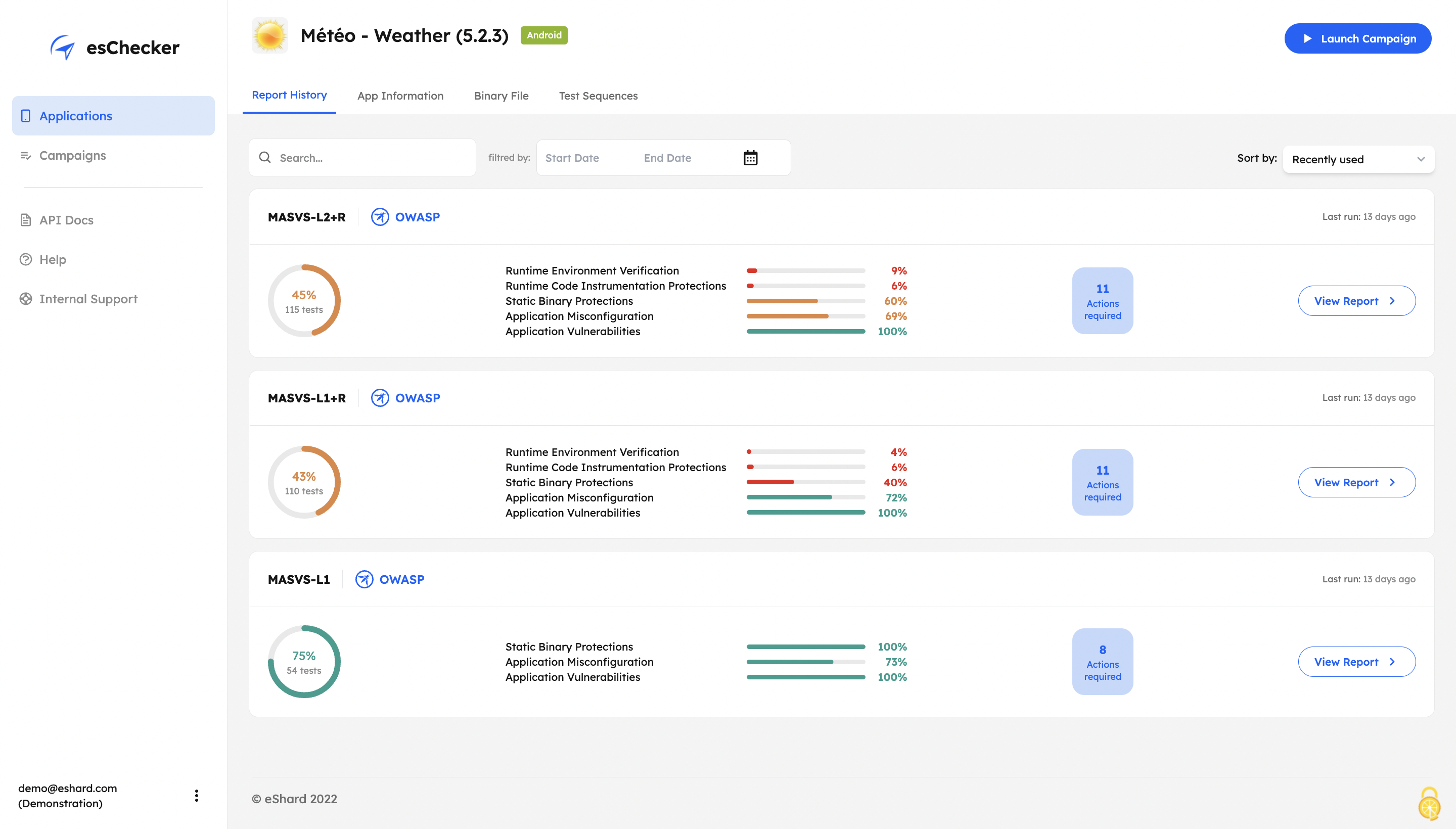
Screenshot of esChecker offers default preset campaigns, according to OWASP standards: MASVS L2+R, MASVS L2, MASVS L1+R and MASVS L1. Users can also choose to create custom campaign to match internal security policies.Screenshot of With its Record and Replay feature, esChecker allows users to browse deep in app screens to target critical user journeys. This ensures that the performed attacks are triggered on the right screens. After a testing session, users can play the video recording of a given test and see how the app reacted.Screenshot of After a full app test session, users are able to understand how strong an application is in: Application Reverse Engineering Protection, Application Misconfiguration and Application Vulnerabilities.Screenshot of The testing report guides the user through the OWASP MASVS to help understand where an application requires more work to be properly protected. This report can be used internally, or externally to show evidence of compliance.Screenshot of The app Defense Score can be used to and compare an app’ results. To help monitor the application’s security protections evolution, esChecker provides a centralized, and graphic overview of the test results.