TrustRadius: an HG Insights company

What is esChecker?

Mobile Application Security Testing solutions implement security verifications, ideally at the binary level (blackbox approach). Behind security, it is necessary to set the right questions and pick up the tool corresponding to the following questions:

Read more details.

Media

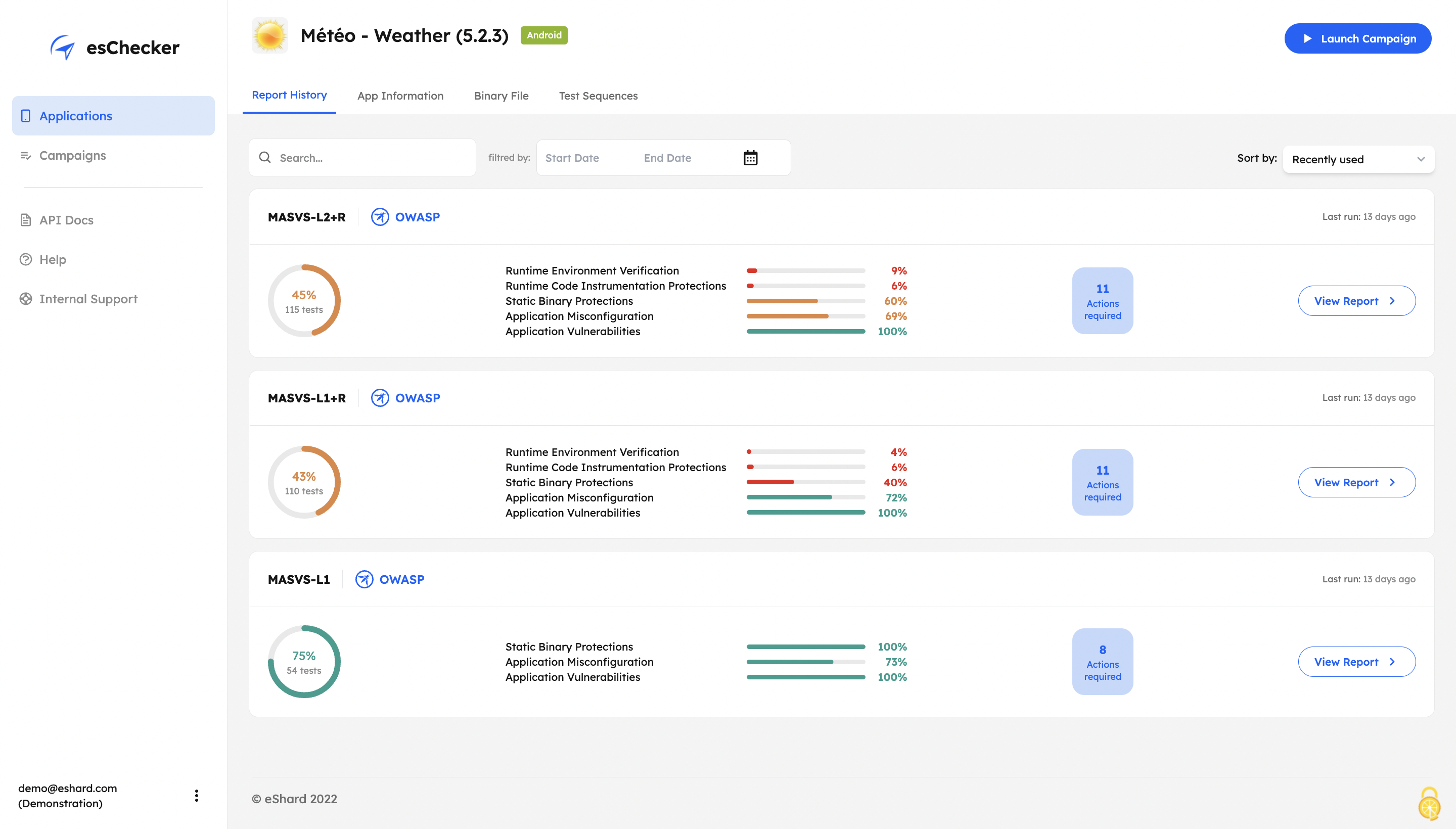
Screenshot of esChecker offers default preset campaigns, according to OWASP standards: MASVS L2+R, MASVS L2, MASVS L1+R and MASVS L1. Users can also choose to create custom campaign to match internal security policies.
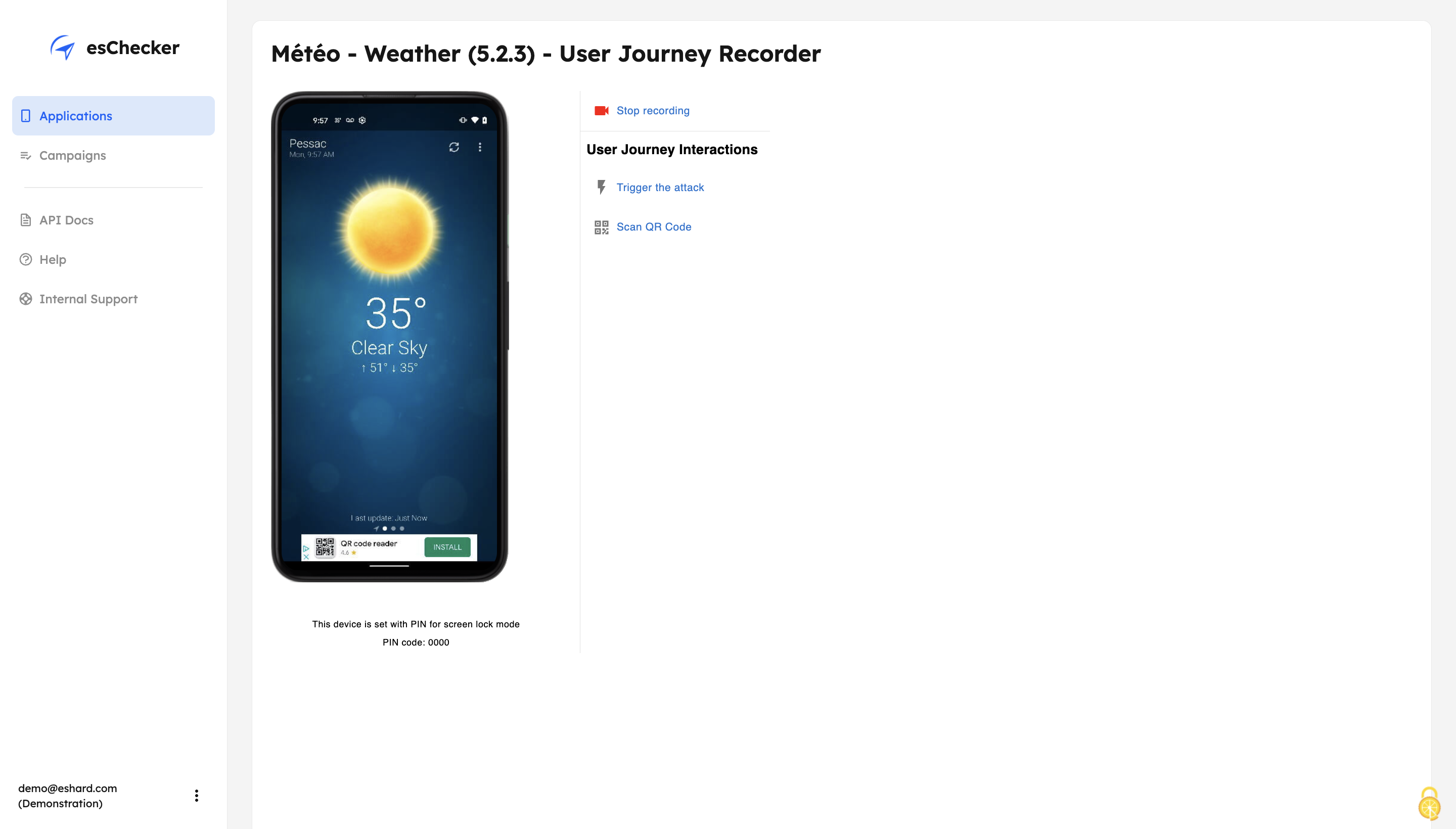
Screenshot of With its Record and Replay feature, esChecker allows users to browse deep in app screens to target critical user journeys. This ensures that the performed attacks are triggered on the right screens. After a testing session, users can play the video recording of a given test and see how the app reacted.
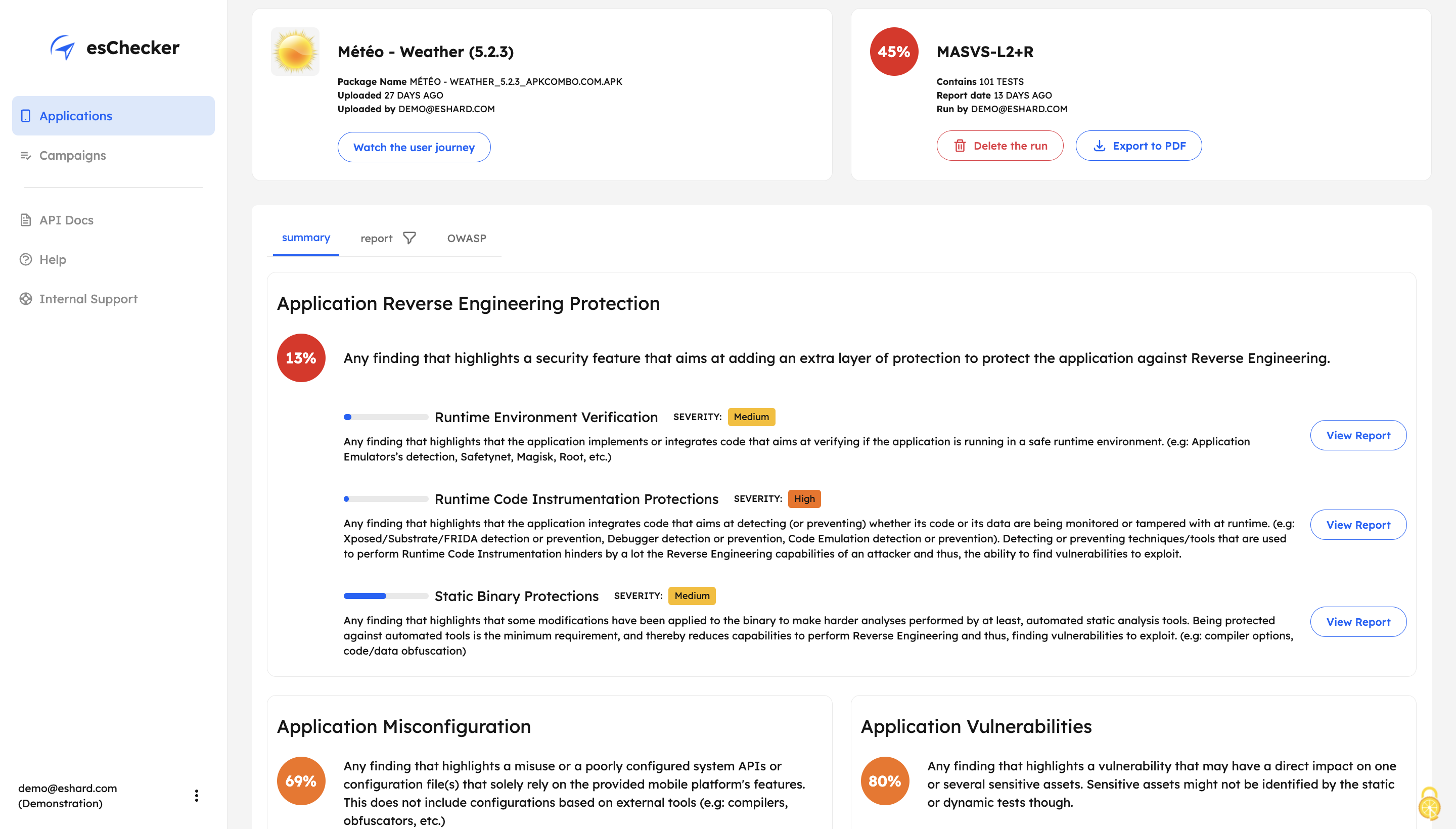
Screenshot of After a full app test session, users are able to understand how strong an application is in: Application Reverse Engineering Protection, Application Misconfiguration and Application Vulnerabilities.
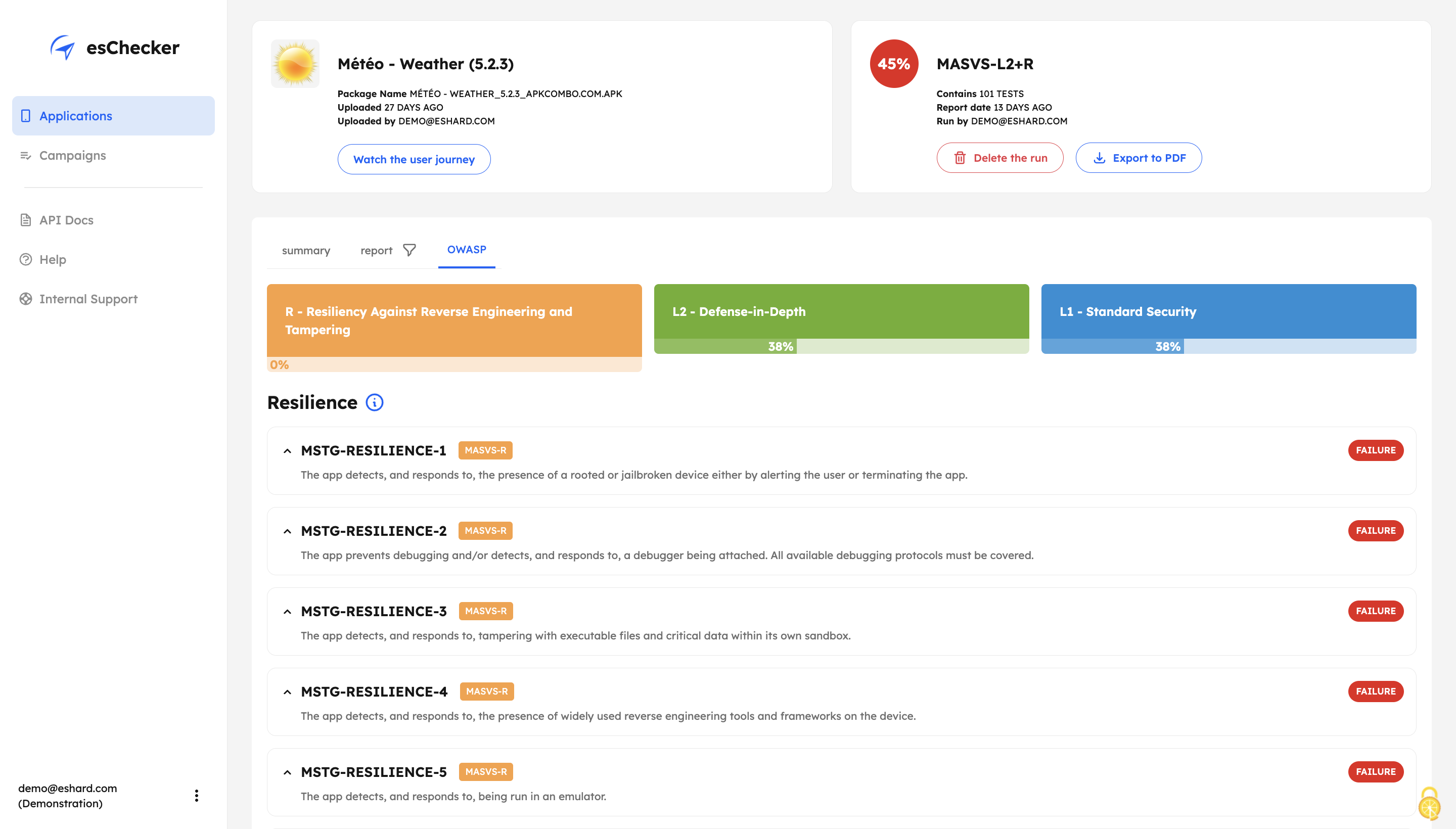
Screenshot of The testing report guides the user through the OWASP MASVS to help understand where an application requires more work to be properly protected. This report can be used internally, or externally to show evidence of compliance.
Screenshot of The app Defense Score can be used to and compare an app’ results. To help monitor the application’s security protections evolution, esChecker provides a centralized, and graphic overview of the test results.

1 / 5

Screenshot of esChecker offers default preset campaigns, according to OWASP standards: MASVS L2+R, MASVS L2, MASVS L1+R and MASVS L1. Users can also choose to create custom campaign to match internal security policies.