TrustRadius: an HG Insights company

Save this comparison

Save this comparison

Add Product

Recommended Comparisons

    Overview
    ProductRatingMost Used ByProduct SummaryStarting Price

    Adobe Presenter

    Score9 out of 10
    N/AAdobe Presenter is a PowerPoint plugin for converting PowerPoint presentations into elearning content. It allows for multimedia and interactive integrations and can be mobile accessible. Presenter can also integrate with standalone LMS products, including Adobe Captivate.N/A

    Ghostprompter

    N/AN/AGhostPrompter is a specialized desktop utility engineered for professionals, remote presenters, and content creators who need real-time script assistance during video calls, webinars, and live recordings. By integrating advanced customization features directly into the workspace, the software eliminates the traditional friction of public speaking and remote presentation delivery. Key Features and Differentiators Transparent Overlay: Provides a custom-configured,…

    $49

    one-time fee per installation

    Pricing
    Adobe PresenterGhostprompter
    Editions & Modules
    No answers on this topic
    GhostPrompter Pro
    $49
    one-time fee per installation
    Offerings
    Pricing Offerings
    Adobe PresenterGhostprompter
    Free Trial
    NoYes
    Free/Freemium Version
    NoNo
    Premium Consulting/Integration Services
    NoNo
    Entry-level Setup FeeNo setup feeNo setup fee
    Additional Details—GhostPrompter utilizes a straightforward, accessible pricing model designed for individual creators, remote professionals, and small teams. Transparent subscription tiers ensure users only pay for the features they need to streamline their virtual presentations and video call workflows without hidden enterprise setup costs or complex licensing fees.
    More Pricing Information
    Best Alternatives
    Adobe PresenterGhostprompter
    Small Businesses
    Apple Keynote
    Score8.5 out of 10
    Adobe Presenter
    Score9 out of 10
    Medium-sized Companies
    Microsoft Powerpoint Online
    Score7 out of 10
    Microsoft Powerpoint Online
    Score7 out of 10
    Enterprises
    Apple Keynote
    Score8.5 out of 10
    Adobe Presenter
    Score9 out of 10
    All AlternativesView all alternativesView all alternatives
    User Ratings
    Adobe PresenterGhostprompter
    Likelihood to Recommend
    9.4
    (8 ratings)
    -
    (0 ratings)
    Likelihood to Renew
    8.2
    (1 ratings)
    -
    (0 ratings)
    Usability
    7.0
    (2 ratings)
    -
    (0 ratings)
    Availability
    7.0
    (1 ratings)
    -
    (0 ratings)
    Performance
    5.0
    (1 ratings)
    -
    (0 ratings)
    Support Rating
    3.6
    (1 ratings)
    -
    (0 ratings)
    Product Scalability
    6.0
    (1 ratings)
    -
    (0 ratings)
    User Testimonials
    Adobe PresenterGhostprompter
    Likelihood to Recommend
    Adobe
    As I mentioned earlier, it's best used for "presentations," rather than bona fide "training." That's why we tend to use it when the information is relatively simple and/or doesn't need to be fully internalized or mastered (which would require providing opportunities for practice and feedback and a more engaging, interactive learning experience). However, it can be used as part of a blended-learning solution, with some information provided via an Adobe Presenter module first, and then some kind of instructor-led session as a follow-up, which would include more role-specific info, as well as practice and feedback opportunities. Also, as I mentioned earlier, Adobe Presenter Video Express is great for creating quick overview demos about a new system -- more of a "see what it can do" type thing than a "here's how you do it" thing (unless the "it" is very simple and the video is used more as a microlearning/performance support type of offering).
    Incentivized
    Read full review
    GhostPrompter
    No answers on this topic
    Pros
    Adobe
    • Because it integrates with PowerPoint, it is possible to go from planning outline to storyboard to final output withing a single document and as part of a seamless and logical design process.
    • Its ability to create videos that capture screens along with web-cam recordings, then edit them within the solution means higher level training recordings can be created versus, say a recorded WebEx training session.
    • Presenter's ability to create quiz elements similar to Adobe Captivate, add interactions, and interface with Adobe's LMS means it is capable of functioning as a complete e-learning development environment. .
    • If up front cost is a consideration, Presenter wins hands down over many better known training development and e-learning solutions.
    Incentivized
    Read full review
    GhostPrompter
    No answers on this topic
    Cons
    Adobe
    • E learning news server could be more intuitive
    • Numerical indicator for updates is confusing
    • Organization of updates could be better organized
    Incentivized
    Read full review
    GhostPrompter
    No answers on this topic
    Likelihood to Renew
    Adobe
    My company is pretty invested in the Adobe ecosystem and is unlikely to change that in the foreseeable future. Also, Adobe Presenter is a very valuable tool and, with the new subscription model and the pricing we have, a relatively modest expense now. It's also fairly easy to learn and use, so it is starting to spread beyond the sphere of the various Learning & Development departments.
    Incentivized
    Read full review
    GhostPrompter
    No answers on this topic
    Usability
    Adobe
    It is easy to learn and use, but is frustrating if you begin to run into error messages concerning Flash as you are in the publishing stage.
    Incentivized
    Read full review
    GhostPrompter
    No answers on this topic
    Reliability and Availability
    Adobe
    It is easy to access since it is an added tool to the Powerpoint program. We have not had complaints from faculty members regarding not having it available when they need it.
    Incentivized
    Read full review
    GhostPrompter
    No answers on this topic
    Performance
    Adobe
    Due to the aforementioned issues with Flash, it can be discouraging to get to the publishing stage and begin receiving error messages. Once we are able to move past that issue, we have great success with the performance of Adobe Presenter.
    Incentivized
    Read full review
    GhostPrompter
    No answers on this topic
    Support Rating
    Adobe
    I think I pretty much answered this earlier....premium support is extremely expensive and online support can be difficult to navigate. Although, to be fair, when it comes to Presenter (compared to, say, Captivate), there isn't too frequent a need for support, since Presenter is a rather simple tool to use
    Incentivized
    Read full review
    GhostPrompter
    No answers on this topic
    Alternatives Considered
    Adobe
    LMS365 and Adobe Presenter are not that much different, the major issue that we faced with LMS was that we had to integrate that with the SharePoint, for accessibility and that cases whole lot of confusions and keeping things clean as SharePoint was being used for file store and sharing within the company. Moving to Adobe Presenter was taken as it was independent platform and didn't have any dependency.
    Incentivized
    Read full review
    GhostPrompter
    No answers on this topic
    Scalability
    Adobe
    The program still seems to rely heavily on Adobe Flash even though the online community is moving away from it. When publishing, users will experience error messages regarding Flash, which can make it difficult to complete your work.
    Incentivized
    Read full review
    GhostPrompter
    No answers on this topic
    Return on Investment
    Adobe
    • It will be safe to say that overall impact had been positive in regards to ROI
    • Training costs have been reduced by a huge margin since we started using this tool.
    • Time consumed in training staff is also decreased, as with Adobe Presenter training can be done remotely and are able to train different groups at the same time.
    Incentivized
    Read full review
    GhostPrompter
    No answers on this topic
    ScreenShots

    Ghostprompter Screenshots

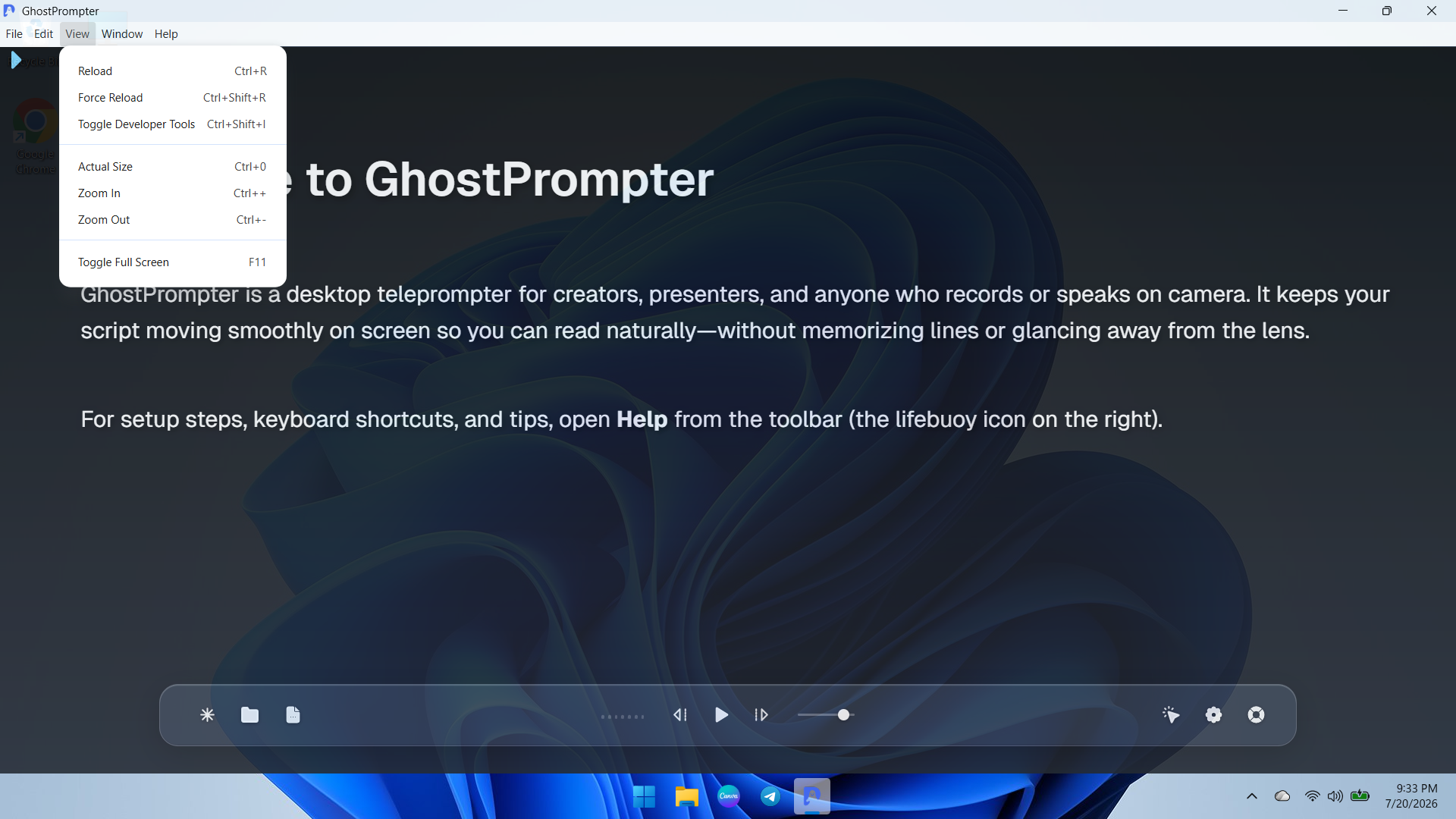
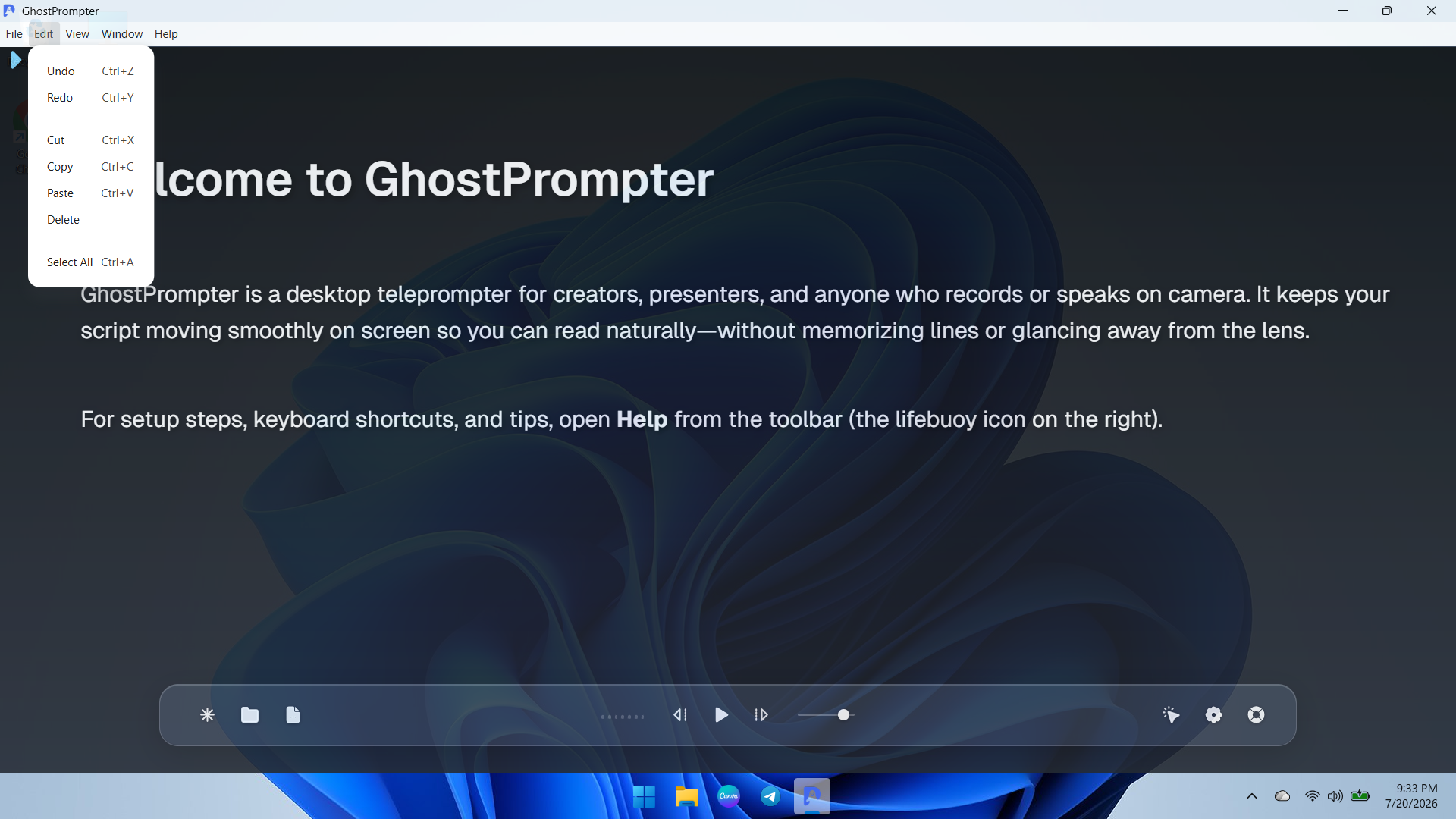
    Screenshot of an overview of the GhostPrompter desktop application showing the clean main dashboard, welcome guide, and floating control toolbar with playback options and settings icons.Screenshot of a demonstration of GhostPrompter's adjustable transparent overlay mode seamlessly blending the teleprompter text over the desktop background wallpaper for natural eye-contact presentations.Screenshot of a dropdown view of the application menu showing quick navigation and developer or reload utility options for managing the workspace.Screenshot of ext editing and clipboard management controls menu (Undo, Redo, Cut, Copy, Paste) for fast script updates directly inside the app.Screenshot of the Display Settings panel featuring font size adjustments, reading speed configuration, text color customization, and the essential Ghost Mode (Capture Protection) toggle.Screenshot of the General and General-Audio configuration tab displaying microphone input devices, global hotkeys, mouse controls, and Voice-Activated Scrolling setup.