Affinity Designer vs. QuarkXPress

Overview
ProductRatingMost Used ByProduct SummaryStarting Price
Affinity Designer
Score 9.2 out of 10
N/A
Affinity Designer is a vector graphics software developed by Serif (Europe) Ltd, replacing the former Serif DrawPlus. It is designed for professional illustrators, web designers, game developers, and other creatives.N/A
QuarkXPress
Score 9.0 out of 10
N/A
QuarkXPress from Quark Software headquartered in Denver introduces modern responsive web design with Flex Layouts, reimagined Tables, and productivity-boosting design features.
$279
per year
Pricing
Affinity DesignerQuarkXPress
Editions & Modules
No answers on this topic
QuarkXPress Subscription License
$279
per year
QuarkXPress Perpetual License
$629
one-time fee
Offerings
Pricing Offerings
Affinity DesignerQuarkXPress
Free Trial
NoYes
Free/Freemium Version
NoNo
Premium Consulting/Integration Services
NoNo
Entry-level Setup FeeNo setup feeOptional
Additional Details
More Pricing Information
Community Pulse
Affinity DesignerQuarkXPress
Best Alternatives
Affinity DesignerQuarkXPress
Small Businesses
Venngage
Venngage
Score 10.0 out of 10
Venngage
Venngage
Score 10.0 out of 10
Medium-sized Companies
GIMP
GIMP
Score 8.0 out of 10
GIMP
GIMP
Score 8.0 out of 10
Enterprises
Adobe Illustrator
Adobe Illustrator
Score 9.3 out of 10
Adobe Illustrator
Adobe Illustrator
Score 9.3 out of 10
All AlternativesView all alternativesView all alternatives
User Ratings
Affinity DesignerQuarkXPress
Likelihood to Recommend
9.3
(8 ratings)
9.9
(6 ratings)
Usability
8.9
(7 ratings)
10.0
(1 ratings)
Support Rating
10.0
(1 ratings)
-
(0 ratings)
User Testimonials
Affinity DesignerQuarkXPress
Likelihood to Recommend
Serif Europe
Best suited: Creating on the go. The app is the same on desktop as it is on mobile. All the tools and shortcuts exist on both platforms, no need to learn more than one workflow to get my work done
Read full review
Quark Software Inc.
I used QuarkXPress to maintain a proper page layout for the UI which I receive from a UIUX developer. I develop Graphic Illustrations on the digital canvas to create creative content on the page design set and to develop designer headlines and sub-headlines where writers and editors can amend the text and place the copped images.
Read full review
Pros
Serif Europe
  • its is helpful in creating vector designs
  • it offers wide variety of brushes making it perfect for illustrations.
  • it provides us varies options for exports like eps, svg, png and jpeg and many more making it versatile.
  • we use to export our design with press ready pdf for print production where all the internal design and export done with Affinity Designer.
Read full review
Quark Software Inc.
  • Excellent project conversion into PDFs and digital formats.
  • Incredibly user friendly and intuitive to use.
  • Works seamlessly with our Adobe Suite of programs.
Read full review
Cons
Serif Europe
  • the new Affinity Designer suite lacks the original compatibility.
  • the brushes and spray tools needs improvement
  • Sometimes when we are dealing with big files say more than 10mbs it crashes often or slow down.
  • One of the major weak point is export time it takes quite longer time if compared to illustrator but for big files only.
Read full review
Quark Software Inc.
  • Currently does not have a way to open really old archived QuarkXPress files.
  • Text manipulation could be expanded upon (ie be able to warp or distort text).
  • Be able to output files in InDesign format.
Read full review
Usability
Serif Europe
Because the software is great. I have forced myself to learn it. I highly recommend to others. This is a game changer. Adobe is evil for going all subscription and not giving anyone the option to purchase lifetime versions of Illustrator, Photoshop and InDesign it is CRIMINAL
Read full review
Quark Software Inc.
This is an industry standard. It is intuitive and pretty simple. I have been using it for 40 years and by no means do I use its potential, rather it does just what I want it to do.
Read full review
Support Rating
Serif Europe
I have not had much opportunity to go directly to support, but the training modules that are employed by the company are fantastic. I also find that if I need to understand something, there is always another user ready and willing to share their secrets. As this tool becomes more accepted local communities will also start to organize
Read full review
Quark Software Inc.
No answers on this topic
Alternatives Considered
Serif Europe
First, Affinity has a much more attractive licensing model for users: Buy it once, use it forever. That's great and means one less recurring cost for a company. But I can go further, and as I've mentioned in other questions, Affinity has a very refined and polished interface, as well as superior performance, especially compared to Adobe's tools. On our team, we use Figma as the main tool focused on Product Design, and where it falls short, we complement it with Affinity. Price and product quality are the factors that make this choice happen.
Read full review
Quark Software Inc.
QuarkXPress simply blew the competition out of the water when it came to pricing and scalability in our business. Every employee that uses Quark always speaks very highly about using the software. We are not a large company but, the amount of money saved on the cost of each license was about 60% when compared to the competitors' products.
Read full review
Return on Investment
Serif Europe
  • Perfect for professionals. The price is insane for a professional tool.
  • I am able to fit the price of Affinity Designer into our business budget.
Read full review
Quark Software Inc.
  • On different computers, it does crash.
  • Issues with accidental (program) photo overrides.
  • Corrupted photo formats.
Read full review
ScreenShots

QuarkXPress Screenshots

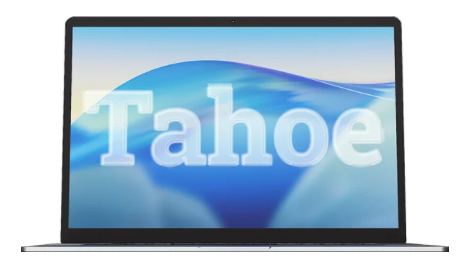
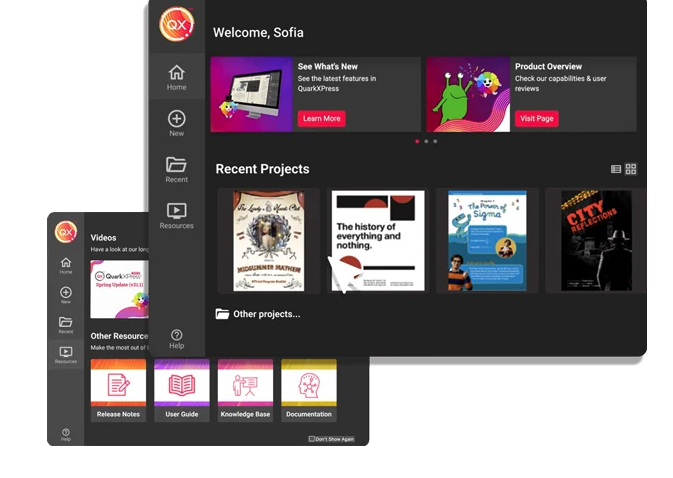
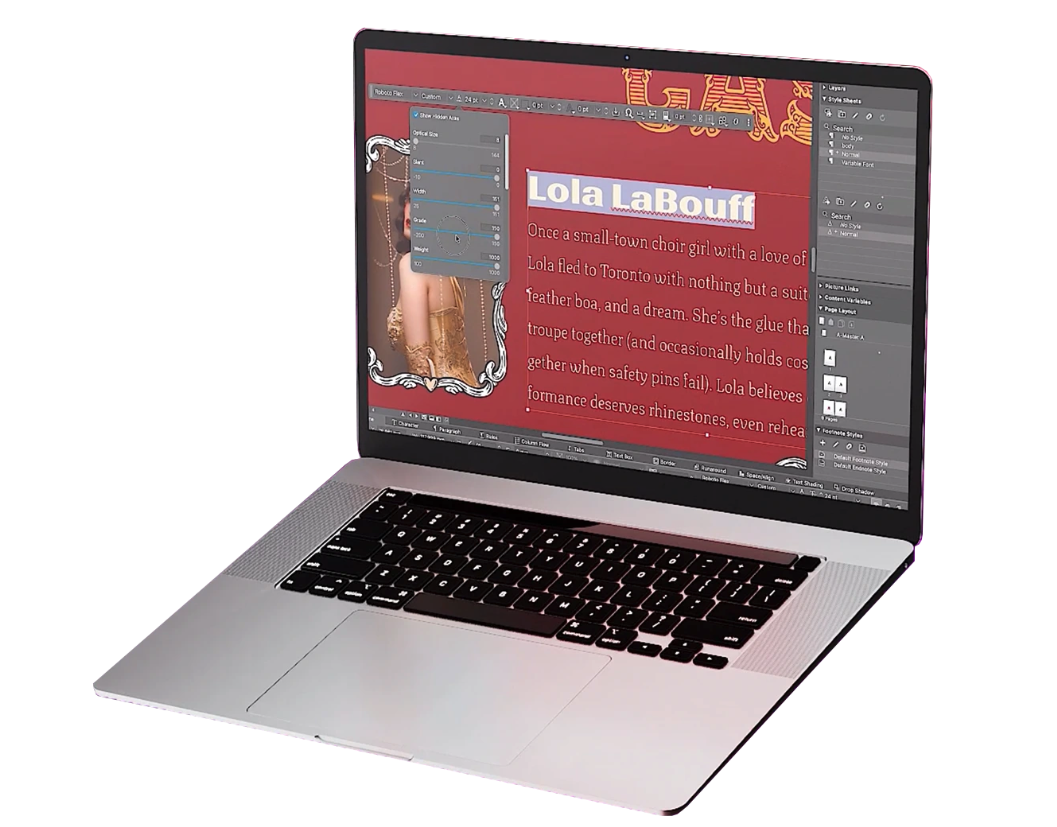
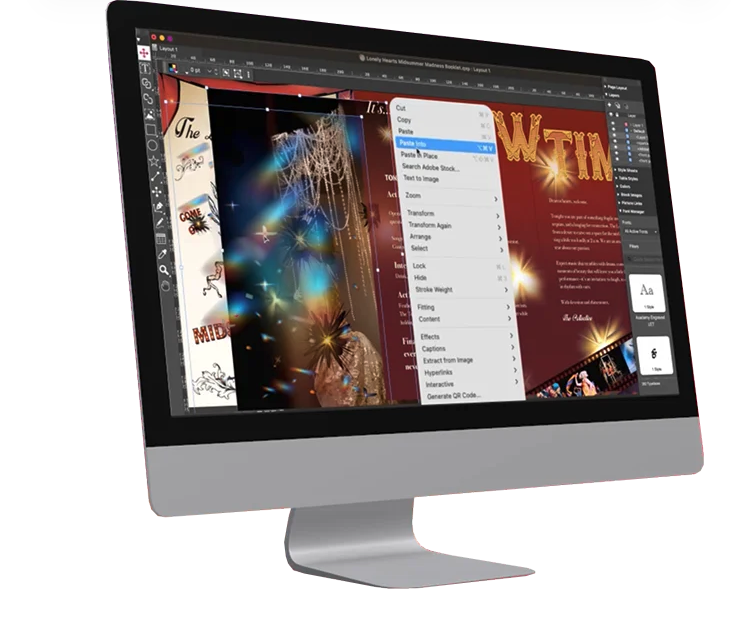
Screenshot of QuarkXPress 2026 is compatible with the latest macOS® 26.x (Tahoe), macOS® 15.x (Sequoia), macOS® 14.x (Sonoma).Screenshot of the Welcome Screen in QuarkXPress 2026, which has had a fresh redesign. Here, users can create new projects, find ready-to-use project size presets, use customized workspaces and quickly access built-in tutorials and useful resources.Screenshot of where to adjust typography with Variable Fonts in QuarkXPress 2026 to enhance creative freedom. With a single font file, users can adjust font characteristics like weight, width, slant, and more with sliders.Screenshot of the Paste Into feature. Users can display content creatively by masking images or grouping items through placing them inside container shapes.Screenshot of built-in support for LaTeX and MathML, so that there's no need for external tools or plugins for advanced mathematical equations. This is ideal while working in STEM or Academia, as it enables quick and accurate editing of math equations across print and digital formats.