TrustRadius: an HG Insights company

QuarkXPress

Score9 out of 10

12 Reviews and Ratings

What is QuarkXPress?

QuarkXPress from Quark Software headquartered in Denver introduces modern responsive web design with Flex Layouts, reimagined Tables, and productivity-boosting design features.

Media

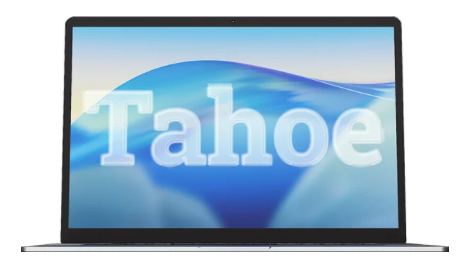
Screenshot of QuarkXPress 2026 is compatible with the latest macOS® 26.x (Tahoe), macOS® 15.x (Sequoia), macOS® 14.x (Sonoma).
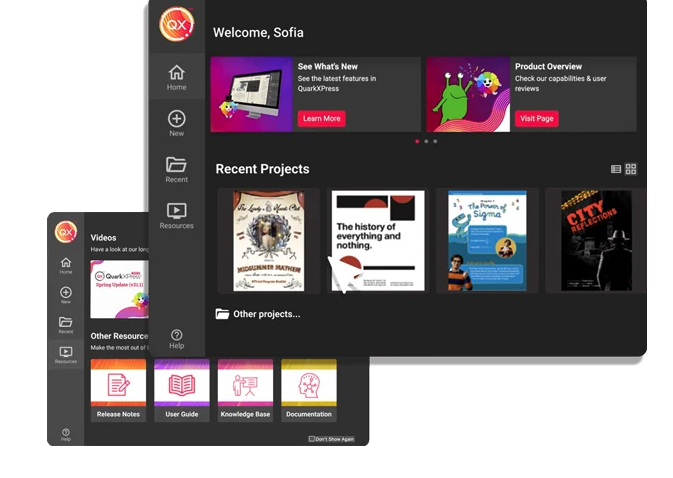
Screenshot of the Welcome Screen in QuarkXPress 2026, which has had a fresh redesign. Here, users can create new projects, find ready-to-use project size presets, use customized workspaces and quickly access built-in tutorials and useful resources.
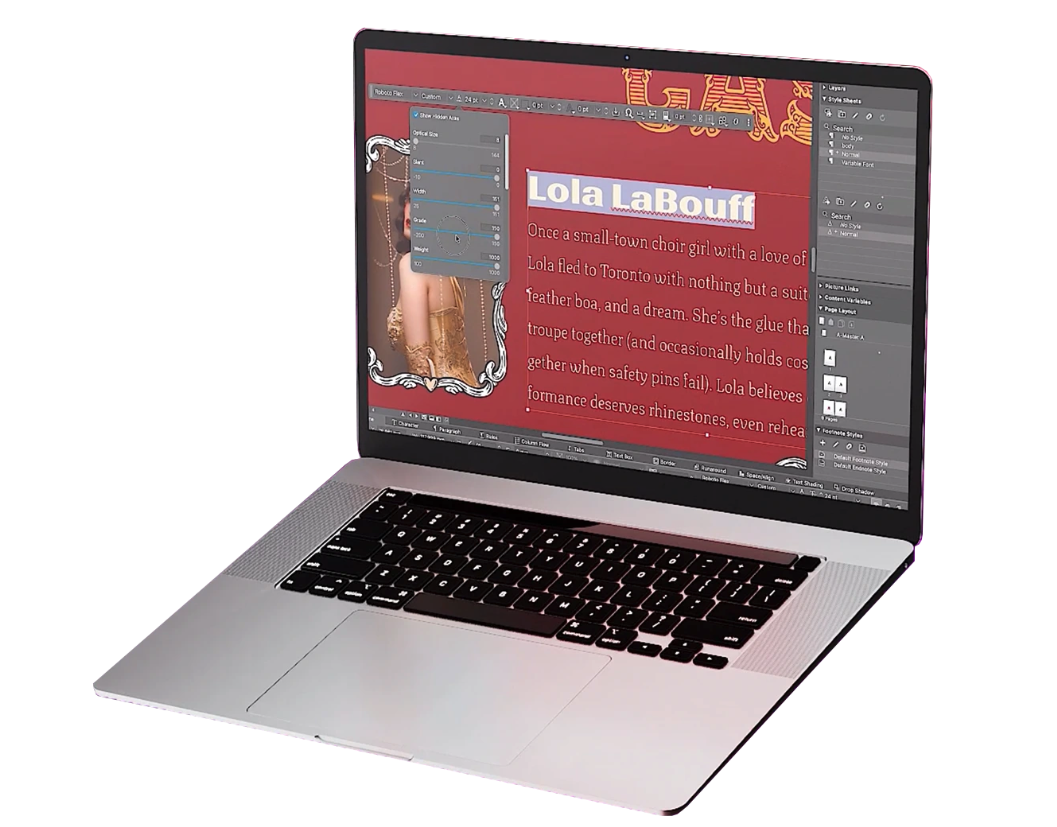
Screenshot of where to adjust typography with Variable Fonts in QuarkXPress 2026 to enhance creative freedom. With a single font file, users can adjust font characteristics like weight, width, slant, and more with sliders.
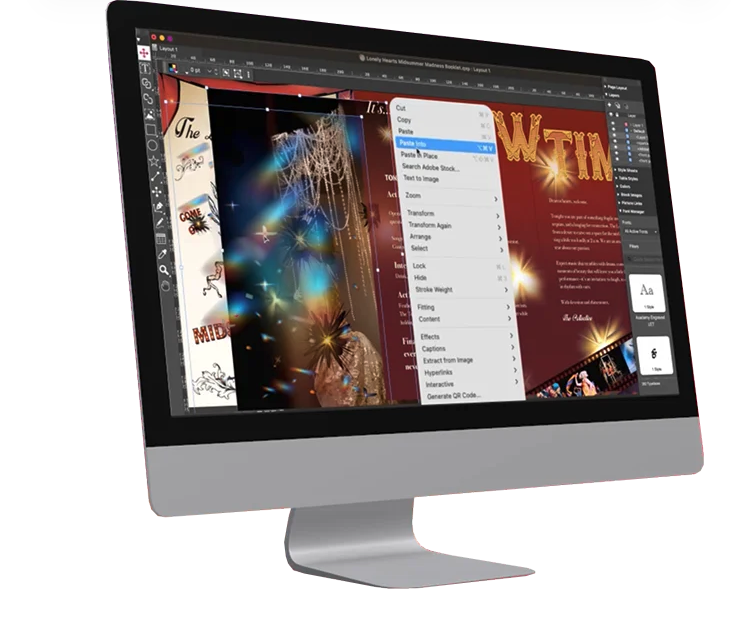
Screenshot of the Paste Into feature. Users can display content creatively by masking images or grouping items through placing them inside container shapes.
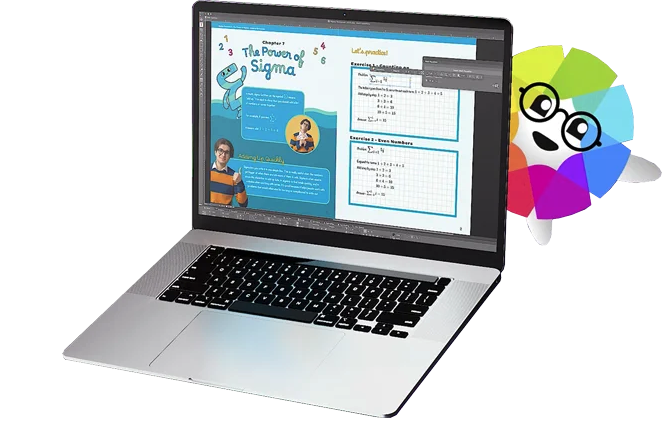
Screenshot of built-in support for LaTeX and MathML, so that there's no need for external tools or plugins for advanced mathematical equations. This is ideal while working in STEM or Academia, as it enables quick and accurate editing of math equations across print and digital formats.

1 / 5

Screenshot of QuarkXPress 2026 is compatible with the latest macOS® 26.x (Tahoe), macOS® 15.x (Sequoia), macOS® 14.x (Sonoma).

My name is Kim and I'm a Quarkaholic.

Use Cases and Deployment Scope

I use QuarkXPress for all my design needs, from developing graphics for social media posts, sales collateral materials, posters, white paper PDFs, book and publication design, and more. Its page layout functionality is second to none and it grows better every day in terms of its ability to manipulate photos, text, etc (ie taking on more of the basic tasks of PhotoShop, for example).

Pros

  • General graphic design
  • Page Layout for magazines, newspapers, catalogs, etc.
  • Outputting files to Amazon Kindle

Cons

  • Currently does not have a way to open really old archived QuarkXPress files.
  • Text manipulation could be expanded upon (ie be able to warp or distort text).
  • Be able to output files in InDesign format.

Most Important Features

  • Page layout
  • Output functionality (jpg, pdf, tiff, eps, kindle, etc)
  • Layer functionality, for outputting spot colors

Return on Investment

  • I could not run my business without this program as part of my tech stack

Alternatives Considered

Adobe InDesign

Other Software Used

Adobe PhotoShop, FileMaker Pro, PhantomBuster

An oldie but goody. no good reason to switch to InDesign

Use Cases and Deployment Scope

I am a graphic deign and this is my desktop publishing program, every day for 40 years.

Pros

  • Page layout
  • Spelling
  • Import pictures

Cons

  • Vectors

Most Important Features

  • Page layout

Return on Investment

  • Positive impact. It is an industry standard.

Other Software Used

Adobe PhotoShop, Adobe Illustrator CC

Usability

Awesome Content Designing Software!!!!!

Use Cases and Deployment Scope

In my organisation I used the QuarkXPress desktop tool to edit and alter layouts. We design UI for sets, and headlines and also edit photos to corp and add filters to images. We rotate images based on UI requirements and make a precise fit for the end user to make the design user-friendly.

Pros

  • Designer Headlines
  • Copy Blocks
  • Photo Graphics

Cons

  • Some enterprise features should be made free.
  • Free content design templates should be provided.
  • Expecting responsive technical support.

Most Important Features

  • Digital Publishing feature
  • Graphics
  • Illustrations and page layouts

Return on Investment

  • Stunning page layouts
  • Refined Graphics
  • No coding skills required

Alternatives Considered

Adobe InDesign

Other Software Used

Salesforce CMS, Picsart, SherpaDesk

Using Quark makes designing a breeze without breaking the bank!

Use Cases and Deployment Scope

We design a physical catalog every year for our customers and the designing and proofing of every page is a multi-step process. We utilize our in-house marketing team, purchasing team, and the most important for the process, our art department. QuarkXPress allows us to quickly mockup, design, and share pages amongst our internal team members for the production of every page in our catalog.

Pros

  • Easy to use GUI
  • Flexible UI workspace
  • Customer Support
  • User / License management

Cons

  • Ability to use 2 monitors
  • More file conversion options
  • Run multiple instances of Quark at the same time

Most Important Features

  • User Interface
  • Input Options
  • Different Views of pages

Return on Investment

  • Time spent on producing our catalog pages has been cut by HALF when we switched to QuarkXPress.

Alternatives Considered

Adobe Dreamweaver, Adobe PhotoShop and Adobe InDesign

Other Software Used

Adobe PhotoShop, N-able Take Control, Slack

QuarkXpress is our Print Material Workhorse!

Use Cases and Deployment Scope

I use QuarkXpress for the design and production of all print materials for international education conferences. We produce booklets, flyers, posters, and large format signs/banners, as well as projection slideshows for conference events. Quark provides an easy, user-friendly way to create quality print materials and digital artwork.

Pros

  • Excellent project conversion into PDFs and digital formats.
  • Incredibly user friendly and intuitive to use.
  • Works seamlessly with our Adobe Suite of programs.

Cons

  • Some of the conversion metrics are clunky or not as intuitive.
  • Could be better marketed or encouraged. I find that the very few people I work with know how to use it.
  • My biggest peeve is the license copies I can use and how older versions don't work well with newer versions.

Most Important Features

  • Intuitive to use.
  • Works well in conjunction with Adobe products.
  • Easy to use.
  • Good overall value.

Return on Investment

  • We've been able to design modern print materials.
  • Easy to convert projects from other formats.

Alternatives Considered

Adobe InDesign

Other Software Used

Adobe PhotoShop, Adobe InDesign, Adobe Illustrator CC