I'm not aware of any other products that provide the same functionality within the macOS Mail client.
There are some third-party email apps for macOS and iOS/iPadOS that have some of Mailbutler's features, but my preference is to stay with Apple's Mail client, partially for …
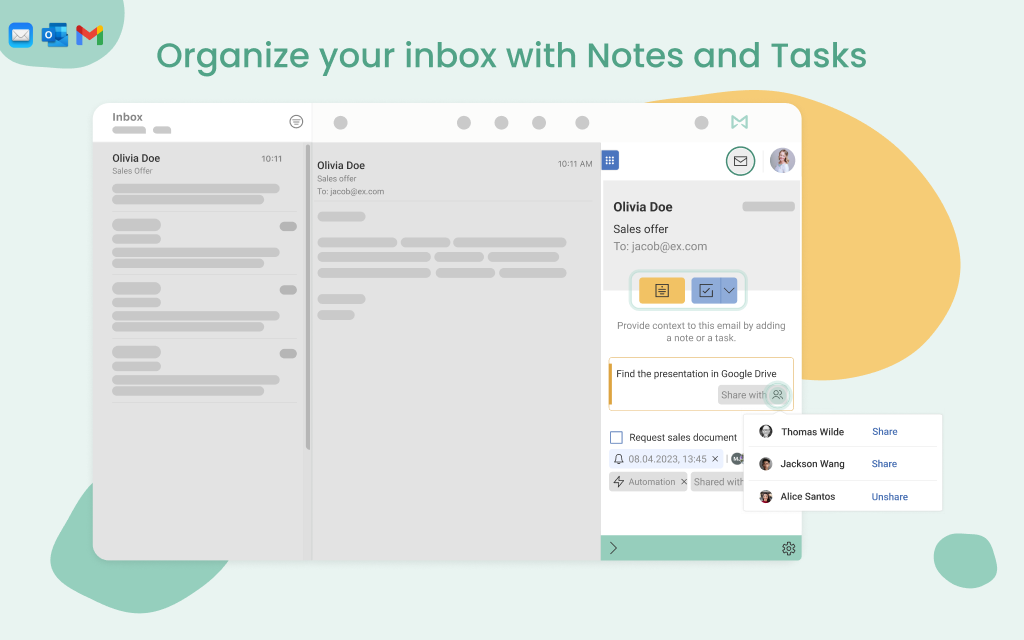
Mailbutler is great for people who want to practice "zero inbox," because you can "snooze" emails for later response or action. The task feature is also very useful, as it allows me to make note of what action needs to be taken in regards to each email. In general, it helps me be far more efficient in my email communication.
Mailbutler occasionally conflicts with other macOS Mail plug-ins. Though, in most (if not all) cases the issue tends to be with other plugins.
The Mail app for iOS/iPadOS doesn't support plugins, making it necessary to use Mailbutler's own app to access a limited subset of the functionality on macOS/iPadOS.
I'm not aware of any other products that provide the same functionality within the macOS Mail client. There are some third-party email apps for macOS and iOS/iPadOS that have some of Mailbutler's features, but my preference is to stay with Apple's Mail client, partially for security reasons.
The Delay Send feature has improved my email communications by allowing me to add details or make corrections before the email is actually sent to the recipient.
Being able to track emails has been very helpful and, in some cases, has prompted me to contact people through an alternate communication channel (e.g. phone or text).