If your application needs a relational data store and uses other AWS services, AWS RDS is a no-brainer. It offers all the traditional database features, makes it a snap to set up, creates cross-region replication, has advanced security, built-in monitoring, and much more at a very good price. You can also set up streaming to a data lake using various other AWS services on your RDS.
If you have to manage a lot of different databases from different vendors, you could do well by standardizing on this product. It checks all the boxes for a proper database management studio. You would only have to learn one product to manage them all. However, if you are looking to find a good product for a single database vendor, you might be better off finding a tool that was designed specifically for that vendor product.
Automated Database Management: We use it for streamlining routine tasks like software patching and database backups.
Scalability on Demand: we use it to handle traffic spikes, scaling both vertically and horizontally.
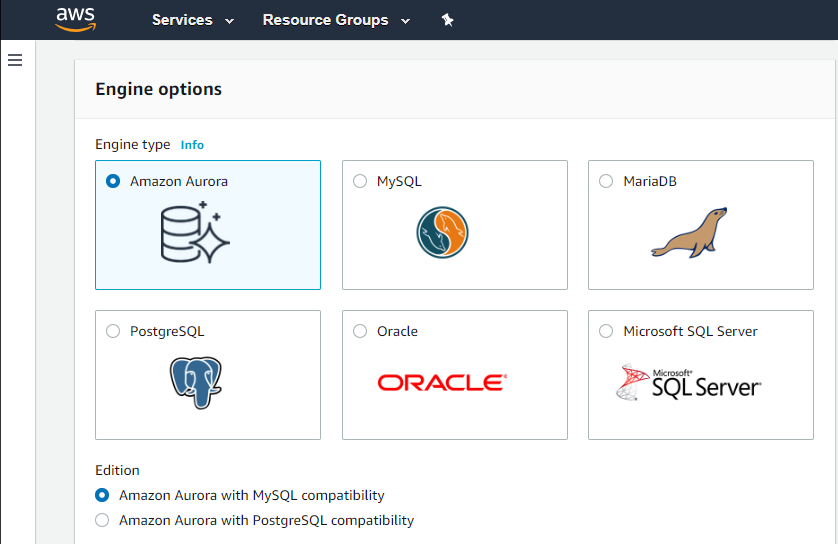
Database Engine Compatibility: It works amazingly with multiple database engines used by different departments within our organization including MySQL, PostgreSQL, SQL Server, and Oracle.
Monitoring: It covers our extensive monitoring and logging, and also has great compatibility with Amazon CloudWatch
Foreign Key Constraint data viewer! This was a tremendously helpful feature that not many other products have. Just pick a constraint and see the data in the child tables! No setup required!
It is a little difficult to configure and connect to an RDS instance. The integration with ECS can be made more seamless.
Exploring features within RDS is not very easy and intuitive. Either a human friendly documentation should be added or the User Interface be made intuitive so that people can explore and find features on their own.
There should be tools to analyze cost and minimize it according to the usage.
Somewhat laggy performance. Boot up speed was on the slow side and connecting to our database servers was also a little slower than other products.
User interface can be a little clunky. Instead of the usual tree view of servers, databases, and schemas, you are presented with lists that you click on and get new windows to pick the new list of data from. Not organized efficiently.
We do renew our use of Amazon Relational Database Service. We don't have any problems faced with RDS in place. RDS has taken away lot of overhead of hosting database, managing the database and keeping a team just to manage database. Even the backup, security and recovery another overhead that has been taken away by RDS. So, we will keep on using RDS.
I've been using AWS Relational Database Services in several projects in different environments and from the AWS products, maybe this one together to EC2 are my favourite. They deliver what they promise. Reliable, fast, easy and with a fair price (in comparison to commercial products which have obscure license agreements).
I have only had good experiences in working with AWS support. I will admit that my experience comes from the benefit of having a premium tier of support but even working with free-tier accounts I have not had problems getting help with AWS products when needed. And most often, the docs do a pretty good job of explaining how to operate a service so a quick spin through the docs has been useful in solving problems.
Amazon Relational Database Service (RDS) stands out among similar products due to its seamless integration with other AWS services, automated backups, and multi-AZ deployments for high availability. Its support for various database engines, such as MySQL, PostgreSQL, and Oracle, provides flexibility. Additionally, RDS offers managed security features, including encryption and IAM integration, enhancing data protection. The pay-as-you-go pricing model makes it cost-effective. Overall, Amazon RDS excels in ease of use, scalability, and a comprehensive feature set, making it a top choice for organizations seeking a reliable and scalable managed relational database service in the cloud.
Compared to Microsoft's SQL Management Studio, Valentina studio was comparable, just harder to get used to in the UI department. It ran slightly slower than other products but did save some time with neat features they baked into the product. However, in using DBeaver Community and DBForge Studio for PostgreSQL from Devart, we found different products that the team ultimately decided to use. DBeaver has all of the features we needed most (minus the constraint data viewer) and a more intuitive UI that we were used to. DBForge Studio for PostgreSQL has a very standard Windows look and feel and lacks some features, like database/table designers, but makes up for those shortcomings in the much easier filtering and sorting options right in the data grids. You can even write a query and edit the data returned, which is something we don't see in many of these tools. Our team ultimately settled on the developers using DBeaver and the support team that needs data viewing/editing capabilities using DBForge Studio.