Overview
ProductRatingMost Used ByProduct SummaryStarting Price
Apache Cordova
Score 8.0 out of 10
N/A
N/AN/A
App Builder
Score 7.0 out of 10
N/A
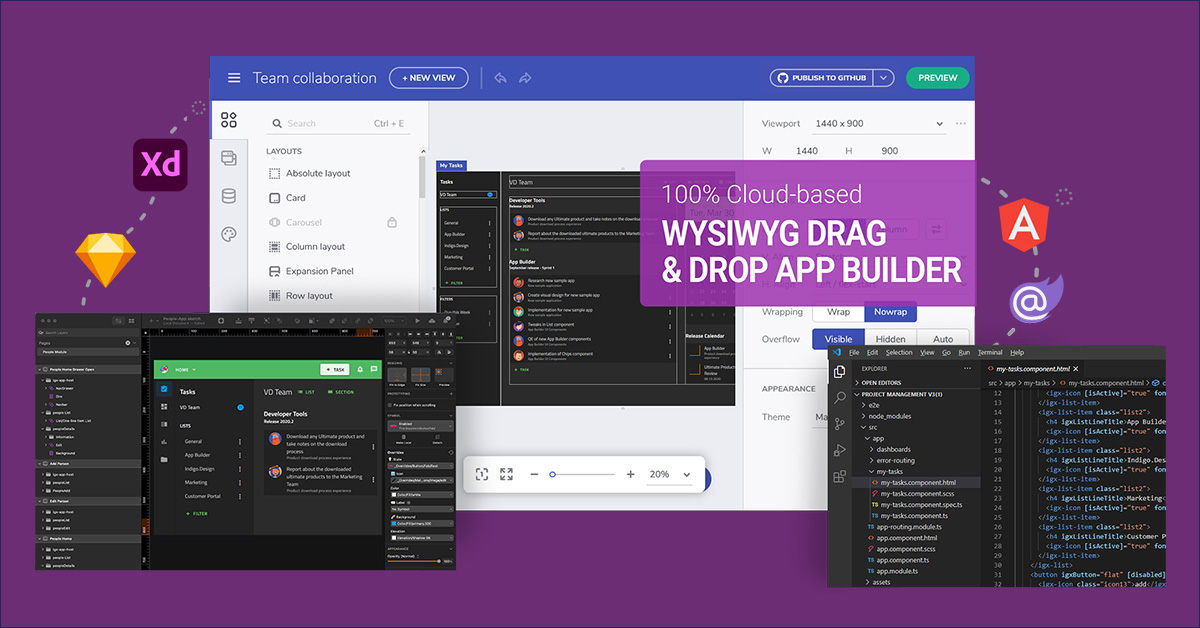
App Builder - Design and Build Real Apps Fast The brand-new App Builder aims to provide design and development teams with a solution to help them deliver apps quickly and efficiently, without losing focus on UX. Users can start an app from scratch or choose from a library of pre-built app templates or responsive screen layouts and then customize with a toolbox of 60+ UI controls to kick-start the next digital product design. If a design already exists in Sketch or Adobe…
$1,295
per year per user
Ionic
Score 8.7 out of 10
N/A
Ionic empowers teams and businesses to build, secure, and deliver enterprise-grade mobile and web apps. The vendor states that with Ionic, enterprise development teams can speed up and simplify app development, including: Build app experiences with over 100 UI building blocks Edit and customize using familiar web languages (HTML, CSS, JavaScript) Connect to new or existing cloud services or backend systems Deploy directly to app…N/A
Pricing
Apache CordovaApp Builder by InfragisticsIonic
Editions & Modules
No answers on this topic
Ignite UI
$1,295
per year per user
Infragistics Professional
$1,295
per year per user
Infragistics Ultimate
$1,495
per year per user
No answers on this topic
Offerings
Pricing Offerings
Apache CordovaApp BuilderIonic
Free Trial
NoYesYes
Free/Freemium Version
NoNoYes
Premium Consulting/Integration Services
NoNoYes
Entry-level Setup FeeNo setup feeNo setup feeNo setup fee
Additional DetailsThis product is free to use for non-commercial, educational purposes for students in K-12 grades or University programs, and for educators to use in a classroom setting as examples/tools in their curriculum.
More Pricing Information
Community Pulse
Apache CordovaApp Builder by InfragisticsIonic
Features
Apache CordovaApp Builder by InfragisticsIonic
Low-Code Development
Comparison of Low-Code Development features of Product A and Product B
Apache Cordova
-
Ratings
App Builder by Infragistics
5.8
3 Ratings
37% below category average
Ionic
-
Ratings
Visual Modeling00 Ratings6.02 Ratings00 Ratings
Drag-and-drop Interfaces00 Ratings7.53 Ratings00 Ratings
Reusability00 Ratings6.02 Ratings00 Ratings
Platform Scalability00 Ratings3.61 Ratings00 Ratings
Best Alternatives
Apache CordovaApp Builder by InfragisticsIonic
Small Businesses
Swiftify
Swiftify
Score 9.0 out of 10
Creatio
Creatio
Score 9.0 out of 10
Swiftify
Swiftify
Score 9.0 out of 10
Medium-sized Companies
Swiftify
Swiftify
Score 9.0 out of 10
Quixy
Quixy
Score 9.9 out of 10
Swiftify
Swiftify
Score 9.0 out of 10
Enterprises
Swiftify
Swiftify
Score 9.0 out of 10
Creatio
Creatio
Score 9.0 out of 10
Swiftify
Swiftify
Score 9.0 out of 10
All AlternativesView all alternativesView all alternativesView all alternatives
User Ratings
Apache CordovaApp Builder by InfragisticsIonic
Likelihood to Recommend
7.5
(6 ratings)
7.0
(5 ratings)
9.0
(1 ratings)
Likelihood to Renew
-
(0 ratings)
5.5
(1 ratings)
-
(0 ratings)
User Testimonials
Apache CordovaApp Builder by InfragisticsIonic
Likelihood to Recommend
Apache
It is suitable for making portable applications, with almost the same code for several platforms. You can access native features of the device or use an open source plug-in from the repository to create a local database and access the internal storage of the device. It is wonderful for the construction of a native application, through the use of standard web code. It is not recommended for enterprise applications.
Read full review
Infragistics
App Builder will be great where you have a small team with limited resources. Obviously this product is only good if you are starting a new project. I have used Radzen before which does almost the same thing using a database first approach, but it was a real pain as the application crashes a lot.
Read full review
Ionic
- Inexpensively and rapidly creating multi-device (Android, iPhone) native apps. - Quick ramp-up time allows for rapid development. - Open source tools can be used to develop. - Lightweight code-based can be easily shared and developed in a team environment. - Use of React, Vue, and angular leverages well-known coding and application design frameworks that are transportable.
Read full review
Pros
Apache
  • Adobe Phone Gap has an extremely simple user interface that allows for easy learning to occur.
  • Adobe Phone Gap provides support for web languages and allows you to write in three of the main languages and transfer them to another language for use. This solves a common programming issue and is the greatest strength of the software.
  • Their desktop application allows for easy installation and programming.
  • Adobe provides quick support with questions about how to use the software.
  • The build interface notifies you of errors extremely quickly and helps identify the issue in your programming. You get an easy idea of what needs to be updated and adjusted.
Read full review
Infragistics
  • Layout
  • Theme and Styles
  • Code Generation
Read full review
Ionic
  • Nice command line interface for repetitive development and deployment tasks.
  • Realtime preview (in web browser) during development.
  • Easy to update and keep current (open source) via command line.
  • Provides nice set of mobile widgets for consistency across devices.
Read full review
Cons
Apache
  • Cordova app code runs inside a webview component. So, expect the performance to be a little slower as compared to the native apps. This is more noticeable on older devices though. It is hardly noticeable when it comes to newer mobile devices.
  • Crashes can be hard to debug since the crash logs will not point you to the culprit javascript code. This is not a limitation of Cordova alone. Any other hybrid mobile app development platform suffers the same problem.
  • Even with tools like Safari debugger and Chrome debugger, it can be tricky to measure graphics and animation performance. Achieving smooth animations can be a bit of a challenge sometimes with hybrid mobile apps in general.
Read full review
Infragistics
  • Data interface (web services)
  • Documentation
Read full review
Ionic
  • Slightly better documentation when it comes to command line build troubleshooting.
  • Increased widget library (even though it's much improved today).
  • Native chart/graphing widgets.
Read full review
Alternatives Considered
Apache
Apache Cordova is the mother of all other frameworks. The Ionic developed framework is well suited for development but most of their features are offered by paid services. As Apache Cordova is open source and has a license to modify it, it has no legal problems to work with it. Also, most well-known IDEs recognize the Apache Cordova snippets.
Read full review
Infragistics
They're different products. for grid design maybe Balsamiq is a bit better.
Read full review
Ionic
Android Studio
  • Busy
  • Confusing
  • Marginal IDE
  • Large footprint
  • Single device development
IonicFramework
  • Lean, no IDE needed
  • Web browser preview
  • Multi-device development
  • Scripting of build packages for deployment
Read full review
Return on Investment
Apache
  • Very economic for ROI purposes
  • Scalable for code reusability down the road
  • Convertible, easily switch platforms if Apache Cordova doesn't suit your needs
Read full review
Infragistics
  • + Allowed for fast design and mock ups
  • + Allowed for efficient asset delivery to development team
  • + allows for revisions and updates; with code generation
Read full review
Ionic
  • The ability to create a mobile app quickly by a single developer (saving $20K).
  • Increased customer satisfaction.
  • Avoids outsourcing costs of $10k-$20k.
Read full review
ScreenShots

App Builder Screenshots

Screenshot of Use pre-built themes and typography (Material, Bootstrap & Fluent) or customize to match your own app theme and corporate branding on a per-control, per-screen, or per-app basis.Screenshot of With a rich layout system and complete toolbox of components, create screens and full apps in minutes instead of hours!Screenshot of Import Sketch and Adobe XD Designs! With one click, take your static designs and get interactive, responsive apps with real UI components and styling. Import designs from the design system into a real, component-based app. Figma import coming soon!