TrustRadius: an HG Insights company

Save this comparison

Save this comparison

Add Product

Recommended Comparisons

    Overview
    ProductRatingMost Used ByProduct SummaryStarting Price

    Backupify

    Score5.6 out of 10
    N/ABackupify, a solution from Kaseya (via Datto), provides SaaS backup for G Suite, Office 365, and Salesforce.N/A

    MSP360 Backup for M365/Google

    N/A
    Mid-Size Companies (51-1,000 employees)
    MSP360 Backup for Microsoft 365 and Google Workspace offers cloud-to-cloud data protection and recovery. The solution boasts a simple setup and maintenance that supports all core M365/GW components.

    $24

    per year

    Pricing
    BackupifyMSP360 Backup for M365/Google
    Editions & Modules
    No answers on this topic
    MSP360 Managed Backup for Microsoft 365 and Google Workspace
    $1.10
    per month per user
    MSP360 Backup for Microsoft 365 and Google Workspace
    $3
    per month per user
    MSP360 Backup for Microsoft 365 and Google Workspace
    $24
    per year per user
    Offerings
    Pricing Offerings
    BackupifyMSP360 Backup for M365/Google
    Free Trial
    NoYes
    Free/Freemium Version
    NoNo
    Premium Consulting/Integration Services
    NoYes
    Entry-level Setup FeeNo setup feeNo setup fee
    Additional DetailsThere is "Cyber Starter Pack Offer" for new customers.
    More Pricing Information
    Features
    BackupifyMSP360 Backup for M365/Google
    Data Center Backup
    Comparison of Data Center Backup features of Backupify and MSP360 Backup for M365/Google
    Feature
    Backupify
    9.3
    1 Ratings
    8% above category average
    MSP360 Backup for M365/Google
    -
    Ratings
    Management dashboard8.01 Ratings00 Ratings
    Retention options10.01 Ratings00 Ratings
    Encryption10.01 Ratings00 Ratings
    Enterprise Backup
    Comparison of Enterprise Backup features of Backupify and MSP360 Backup for M365/Google
    Feature
    Backupify
    8.7
    1 Ratings
    10% above category average
    MSP360 Backup for M365/Google
    -
    Ratings
    Operational reporting and analytics10.01 Ratings00 Ratings
    Malware protection8.01 Ratings00 Ratings
    Ransomware Recovery8.01 Ratings00 Ratings
    SaaS Backup
    Comparison of SaaS Backup features of Backupify and MSP360 Backup for M365/Google
    Feature
    Backupify
    10.0
    1 Ratings
    15% above category average
    MSP360 Backup for M365/Google
    -
    Ratings
    SaaS Product Integration10.01 Ratings00 Ratings
    Multiple Data Restoration Options10.01 Ratings00 Ratings
    Data Auditing and Search10.01 Ratings00 Ratings
    Data Storage in the Cloud or On-Premises10.01 Ratings00 Ratings
    Best Alternatives
    BackupifyMSP360 Backup for M365/Google
    Small Businesses
    AWS Backup
    Score9 out of 10
    Backupify
    Score5.6 out of 10
    Medium-sized Companies
    Spanning Backup
    Score7.4 out of 10
    Spanning Backup
    Score7.4 out of 10
    Enterprises
    Veeam Data Cloud for Azure
    Score7.9 out of 10
    Veeam Data Cloud for Azure
    Score7.9 out of 10
    All AlternativesView all alternativesView all alternatives
    User Ratings
    BackupifyMSP360 Backup for M365/Google
    Likelihood to Recommend
    10.0
    (4 ratings)
    -
    (0 ratings)
    Usability
    10.0
    (1 ratings)
    -
    (0 ratings)
    Support Rating
    5.0
    (1 ratings)
    -
    (0 ratings)
    User Testimonials
    BackupifyMSP360 Backup for M365/Google
    Likelihood to Recommend
    Kaseya
    In the past, we have had many challenges. [In my opinion], here are the most pertinent ones: Firstly, [I have found that when] backups fail, there is no notification and it is up to the user to notice. Thus you may well be paying for a service that doesn't work [in my view]. Secondly, Backupify recently moved their platform and the legacy data we had spent 8 years backing up, is no longer searchable as it was before. The most infuriating part of this change, [that I've discovered], was the lack of communication to the user base. It took [us] 6 months with support to understand the exact nature of the change. Also, [I found] that they will not do anything about this apart from add a 'feature request'. [The way I understood] the reply from the CSM was that if we don't like this, we can simply leave. As a long-standing customer [I believe] the way we were treated was disheartening and unprofessional given that you need a backup provider to be with you for the long term. [In my opinion] the change from Backupify to Datto has not been a positive experience.
    Read full review
    MSP360
    No answers on this topic
    Pros
    Kaseya
    • Back up Google
    • Back Up Microsoft
    • Easy recovery of data
    Read full review
    MSP360
    No answers on this topic
    Cons
    Kaseya
    • Multi-factor Authentication is cumbersome to set up on a new device.
    Incentivized
    Read full review
    MSP360
    No answers on this topic
    Usability
    Kaseya
    Very simple user interface and straight forward to complete back ups and restore. It was very easy to set up and then easy to maintain. It does not require any regular maintenance unless you want to delete out data. I only go in to delete old user data for licenses or to restore
    Read full review
    MSP360
    No answers on this topic
    Support Rating
    Kaseya
    So far it’s been a 50/50. Some issues are ignored, whilst others handled quite well.
    Incentivized
    Read full review
    MSP360
    No answers on this topic
    Alternatives Considered
    Kaseya
    The products are very similar. [In my opinion] one would be hard-pressed to find customer care worse than what we have experienced with Datto Backupify.
    Read full review
    MSP360
    No answers on this topic
    Return on Investment
    Kaseya
    • Inexpensive cost for the peace of mind.
    Incentivized
    Read full review
    MSP360
    No answers on this topic
    ScreenShots

    MSP360 Backup for M365/Google Screenshots
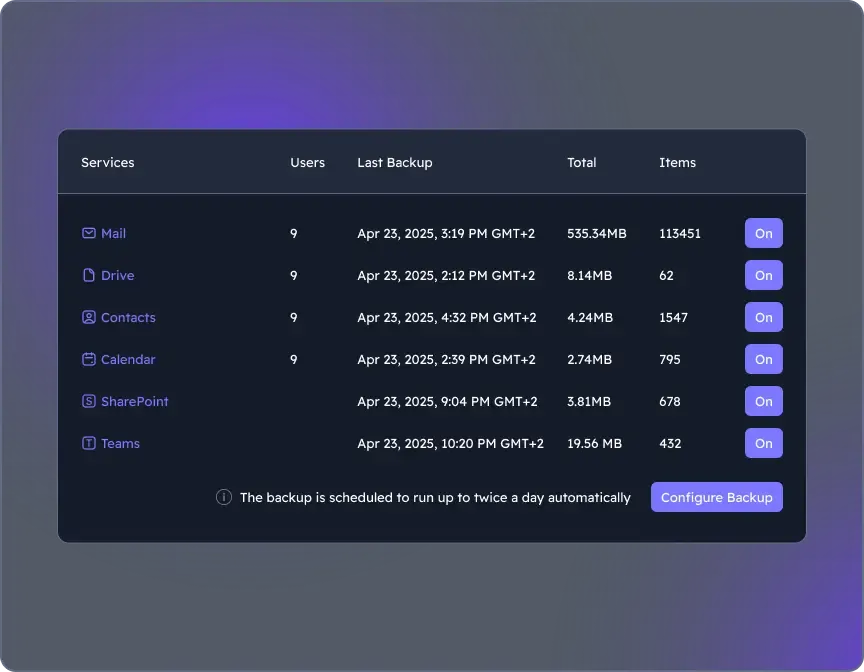
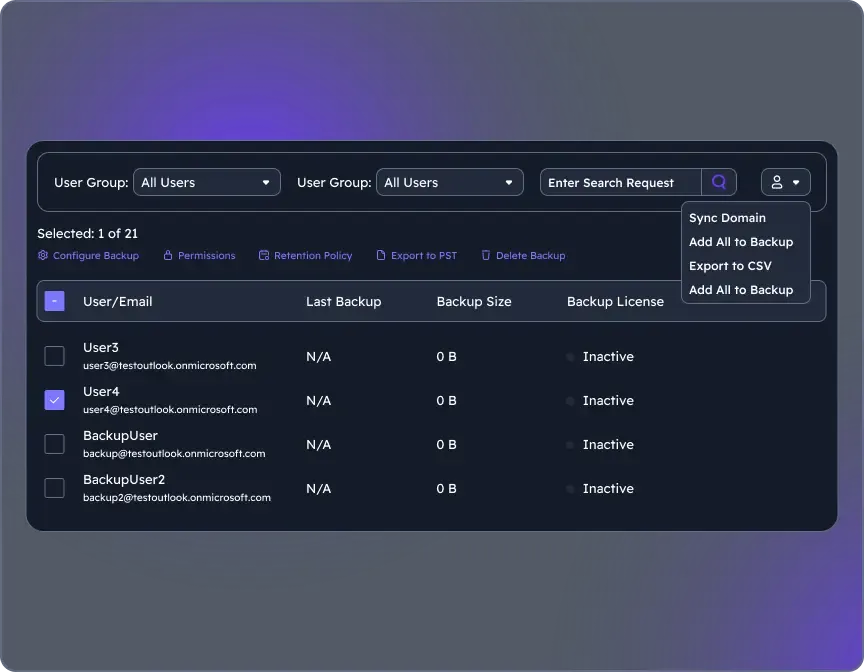
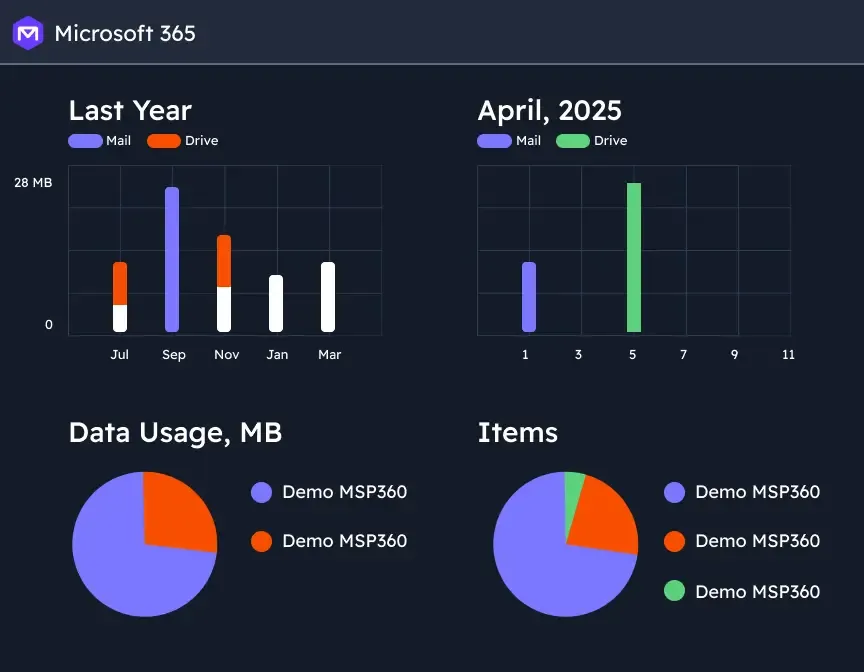
    Screenshot of where to choose M365 components to back up through the Microsoft 365 Backup dashboard.Screenshot of the user management interface. To add new users/groups (Office 365 groups) to users' grid and synchronize changes for existing users, on Users click the action menu, then select Sync Domain. Users will be added to the grid automatically.Screenshot of backup reports, with insights. Backup statistics provide visibility into usage, success rates, and storage trends, supporting audit-readiness, retention optimization, and planning.