TrustRadius: an HG Insights company

Save this comparison

Save this comparison

Add Product

Recommended Comparisons

    Overview
    ProductRatingMost Used ByProduct SummaryStarting Price

    CareerSiteBuilder

    Score10 out of 10
    N/AN/AN/A

    TrustExam.ai

    N/A
    Enterprise companies (1,001+ employees)
    TrustExam.ai is a proctoring and assessment management platform designed for national-scale examination systems and educational organizations. It provides secure, automated supervision for both online and offline tests, ensuring identity verification, browser lockdown, and advanced cheating detection through behavioral analytics. The platform integrates with learning management systems and testing environments, supporting multi-language exams and accessibility…N/A
    Pricing
    CareerSiteBuilderTrustExam.ai
    Editions & Modules
    No answers on this topic
    No answers on this topic
    Offerings
    Pricing Offerings
    CareerSiteBuilderTrustExam.ai
    Free Trial
    NoNo
    Free/Freemium Version
    NoNo
    Premium Consulting/Integration Services
    NoYes
    Entry-level Setup FeeNo setup feeNo setup fee
    Additional Details——
    More Pricing Information
    Features
    CareerSiteBuilderTrustExam.ai
    Recruiting / ATS
    Comparison of Recruiting / ATS features of CareerSiteBuilder and TrustExam.ai
    Feature
    CareerSiteBuilder
    7.7
    3 Ratings
    3% below category average
    TrustExam.ai
    -
    Ratings
    Job Requisition Management5.73 Ratings00 Ratings
    Company Website Posting7.93 Ratings00 Ratings
    Publish to Social Media8.73 Ratings00 Ratings
    Job Search Site Posting8.73 Ratings00 Ratings
    Customized Application Form7.92 Ratings00 Ratings
    Resume Management8.73 Ratings00 Ratings
    Duplicate Candidate Prevention5.83 Ratings00 Ratings
    Candidate Search7.53 Ratings00 Ratings
    Applicant Tracking7.23 Ratings00 Ratings
    Collaboration7.33 Ratings00 Ratings
    Task Creation and Delegation7.23 Ratings00 Ratings
    Email Templates8.53 Ratings00 Ratings
    User Permissions6.73 Ratings00 Ratings
    Notifications and Alerts9.03 Ratings00 Ratings
    Reporting7.93 Ratings00 Ratings
    Best Alternatives
    CareerSiteBuilderTrustExam.ai
    Small Businesses
    Crelate
    Score9.1 out of 10
    No answers on this topic
    Medium-sized Companies
    LinkedIn Talent Hub
    Score8.4 out of 10
    No answers on this topic
    Enterprises
    JobDiva
    Score8 out of 10
    No answers on this topic
    All AlternativesView all alternativesView all alternatives
    User Ratings
    CareerSiteBuilderTrustExam.ai
    Likelihood to Recommend
    9.2
    (3 ratings)
    -
    (0 ratings)
    User Testimonials
    CareerSiteBuilderTrustExam.ai
    Likelihood to Recommend
    CareerSiteBuilder
    If you have a job opening or a high turn around rate like we do. (we are a staffing company) [CareerSiteBuilder] is a great place to to start. It is affordable and reaches hundreds of potential employees. When you search resumes sometimes when you enter keywords you have to play around with it to find the right phrasing. Its not difficult just time consuming.
    Incentivized
    Read full review
    TrustExam.ai
    No answers on this topic
    Pros
    CareerSiteBuilder
    • Search features.
    • Quantity of resumes.
    • The format that the candidates information is presented.
    Incentivized
    Read full review
    TrustExam.ai
    No answers on this topic
    Cons
    CareerSiteBuilder
    • There are some missing functionalities that could be addressed such as fusing resume search and recruitment edge.
    Incentivized
    Read full review
    TrustExam.ai
    No answers on this topic
    Alternatives Considered
    CareerSiteBuilder
    Affordable, quick, easy, super user friendly, well known, offers a large variety of job seekers[.]
    Incentivized
    Read full review
    TrustExam.ai
    No answers on this topic
    Return on Investment
    CareerSiteBuilder
    • We have been able to present MORE candidates to our clients in the staffing industry, and therefore fill more positions.
    • We are able to find MORE QUALIFIED candidates using search features, to in turn fill more direct-hire positions.
    • We have to pay or Career Builder for thousands of people, so that takes away from ROI.
    Incentivized
    Read full review
    TrustExam.ai
    No answers on this topic
    ScreenShots

    TrustExam.ai Screenshots

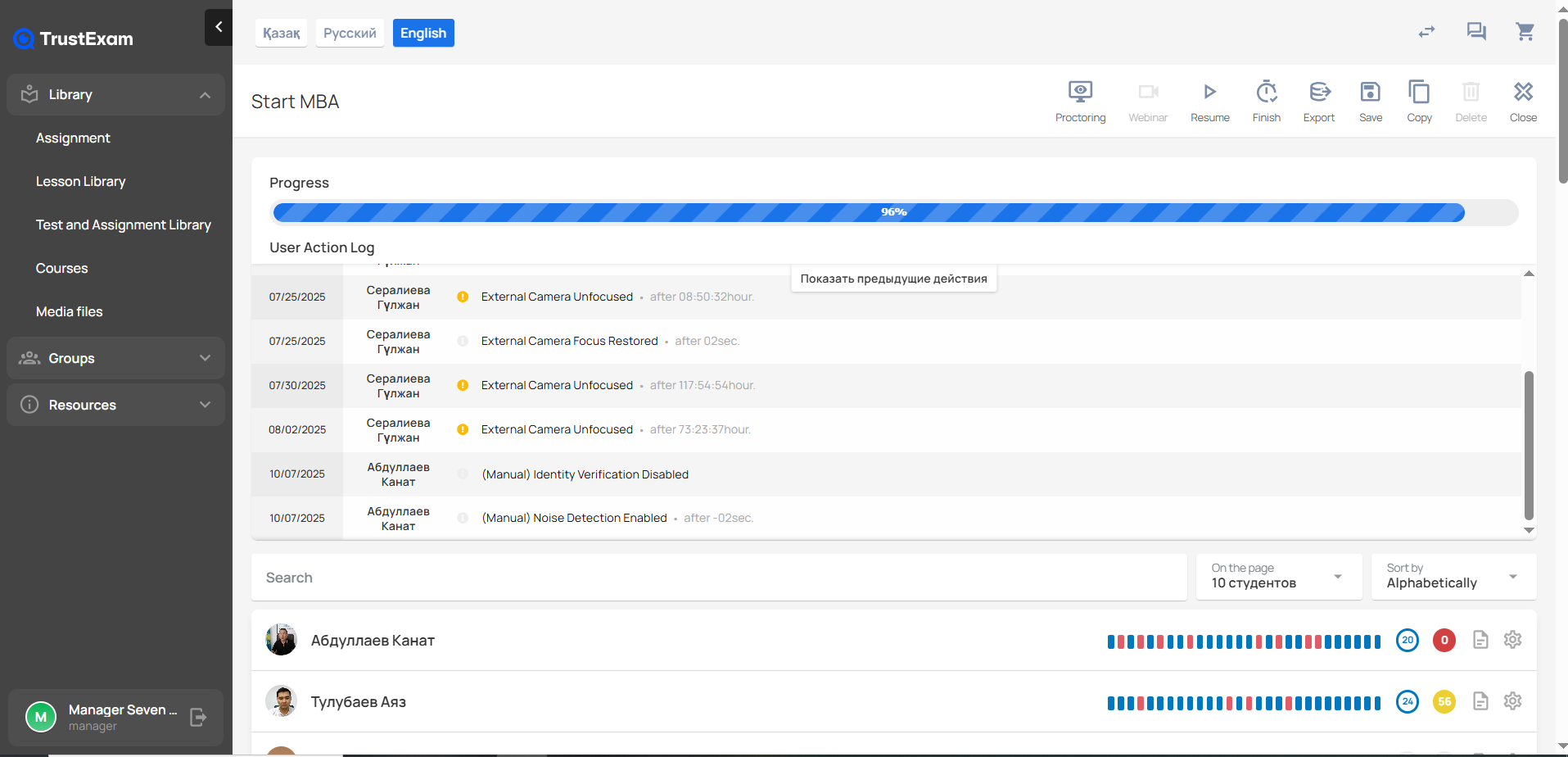
    Screenshot of the TrustExam administrator interface for monitoring the Start MBA course session. At the top, the system shows the overall Progress bar, which is nearly complete at 96%.

Below, the User Action Log lists recent proctoring-related events for multiple users. Each entry includes the date, the participant’s name, an event type, and additional details. Logged events include issues such as “External Camera Unfocused,” “External Camera Focus Restored,” and manual administrative actions like “Identity Verification Disabled” and “Noise Detection Enabled.” Each event also includes a timestamp indicating when it occurred relative to the session start.

On the right side of the top panel, quick-action buttons are shown for proctoring, webinar mode, resuming the session, finishing, exporting, saving, copying, deleting, and closing.

Further down, a searchable list of participants is displayed. Each participant card shows their profile photo, name, and a horizontal activity timeline composed of colored markers that represent different types of proctoring events or interactions. Next to each participant’s activity bar, numeric badges show counts of specific alerts or behaviors detected during the exam.

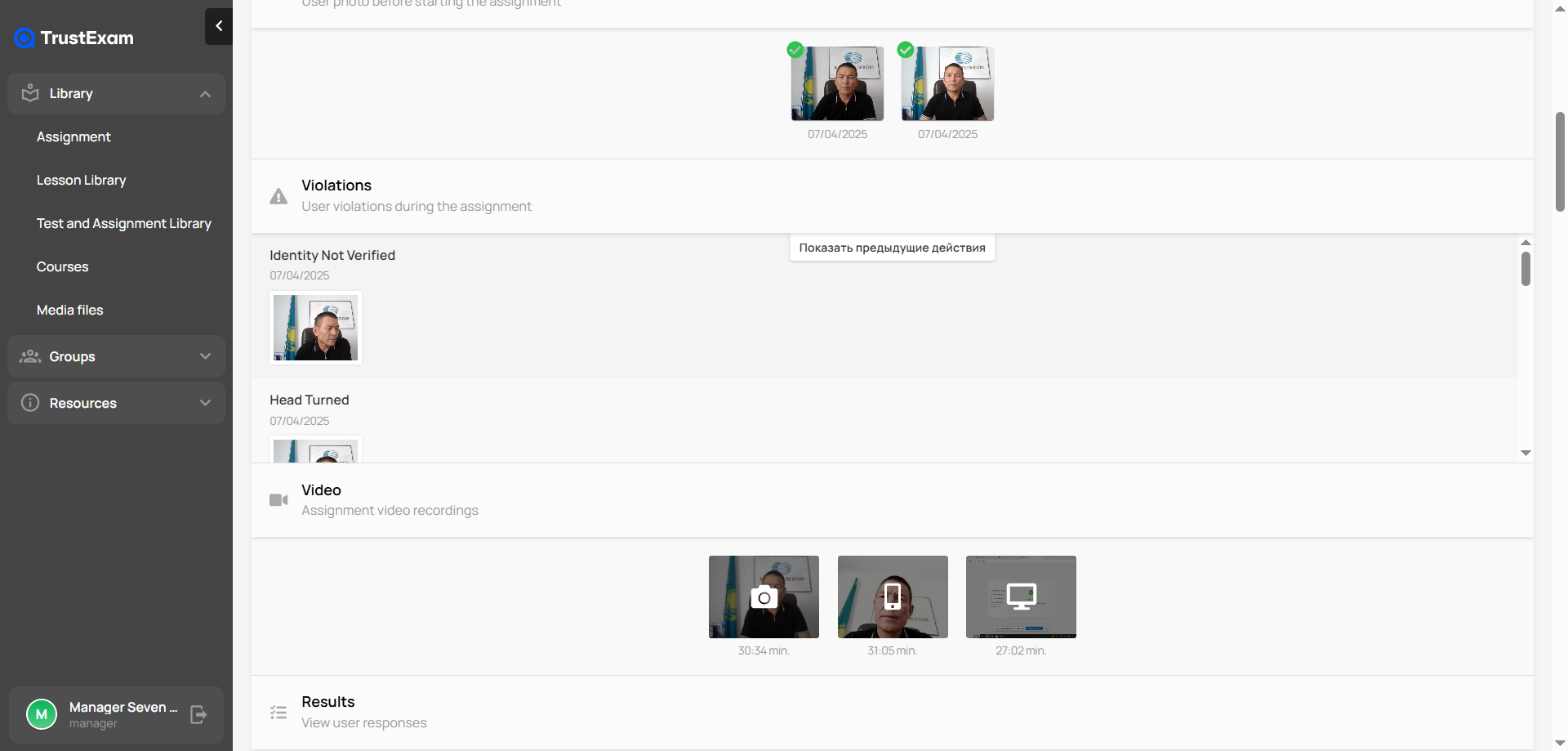
The left sidebar includes the main navigation menu with sections such as Library, Assignment, Lesson Library, Test and Assignment Library, Courses, Media files, Groups, and Resources.Screenshot of the TrustExam proctoring interface displaying a detailed record of a student’s exam session. At the top, the system shows the user’s verification photos taken before the assignment, both marked as successfully approved. Below, in the Violations section, the platform has flagged two events: “Identity Not Verified” and “Head Turned,” each with a timestamp and a corresponding captured frame.

Further down, the Video section contains the full recordings of the session, presented as thumbnails with timestamps indicating the duration of each clip. At the bottom, there is a Results section where the examiner can view the student’s recorded responses. The left side of the interface shows the main navigation menu with modules such as Library, Assignment, Courses, Media files, Groups, and Resources.