Cincopa vs. DocsGPT

Overview
ProductRatingMost Used ByProduct SummaryStarting Price
Cincopa
Score 9.8 out of 10
N/A
Cincopa is a video knowledge management platform that converts video and document assets into searchable, structured knowledge environments. The solution utilizes Artificial Intelligence (AI) to index multimedia content, allowing users to query libraries using natural language to locate specific information within media files. Key Capabilities Structured Knowledge Environments: The platform organizes Video Assets and Digital Documents into categorized…
$99
per month
DocsGPT
Score 0.0 out of 10
N/A
DocsGPT is an open-source AI platform by Arc53 that lets organisations build private intelligent agents, enterprise search, and automated workflows from their own data. DocsGPT is built for privacy and can be deployed on an enterprise's own infrastructure (Docker, Kubernetes) or through managed cloud, with full control over data. Users can ask complex questions across PDFs, DOCX, CSV, Excel, HTML, audio, URLs, GitHub, and databases and receive accurate,…
$0
Pricing
CincopaDocsGPT
Editions & Modules
Starter
$99.00
per month
Growth
$349.00
per month
Self-host
$0
Free
$0
Pro
$20
per month per user
Enterprise
$25
per month per seat
On Premises
Custom
One-time or per month per installation
Offerings
Pricing Offerings
CincopaDocsGPT
Free Trial
NoNo
Free/Freemium Version
NoYes
Premium Consulting/Integration Services
NoNo
Entry-level Setup FeeOptionalNo setup fee
Additional Details
More Pricing Information
Community Pulse
CincopaDocsGPT
Considered Both Products
Cincopa
Chose Cincopa
I tried a few when I was looking for a gallery solution, I can't remember them now, but I am loving Cincopa.
Chose Cincopa
You can use Wistia to host and embed videos on your website, too, but I didn't find as much customization or resources available.
Chose Cincopa
Cincopa has nice templates that are easy to use. The images can be moved about, more images added, and the size changed.
I particularly like the Pinterest style template, as it fits in well with the number of images that I need to display on my website. The more choices …
Chose Cincopa
When looking for a gallery system on BigCommerce, we looked at POWr, Owl Carousel, and JuiceBox.
We settled on Cincopa due to the embed options, drag-and-drop functionality, and the lack of development needed to integrate into our website. Additionally, Cincopa's price point …
Chose Cincopa
Easier to use, shorter uploading time, better customization. Cincopa was better in every way compared to their competitors.
Chose Cincopa
HubSpot recently integrated Vidyard into their mix and it's great, but the lead gen piece is lacking. It's not as sophisticated as Cincopa and it's pricier.
Chose Cincopa
I have used and tried many jscripts and snippets of code, none have been as simple to use and integrated as Cincopa
Chose Cincopa
Canva is great for certain things but for an HTML slideshow it wouldn't deliver. I needed something as easy to use as Canva and as cost-effective, and Cincopa delivered. Cincopa also doesn't add any obtrusive style elements and its customization allows you to make it look …
Chose Cincopa
I liked the options that Cincopa had. I can customize my gallery however I want and share it with anyone, they do not have to have an account to view my galleries on my website, like Dropbox.
Chose Cincopa
I truly could not find any competitor to Cincopa for our use case. Most photo galleries are expensive, lack customization, or are too focused on "social sharing". I don't need to share my albums with my friends - but I do need to embed them on our website!
Chose Cincopa
Bluer decided to use Cincopa because we did not find any other solution easy to integrate in our website and that was 100% responsive
Chose Cincopa
Cincopa is much easier to use for our staff than the previous products we have used. The features are similar but the time it takes to create projects based on the required technical knowledge is so much less that our staff is more productive and we are finding the creation and …
Chose Cincopa
I like using Cincopa instead of wordpress for video and photo galleries. Cincopa is easier for our clients to understand.
Chose Cincopa
Cincopa has much more to offer. They have an incredible amount of displays and colors to choose from. They are constantly updating and adding new ones with lots of features and ways to edit. They have really made our life much easier and I highly recommend them.
Chose Cincopa
We used internal tools for image galleries, but we could not manage the amount of images. In addition, no user-friendly search function could be integrated. Sharing on social media was also not possible. In addition, the pictures could not be marked and it is very advantageous …
DocsGPT

No answer on this topic

Features
CincopaDocsGPT
Video Marketing
Comparison of Video Marketing features of Product A and Product B
Cincopa
8.6
Ratings
12% above category average
DocsGPT
-
Ratings
Lead generation7.00 Ratings00 Ratings
Video personalization9.90 Ratings00 Ratings
eCommerce8.70 Ratings00 Ratings
Support for advertisements8.50 Ratings00 Ratings
Video SEO8.90 Ratings00 Ratings
Integration to Marketing Automation8.60 Ratings00 Ratings
Video Platform Integrations
Comparison of Video Platform Integrations features of Product A and Product B
Cincopa
8.2
Ratings
28% above category average
DocsGPT
-
Ratings
Integration to Salesforce.com8.20 Ratings00 Ratings
Integration to Marketo8.20 Ratings00 Ratings
Integration to HubSpot8.30 Ratings00 Ratings
Video Security
Comparison of Video Security features of Product A and Product B
Cincopa
9.2
Ratings
7% above category average
DocsGPT
-
Ratings
Video access controls9.00 Ratings00 Ratings
User management9.00 Ratings00 Ratings
Video link sharing9.90 Ratings00 Ratings
Internal video9.00 Ratings00 Ratings
External video9.00 Ratings00 Ratings
Video Player
Comparison of Video Player features of Product A and Product B
Cincopa
9.0
Ratings
9% above category average
DocsGPT
-
Ratings
Player customization9.00 Ratings00 Ratings
Embedded videos9.00 Ratings00 Ratings
Video quality / Bandwidth controls9.00 Ratings00 Ratings
Mobile compatibility9.00 Ratings00 Ratings
Video Analytics
Comparison of Video Analytics features of Product A and Product B
Cincopa
9.9
Ratings
23% above category average
DocsGPT
-
Ratings
Per viewer tracking10.00 Ratings00 Ratings
Per video tracking9.90 Ratings00 Ratings
Video analytics dashboard9.70 Ratings00 Ratings
Video Hosting, Management & Storage
Comparison of Video Hosting, Management & Storage features of Product A and Product B
Cincopa
8.7
Ratings
1% above category average
DocsGPT
-
Ratings
On-Demand video9.00 Ratings00 Ratings
Live streaming9.00 Ratings00 Ratings
Video upload & format support8.10 Ratings00 Ratings
Video library / File management9.00 Ratings00 Ratings
Video portal8.10 Ratings00 Ratings
Video Engagement
Comparison of Video Engagement features of Product A and Product B
Cincopa
7.7
Ratings
3% below category average
DocsGPT
-
Ratings
Audience Q&A / Live chat8.20 Ratings00 Ratings
Video comments7.20 Ratings00 Ratings
Best Alternatives
CincopaDocsGPT
Small Businesses
Wistia
Wistia
Score 9.6 out of 10
Front
Front
Score 9.2 out of 10
Medium-sized Companies
Flipgrid
Flipgrid
Score 1.0 out of 10
RWS Tridion Sites
RWS Tridion Sites
Score 9.0 out of 10
Enterprises
Panopto
Panopto
Score 7.6 out of 10
RWS Tridion Sites
RWS Tridion Sites
Score 9.0 out of 10
All AlternativesView all alternativesView all alternatives
User Ratings
CincopaDocsGPT
Likelihood to Recommend
9.8
(0 ratings)
-
(0 ratings)
Likelihood to Renew
9.1
(0 ratings)
-
(0 ratings)
Usability
8.2
(0 ratings)
-
(0 ratings)
User Testimonials
CincopaDocsGPT
Likelihood to Recommend
Cincopa is great for small businesses that need to post photo or video galleries on their websites. Cincopa can do many other things, however, I have only used them for photo galleries. Cincopa also makes it easy to post a video on websites.
Read full review
No answers on this topic
Pros
  • Responsive - if your platform is not responsive it will display the gallery this way across all platforms.
  • Fast - if you have slow uploads it will increase your load speed.
  • Easy - you can upload all your photos at once or one at a time. Then use a preset gallery to display them.
Read full review
No answers on this topic
Cons
  • Cincopa only allows for one size of photo. For example, if I want to include a vertical photo and a horizontal one, I have to have the Cincopa team custom-code this feature for me. It should be an out-of-box feature.
  • Our designer had to put some parameters in Cincopa, so that the galleries fit in well with our website. It's not intuitive to the average person.
  • The analytics are very lacking. We have a podcast page where about four to five podcast series live, but the analytics are the same for all of those series because Cincopa only records when someone sees the first slide of a gallery, not individual slides. So, there's no way to know if one podcast is more popular than the other. And, since Cincopa is an iframe, we can't gather this data with Google Analytics either.
Read full review
No answers on this topic
Likelihood to Renew
It solved the problems we were facing at the time.
Read full review
No answers on this topic
Usability
Cincopa is very easy to use, especially to the uninitiated. You don't need a degree in CS or years of experience to set-up a fantastic looking gallery. The interface is self-explanatory for the most part and very easy to use. The drag-and-drop functionality makes it simple and inviting for all users.
Read full review
No answers on this topic
Alternatives Considered
When looking for a gallery system on BigCommerce, we looked at POWr, Owl Carousel, and JuiceBox. We settled on Cincopa due to the embed options, drag-and-drop functionality, and the lack of development needed to integrate into our website. Additionally, Cincopa's price point (especially with a free option) put it in the lead over similar products like JuiceBox.
Read full review
No answers on this topic
Return on Investment
  • We use the tool primarily as a customer loyalty measure. Customers can view all submitted images and videos, also from other people and share with other people.
  • In addition, the tool serves to promote the image of our company by giving the customer pleasure. The residence time of the customers on the page with the picture gallery is very high.
Read full review
No answers on this topic
ScreenShots

Cincopa Screenshots

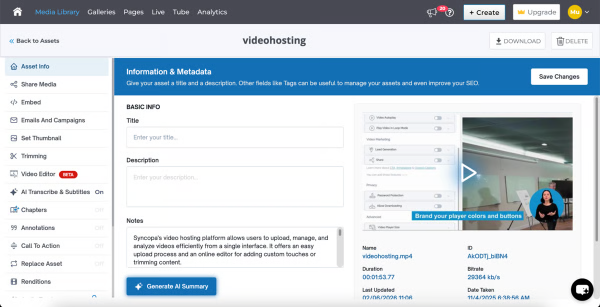
Screenshot of where Cincopa's AI interacts with viewers, answering questions and surfacing key information without watching the entire video, making content more accessible, searchable, and engaging.Screenshot of the dashboard to see what users are asking, track unanswered questions, and identify content gaps.Screenshot of an analytics dashboard, offering insights to improve content quality, enhance viewer experience, and address missing information.Screenshot of key performance metrics like views, watch time, plays, and engagement in real time. Analyze trends across devices, pages, and geographies to understand viewer behavior and optimize video strategy.Screenshot of the interface to upload and edit videos. Users can update metadata, trim content, add subtitles, configure player settings, and control distribution.Screenshot of a branded video hub with categorized playlists and intuitive navigation. This enables users to browse, search, and access content across channels like onboarding, training, and updates, all in one centralized CincoTube experience.

DocsGPT Screenshots

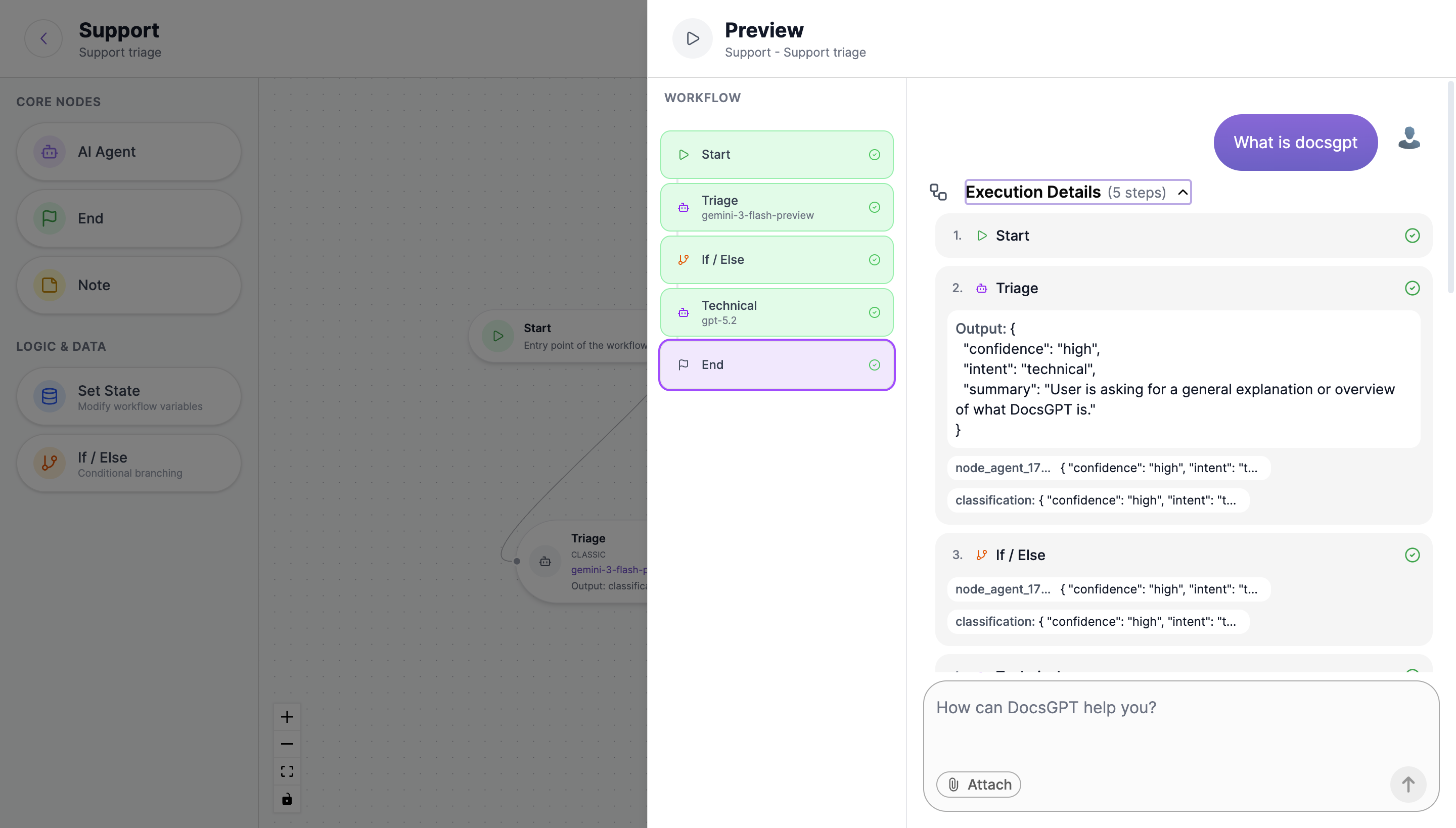
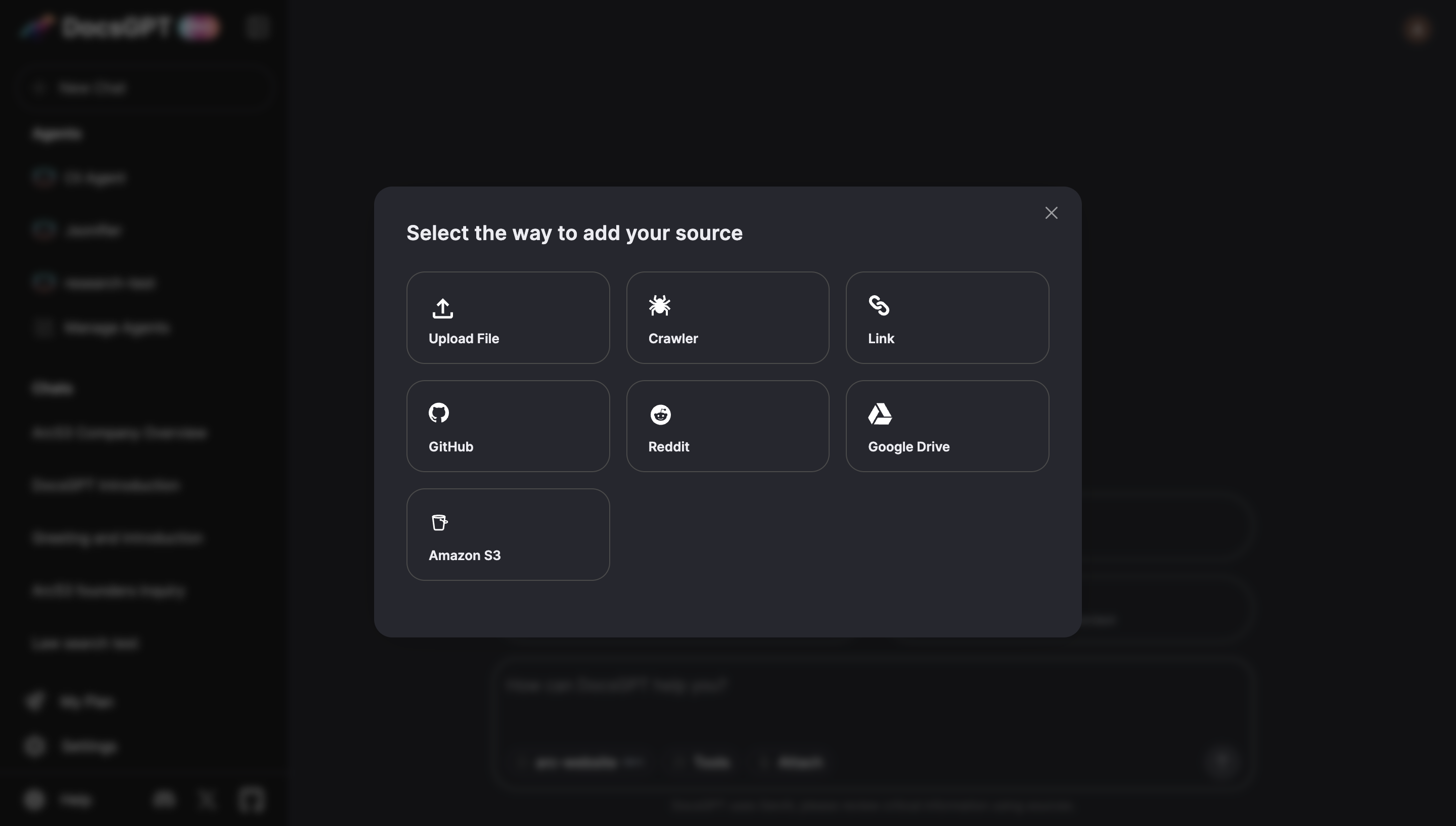
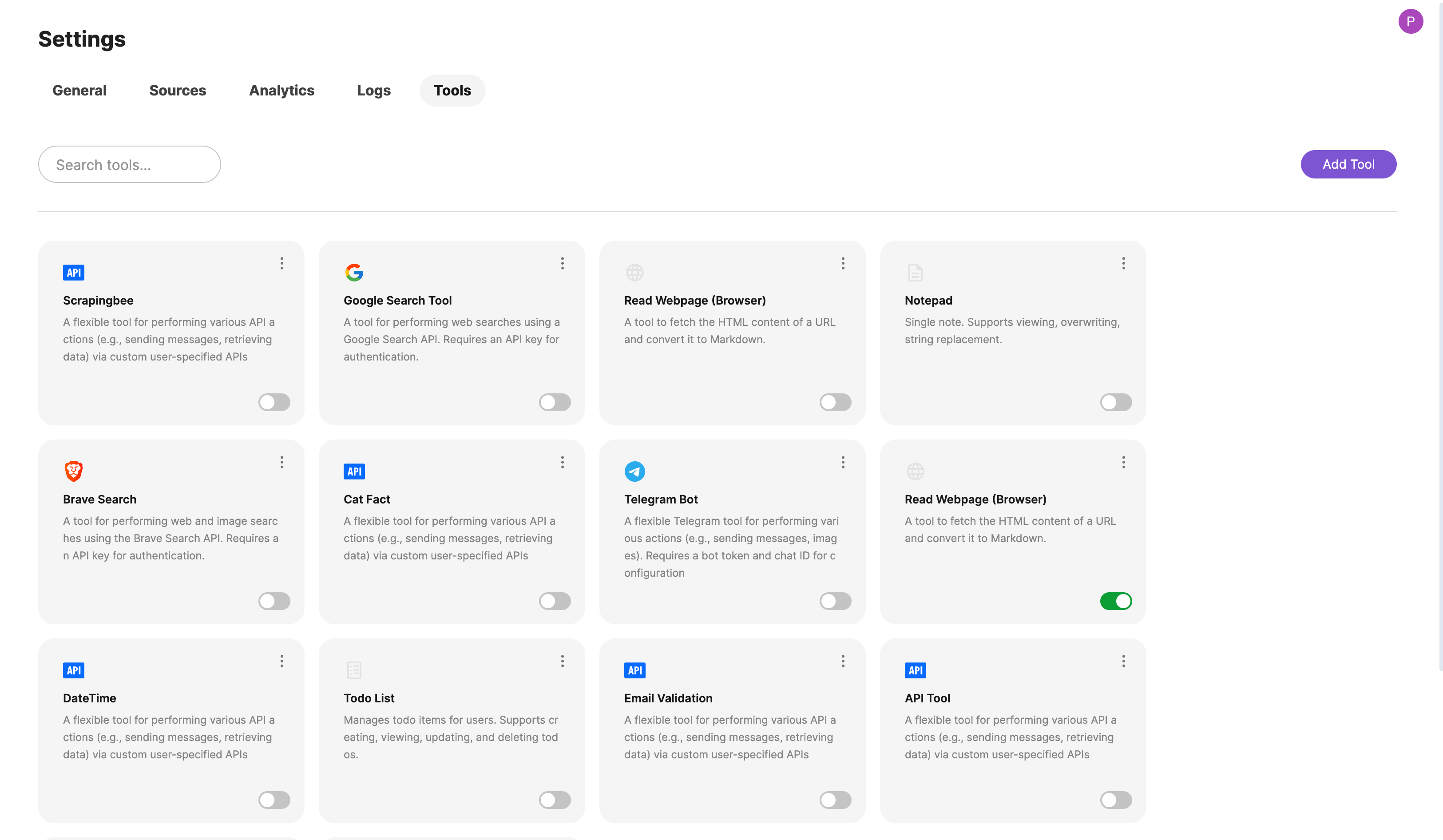
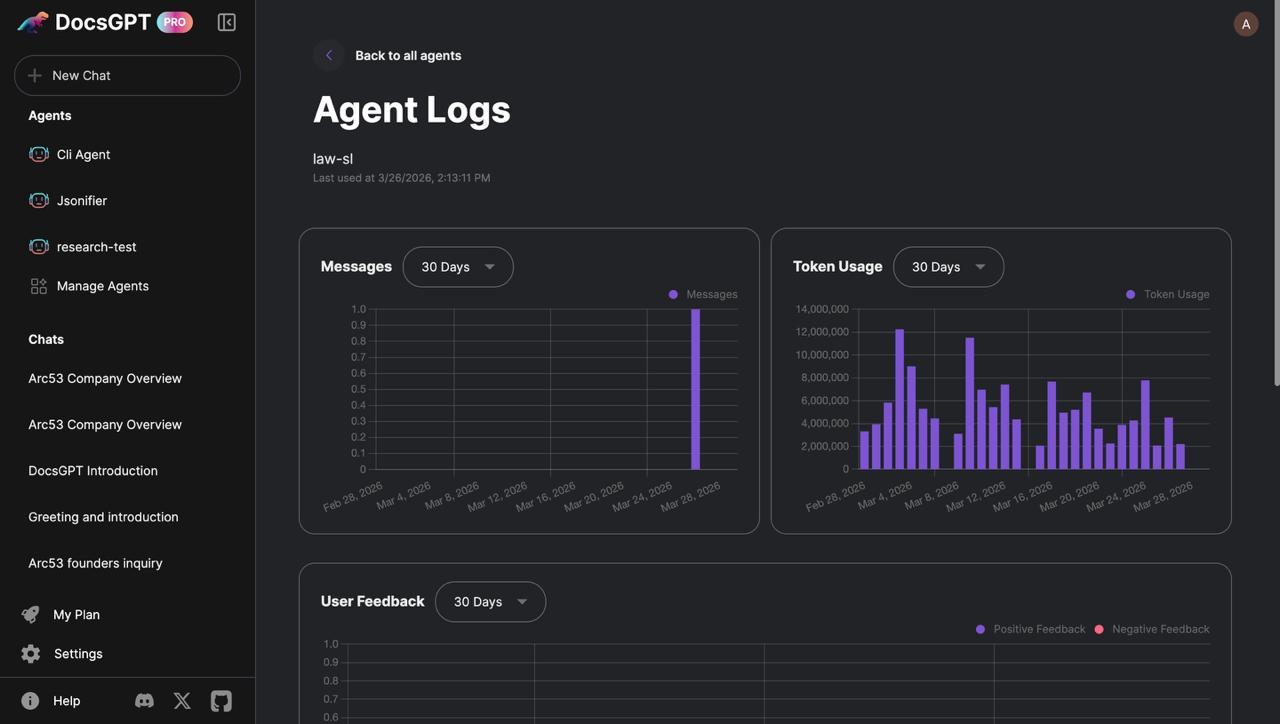
Screenshot of Screenshot of Screenshot of Screenshot of Screenshot of Screenshot of