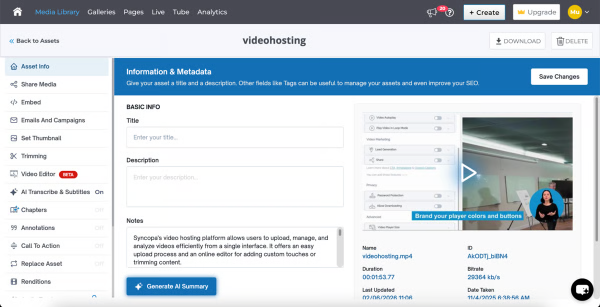
Cincopa is a video knowledge management platform that converts video and document assets into searchable, structured knowledge environments. The solution utilizes Artificial Intelligence (AI) to index multimedia content, allowing users to query libraries using natural language to locate specific information within media files. Key Capabilities Structured Knowledge Environments: The platform organizes Video Assets and Digital Documents into categorized…
$99
per month
VideoScribe
Score8.7 out of 10
N/A
British company Sparkol offers VideoScribe, a video editing application supporting whiteboard style animations and presentations.
$14
per user/per month
Pricing
Cincopa
VideoScribe
Editions & Modules
Starter
$99.00
per month
Growth
$349.00
per month
Yearly Plan
$14
per user/per month
Monthly Plan
$35
per user/per month
Team of 20+ Users
$145
per user
Team of 10+ Users
$150
per user
Team of 5+ Users
$155
per user
One Off
$800
per single user
Offerings
Pricing Offerings
Cincopa
VideoScribe
Free Trial
No
No
Free/Freemium Version
No
No
Premium Consulting/Integration Services
No
No
Entry-level Setup Fee
Optional
No setup fee
Additional Details
—
—
More Pricing Information
Features
Cincopa
VideoScribe
Video Marketing
Comparison of Video Marketing features of Cincopa and VideoScribe
Feature
Cincopa
8.6
17 Ratings
13% above category average
VideoScribe
-
Ratings
Lead generation
7.014 Ratings
00 Ratings
Video personalization
9.914 Ratings
00 Ratings
eCommerce
8.76 Ratings
00 Ratings
Support for advertisements
8.59 Ratings
00 Ratings
Video SEO
8.913 Ratings
00 Ratings
Integration to Marketing Automation
8.69 Ratings
00 Ratings
Video Platform Integrations
Comparison of Video Platform Integrations features of Cincopa and VideoScribe
Feature
Cincopa
8.2
5 Ratings
28% above category average
VideoScribe
-
Ratings
Integration to Salesforce.com
8.24 Ratings
00 Ratings
Integration to Marketo
8.24 Ratings
00 Ratings
Integration to HubSpot
8.35 Ratings
00 Ratings
Video Security
Comparison of Video Security features of Cincopa and VideoScribe
Feature
Cincopa
9.2
16 Ratings
7% above category average
VideoScribe
-
Ratings
Video access controls
9.016 Ratings
00 Ratings
User management
9.016 Ratings
00 Ratings
Video link sharing
9.915 Ratings
00 Ratings
Internal video
9.013 Ratings
00 Ratings
External video
9.014 Ratings
00 Ratings
Video Player
Comparison of Video Player features of Cincopa and VideoScribe
Feature
Cincopa
9.0
19 Ratings
9% above category average
VideoScribe
-
Ratings
Player customization
9.019 Ratings
00 Ratings
Embedded videos
9.018 Ratings
00 Ratings
Video quality / Bandwidth controls
9.016 Ratings
00 Ratings
Mobile compatibility
9.017 Ratings
00 Ratings
Video Analytics
Comparison of Video Analytics features of Cincopa and VideoScribe
Feature
Cincopa
9.9
14 Ratings
23% above category average
VideoScribe
-
Ratings
Per viewer tracking
10.013 Ratings
00 Ratings
Per video tracking
9.914 Ratings
00 Ratings
Video analytics dashboard
9.712 Ratings
00 Ratings
Video Hosting, Management & Storage
Comparison of Video Hosting, Management & Storage features of Cincopa and VideoScribe
Feature
Cincopa
8.7
15 Ratings
1% above category average
VideoScribe
-
Ratings
On-Demand video
9.010 Ratings
00 Ratings
Live streaming
9.06 Ratings
00 Ratings
Video upload & format support
8.115 Ratings
00 Ratings
Video library / File management
9.015 Ratings
00 Ratings
Video portal
8.110 Ratings
00 Ratings
Video Engagement
Comparison of Video Engagement features of Cincopa and VideoScribe
I would say that Cincopa is a first-stop for any dev project without an internal gallery option. This is especially true if the person in charge of content or building the galleries is not a coder. Cincopa makes designing a good looking gallery and inserting it into nearly any webpage a pretty simple process, so it is a great starting place. There may be other options that would fit a different development project better (internal gallery functions or a full-scale DAM with importable galleries), but for our purposes Cincopa was (and is) a perfect fit.
A de minimis incentive was given to thank the reviewer for their time. The incentive was not used to bias or drive a particular response, nor was the incentive contingent on a positive endorsement. More Info
If you need to spice up your presentations but don't have the money/budget/team for full video production or animation, this software is for you. In skilled hands it can also look as good if not better than productions that would cost 5-6x more, including turnaround time. I think the basics of video still apply here, you want to have a story, a narrative, some storyboarding and an idea of where you want to go, but the tools this software provides will help you achieve that (and edit it later) quickly and efficiently
A de minimis incentive was given to thank the reviewer for their time. The incentive was not used to bias or drive a particular response, nor was the incentive contingent on a positive endorsement. More Info
It's fast and customizable! You can import your own vector graphics and PNGs to utilize or take advantage of their huge library of resources, from graphics to icons and sound
You don't have to have a background in animation or graphics (though it doesn't hurt) to utilize the program, really expanding who in your company can take advantage of it
The support and resource documentation is amazing. From multiple series of videos to text-based help and I believe if i remember correctly even emails when I first signed up, it's hard to feel frustrated or lost with how to start with all the support available
A de minimis incentive was given to thank the reviewer for their time. The incentive was not used to bias or drive a particular response, nor was the incentive contingent on a positive endorsement. More Info
The number of pictures for the upload should be slightly higher.
The previous calculation of the traffic is difficult.
If many pictures have to be deleted from a gallery, that does not happen so fast, because only 50 pictures are loaded. Then you have to scroll all the way down and wait until the next 50 images are loaded, in order to be able to mark them for deletion. This takes a while with 800 pictures for example.
Some of the vector rendering for imported pieces could still use work, I've discovered a workaround for adding a stroke to images to help smooth the edge but this can be tiring
The PNG rendering often seems to be under a super heavy compression and can pixellate even higher-res images that are brought in. I utilize almost exclusively custom created graphics to use in this program so seeing that fixed would be great
It would be nice if there was a super-basic audio editor in the program, even something that didn't do much but let you edit the start and end of clips
A de minimis incentive was given to thank the reviewer for their time. The incentive was not used to bias or drive a particular response, nor was the incentive contingent on a positive endorsement. More Info
Cincopa is very easy to use, especially to the uninitiated. You don't need a degree in CS or years of experience to set-up a fantastic looking gallery. The interface is self-explanatory for the most part and very easy to use. The drag-and-drop functionality makes it simple and inviting for all users.
A de minimis incentive was given to thank the reviewer for their time. The incentive was not used to bias or drive a particular response, nor was the incentive contingent on a positive endorsement. More Info
Cincopa has nice templates that are easy to use. The images can be moved about, more images added, and the size changed.
I particularly like the Pinterest style template, as it fits in well with the number of images that I need to display on my website. The more choices displayed, the more likely customers are to order.
A de minimis incentive was given to thank the reviewer for their time. The incentive was not used to bias or drive a particular response, nor was the incentive contingent on a positive endorsement. More Info
Every video or graphics program has its own purposes, VideoScribe is very specifically for taking images, moving them around with nice visual transitions and having something come together quickly. I've also used it to animate infographics in far less than half the time it would have taken me in Premiere. It definitely has serious limits in the type of animation you can do, which is important to be aware of, but if that works within the framework and scope of your budget, then it's incredible.
Remember - the only limits to how sophisticated you can make this look are how creative you are, to begin with. I did things with this program I don't think I'd seen in any of their samples, simply because I have a background in it all and had a new set of tools to play with.
A de minimis incentive was given to thank the reviewer for their time. The incentive was not used to bias or drive a particular response, nor was the incentive contingent on a positive endorsement. More Info
The video that we uploaded to our website will show prospects in the area around our apartment community and hopefully give them a good idea of how close they can be to work/school.
Our video will result in more apartments being rented which will have a positive impact on our ROI.
Our video will give residents and prospects a positive image of our community.
A de minimis incentive was given to thank the reviewer for their time. The incentive was not used to bias or drive a particular response, nor was the incentive contingent on a positive endorsement. More Info
Won over $300k+ in new biz by changing from an old PowerPoint deck to a short (4-5 min) video and reframing how we shared the information
Modified the same deck to be shown at annual conventions as a less "pitch" and more "informational" way of educating the audience, and never saw as many people visiting our booth for information. Likely could attribute additional new biz leads to this effort as well
Got to save a LOT of money in the time and production of the deck which was then able to be utilized instead on other things to make future decks better, like a new microphone and better monitors. Seriously I can't believe how inexpensive this program is
A de minimis incentive was given to thank the reviewer for their time. The incentive was not used to bias or drive a particular response, nor was the incentive contingent on a positive endorsement. More Info