Classtime vs. Edsby

Overview
ProductRatingMost Used ByProduct SummaryStarting Price
Classtime
Score 9.1 out of 10
N/A
Classtime is a flexible online exam solution that allows large and small schools and businesses to create exams using nine different question types, a large public library, time limits, advanced scheduling, analytics, instant, data-based feedback, real-time grading, and anti-cheating features. The vendor provides its features: Create different 9 Question Types: Multiple Choice, Checkboxes, True or False, Categorizer, Sorter, Hot Spots, Highlight Text, and Free Text…
$0
per educator
Edsby
Score 8.6 out of 10
Mid-Size Companies (51-1,000 employees)
Edsby is a cloud-based learning management system (LMS) for K-12 school districts that uses web and mobile technologies to connect teachers, students, parents and administrators in new ways. This LMS allows students and parents to check grades, attendance, homework and more from a browser, tablet or mobile phone. The vendor says what sets this LMS apart from others is that Edsby is designed specifically for the special requirements and needs of K-12. To make district-wide…
$5
per user/per year
Pricing
ClasstimeEdsby
Editions & Modules
Basic
$0
per educator
Premium
$60
per educator (yearly)
Institution License
$120
per educator (yearly)
Edsby
5+
per user/per year
Offerings
Pricing Offerings
ClasstimeEdsby
Free Trial
YesNo
Free/Freemium Version
YesNo
Premium Consulting/Integration Services
YesYes
Entry-level Setup FeeNo setup feeRequired
Additional DetailsEdsby charges an up-front fee for initial integration. There are also annual costs, variable with the number of students. Parent, teacher and administrator accounts are free. Certain other features are charged for annually. Special pricing applies for private schools. Contact Edsby for details.
More Pricing Information
Community Pulse
ClasstimeEdsby
Features
ClasstimeEdsby
Learning Management
Comparison of Learning Management features of Product A and Product B
Classtime
-
Ratings
Edsby
8.2
5 Ratings
0% below category average
Course authoring00 Ratings8.64 Ratings
Course catalog or library00 Ratings9.14 Ratings
Player/Portal00 Ratings9.14 Ratings
Mobile friendly00 Ratings6.75 Ratings
Progress tracking & certifications00 Ratings8.85 Ratings
Assignments00 Ratings8.85 Ratings
Learning administration00 Ratings8.84 Ratings
Learning reporting & analytics00 Ratings4.23 Ratings
Social learning00 Ratings8.85 Ratings
Single Sign On (SSO) Enabled Learning00 Ratings8.84 Ratings
Best Alternatives
ClasstimeEdsby
Small Businesses
Renaissance Accelerated Reader
Score 9.8 out of 10
iSpring LMS
iSpring LMS
Score 8.9 out of 10
Medium-sized Companies
Renaissance Accelerated Reader
Score 9.8 out of 10
Schoology Learning
Schoology Learning
Score 9.6 out of 10
Enterprises
Renaissance Accelerated Reader
Score 9.8 out of 10
Schoology Learning
Schoology Learning
Score 9.6 out of 10
All AlternativesView all alternativesView all alternatives
User Ratings
ClasstimeEdsby
Likelihood to Recommend
9.1
(1 ratings)
8.6
(8 ratings)
Usability
-
(0 ratings)
8.8
(6 ratings)
User Testimonials
ClasstimeEdsby
Likelihood to Recommend
Classtime
Suitable:
  • Distance learning for formative assessment
  • In-class quizzes
  • Tickets out the door to check on the day's understanding
  • Homework
  • Grade-level common assessments
  • High-stakes test prep
Read full review
Edsby
I use only Edsby - I have no use for a google classroom as well as an Edsby page. I try to convince and how teachers how easy it is to use only one system
Read full review
Pros
Classtime
  • It has three different types of engagement activities for students as they are answering questions.
  • It gives immediate data that can be acted upon.
  • It is easy to find materials to use in their library with their search engine.
  • It is very easy to include multimedia material like images, gifs, videos, and audio files.
  • The test-making interface is extremely easy to use.
  • It is easy to print out data that can be used to analyze with a grade-level team or with parents.
  • It has a Google, Microsoft, and Clever interface, making it easy for students to access.
Read full review
Edsby
  • It has a home page viewable by students in which there is a Journal space. Teachers can post reminders for example for homework or upcoming events.
  • EDSBY has a place where one can create Folders or Unit Assessments which students can access and if need be print themselves a copy of the assessment. These folders can be used for different unit work or for something that is used throughout the semester. For instance, information on The Writing Process is in a folder, as are major assessments.
  • It's easy to set up the Grade Book because of the automatic choices that are offered for semester work and culminating work. Weights can be edited and categories of assessment can be changed quickly, if needed.
  • If you have a problem, you can ask for help from someone in the school or in the system who knows about the program, or you can send a message to EDSBY, and they are very quick in replying with a fix.
Read full review
Cons
Classtime
No answers on this topic
Edsby
  • Edsby could make the sorting and collecting of information such as attendance easier.
  • Enhancements to the messaging system are needed - sorting into folders, searching, etc.
Read full review
Usability
Classtime
No answers on this topic
Edsby
The user interface is widely modelled on a web 2.0 design (e.g. Facebook). This is not a criticism per se, as it makes moving around the site very easy and familiar. The mobile site is also very well designed, it makes good use of space and is also easy to navigate.
Read full review
Alternatives Considered
Classtime
I have used Edpuzzle, Quizizz, Kahoot, Khan Academy, and Edcite. I use all of them at varying times, depending on my needs. I use Classtime more than any of them because of its versatility of question types and its engagement tools. I also appreciate the ease of making and giving out tests.
Read full review
Edsby
Edsby and Google Classroom are two entirely different services, yet they can be used together with increased learning effectiveness as the result. When used in tandem, they combine the best features of both platforms and blend them together to get the best learning platform possible.
Read full review
Return on Investment
Classtime
  • It has helped us during in-classroom demonstration lessons.
  • It has helped us with our training on strategic thinking in math.
  • It has given us an outlet to share our test creation skills, which we can model to districts.
Read full review
Edsby
  • Better customer service, in the sense that students know clearly what they need to do, and when they need to do it.
  • Better customer service, in that it is easier for teachers to contact parents, with the lap top in front of them and all the relevant data on student progress or lack thereof in front of them.
  • Better customer service, in that students can email the teacher directly through EDSBY to ask a question or see clarification, or make a request.
Read full review
ScreenShots

Classtime Screenshots

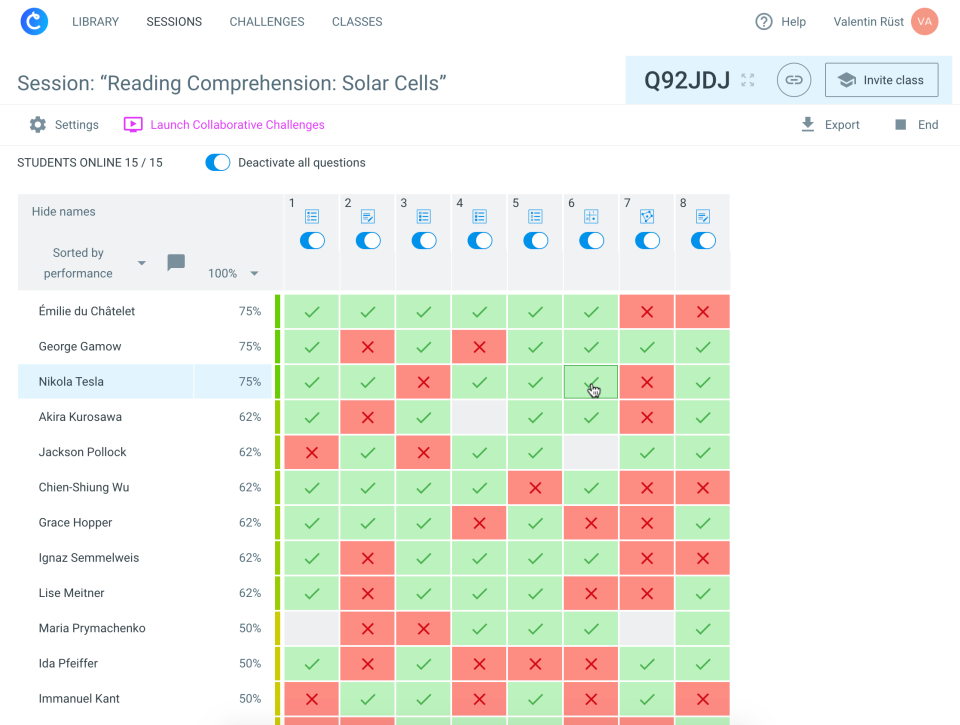
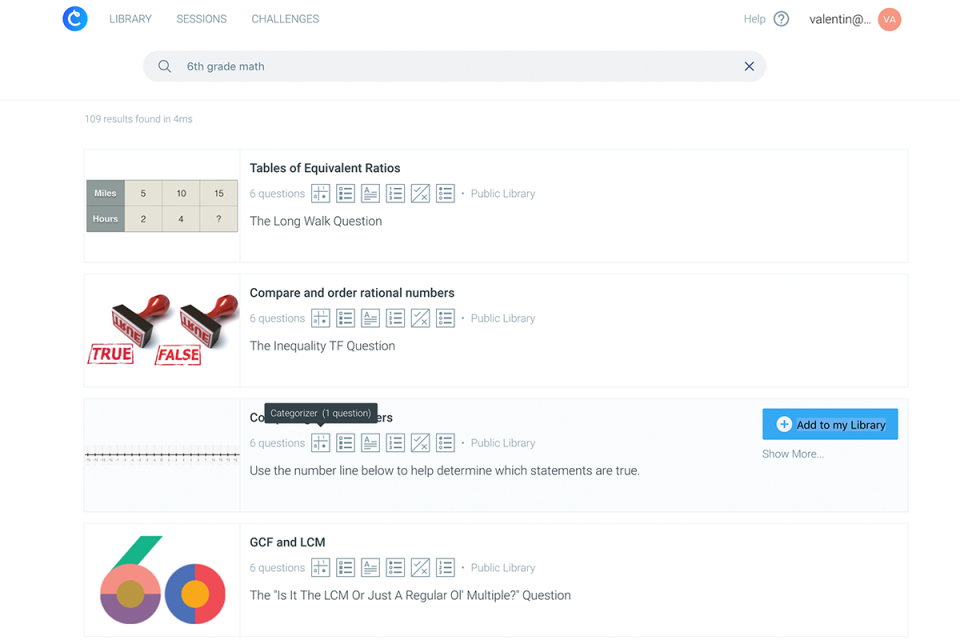
Screenshot of Real-time analyticsScreenshot of Detailed question analysis per student and per classScreenshot of Student interface: 9 tech-enhanced question typesScreenshot of More than 50,000 questions for freeScreenshot of Gamify your lesson with Collaborative Challenges

Edsby Screenshots

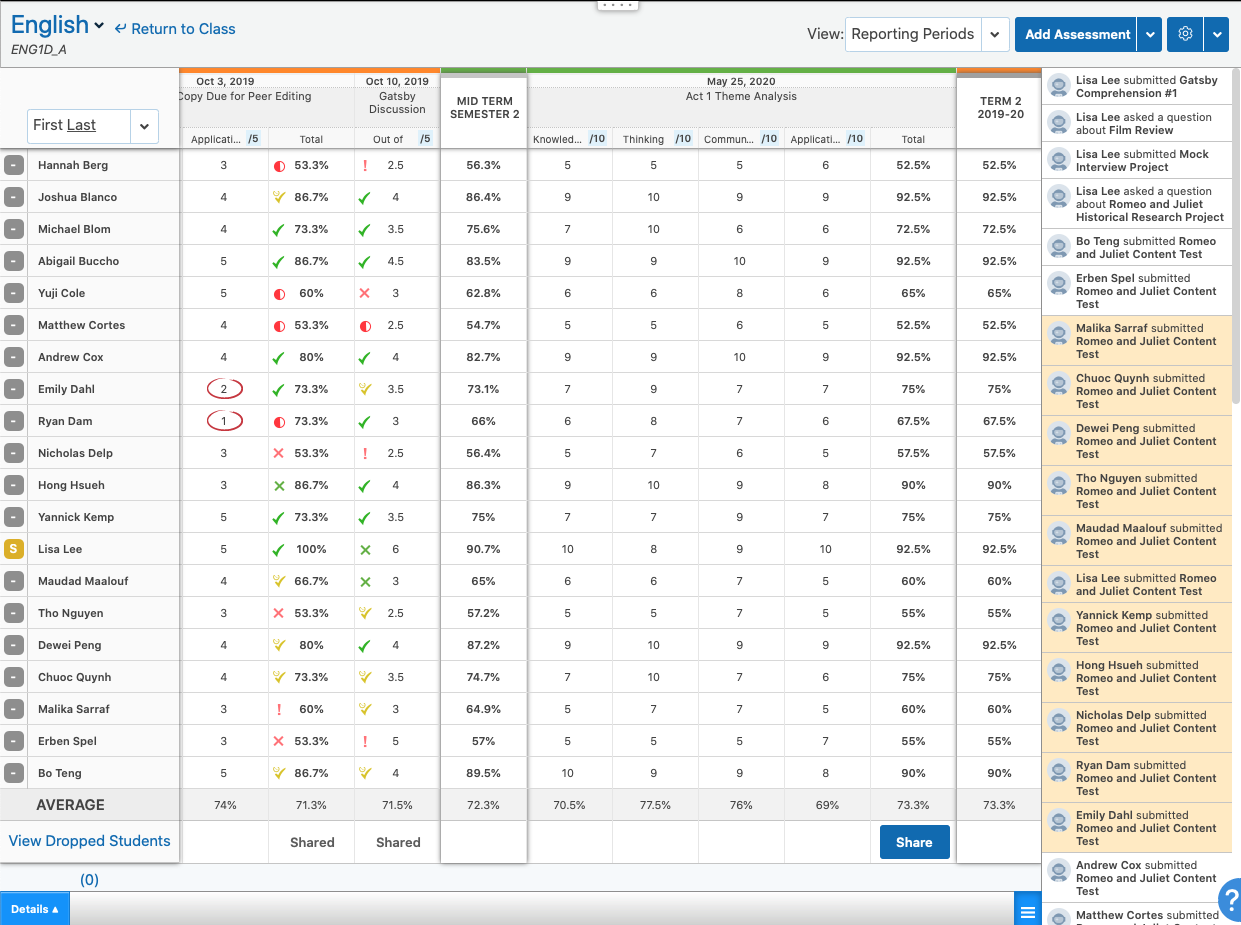
Screenshot of the student's dashboard view in EdsbyScreenshot of private teacher observations of students in Edsby, taggedScreenshot of mobile Edsby clients available for iOS and AndroidScreenshot of a teacher's view of an Edsby class, the heart of the Edsby learning and analytics platformScreenshot of the teacher's view of a class gradebook in the Edsby learning and analytics platformScreenshot of a student eportfolio in the Edsby learning and analytics platform