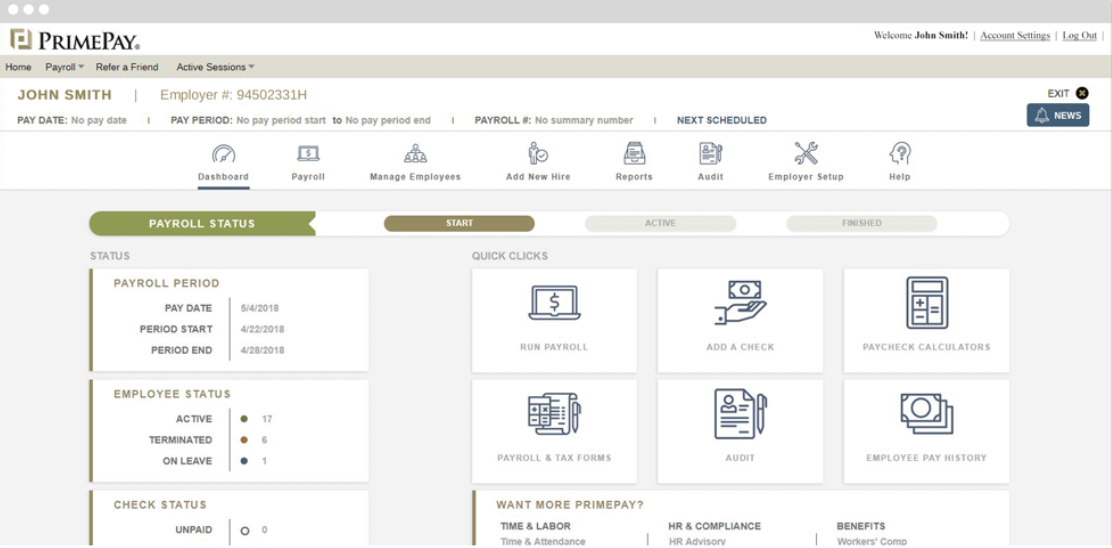
PrimePay is an HR management software that provides employers with tools to use from recruiting to onboarding to offboarding. PrimePay offers support for applicant tracking, payroll, benefits administration, and time tracking to streamline several HR processes.
N/A
Guideline
Score8.4 out of 10
N/A
Guideline headquartered in San Mateo offers a cloud-based 401k management software for businesses priced on a per employee basis.
N/A
Pricing
CoAd
Guideline
Editions & Modules
No answers on this topic
No answers on this topic
Offerings
Pricing Offerings
CoAd
Guideline
Free Trial
No
No
Free/Freemium Version
No
No
Premium Consulting/Integration Services
No
No
Entry-level Setup Fee
No setup fee
No setup fee
Additional Details
Pricing is available online for their time clock service only. For all other services or for companies with more than 150 employees, reach out to the vendor for a custom quote.
syncHR is designed for mid to large size companies, typically 200-2000 employees. Any organization that has a strong reporting need and/or a complicated payroll process could benefit from the unique features built into the platform
I believe that the only thing more broken than Guideline's product is their customer support. From initial contribution dates to the disastrous account closure that cost us personally thousands of dollars, this has been by far the worst SaaS and customer experience I've ever had in my career. If only 1) Guideline's product or 2) customer support had individually been broken, we would not have ended up in this state. I sent dozens and dozens of emails inquiring about oddities I was seeing in the product, but Guideline's reps only gave more conflicting and what ended up being grossly inaccurate feedback and status updates. I hope this review reaches anyone who is thinking of closing their Guideline account. Be extremely wary of what Guideline says and does in the account closure process and exact for detailed and exact timelines (you'll have to follow up many times...). For those of you who haven't yet selected a 401k provider, I'd recommend staying as far away from Guideline as possible.
A de minimis incentive was given to thank the reviewer for their time. The incentive was not used to bias or drive a particular response, nor was the incentive contingent on a positive endorsement. More Info
Automated retroactive change processing and mid-period rate changes – completely automated with no manual intervention needed - If you ever need to give someone a merit increase and make it retroactive or if an employee is entitled to enroll in health benefits on their first day employment but has 30 days to enroll, syncHR will automatically handles these retro changes.
A single application designed from the ground up that gives equal weight to HR, payroll, and benefit functions - syncHR is designed as a true unified solution with no back-end mainframes or separate front-ends vs backends. Everything is processed real-time in the cloud which has eliminated all discrepancies.
Customer Service - syncHR provides a designated account manager as your single point of contact. Since the The StaffWell Group is a 24/7 business, I needed a company that was available when I needed them. syncHR delivered with 24/7 emergency support.
Event-driven employee self service - Other systems we have used rely on employees to make the correct choices as to what is required when completing an employee initiated transaction. With syncHR, the system always directs the employee to the next step reducing both errors and calls to our support staff. I believe this is also the reason why we had a 40% increase in the adoption of ESS.
Dynamic Security & Workflows - syncHR has no static pages which allows security and workflows to be updated automatically whenever a change is made. This has virtually eliminated the time and effort required from HR to manually update workflows to the correct personnel.
A de minimis incentive was given to thank the reviewer for their time. The incentive was not used to bias or drive a particular response, nor was the incentive contingent on a positive endorsement. More Info
Learning Management System- syncHR currently does not offer an LMS system. They only track and report training dates, licenses and certifications.
Although syncHR is a global solution it is somewhat limited to tracking employee headcount, HR documents, paperless on boarding and benefit information. There is no international payroll option like the one they provide for domestic employees. Although the system can handle multiple languages and currencies, I would like to see a global payroll option.
Succession Planning - syncHR provides little functionality for succession planning. The system can track budgets vs actuals, goals and ratings but does not offer a true succession planning module
I feel that the customer support was abysmal - In my experience, we were consistently given conflicting advice and statuses as we closed our account with Guideline. Despite many, many follow-ups attempting to clarify our current status and remaining steps to close the account, Guideline's reps continued to provide, I believe, misleading and inaccurate steps. This cost us thousands and thousands of dollars given Guideline was not able to appropriately pull the funds before closing the account.
Guideline's integrations - I believe there is clearly a broken pipeline between Guideline and Rippling. In my experience, contributions were not funded as expected when we first opened the account, and when we closed our account, there was no communication between Guideline and Rippling. Guideline continued to expect contributions into perpetuity despite closure of the account
I feel that Guideline's product itself is just broken in critical places - most importantly, statuses of contributions were reflected incorrectly in the software (Guideline thought funds were transferred, but they were not and Guideline never attempted to pull the funds from our bank). This, combined with the terrible customer support, cost us thousands and thousands of dollars after we closed our account. There are many absolutely critical features that are broken -> to give just one of many examples, it was not possible to update the bank account information and no error message was thrown. I was told that our account ended up in an exceptional state given our last payroll contribution date and account closure, but these seem like very basic things a 401k provider has to get right if there are going to manage people's money.
A de minimis incentive was given to thank the reviewer for their time. The incentive was not used to bias or drive a particular response, nor was the incentive contingent on a positive endorsement. More Info
Overall the system is very easy to navigate but more importantly my employees find it so easy to use. The percentage of employees who now use ESS went up by 40%
A de minimis incentive was given to thank the reviewer for their time. The incentive was not used to bias or drive a particular response, nor was the incentive contingent on a positive endorsement. More Info
Whenever we need support our designated account manager is there to provide answers for us. If she doesn't have or know the answer, additional support is provided via a service matter expert in that field. Support hours are 24/7
The few questions that we've had have been answered quickly and helpfully. The implementation was a breeze and the onboarding contacts were really helpful. There was some stuff I had to learn about 401(k)s in making the decision to implement Guideline, but the Guideline team was helpful in pointing me in the right direction.
A de minimis incentive was given to thank the reviewer for their time. The incentive was not used to bias or drive a particular response, nor was the incentive contingent on a positive endorsement. More Info
During the first few weeks of implementation it is important to have all key members participate in meetings. Finance, HR, Payroll and Benefits should be involved from the early stages to ensure that the solution is designed to meet your specific requirements. Since syncHR personalizes their solution for each company a few wrong steps early on regarding the design we wanted caused us to spend extra time later. The more info you provide syncHR upfront the better they can take all of your rules and needs into account from day one. In our case, finance did not get involved right away and therefore some of the items that we needed for our GL needed to be re-done. SyncHR was very accommodating though as they spent extra time with us to update some of the allocations so that finance got what they needed
As I mentioned I have used UltiPro, ADP, Ceridian as well as several others and none of them seem to offer half of the functionality and service that syncHR provides. Although we had some problems from time to time, I hold companies in high regard by how they resolve these problems. It's a comfort knowing that my HCM provider truly cares about me and my business so if for no other reason than this, I feel syncHR is far and away the best system I have used. The system works as advertised which is all I could ask for
We selected Guideline due to their relationship with Gusto, our payroll service. However, we did review alternative options for our 401k program and found them very competitive as to price and quality. We were thinking about going with one of the bigger companies like Schwab, E*TRADE, Ally, etc., but found Guideline to be the best choice for us based on price and ease of use.
A de minimis incentive was given to thank the reviewer for their time. The incentive was not used to bias or drive a particular response, nor was the incentive contingent on a positive endorsement. More Info
Due to complexity of our payroll, it would typically take us almost 3 full days to verify hours and perform retro changes before actually running payroll. With so many retroactive changes and manual calculations it was a time consuming and error prone process. With syncHR, the accuracy of payroll has increased tremendously and the amount of time we now spend preparing to process payroll decreased to less than 4 hours per week. All approved time seamlessly moves from the T&A module into payroll and all retro transactions are automatically processed.
When I initially selected syncHR I was a little hesitant because I never heard of them before and was concerned about their viability as a company and customer service. Several years later I'm happy to say that syncHR has provided better support than any of the better know competitors ever did.
Although no system is ever perfect, overall syncHR has exceeded most of my expectations. The sales and implementation process was wonderful, the salesperson was responsive and did not oversell what the system could do.
Training & Implementation - syncHR spent a considerable amount of time learning my business rules in order to build the system to meet my requirements. Training was provided on all aspects of the system until my team felt comfortable enough to handle things on their own. I never felt as though we had a set number of hours of training or that our questions, no matter how redundant or simple were a bother to them.
A de minimis incentive was given to thank the reviewer for their time. The incentive was not used to bias or drive a particular response, nor was the incentive contingent on a positive endorsement. More Info