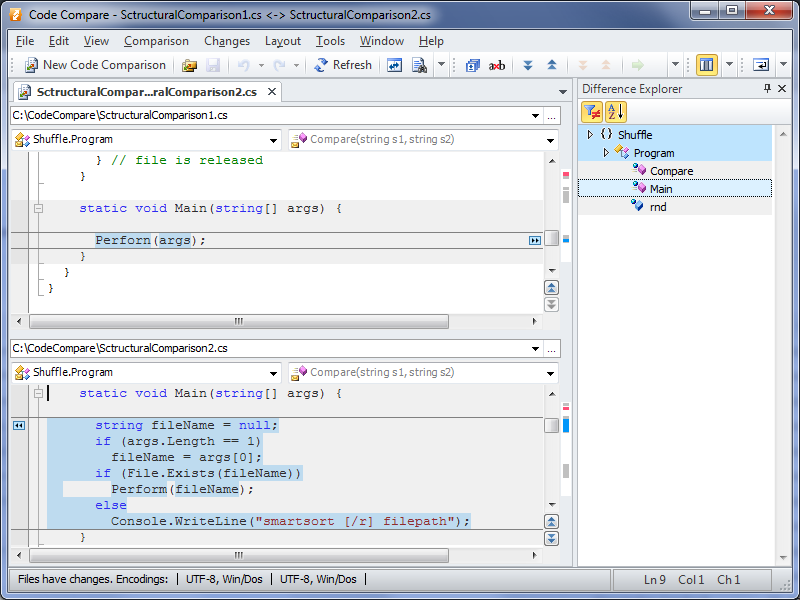
Code Compare is a compare tool designed to compare and merge differing files and folders. Code Compare integrates with source control systems: TFS, SVN, Git, Mercurial, and Perforce. Code Compare is shipped both as a standalone file diff tool and a Visual Studio extension.
N/A
GoCD
Score8 out of 10
N/A
GoCD, from ThoughtWorks in Chicago, is an application lifecycle management and development tool.
If your developer team is well-versed with standard VCS then I don't think they need this additional software to occupy their memory, they already have those capabilities within all VCS. A well-suited use case can be a team where not everybody has knowledge of VCS but has to collaborate on a project.
A de minimis incentive was given to thank the reviewer for their time. The incentive was not used to bias or drive a particular response, nor was the incentive contingent on a positive endorsement. More Info
Previously, our team used Jenkins. However, since it's a shared deployment resource we don't have admin access. We tried GoCD as it's open source and we really like. We set up our deployment pipeline to run whenever codes are merged to master, run the unit test and revert back if it doesn't pass. Once it's deployed to the staging environment, we can simply do 1-click to deploy the appropriate version to production. We use this to deploy to an on-prem server and also AWS. Some deployment pipelines use custom Powershell script for.Net application, some others use Bash script to execute the docker push and cloud formation template to build elastic beanstalk.
A de minimis incentive was given to thank the reviewer for their time. The incentive was not used to bias or drive a particular response, nor was the incentive contingent on a positive endorsement. More Info
A de minimis incentive was given to thank the reviewer for their time. The incentive was not used to bias or drive a particular response, nor was the incentive contingent on a positive endorsement. More Info
Pipeline-as-Code works really well. All our pipelines are defined in yml files, which are checked into SCM.
The ability to link multiple pipelines together is really cool. Later pipelines can declare a dependency to pick up the build artifacts of earlier ones.
Agents definition is really great. We can define multiple different kinds of environments to best suit our diverse build systems.
A de minimis incentive was given to thank the reviewer for their time. The incentive was not used to bias or drive a particular response, nor was the incentive contingent on a positive endorsement. More Info
A de minimis incentive was given to thank the reviewer for their time. The incentive was not used to bias or drive a particular response, nor was the incentive contingent on a positive endorsement. More Info
A de minimis incentive was given to thank the reviewer for their time. The incentive was not used to bias or drive a particular response, nor was the incentive contingent on a positive endorsement. More Info
GoCD is easier to setup, but harder to customize at runtime. There's no way to trigger a pipeline with custom parameters.
Jenkins is more flexible at runtime. You can define multiple user-provided parameters so when user needs to trigger a build, there's a form for him/her to input the parameters.
A de minimis incentive was given to thank the reviewer for their time. The incentive was not used to bias or drive a particular response, nor was the incentive contingent on a positive endorsement. More Info
A de minimis incentive was given to thank the reviewer for their time. The incentive was not used to bias or drive a particular response, nor was the incentive contingent on a positive endorsement. More Info
Settings.xml need to be backed up periodically. It contains all the settings for your pipelines! We accidentally deleted before and we have to restore and re-create several missing pipelines
More straight forward use of API and allows filtering e.g., pull all pipelines triggered after this date
A de minimis incentive was given to thank the reviewer for their time. The incentive was not used to bias or drive a particular response, nor was the incentive contingent on a positive endorsement. More Info