CorelDRAW Graphics Suite vs. Magazine Manager

Overview
ProductRatingMost Used ByProduct SummaryStarting Price
CorelDRAW Graphics Suite
Score 7.5 out of 10
N/A
Corel Corporation, headquartered in Ottawa, offers the CorelDRAW Graphics Suite, a graphic design studio and library of tools.
$249
per year
Magazine Manager
Score 0.0 out of 10
Small Businesses (1-50 employees)
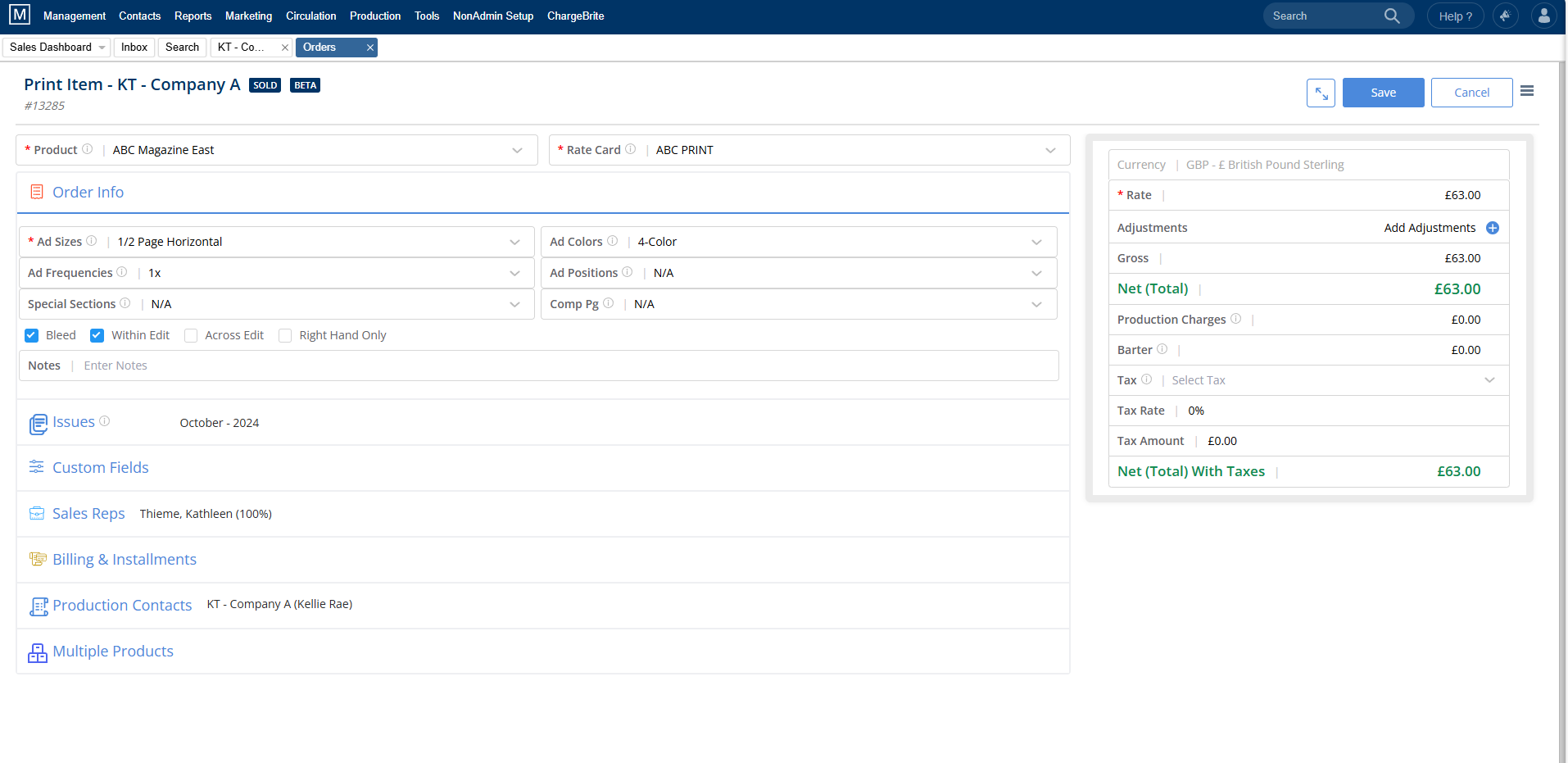
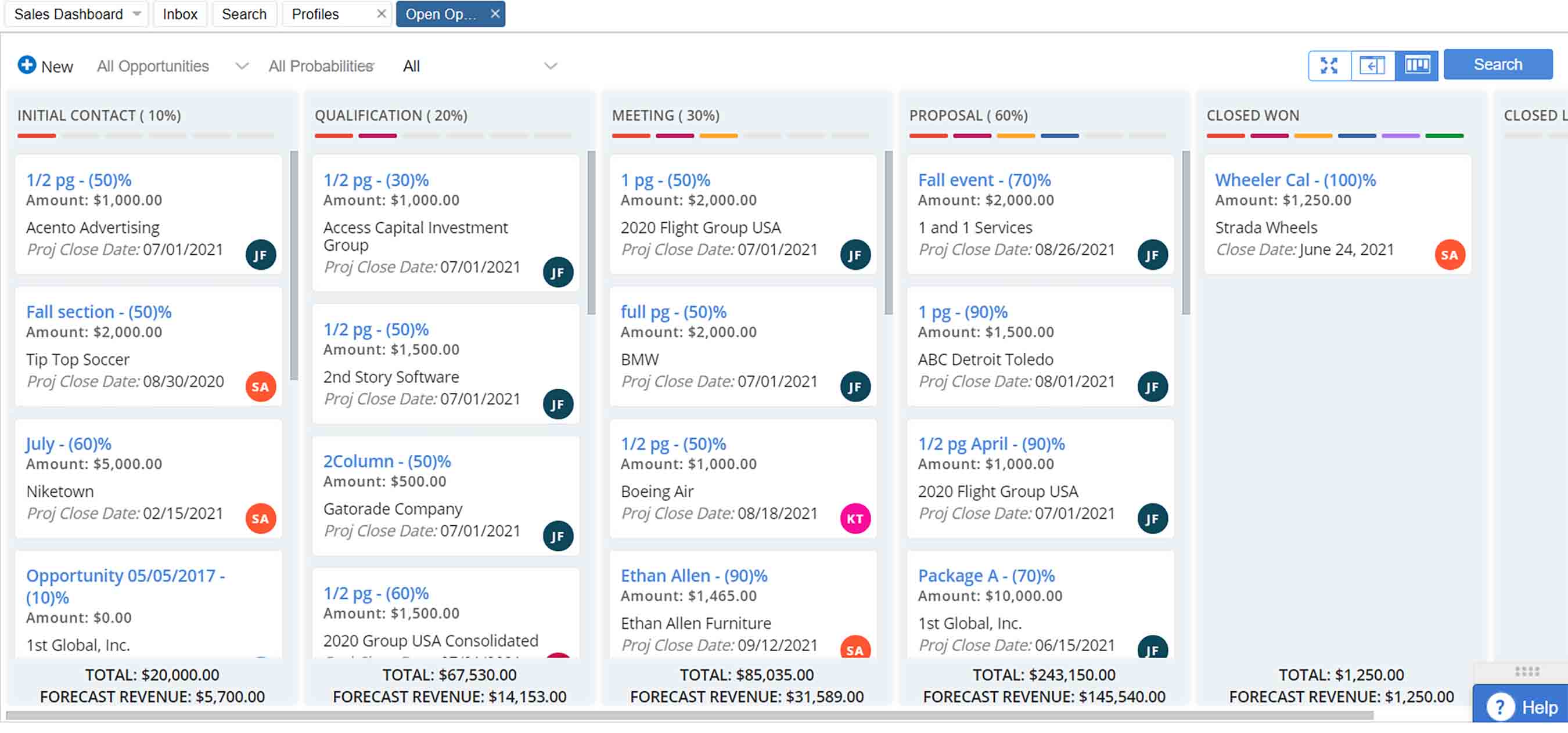
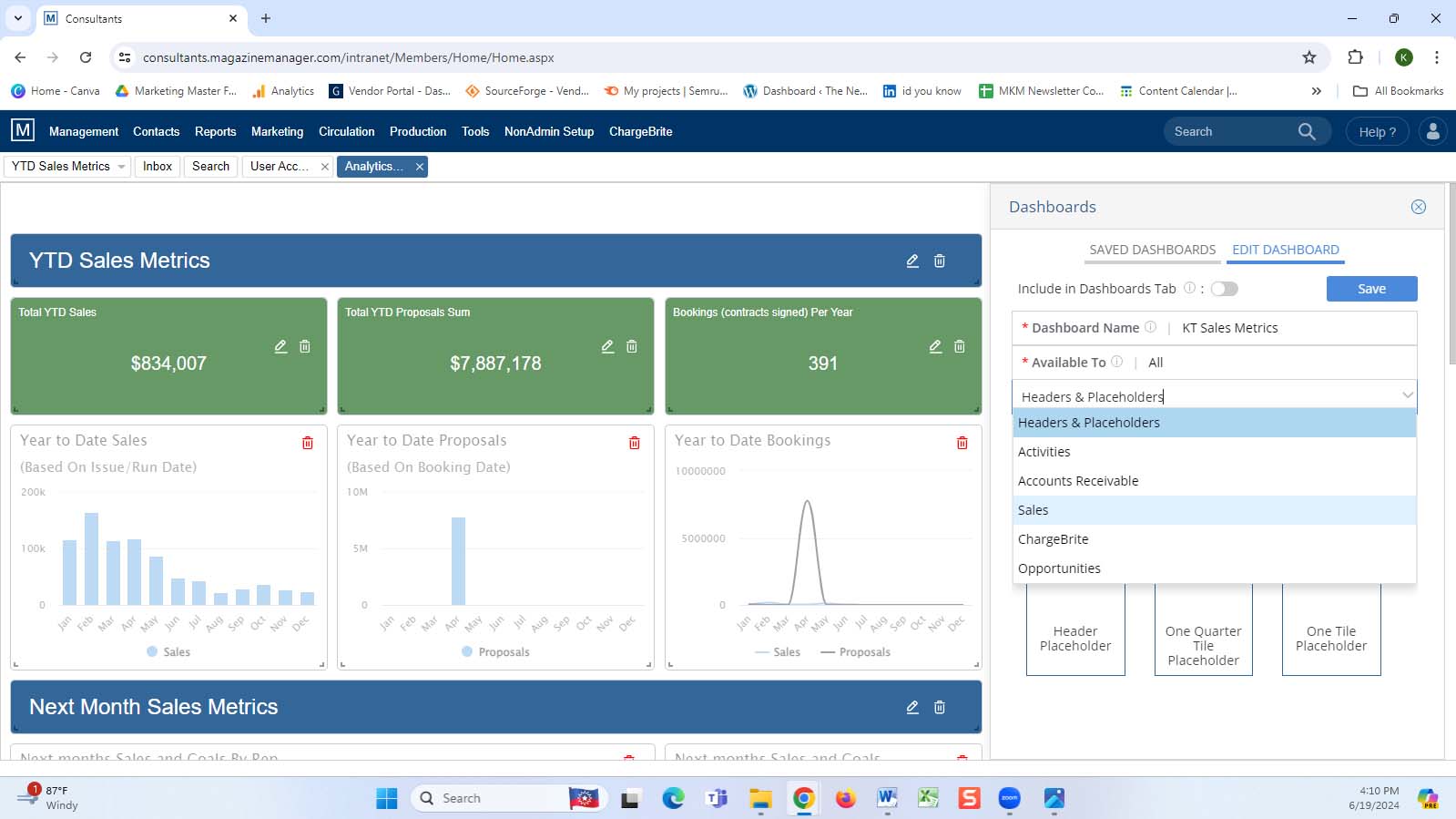
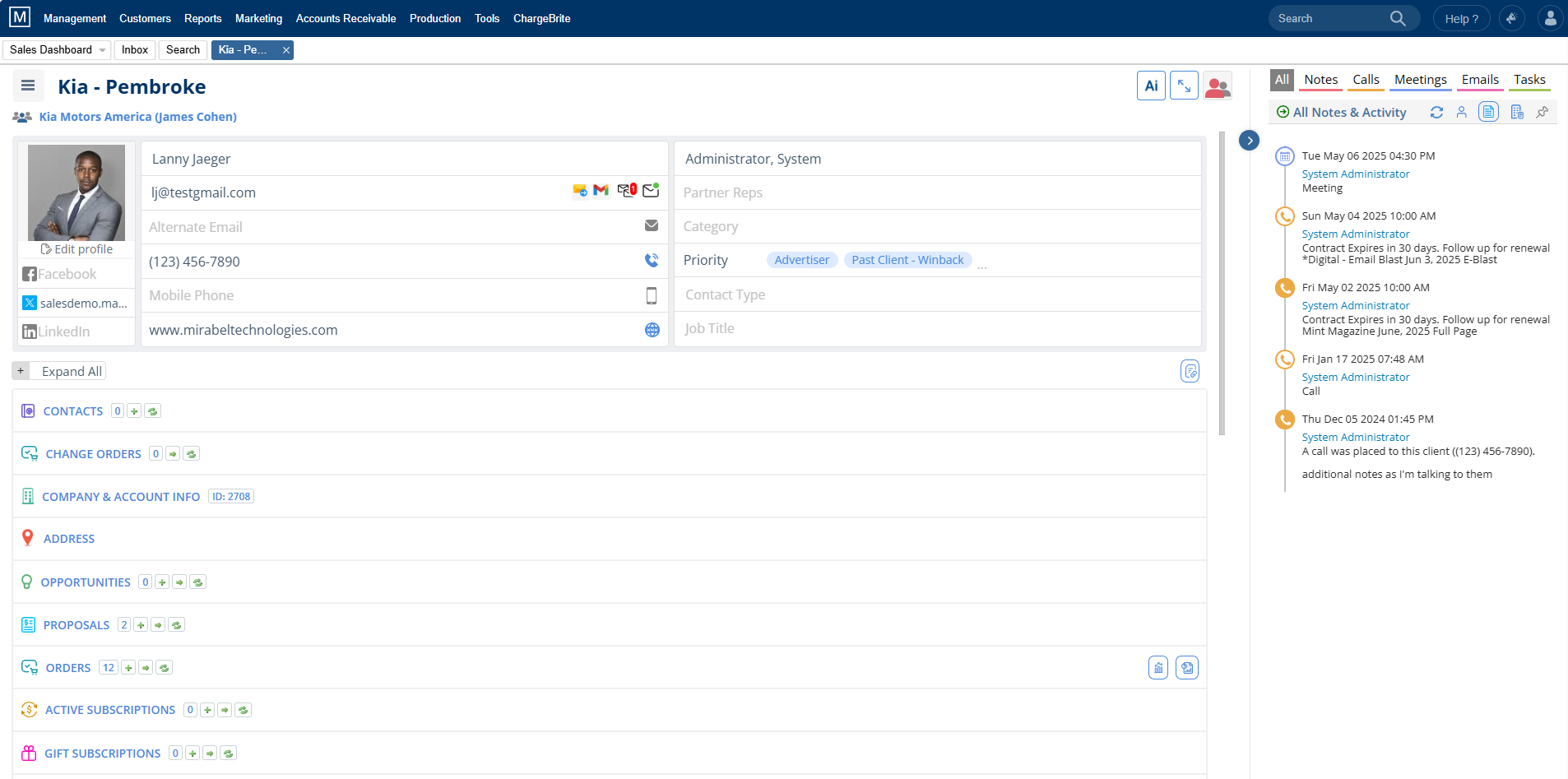
The Magazine Manager is a magazine publishing software solution, serving over 25,000+ publications worldwide. It is a web-based CRM built for publishers, by publishers. In a unified platform, the Magazine Manager includes a sales CRM and opportunities pipeline, a centralized ad order entry system, a built-in electronic signature system, production and project management, billing, digital pagination and editions, marketing automation, circulation, audience development, subscription management,…N/A
Pricing
CorelDRAW Graphics SuiteMagazine Manager
Editions & Modules
Subscription
$249.00
per year
Download
$499.00
One Time Fee
Physical Edition
$499.00
One Time Fee
No answers on this topic
Offerings
Pricing Offerings
CorelDRAW Graphics SuiteMagazine Manager
Free Trial
YesNo
Free/Freemium Version
NoNo
Premium Consulting/Integration Services
NoYes
Entry-level Setup FeeNo setup feeRequired
Additional DetailsDiscount offered based on user volume.
More Pricing Information
Community Pulse
CorelDRAW Graphics SuiteMagazine Manager
Best Alternatives
CorelDRAW Graphics SuiteMagazine Manager
Small Businesses
Venngage
Venngage
Score 9.8 out of 10
CorelDRAW Graphics Suite
Score 7.5 out of 10
Medium-sized Companies
GIMP
GIMP
Score 8.3 out of 10
Canva
Canva
Score 9.1 out of 10
Enterprises
Adobe PhotoShop
Adobe PhotoShop
Score 9.2 out of 10
CorelDRAW Graphics Suite
Score 7.5 out of 10
All AlternativesView all alternativesView all alternatives
User Ratings
CorelDRAW Graphics SuiteMagazine Manager
Likelihood to Recommend
9.8
(20 ratings)
-
(0 ratings)
Usability
8.0
(1 ratings)
-
(0 ratings)
Support Rating
8.4
(11 ratings)
-
(0 ratings)
User Testimonials
CorelDRAW Graphics SuiteMagazine Manager
Likelihood to Recommend
Alludo
It is a perfect suite of applications to finish presentations and create beautiful layouts for design. It is very useful both for graphic design and for architecture design when you want to draw a realistic idea of a project without being a rendering or when you need to present both images and vectorial drawings.
Read full review
Mirabel Technologies
No answers on this topic
Pros
Alludo
  • Easy to learn - especially if you have experience with other graphic software. It is fairly intuitive which is helpful.
  • Creating high resolution graphics is a breeze with this software - and it has the ability to export into a large variety of formats!
  • I am able to import a wide variety of file formats. I have also had success with importing and editing PDF files which has been helpful.
Read full review
Mirabel Technologies
No answers on this topic
Cons
Alludo
  • The bitmap edit feature to edit images. The pop out is clunky and with it was a bit more integrated.
  • Trace - Would love to see this strengthened. We love to scan in hand drawn things to turn to vector and would love to see the accuracy increased.
Read full review
Mirabel Technologies
No answers on this topic
Usability
Alludo
Just like any design program or suite, I wouldn't recommend it to anyone who doesn't do graphic design professionally. If you're not adept at learning a program or experience, it isn't a program you can just pick up and start using easily. Outside of the learning curve, it's a nice program with a decent user interface.
Read full review
Mirabel Technologies
No answers on this topic
Support Rating
Alludo
Overall, CorelDRAW meets all my needs as a researcher and allows me to create beautiful and clear graphics to illustrate the main ideas for publications. It does not lack any functionality for my needs; however, it has some bugs that impact productivity, such as the color drag and drop that sometimes stops working and needs restarting, and crashes, especially when working with large bitmaps.
Read full review
Mirabel Technologies
No answers on this topic
Alternatives Considered
Alludo
Although other softwares are good in there field but CorelDRAW is very good when it come to ease of making the designs. We can create designs in it very quickly and efficiently and also it us Avery easy software to learn, anyone can pick it up at good pace. Also it is more widely used by vendors here for printing, so its a better choice.
Read full review
Mirabel Technologies
No answers on this topic
Return on Investment
Alludo
  • Ease of use reflects on less time to train new users, a positive impact in investment and productivity.
  • The practicality to make new designs results in less time needed to do them, again a positive impact.
  • The integration with other graphic programs could be better if needed to finish a rendering using the design made in Corel Draw it's needed to export in formats that don't carry all information and the process is not that simple.
Read full review
Mirabel Technologies
No answers on this topic
ScreenShots

CorelDRAW Graphics Suite Screenshots

Screenshot of A complete suite of applications:
CorelDRAW® - Vector illustration and page layout
Corel PHOTO-PAINT™ - Image editing and pixel-based design program
Corel® Font Manager - Font exploration and management tool
PowerTRACE™ - AI-powered bitmap-to-vector tracing (included as part of the CorelDRAW application)
CorelDRAW.app™ - Online vector illustration and graphic design via web browser
CorelDRAW.app™ for iPad – Vector illustration and graphic design iPad app
CAPTURE™ - Screen capture tool
AfterShot™ 3 HDR - RAW photo editorScreenshot of From creative professionals working in advertising and publishing, to small businesses producing in-house marketing materials, CorelDRAW Graphics Suite has the tools to create everything from stand-out brand identity assets to alluring sales tools.Screenshot of Professionals in the sign and print, and fashion industry rely on CorelDRAW® to create artwork for a variety of print outputs, thanks to a powerful color management engine and superior prepress tools.Screenshot of CorelDRAW Graphics Suite has commerce professionals covered with dedicated tools for web and print, whether you’re designing point-of-sale promotions or creating assets to enhance an online store.Screenshot of Illustrators and artists alike can combine their classic art practices with CorelDRAW’s state-of-the-art vector-illustration technology to create beautiful, sophisticated works of art.Screenshot of Get more for less! Discover the affordable, flexible way to stay up-to-date, while enjoying exclusive features, content, enhancements, and support for the latest technologies.

Magazine Manager Screenshots

Screenshot of Built-in flatplanning & pagination feature that makes it easier to create digital and mobile editions.Screenshot of A centralized ad order system keeps advertisers in sync with deadlines.Screenshot of The Magazine Manager’s Project Timeline, which provides real-time project updates with the flexibility to set up workflows for different kinds of publishing products with custom Project Stages, Project Fields, and ability to build custom report Views.Screenshot of The opportunities pipeline, which is a digital platform that helps businesses track and manage potential opportunities, from initial leads to final closures, providing visibility and organization throughout the sales process.Screenshot of Customizable Analytics Dashboards tool - choose from over 300 data tiles, customize the display and even set user-level permissionsScreenshot of View all Contact details through the record including contact information, lead management & opportunities data, proposal & order data, subscriptions, email & website activity, notes & activities, and more.