datapine vs. Izenda

Overview
ProductRatingMost Used ByProduct SummaryStarting Price
datapine
Score 9.7 out of 10
Mid-Size Companies (51-1,000 employees)
datapine is a business intelligence and and data visualization solution that is focused on self-service. Its interface for data analysis and discovery combines interactive dashboards to deliver insights across and beyond the user’s organization. No coding skills are required. datapine helps businesses monitor KPIs and their artificial algorithms learn from the user’s data and inform them as soon as something…
$249
per month
Izenda
Score 10.0 out of 10
Small Businesses (1-50 employees)
Izenda is a business intelligence software offering from Izenda.N/A
Pricing
datapineIzenda
Editions & Modules
Basic
$249
per installation
Professional
$499
per installation
Premium
$769
per installation
datapine Server
$999
per installation
No answers on this topic
Offerings
Pricing Offerings
datapineIzenda
Free Trial
YesYes
Free/Freemium Version
NoNo
Premium Consulting/Integration Services
YesYes
Entry-level Setup Fee$2,000 per installationNo setup fee
Additional DetailsPrices are per month.No per user or core fees, unlimited use licensing for production and non-production instances.
More Pricing Information
Community Pulse
datapineIzenda
Features
datapineIzenda
BI Standard Reporting
Comparison of BI Standard Reporting features of Product A and Product B
datapine
9.9
3 Ratings
19% above category average
Izenda
9.3
2 Ratings
13% above category average
Pixel Perfect reports9.93 Ratings9.02 Ratings
Customizable dashboards9.93 Ratings10.02 Ratings
Report Formatting Templates00 Ratings9.02 Ratings
Ad-hoc Reporting
Comparison of Ad-hoc Reporting features of Product A and Product B
datapine
10.0
3 Ratings
22% above category average
Izenda
9.3
2 Ratings
15% above category average
Drill-down analysis10.03 Ratings9.02 Ratings
Formatting capabilities10.03 Ratings10.02 Ratings
Report sharing and collaboration10.03 Ratings9.02 Ratings
Report Output and Scheduling
Comparison of Report Output and Scheduling features of Product A and Product B
datapine
10.0
3 Ratings
20% above category average
Izenda
8.8
2 Ratings
7% above category average
Publish to Web10.03 Ratings9.02 Ratings
Publish to PDF9.93 Ratings9.02 Ratings
Report Versioning10.03 Ratings9.02 Ratings
Report Delivery Scheduling9.93 Ratings8.02 Ratings
Data Discovery and Visualization
Comparison of Data Discovery and Visualization features of Product A and Product B
datapine
10.0
3 Ratings
22% above category average
Izenda
9.0
2 Ratings
12% above category average
Pre-built visualization formats (heatmaps, scatter plots etc.)10.03 Ratings10.02 Ratings
Location Analytics / Geographic Visualization9.93 Ratings8.02 Ratings
Predictive Analytics10.03 Ratings9.02 Ratings
Access Control and Security
Comparison of Access Control and Security features of Product A and Product B
datapine
10.0
3 Ratings
16% above category average
Izenda
9.0
2 Ratings
6% above category average
Multi-User Support (named login)10.03 Ratings8.02 Ratings
Role-Based Security Model10.03 Ratings9.02 Ratings
Multiple Access Permission Levels (Create, Read, Delete)9.93 Ratings10.02 Ratings
Mobile Capabilities
Comparison of Mobile Capabilities features of Product A and Product B
datapine
9.9
3 Ratings
25% above category average
Izenda
10.0
2 Ratings
25% above category average
Responsive Design for Web Access10.03 Ratings10.02 Ratings
Dashboard / Report / Visualization Interactivity on Mobile9.93 Ratings10.02 Ratings
Best Alternatives
datapineIzenda
Small Businesses
Yellowfin
Yellowfin
Score 8.7 out of 10
Yellowfin
Yellowfin
Score 8.7 out of 10
Medium-sized Companies
Reveal
Reveal
Score 10.0 out of 10
Reveal
Reveal
Score 10.0 out of 10
Enterprises
Kyvos Semantic Layer
Score 9.5 out of 10
Kyvos Semantic Layer
Score 9.5 out of 10
All AlternativesView all alternativesView all alternatives
User Ratings
datapineIzenda
Likelihood to Recommend
10.0
(3 ratings)
10.0
(2 ratings)
Usability
10.0
(1 ratings)
8.0
(1 ratings)
Support Rating
8.0
(1 ratings)
9.0
(1 ratings)
User Testimonials
datapineIzenda
Likelihood to Recommend
datapine
Our team wanted a software that can handle our data in a cloud setting and connect our data sources easily. The values that we got from Datapine cannot be compared with other any other tools Because datapine always focus on the best possible user experience and can certainly compete with other, even bigger softwares in the market.
Read full review
Izenda
With Izenda, we can offer our trusted users dashboards, generated custom reports, and ad-hoc reporting, right within our own operation. Integrating the Izenda tool directly into our usage meant that we were suitable to use a small corridor of Izenda as core functionality while reserving the more advanced sections of Izenda for guests willing to pay redundancy for the licensing.
Read full review
Pros
datapine
  • Intuitive user interface, especially within the analyzer (drag & drop).
  • Dashboard templates helped to create visually appealing dashboards.
  • Many different reporting options.
  • Customer support is really helpful.
Read full review
Izenda
  • User and tenant management is excellent. It is very simple to implement and easy to manage.
  • The configurability and customizability are excellent. We have access to all aspects of the system and have rebranded and configured single sign on. The users really like it.
  • Reports and visualizations work. There's lots of flexibility and users enjoy creating reports themselves.
Read full review
Cons
datapine
  • Some advanced functions need SQL knowledge.
Read full review
Izenda
  • It would be superb if power users were ready to input a SQL statement to create a knowledge set.
  • The data source selection view while creating a replacement report.
Read full review
Usability
datapine
With the help of Datapine i can easily share and send my all reports at a specific time and without any worry about the updates or accuracy of information. The tool is really one of the best tool available in the market.
Read full review
Izenda
With the help of Izenda, we are able to build a mature foundation that users can quickly customize to their needs. Once permissions are layered in, we can simply use the same report and only show fields a specific user has access to.
Read full review
Support Rating
datapine
24×7 support is available in Datapine software. They are always there to provide you every kind of support from their side.
Read full review
Izenda
Izenda always provides great support to their users.
Read full review
Alternatives Considered
datapine
No answers on this topic
Izenda
We compared to other end user tools like Qlik, Tableau and Power BI. These tools are very refined but not positioned for OEM/Embedded use cases. The closest we came was logi and Birst and the price and business model of Izenda was much more appealing
Read full review
Return on Investment
datapine
No answers on this topic
Izenda
  • One of the best user interfaces.
  • Even a non-tech person can use it.
Read full review
ScreenShots

datapine Screenshots

Screenshot of datapine's User Interface (Analyzer)Screenshot of datapine Demo Dashboard

Izenda Screenshots

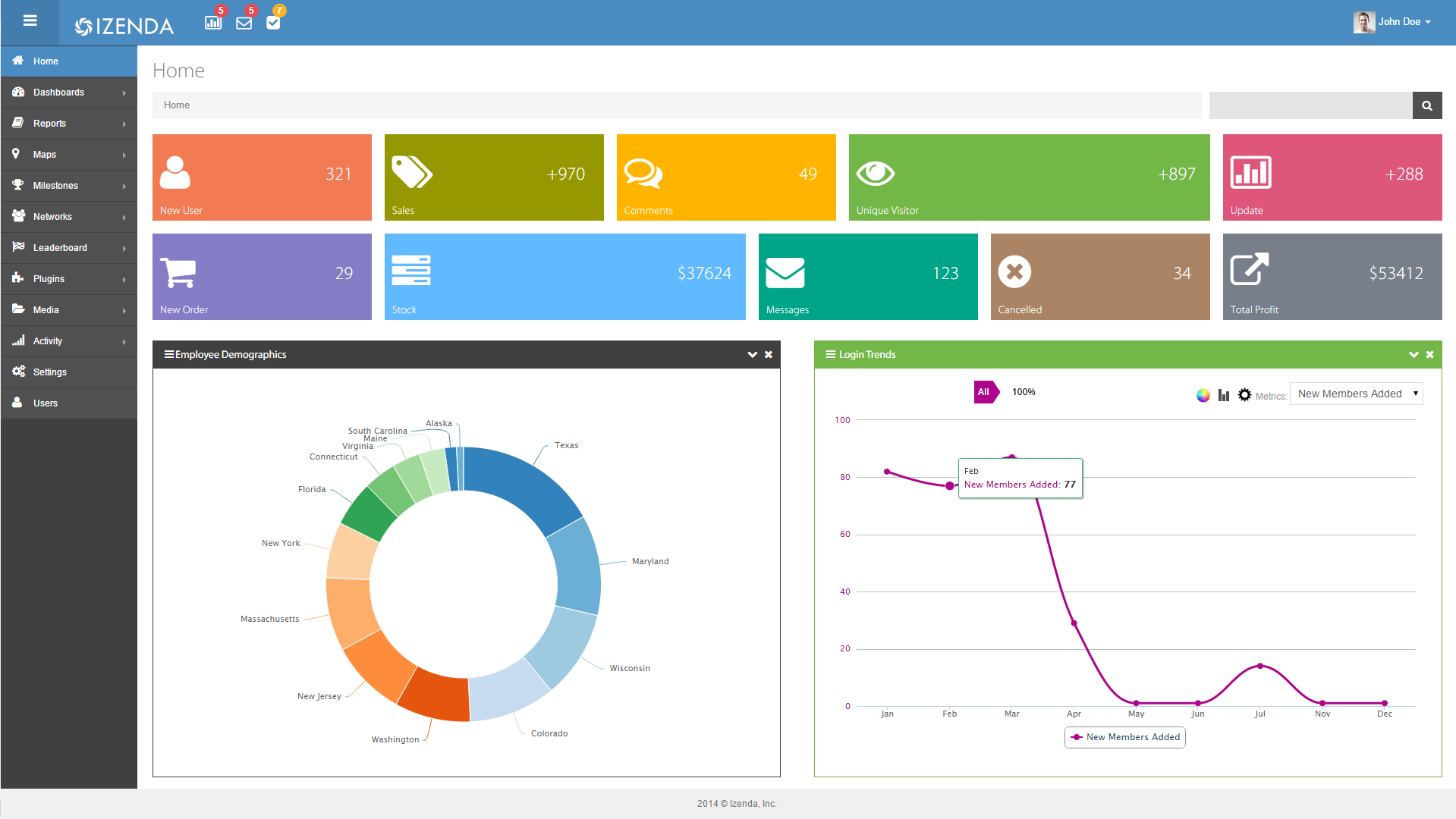
Screenshot of Example of white label integration that inherits an application's look and feel.Screenshot of Report Designer with data field query capabilities.Screenshot of Visualizations on a dashboard.Screenshot of Another example of a modern dashboard.