dbForge SQL Tools vs. dbForge Studio (Edge)

Overview
ProductRatingMost Used ByProduct SummaryStarting Price
dbForge SQL Tools
Score 7.1 out of 10
N/A
The dbForge SQL Tools package comprises 15 functional add-ins for SQL Server Management Studio (SSMS) and standalone tools. These add-ins integrate with this default IDE, enhancing the standard capabilities by adding new features and improving existing tools with additional options. dbForge SQL Tools cover a wide array of database-related tasks in SQL Server, particularly in the following areas: T-SQL…
$429.95
per year
dbForge Studio (Edge)
Score 8.0 out of 10
N/A
dbForge Studio is provided by Devart and is a universal front-end client for database management, administration and development. Devart's GUI tool provides utilities to compare, synchronize, and back up databases (e.g. MySQL, Oracle, SQL Server, PostgreSQL, etc.) with scheduling, and includes the possibility to analyze and report MySQL tables data. For example, dbForge Studio for MySQL works with any MariaDB database servers, and supports all MariaDB objects types. This solution enables users…
$9.95
per month
Pricing
dbForge SQL ToolsdbForge Studio (Edge)
Editions & Modules
Subscription Standart 1 year
$429.95
Subscription Professional 1 year
$649.95
Subscription Enterprise 1 year
$699.95
Perpetual Standard 1 year
$849.95
Subscription Standart 2 years
$859.95
Perpetual Standard 2 years
$1,189.95
Perpetual Professional 2 years
$1,189.95
Subscription Standart 3 years
$1,289.95
Perpetual Professional 1 year
$1,299.95
Subscription Professional 2 years
$1,299.95
Subscription Enterprise 2 years
$1,399.95
Perpetual Enterprise 1 year
$1,399.95
Perpetual Standart 3 years
$1,449.95
Subscription Professional 3 years
$1,949.95
Perpetual Enterprise 2 years
$1,999.95
Subscription Enterprise 3 years
$2,099.95
Perpetual Professional 3 years
$2,209.95
Perpetual Enterprise 3 years
$2,519.95
Standard (subcription)
$9.95
per month
Professional (subscription)
$19.95
per month
Enterprise (subscription)
$29.95
per month
Standard (subcription)
$99.95
per year
Professional (subscription)
$179.95
per year
Standard
$199.95
Enterprise (subscription)
$229.95
per year
Professional
$349.95
Enterprise
$449.95
Offerings
Pricing Offerings
dbForge SQL ToolsdbForge Studio (Edge)
Free Trial
YesYes
Free/Freemium Version
NoYes
Premium Consulting/Integration Services
NoYes
Entry-level Setup FeeNo setup feeNo setup fee
Additional Details
More Pricing Information
Community Pulse
dbForge SQL ToolsdbForge Studio (Edge)
Features
dbForge SQL ToolsdbForge Studio (Edge)
Database Development
Comparison of Database Development features of Product A and Product B
dbForge SQL Tools
-
Ratings
dbForge Studio (Edge)
8.4
2 Ratings
1% below category average
Version control tools00 Ratings8.01 Ratings
Test data generation00 Ratings7.01 Ratings
Performance optimization tools00 Ratings9.01 Ratings
Schema maintenance00 Ratings9.01 Ratings
Database change management00 Ratings9.02 Ratings
Database Administration
Comparison of Database Administration features of Product A and Product B
dbForge SQL Tools
-
Ratings
dbForge Studio (Edge)
7.0
1 Ratings
14% below category average
User management00 Ratings6.01 Ratings
Database security00 Ratings6.01 Ratings
Database status reporting00 Ratings7.01 Ratings
Change management00 Ratings9.01 Ratings
Best Alternatives
dbForge SQL ToolsdbForge Studio (Edge)
Small Businesses
DBeaver
DBeaver
Score 8.5 out of 10
DBeaver
DBeaver
Score 8.5 out of 10
Medium-sized Companies
DBeaver
DBeaver
Score 8.5 out of 10
DBeaver
DBeaver
Score 8.5 out of 10
Enterprises
DBeaver
DBeaver
Score 8.5 out of 10
DBeaver
DBeaver
Score 8.5 out of 10
All AlternativesView all alternativesView all alternatives
User Ratings
dbForge SQL ToolsdbForge Studio (Edge)
Likelihood to Recommend
7.8
(9 ratings)
9.8
(15 ratings)
Support Rating
-
(0 ratings)
8.0
(1 ratings)
User Testimonials
dbForge SQL ToolsdbForge Studio (Edge)
Likelihood to Recommend
Devart
dbForge SQL Complete is well suited for professionals that have to write code all day. In my role in the business intelligence department we are writing SQL pretty much all day. Having a tool that helps us do that faster, in a cleaner way is pretty awesome and something that pays for itself quickly.
Read full review
Devart
This tool is useful for small and large IT departments and associated data analysts that perform direct database functions such as DBA tasks or extracting/importing data. Non-technical staff members would not benefit from this tool as much as the functions are detailed and technical. However, automation engineers will find this tool very open for automation, and can generate the scripting code for any of its functions.
Read full review
Pros
Devart
  • SQL complete allows you to create custom snippets that allow you to store frequently ran queries in shortcuts. The code can be populated within seconds!
  • Another great benefit is custom aliases. If you frequently reference the same tables over and over again it gets tiresome to retype the aliases. Storing these can make your code more consistent and save time.
  • SQL complete will also highlight the metadata within your database. For example, if you start typing an insert statement you populate code for all the field names by pressing the tab. This is a real-time saver for wide tables!
Read full review
Devart
  • Connection manager (we use it through ssh tunnels) works effortlessly.
  • Great sync tools for both database schemas and data.
  • Storing code snippets to be used when needed.
  • Nice code suggestions while typing queries.
  • Usually does very well with storing your session and opening all of your sql tabs when opening the apps next time.
  • Does very well when executing large sql files (without opening the files into the application that is).
  • Pretty good debugging help when a problem occurs in executing a query or a files with multiple queries.
Read full review
Cons
Devart
  • Sometimes it can be slow to retrieve the database metadata.
  • Updating the software with the activation/deactivation of licenses could be further streamlined.
Read full review
Devart
  • The ability to parameterize searches more would be advantageous. For example, being able to specify to only look for certain columns, certain data type changes, etc.
  • The output reports from dbForge are very plain and could contain more detail, and perhaps be structured more like a pivot table form Excel
Read full review
Usability
Devart
No answers on this topic
Devart
dbForge Studio (Edge) has a great UI and it's versatile, but it still has some glitches. Its multiple database support makes it possible to stick with only one UI to handle different RDBM systems, even though you have to redefine user credentials for each new connection (no copying/cloning feature for database connections). The Edit View and diagramming features also could be improved.
Read full review
Support Rating
Devart
No answers on this topic
Devart
Although experience here is limited, as only one question has been asked and answered promptly, the registration and licensing process was very smooth and professional. There are forums online that discuss dbForge issues, as well as a Facts and Questions section on dbForge's website, so product support does seem to exist if needed.
Read full review
Alternatives Considered
Devart
I am very satisfied after using this tool. It is a full-stack tool that includes rich features that can be customized set of functionality as per your need. by using this tool:-
  • Increased our productivity rate.
  • Provides speed up your development work so you can focus on other stuff.
Read full review
Devart
Before choosing dbForge Studio I evaluated at least a dozen tools, especially on the Visual Query Builder function. For now, I have identified only one product that has a better Visual Query Builder than dbForge Studio. This other product also manages UNIONs, while dbStudio still doesn't do it visually. However, the better alternative product is enormously slower in operations and less feature-rich than DbForge Studio
Read full review
Return on Investment
Devart
  • Spending less time trying to figure out how tables are related thanks to the navigational help in dbForge SQL Complete, which means fixing issues takes less time.
Read full review
Devart
  • Saved a TON of time when looking at massive amounts of parent/child data by allowing us to just use the master-detail browser.
  • Very little training time needed for employees that are already used to using SQL Management Studio. This is a proper Windows UI application.
  • Very cost effective to purchase the standard edition for every employee that needs it, but the free edition does most of what they need too!
Read full review
ScreenShots

dbForge SQL Tools Screenshots

Screenshot of Screenshot of Screenshot of Screenshot of Screenshot of Screenshot of

dbForge Studio (Edge) Screenshots

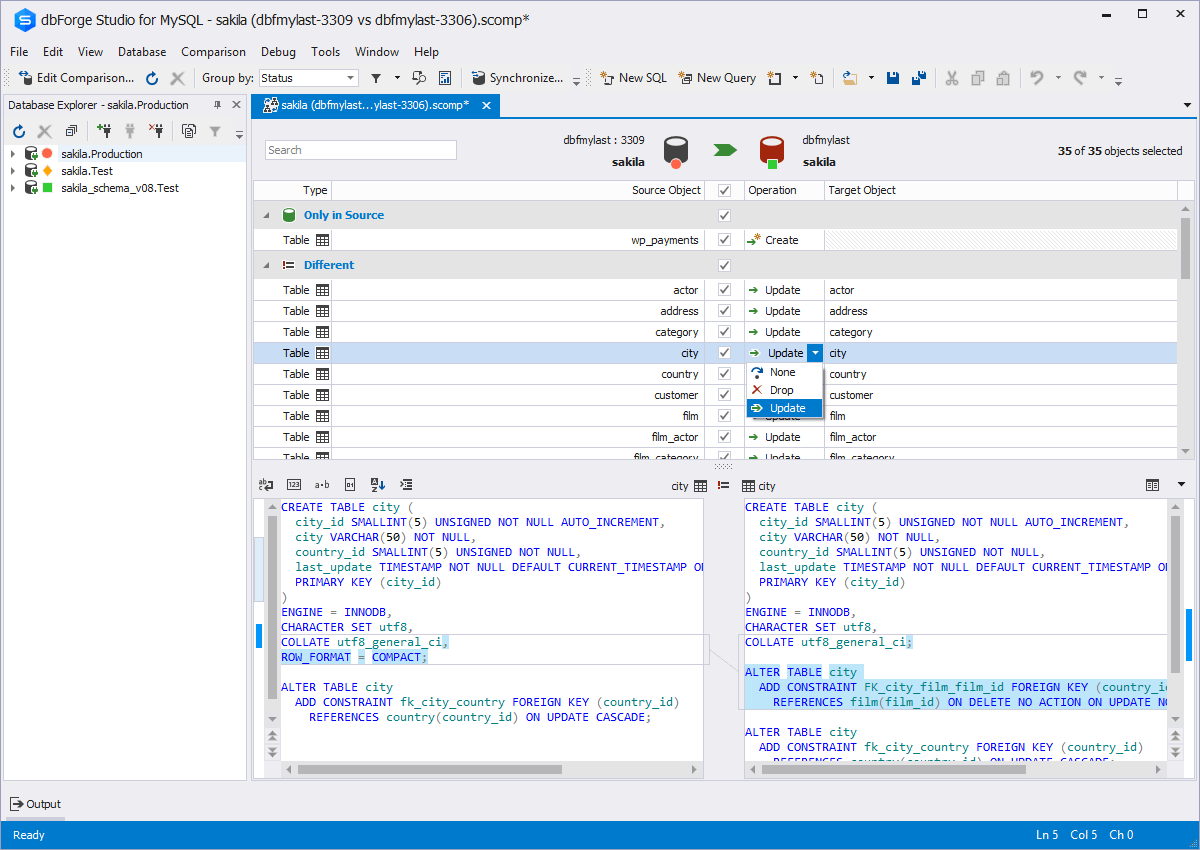
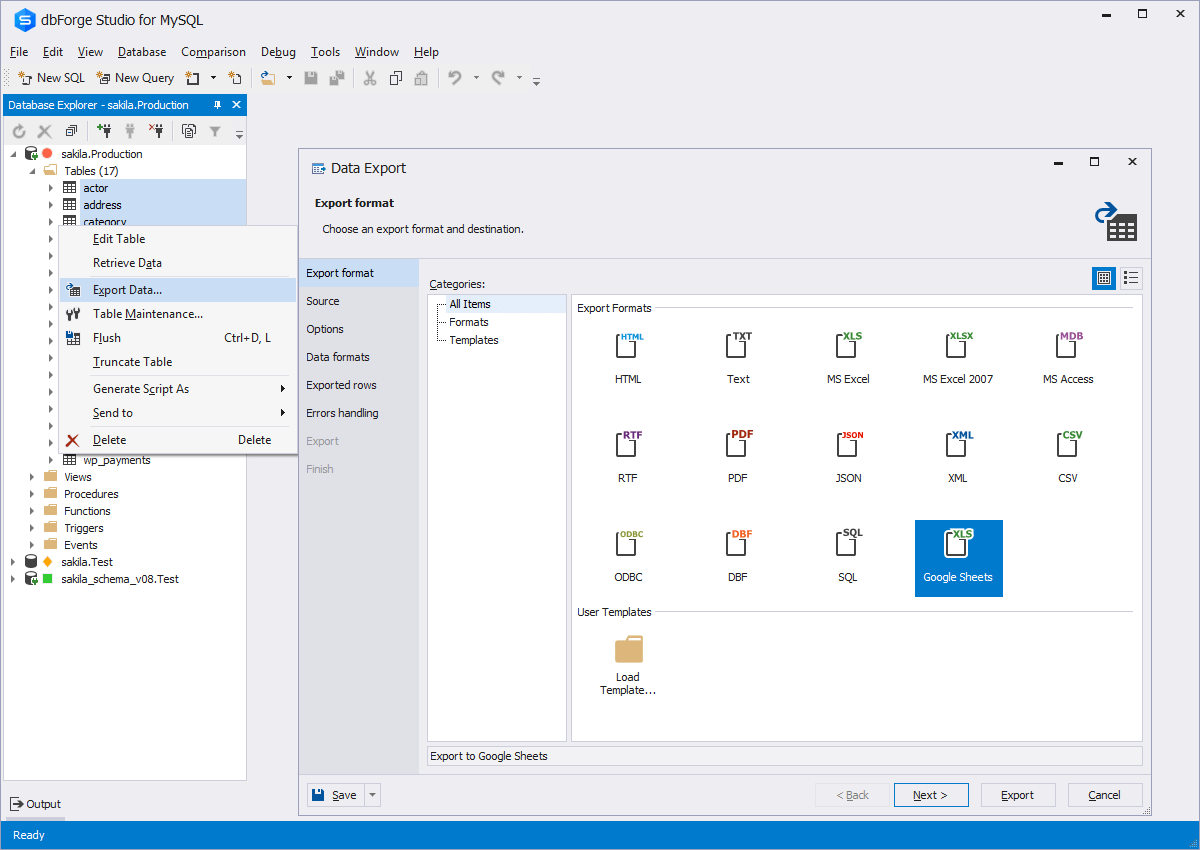
Screenshot of Code CompletionScreenshot of Schema CompareScreenshot of Database DiagramScreenshot of Data ExportScreenshot of Database design & developmentScreenshot of Visual query building