dbForge Studio is provided by
Devart and is a universal front-end client for database
management, administration and development. Devart's GUI tool provides
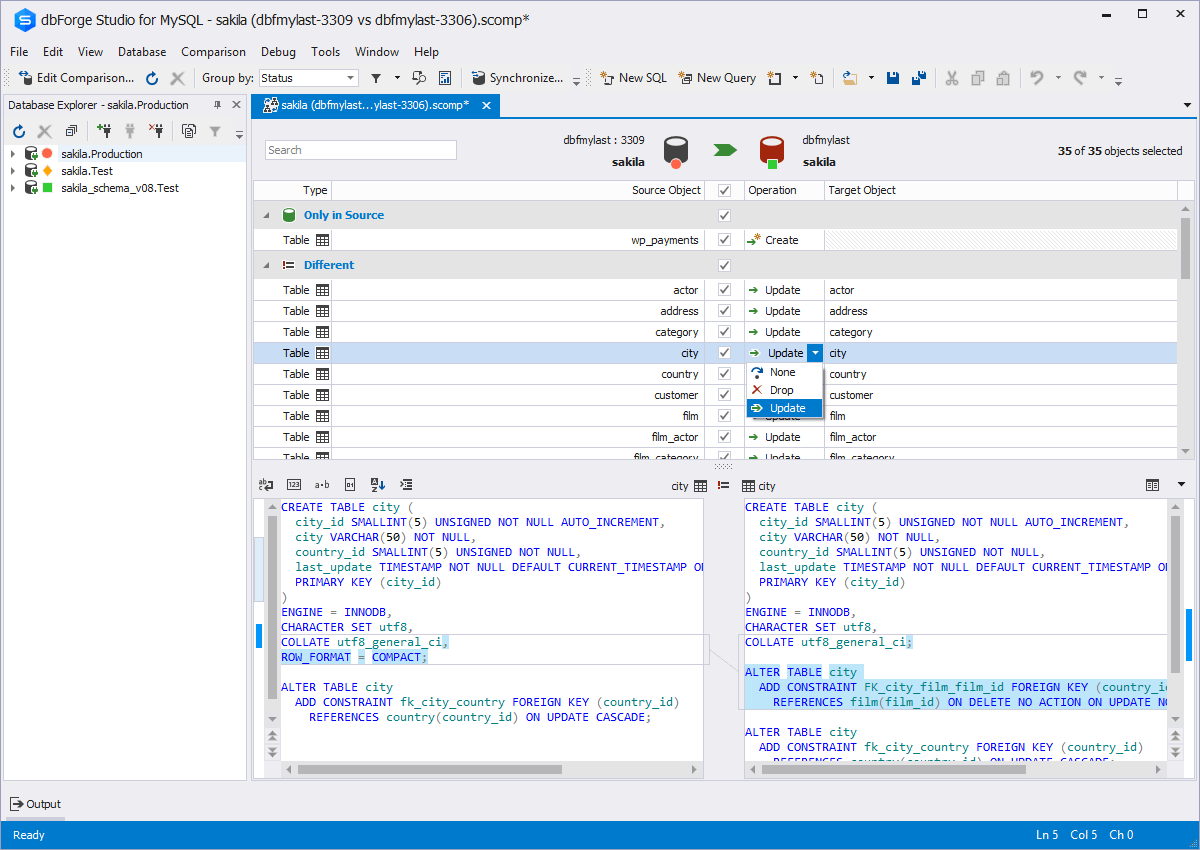
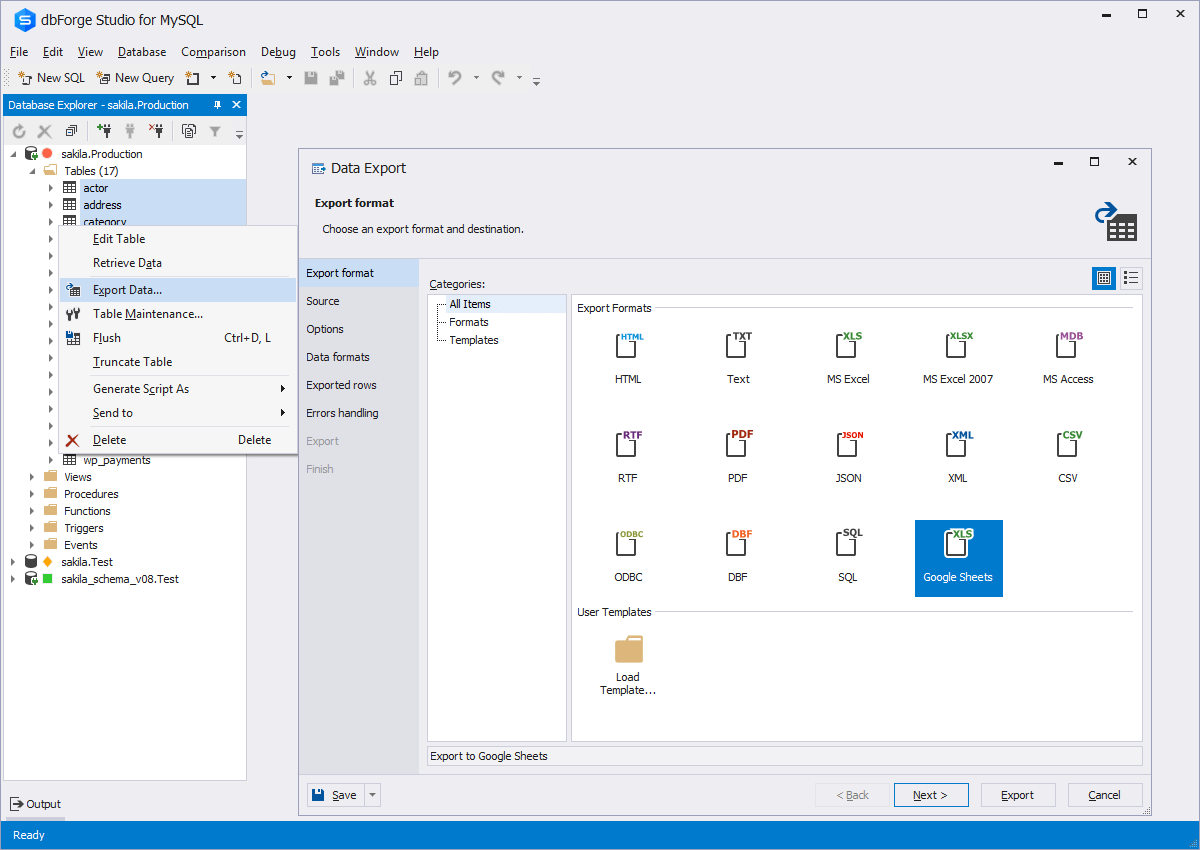
utilities to compare, synchronize, and back up databases (e.g. MySQL, Oracle, SQL Server, PostgreSQL, etc.) with scheduling,
and includes the possibility to analyze and report MySQL tables data. For example, dbForge
Studio for MySQL works with any MariaDB database servers, and supports all
MariaDB objects types. This solution enables users…
Software Engineer in Information Technology at Mastersoft (Computer Software, 11-50 employees)
Chose dbForge Studio (Edge)
dbForge Studio (Edge) has much more features than other multi-platform database user interfaces, such as DBeaver or HeidiSQL, and all those features are accessible from a single user interface. SSMS is good only for MS SQL Server, so it's not good for managing multiple RDBM …
A de minimis incentive was given to thank the reviewer for their time. The incentive was not used to bias or drive a particular response, nor was the incentive contingent on a positive endorsement. More Info
Verified User
Chose dbForge Studio (Edge)
dbForge [Studio for SQL Server] is far superior in its features, capabilities, ease [of] use, menu layout, and sophisticated design.
A de minimis incentive was given to thank the reviewer for their time. The incentive was not used to bias or drive a particular response, nor was the incentive contingent on a positive endorsement. More Info
Verified User
Chose dbForge Studio (Edge)
Before choosing dbForge Studio I evaluated at least a dozen tools, especially on the Visual Query Builder function. For now, I have identified only one product that has a better Visual Query Builder than dbForge Studio. This other product also manages UNIONs, while dbStudio …
A de minimis incentive was given to thank the reviewer for their time. The incentive was not used to bias or drive a particular response, nor was the incentive contingent on a positive endorsement. More Info
Consultant in Professional Services at Capgemini (Information Technology & Services, 10,001+ employees)
Chose dbForge Studio (Edge)
[dbForge Studio for MySQL is] easy to understand and use because it has a sample UI. We can visibly see database tables and their relationships. We can automate queries according to our use and give access according to their use. Not everyone can delete the table or modify it. …
A de minimis incentive was given to thank the reviewer for their time. The incentive was not used to bias or drive a particular response, nor was the incentive contingent on a positive endorsement. More Info
IT Manager in Information Technology at CM Group Holdings, Inc. (Retail, 11-50 employees)
Chose dbForge Studio (Edge)
I would say that dbForge equals or beats most of the abilities of the other tools I evaluated at the time. dbForge had better support (Devart), and regular feature updates. dbForge has better tools for data comparison and import/export. The price tag is slightly higher, but …
A de minimis incentive was given to thank the reviewer for their time. The incentive was not used to bias or drive a particular response, nor was the incentive contingent on a positive endorsement. More Info
Senior Manager, Technology & Innovation at Rare (Fishery, 51-200 employees)
Chose dbForge Studio (Edge)
Prior to dbForge Studio for SQL Server, I have only ever used SQL Server Management Studio to manage SQL Server databases. dbForge software, in my experience, is much easier to use, more intuitive, and hence more productive, speeding up most database-related tasks such as …
A de minimis incentive was given to thank the reviewer for their time. The incentive was not used to bias or drive a particular response, nor was the incentive contingent on a positive endorsement. More Info
IT Analyst in Information Technology at Duquesne Light Co. (Utilities, 1001-5000 employees)
Chose dbForge Studio (Edge)
Although we had to pay licensing fees to use dbForge, one of the main reasons we chose dbForge is compliance-related: we did not want to use freeware to analyze our database, since we are a utility company that has personally identifiable information in our databases.
A de minimis incentive was given to thank the reviewer for their time. The incentive was not used to bias or drive a particular response, nor was the incentive contingent on a positive endorsement. More Info
Senior Software Engineer in Engineering at Full Circle TMS (Computer Software, 1-10 employees)
Chose dbForge Studio (Edge)
We haven't tried any other tools that do comparisons like Data Compare does. Our method prior to buying this tool was to manually run queries on each database and compare the output using text compare or by eye.
A de minimis incentive was given to thank the reviewer for their time. The incentive was not used to bias or drive a particular response, nor was the incentive contingent on a positive endorsement. More Info
Senior Software Developer in Information Technology at TimeTrak Systems, Inc. (Computer Software, 11-50 employees)
Chose dbForge Studio (Edge)
While DBeaver ended up being the goto for our development team, everyone else is going to be using dbForge Studio. The UI was hands down much easier to get used to, and the sorting/filtering options make it super easy for anyone to view the data the way they needed it. You …
A de minimis incentive was given to thank the reviewer for their time. The incentive was not used to bias or drive a particular response, nor was the incentive contingent on a positive endorsement. More Info
Verified User
Chose dbForge Studio (Edge)
We found dbForge Studio for Oracle to be more stable and easy to use than both Toad for Oracle and RStudio, among others. There is still room for improvement, such as the MySQL debugger. In the past, we used MySQL Workbench, but the flexibility and robust tool set of dbForge …
A de minimis incentive was given to thank the reviewer for their time. The incentive was not used to bias or drive a particular response, nor was the incentive contingent on a positive endorsement. More Info
Verified User
Chose dbForge Studio (Edge)
I did not make the decision to choose dbForge Studio for SQL Server. I personally like dbForge Studio because of my familiarity with the SQL server and the UI.
A de minimis incentive was given to thank the reviewer for their time. The incentive was not used to bias or drive a particular response, nor was the incentive contingent on a positive endorsement. More Info
A de minimis incentive was given to thank the reviewer for their time. The incentive was not used to bias or drive a particular response, nor was the incentive contingent on a positive endorsement. More Info
DBA in Information Technology at Techood Mobile (Information Technology and Services, 1001-5000 employees)
Chose dbForge Studio (Edge)
We used MySQL Workbench tool before dbForge Studio for MySQL and it did not work well. dbForge Studio for MySQL was a much more complete and flexible solution to resolve our development and administration problems. dbForge Studio for MySQL not only resolved our problems it …
A de minimis incentive was given to thank the reviewer for their time. The incentive was not used to bias or drive a particular response, nor was the incentive contingent on a positive endorsement. More Info
Owner at Advantage Systems (Information Technology and Services, 1-10 employees)
Chose dbForge Studio (Edge)
I chose dbForge Studio for MySQL instead of MS SQL Server because: 1) For the most part I don't like Microsoft products. Their UIs are notoriously bad, and you never know when a product tweak will create incompatibilities that will require an expensive upgrade. 2) Since our …
A de minimis incentive was given to thank the reviewer for their time. The incentive was not used to bias or drive a particular response, nor was the incentive contingent on a positive endorsement. More Info
This tool is useful for small and large IT departments and associated data analysts that perform direct database functions such as DBA tasks or extracting/importing data. Non-technical staff members would not benefit from this tool as much as the functions are detailed and technical. However, automation engineers will find this tool very open for automation, and can generate the scripting code for any of its functions.
A de minimis incentive was given to thank the reviewer for their time. The incentive was not used to bias or drive a particular response, nor was the incentive contingent on a positive endorsement. More Info
A de minimis incentive was given to thank the reviewer for their time. The incentive was not used to bias or drive a particular response, nor was the incentive contingent on a positive endorsement. More Info
The ability to parameterize searches more would be advantageous. For example, being able to specify to only look for certain columns, certain data type changes, etc.
The output reports from dbForge are very plain and could contain more detail, and perhaps be structured more like a pivot table form Excel
A de minimis incentive was given to thank the reviewer for their time. The incentive was not used to bias or drive a particular response, nor was the incentive contingent on a positive endorsement. More Info
dbForge Studio (Edge) has a great UI and it's versatile, but it still has some glitches. Its multiple database support makes it possible to stick with only one UI to handle different RDBM systems, even though you have to redefine user credentials for each new connection (no copying/cloning feature for database connections). The Edit View and diagramming features also could be improved.
Although experience here is limited, as only one question has been asked and answered promptly, the registration and licensing process was very smooth and professional. There are forums online that discuss dbForge issues, as well as a Facts and Questions section on dbForge's website, so product support does seem to exist if needed.
A de minimis incentive was given to thank the reviewer for their time. The incentive was not used to bias or drive a particular response, nor was the incentive contingent on a positive endorsement. More Info
Before choosing dbForge Studio I evaluated at least a dozen tools, especially on the Visual Query Builder function. For now, I have identified only one product that has a better Visual Query Builder than dbForge Studio. This other product also manages UNIONs, while dbStudio still doesn't do it visually. However, the better alternative product is enormously slower in operations and less feature-rich than DbForge Studio
A de minimis incentive was given to thank the reviewer for their time. The incentive was not used to bias or drive a particular response, nor was the incentive contingent on a positive endorsement. More Info