
dbForge SQL Tools vs. IDERA SQL Diagnostic Manager
| Product | Rating | Most Used By | Product Summary | Starting Price |
|---|---|---|---|---|
 dbForge SQL Tools | Score6.6 out of 10 | N/A | The dbForge SQL Tools package comprises 15 functional add-ins for SQL Server Management Studio (SSMS) and standalone tools. These add-ins integrate with this default IDE, enhancing the standard capabilities by adding new features and improving existing tools with additional options. dbForge SQL Tools cover a wide array of database-related tasks in SQL Server, particularly in the following areas: T-SQL… | $429.95 per year |
 IDERA SQL Diagnostic Manager | Score8 out of 10 | N/A | SQL Diagnostic Manager for Microsoft SQL Server helps database administrators to find and fix Microsoft SQL Server performance problems in physical, virtual, and cloud environments. Unlike its competition, it provides effective scalability, advanced SQL query analysis and optimization, prescriptive analysis with corrective SQL scripts, powerful automated alert responses, broad PowerShell integration, complete customization, and extensive support for current and legacy Microsoft SQL Server and… | $1,996 per instance with first year maintenance included |
| dbForge SQL Tools | IDERA SQL Diagnostic Manager | |||||||||||||||
|---|---|---|---|---|---|---|---|---|---|---|---|---|---|---|---|---|
| Editions & Modules |
|
| ||||||||||||||
| Offerings |
| |||||||||||||||
| Entry-level Setup Fee | No setup fee | No setup fee | ||||||||||||||
| Additional Details | — | — | ||||||||||||||
| More Pricing Information | ||||||||||||||||
| dbForge SQL Tools | IDERA SQL Diagnostic Manager | |
|---|---|---|
| Considered Both Products | No answer on this topic | No answer on this topic |
| Key User Insights | ||
| Would buy again | ||
89% Would buy again 8 Answers | No answers on this topic | |
| Delivers good value for the price | ||
89% Delivers good value for the price 8 Answers | No answers on this topic | |
| Happy with the feature set | ||
89% Happy with the feature set 8 Answers | No answers on this topic | |
| Lived up to sales and marketing promises | ||
86% Lived up to sales and marketing promises 6 Answers | No answers on this topic | |
| Implementation went as expected | ||
89% Implementation went as expected 8 Answers | No answers on this topic | |
| dbForge SQL Tools | IDERA SQL Diagnostic Manager | |||||||||||||||||||
|---|---|---|---|---|---|---|---|---|---|---|---|---|---|---|---|---|---|---|---|---|
| SQL Performance Monitoring |
| |||||||||||||||||||
| dbForge SQL Tools | IDERA SQL Diagnostic Manager | |
|---|---|---|
| Small Businesses | No answers on this topic | No answers on this topic |
| Medium-sized Companies |  Redgate SQL Toolbelt Essentials Score9.6 out of 10 |  SolarWinds SQL Sentry Score10 out of 10 |
| Enterprises | Redgate SQL Toolbelt Essentials Score9.6 out of 10 | SolarWinds SQL Sentry Score10 out of 10 |
| All Alternatives | View all alternatives | View all alternatives |
| dbForge SQL Tools | IDERA SQL Diagnostic Manager | |
|---|---|---|
| Likelihood to Recommend | 7.8 | 9.0 |
| dbForge SQL Tools | IDERA SQL Diagnostic Manager | |
|---|---|---|
| Likelihood to Recommend |
|
|
| Pros |
|
|
| Cons |
|
|
| Alternatives Considered |
|
|
| Return on Investment |
|
|
| ScreenShots | dbForge SQL Tools Screenshots      | IDERA SQL Diagnostic Manager Screenshots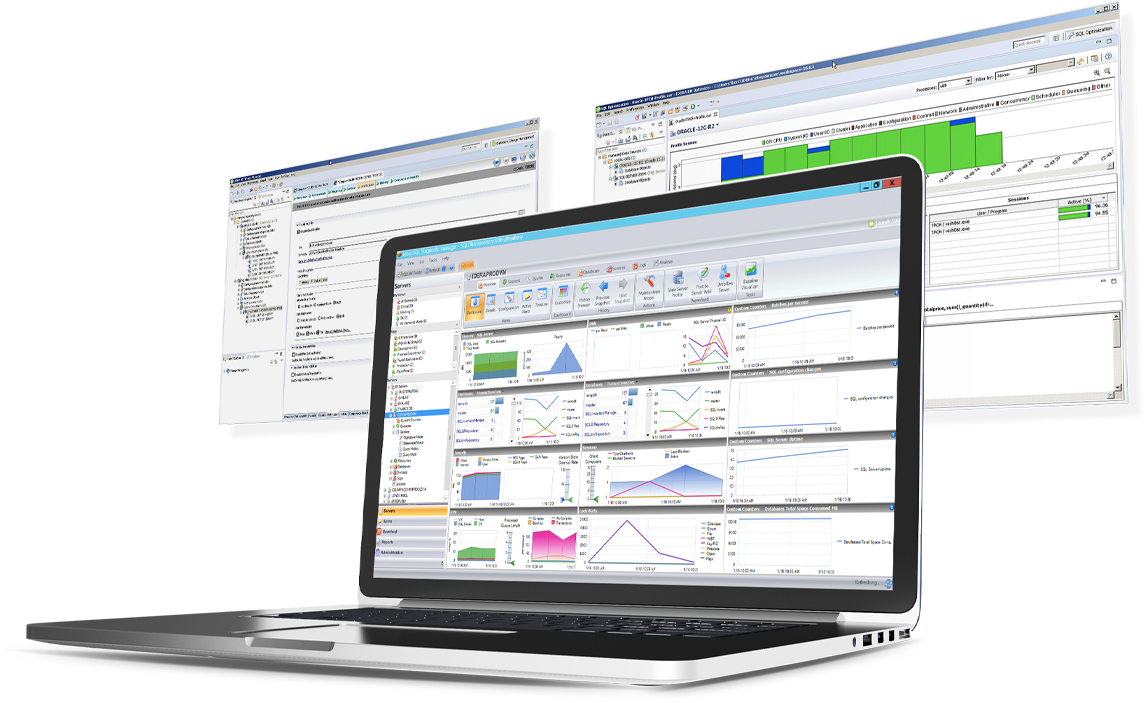 |


