TrustRadius: an HG Insights company

Save this comparison

Save this comparison

Add Product

Recommended Comparisons

    Overview
    ProductRatingMost Used ByProduct SummaryStarting Price

    dbForge Studio (Edge)

    Score8 out of 10
    N/AdbForge Studio is provided by Devart and is a universal front-end client for database management, administration and development. Devart's GUI tool provides utilities to compare, synchronize, and back up databases (e.g. MySQL, Oracle, SQL Server, PostgreSQL, etc.) with scheduling, and includes the possibility to analyze and report MySQL tables data. For example, dbForge Studio for MySQL works with any MariaDB database servers, and supports all MariaDB objects types. This solution enables users…

    $9.95

    per month

    pganalyze

    Score9 out of 10
    Small Businesses (1-50 employees)
    Founded in 2012, pganalyze provides actionable insights into Postgres. Specializing in PostgreSQL database monitoring and optimization, pganalyze gives automatic insights into Postgres query plans, helps improve Postgres query performance with its Index Advisor and VACUUM Advisor, and lets the user perform query drill-down analysis, observe per-query statistics and conduct trend analysis in a platform that integrates with both self-managed Postgres servers as…

    $149

    per month per database server

    Pricing
    dbForge Studio (Edge)pganalyze
    Editions & Modules
    Standard (subcription)
    $9.95
    per month
    Professional (subscription)
    $19.95
    per month
    Enterprise (subscription)
    $29.95
    per month
    Standard (subcription)
    $99.95
    per year
    Professional (subscription)
    $179.95
    per year
    Standard
    $199.95
    Enterprise (subscription)
    $229.95
    per year
    Professional
    $349.95
    Enterprise
    $449.95
    Production
    $149
    per month for 1 database server
    Scale
    $399
    per month for up to 4 database servers ($100/mo for each additional billable server)
    Enterprise Cloud
    Contact us
    per year per database server
    Enterprise Server
    Contact us
    per year per database server
    Offerings
    Pricing Offerings
    dbForge Studio (Edge)pganalyze
    Free Trial
    YesYes
    Free/Freemium Version
    YesNo
    Premium Consulting/Integration Services
    YesNo
    Entry-level Setup FeeNo setup feeNo setup fee
    Additional Details—Scale plan offers additional database servers at a cost of $100/month for each additional billable server. In general, each 1 Postgres server that is running (i.e. one parent postgres process) is considered 1 billable server. In the case of cloud providers these are often called "instances". Depending on the subscription plan you are on, you may have a special price for replica servers (also called "readers", or "followers"), which is implemented by multiplying the replica count with a multiplier (e.g. 0.5), with the total rounded up. Annual plans are available and come at a discount compared to the monthly plans Contact us for custom requirements
    More Pricing Information
    Community Pulse
    dbForge Studio (Edge)pganalyze
    Considered Both Products
    Devart
    No answer on this topic
    pganalyze
    No answer on this topic
    Key User Insights
    Would buy again
    100%
    Would buy again
    8 Answers
    No answers on this topic
    Delivers good value for the price
    100%
    Delivers good value for the price
    8 Answers
    No answers on this topic
    Happy with the feature set
    100%
    Happy with the feature set
    8 Answers
    No answers on this topic
    Lived up to sales and marketing promises
    100%
    Lived up to sales and marketing promises
    8 Answers
    No answers on this topic
    Implementation went as expected
    100%
    Implementation went as expected
    8 Answers
    No answers on this topic
    Features
    dbForge Studio (Edge)pganalyze
    Database Development
    Comparison of Database Development features of dbForge Studio (Edge) and pganalyze
    Feature
    dbForge Studio (Edge)
    8.4
    2 Ratings
    1% below category average
    pganalyze
    -
    Ratings
    Version control tools8.01 Ratings00 Ratings
    Test data generation7.01 Ratings00 Ratings
    Performance optimization tools9.01 Ratings00 Ratings
    Schema maintenance9.01 Ratings00 Ratings
    Database change management9.02 Ratings00 Ratings
    Database Administration
    Comparison of Database Administration features of dbForge Studio (Edge) and pganalyze
    Feature
    dbForge Studio (Edge)
    7.0
    1 Ratings
    14% below category average
    pganalyze
    -
    Ratings
    User management6.01 Ratings00 Ratings
    Database security6.01 Ratings00 Ratings
    Database status reporting7.01 Ratings00 Ratings
    Change management9.01 Ratings00 Ratings
    Best Alternatives
    dbForge Studio (Edge)pganalyze
    Small Businesses
    DBeaver
    Score8.6 out of 10
    No answers on this topic
    Medium-sized Companies
    DBeaver
    Score8.6 out of 10
    SolarWinds Database Performance Analyzer
    Score5.6 out of 10
    Enterprises
    DBeaver
    Score8.6 out of 10
    Foglight
    Score10 out of 10
    All AlternativesView all alternativesView all alternatives
    User Ratings
    dbForge Studio (Edge)pganalyze
    Likelihood to Recommend
    9.8
    (15 ratings)
    9.0
    (1 ratings)
    Support Rating
    8.0
    (1 ratings)
    -
    (0 ratings)
    User Testimonials
    dbForge Studio (Edge)pganalyze
    Likelihood to Recommend
    Devart
    This tool is useful for small and large IT departments and associated data analysts that perform direct database functions such as DBA tasks or extracting/importing data. Non-technical staff members would not benefit from this tool as much as the functions are detailed and technical. However, automation engineers will find this tool very open for automation, and can generate the scripting code for any of its functions.
    Incentivized
    Read full review
    pganalyze
    pganalyze works great with the postgresql and gives a good alternatives to the existing producsts available out there like Slick or basic as microsoft SQL server manaagement studio. We have used in our projects of data migration and integration of enterprise data warehouseing and reporting . And it has provides us satisfactory results.
    Incentivized
    Read full review
    Pros
    Devart
    • Connection manager (we use it through ssh tunnels) works effortlessly.
    • Great sync tools for both database schemas and data.
    • Storing code snippets to be used when needed.
    • Nice code suggestions while typing queries.
    • Usually does very well with storing your session and opening all of your sql tabs when opening the apps next time.
    • Does very well when executing large sql files (without opening the files into the application that is).
    • Pretty good debugging help when a problem occurs in executing a query or a files with multiple queries.
    Incentivized
    Read full review
    pganalyze
    • User and role setup
    • Performance tuning
    • Tracking of queries
    Incentivized
    Read full review
    Cons
    Devart
    • The ability to parameterize searches more would be advantageous. For example, being able to specify to only look for certain columns, certain data type changes, etc.
    • The output reports from dbForge are very plain and could contain more detail, and perhaps be structured more like a pivot table form Excel
    Incentivized
    Read full review
    pganalyze
    • Visualization
    • Database insights
    Incentivized
    Read full review
    Usability
    Devart
    dbForge Studio (Edge) has a great UI and it's versatile, but it still has some glitches. Its multiple database support makes it possible to stick with only one UI to handle different RDBM systems, even though you have to redefine user credentials for each new connection (no copying/cloning feature for database connections). The Edit View and diagramming features also could be improved.
    Read full review
    pganalyze
    No answers on this topic
    Support Rating
    Devart
    Although experience here is limited, as only one question has been asked and answered promptly, the registration and licensing process was very smooth and professional. There are forums online that discuss dbForge issues, as well as a Facts and Questions section on dbForge's website, so product support does seem to exist if needed.
    Incentivized
    Read full review
    pganalyze
    No answers on this topic
    Alternatives Considered
    Devart
    Before choosing dbForge Studio I evaluated at least a dozen tools, especially on the Visual Query Builder function. For now, I have identified only one product that has a better Visual Query Builder than dbForge Studio. This other product also manages UNIONs, while dbStudio still doesn't do it visually. However, the better alternative product is enormously slower in operations and less feature-rich than DbForge Studio
    Read full review
    pganalyze
    It is better in terms of results provided. We were using Microsoft SQL Server Management Studio so far and relying only on that but some one recommend to us to use pganalyze to do the query analysis and we started using it for one project and we liked it much that we have started recomended to all projects teams ..
    Incentivized
    Read full review
    Return on Investment
    Devart
    • Saved a TON of time when looking at massive amounts of parent/child data by allowing us to just use the master-detail browser.
    • Very little training time needed for employees that are already used to using SQL Management Studio. This is a proper Windows UI application.
    • Very cost effective to purchase the standard edition for every employee that needs it, but the free edition does most of what they need too!
    Incentivized
    Read full review
    pganalyze
    • Efficient product
    • Good value for money
    • You dont have to depend on external services
    Incentivized
    Read full review
    ScreenShots

    dbForge Studio (Edge) Screenshots

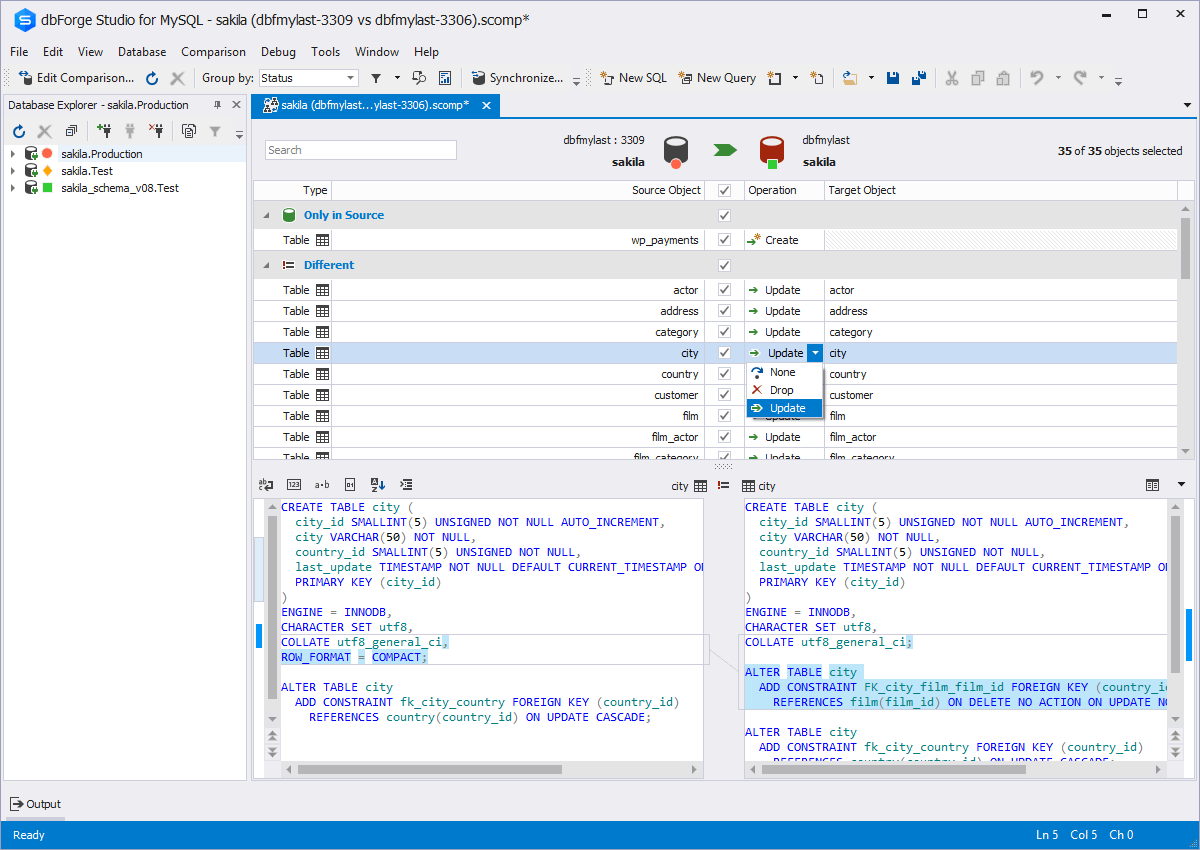
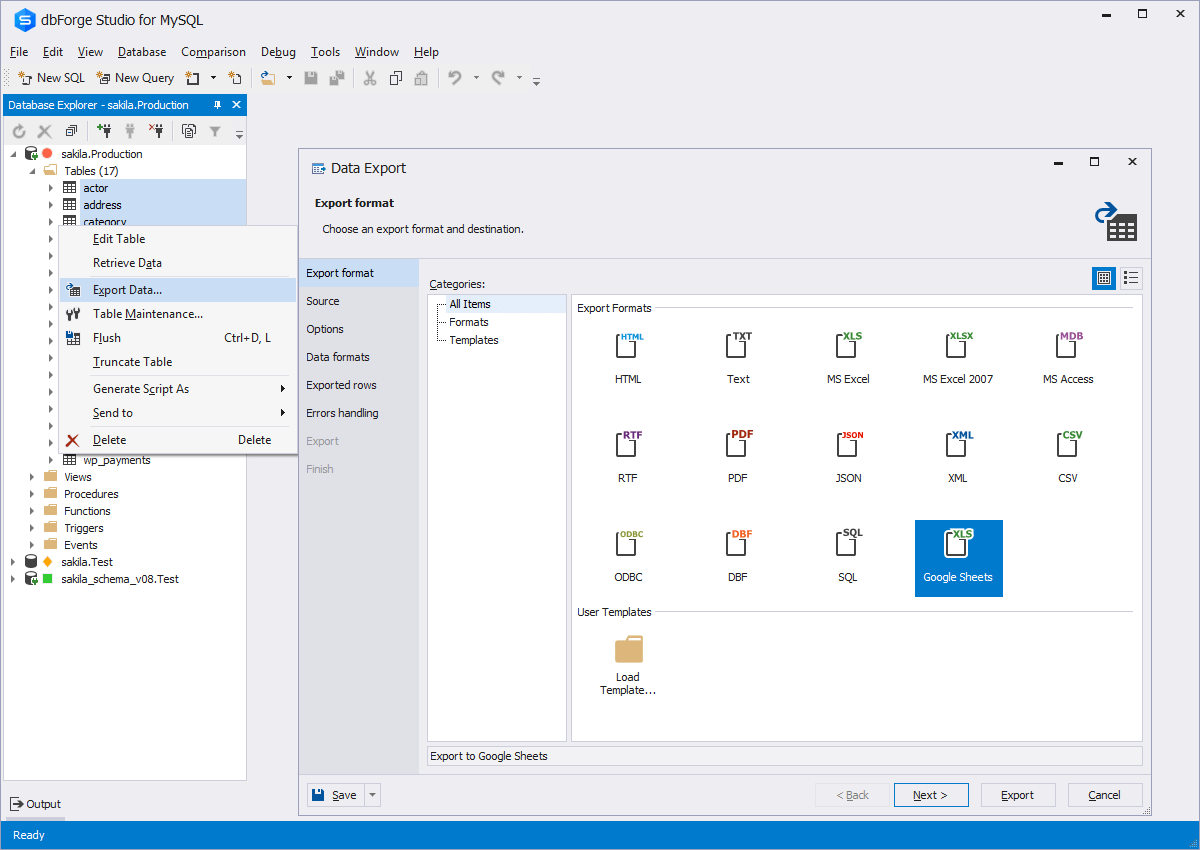
    Screenshot of Code CompletionScreenshot of Schema CompareScreenshot of Database DiagramScreenshot of Data ExportScreenshot of Database design & developmentScreenshot of Visual query building

    pganalyze Screenshots

    Screenshot of Query Performance Overview: pganalyze provides access to historic query data and provides tools to help with optimizing and performance tuning of Postgres databases, including trend analysis, and config tuning recommendations.Screenshot of Query Details Page: Displays detailed statistics on a per-query basis so users can learn what to focus on. pganalyze can also be used to perform query drill-down analysis and observe per-query statistics.Screenshot of pganalyze Index Advisor: pganalyze automatically validates that existing indexes are useful, gives index recommendations to improve performance, and helps reduce load on the database.Screenshot of pganalyze EXPLAIN Insights: pganalyze automatically collects EXPLAIN plans with auto_explain, provides visualizations and gives meaningful insights into Postgres Queries.Screenshot of pganalyze Log Insights: PostgreSQL logs often contain critical details about whats going on in an associated database. pganalyze Log Insights automatically extracts the logs into structured data, and filters any sensitive information.Screenshot of pganalyze VACUUM Advisor: pganalyze helps optimize table bloat, freezing and VACUUM performance - ensuring ideal performance, stability, and efficiency for  databases.