TrustRadius: an HG Insights company

Save this comparison

Save this comparison

Add Product

Recommended Comparisons

    Overview
    ProductRatingMost Used ByProduct SummaryStarting Price

    dbForge Studio (Edge)

    Score8 out of 10
    N/AdbForge Studio is provided by Devart and is a universal front-end client for database management, administration and development. Devart's GUI tool provides utilities to compare, synchronize, and back up databases (e.g. MySQL, Oracle, SQL Server, PostgreSQL, etc.) with scheduling, and includes the possibility to analyze and report MySQL tables data. For example, dbForge Studio for MySQL works with any MariaDB database servers, and supports all MariaDB objects types. This solution enables users…

    $9.95

    per month

    Spoom

    Score8 out of 10
    Mid-Size Companies (51-1,000 employees)
    Spoom (formerly Analyza) is a business intelligence solution that is provided by Spoom Software (formerly PIT Business). The vendor provides support services in Luxembourg, Belgium, France, and other parts of Europe. Spoom allows users to: Build several indicators and dashboards Build ad-hoc analysis without IT knowledge Navigate through data via drill-down and filtering Schedule reports and send results by mail or to external…N/A
    Pricing
    dbForge Studio (Edge)Spoom
    Editions & Modules
    Standard (subcription)
    $9.95
    per month
    Professional (subscription)
    $19.95
    per month
    Enterprise (subscription)
    $29.95
    per month
    Standard (subcription)
    $99.95
    per year
    Professional (subscription)
    $179.95
    per year
    Standard
    $199.95
    Enterprise (subscription)
    $229.95
    per year
    Professional
    $349.95
    Enterprise
    $449.95
    Grow
    Contact Sales
    per installation (including licences and maintenance for 3 years)
    Premium
    Contact Sales
    per installation (including licences and maintenance for 3 years)
    Offerings
    Pricing Offerings
    dbForge Studio (Edge)Spoom
    Free Trial
    YesYes
    Free/Freemium Version
    YesNo
    Premium Consulting/Integration Services
    YesYes
    Entry-level Setup FeeNo setup fee$15,000 per installation (including licences and maintenance for 3 years)
    Additional Details—The On-Premise or SaaS solutions are the same price; we provide a dedicated machine or virtual machine for both. For 10 users, the budget is from $15,000 to $90,000 for a full Business Intelligence solution (including licenses and maintenance for 3 years). The installation and configuration cost depends on customer's data architecture, volume and number of sources. It also depends on customizations required (i.e.: exporting pixel to pixel PDF files to a SharePoint platform).
    More Pricing Information
    Community Pulse
    dbForge Studio (Edge)Spoom
    Considered Both Products
    Devart
    No answer on this topic
    Spoom Software
    No answer on this topic
    Key User Insights
    Would buy again
    100%
    Would buy again
    8 Answers
    No answers on this topic
    Delivers good value for the price
    100%
    Delivers good value for the price
    8 Answers
    No answers on this topic
    Happy with the feature set
    100%
    Happy with the feature set
    8 Answers
    No answers on this topic
    Lived up to sales and marketing promises
    100%
    Lived up to sales and marketing promises
    8 Answers
    No answers on this topic
    Implementation went as expected
    100%
    Implementation went as expected
    8 Answers
    No answers on this topic
    Features
    dbForge Studio (Edge)Spoom
    Database Development
    Comparison of Database Development features of dbForge Studio (Edge) and Spoom
    Feature
    dbForge Studio (Edge)
    8.4
    2 Ratings
    1% below category average
    Spoom
    -
    Ratings
    Version control tools8.01 Ratings00 Ratings
    Test data generation7.01 Ratings00 Ratings
    Performance optimization tools9.01 Ratings00 Ratings
    Schema maintenance9.01 Ratings00 Ratings
    Database change management9.02 Ratings00 Ratings
    Database Administration
    Comparison of Database Administration features of dbForge Studio (Edge) and Spoom
    Feature
    dbForge Studio (Edge)
    7.0
    1 Ratings
    14% below category average
    Spoom
    -
    Ratings
    User management6.01 Ratings00 Ratings
    Database security6.01 Ratings00 Ratings
    Database status reporting7.01 Ratings00 Ratings
    Change management9.01 Ratings00 Ratings
    BI Standard Reporting
    Comparison of BI Standard Reporting features of dbForge Studio (Edge) and Spoom
    Feature
    dbForge Studio (Edge)
    -
    Ratings
    Spoom
    7.6
    1 Ratings
    1% above category average
    Pixel Perfect reports00 Ratings7.31 Ratings
    Customizable dashboards00 Ratings8.21 Ratings
    Report Formatting Templates00 Ratings7.31 Ratings
    Ad-hoc Reporting
    Comparison of Ad-hoc Reporting features of dbForge Studio (Edge) and Spoom
    Feature
    dbForge Studio (Edge)
    -
    Ratings
    Spoom
    8.4
    1 Ratings
    8% above category average
    Drill-down analysis00 Ratings9.11 Ratings
    Formatting capabilities00 Ratings8.21 Ratings
    Integration with R or other statistical packages00 Ratings8.21 Ratings
    Report sharing and collaboration00 Ratings8.21 Ratings
    Report Output and Scheduling
    Comparison of Report Output and Scheduling features of dbForge Studio (Edge) and Spoom
    Feature
    dbForge Studio (Edge)
    -
    Ratings
    Spoom
    8.9
    1 Ratings
    12% above category average
    Publish to Web00 Ratings8.21 Ratings
    Publish to PDF00 Ratings9.11 Ratings
    Report Versioning00 Ratings9.11 Ratings
    Report Delivery Scheduling00 Ratings9.11 Ratings
    Data Discovery and Visualization
    Comparison of Data Discovery and Visualization features of dbForge Studio (Edge) and Spoom
    Feature
    dbForge Studio (Edge)
    -
    Ratings
    Spoom
    7.3
    1 Ratings
    1% below category average
    Pre-built visualization formats (heatmaps, scatter plots etc.)00 Ratings7.31 Ratings
    Predictive Analytics00 Ratings7.31 Ratings
    Access Control and Security
    Comparison of Access Control and Security features of dbForge Studio (Edge) and Spoom
    Feature
    dbForge Studio (Edge)
    -
    Ratings
    Spoom
    7.7
    1 Ratings
    9% below category average
    Multi-User Support (named login)00 Ratings7.31 Ratings
    Multiple Access Permission Levels (Create, Read, Delete)00 Ratings8.21 Ratings
    Mobile Capabilities
    Comparison of Mobile Capabilities features of dbForge Studio (Edge) and Spoom
    Feature
    dbForge Studio (Edge)
    -
    Ratings
    Spoom
    8.2
    1 Ratings
    12% above category average
    Responsive Design for Web Access00 Ratings9.11 Ratings
    Dashboard / Report / Visualization Interactivity on Mobile00 Ratings7.31 Ratings
    Best Alternatives
    dbForge Studio (Edge)Spoom
    Small Businesses
    DBeaver
    Score8.6 out of 10
    No answers on this topic
    Medium-sized Companies
    DBeaver
    Score8.6 out of 10
    IBM Planning Analytics
    Score8.5 out of 10
    Enterprises
    DBeaver
    Score8.6 out of 10
    Oracle Fusion Cloud Enterprise Performance Management
    Score7.2 out of 10
    All AlternativesView all alternativesView all alternatives
    User Ratings
    dbForge Studio (Edge)Spoom
    Likelihood to Recommend
    9.8
    (15 ratings)
    8.2
    (1 ratings)
    Support Rating
    8.0
    (1 ratings)
    -
    (0 ratings)
    Data Sharing and Collaboration
    -
    (0 ratings)
    8.2
    (1 ratings)
    Data Sources
    -
    (0 ratings)
    9.1
    (1 ratings)
    User Testimonials
    dbForge Studio (Edge)Spoom
    Likelihood to Recommend
    Devart
    This tool is useful for small and large IT departments and associated data analysts that perform direct database functions such as DBA tasks or extracting/importing data. Non-technical staff members would not benefit from this tool as much as the functions are detailed and technical. However, automation engineers will find this tool very open for automation, and can generate the scripting code for any of its functions.
    Incentivized
    Read full review
    Spoom Software
    It is well suited when you have several sources of data.
    Read full review
    Pros
    Devart
    • Connection manager (we use it through ssh tunnels) works effortlessly.
    • Great sync tools for both database schemas and data.
    • Storing code snippets to be used when needed.
    • Nice code suggestions while typing queries.
    • Usually does very well with storing your session and opening all of your sql tabs when opening the apps next time.
    • Does very well when executing large sql files (without opening the files into the application that is).
    • Pretty good debugging help when a problem occurs in executing a query or a files with multiple queries.
    Incentivized
    Read full review
    Spoom Software
    • Easy to use
    • Focus on analyzing and not on finding and loading data
    • "One version of the truth"
    Read full review
    Cons
    Devart
    • The ability to parameterize searches more would be advantageous. For example, being able to specify to only look for certain columns, certain data type changes, etc.
    • The output reports from dbForge are very plain and could contain more detail, and perhaps be structured more like a pivot table form Excel
    Incentivized
    Read full review
    Spoom Software
    • I would like to have more modules. Eg. : supply chain tool.
    Read full review
    Usability
    Devart
    dbForge Studio (Edge) has a great UI and it's versatile, but it still has some glitches. Its multiple database support makes it possible to stick with only one UI to handle different RDBM systems, even though you have to redefine user credentials for each new connection (no copying/cloning feature for database connections). The Edit View and diagramming features also could be improved.
    Read full review
    Spoom Software
    No answers on this topic
    Support Rating
    Devart
    Although experience here is limited, as only one question has been asked and answered promptly, the registration and licensing process was very smooth and professional. There are forums online that discuss dbForge issues, as well as a Facts and Questions section on dbForge's website, so product support does seem to exist if needed.
    Incentivized
    Read full review
    Spoom Software
    No answers on this topic
    Alternatives Considered
    Devart
    Before choosing dbForge Studio I evaluated at least a dozen tools, especially on the Visual Query Builder function. For now, I have identified only one product that has a better Visual Query Builder than dbForge Studio. This other product also manages UNIONs, while dbStudio still doesn't do it visually. However, the better alternative product is enormously slower in operations and less feature-rich than DbForge Studio
    Read full review
    Spoom Software
    Cognos is very expensive and needs heavy IT-team to implement it.
    Read full review
    Return on Investment
    Devart
    • Saved a TON of time when looking at massive amounts of parent/child data by allowing us to just use the master-detail browser.
    • Very little training time needed for employees that are already used to using SQL Management Studio. This is a proper Windows UI application.
    • Very cost effective to purchase the standard edition for every employee that needs it, but the free edition does most of what they need too!
    Incentivized
    Read full review
    Spoom Software
    No answers on this topic
    ScreenShots

    dbForge Studio (Edge) Screenshots

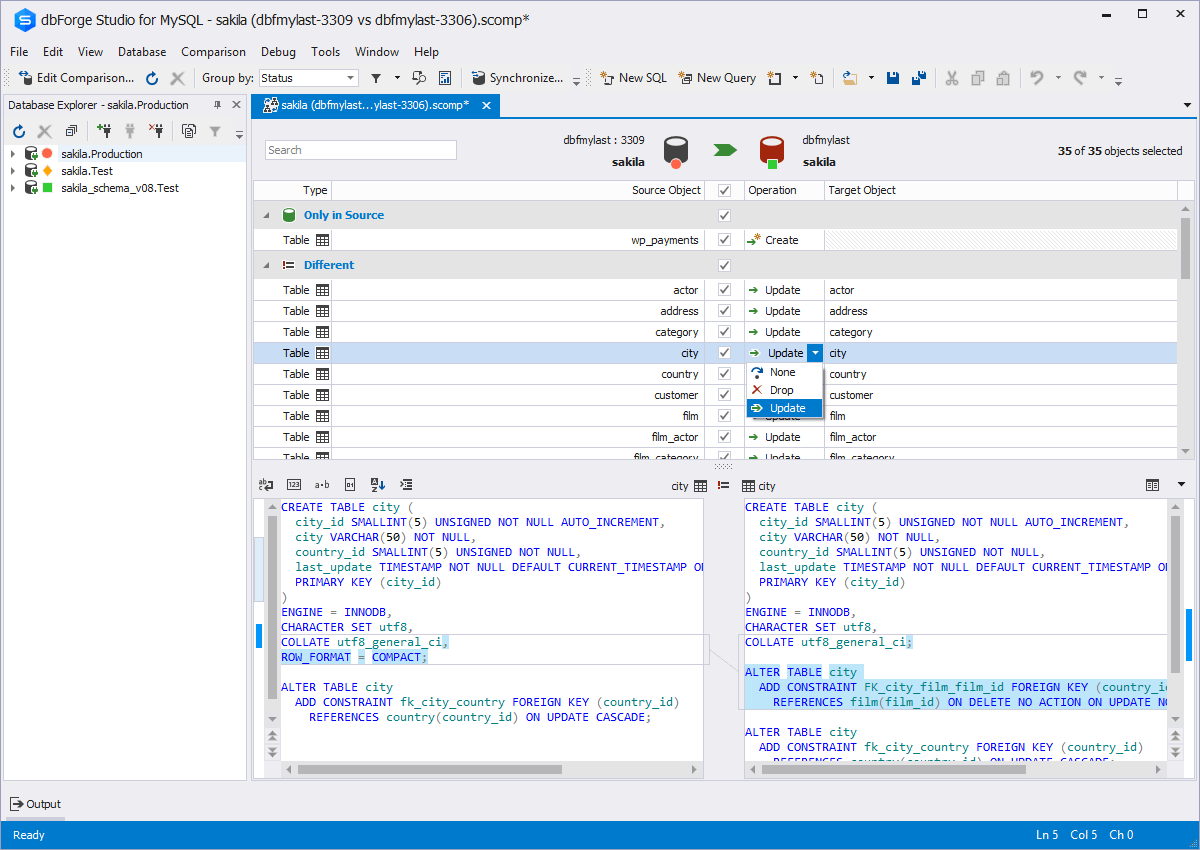
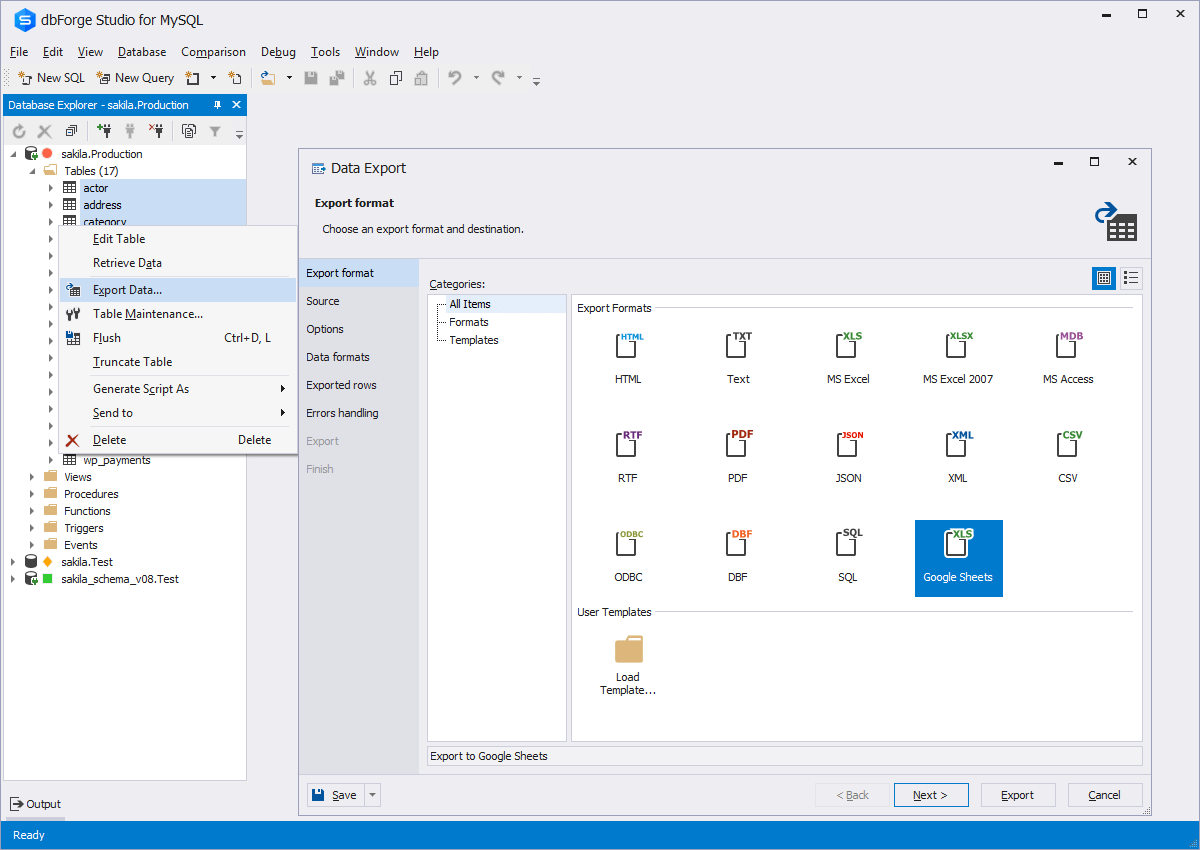
    Screenshot of Code CompletionScreenshot of Schema CompareScreenshot of Database DiagramScreenshot of Data ExportScreenshot of Database design & developmentScreenshot of Visual query building

    Spoom Screenshots

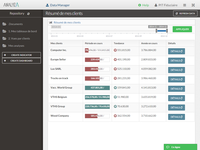
    Screenshot of Dashboard in AnalyzaScreenshot of Table in AnalyzaScreenshot of Vertical chart in AnalyzaScreenshot of Customized table in AnalyzaScreenshot of Data raw export in AnalyzaScreenshot of Authentification in Analyza