Devart Excel Add-ins vs. IBM DataStage

Overview
ProductRatingMost Used ByProduct SummaryStarting Price
Devart Excel Add-ins
Score 9.3 out of 10
N/A
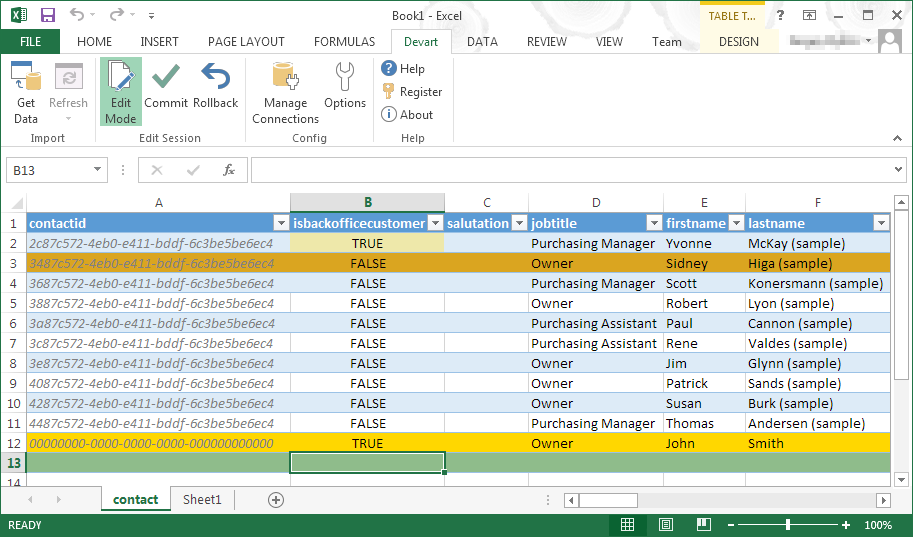
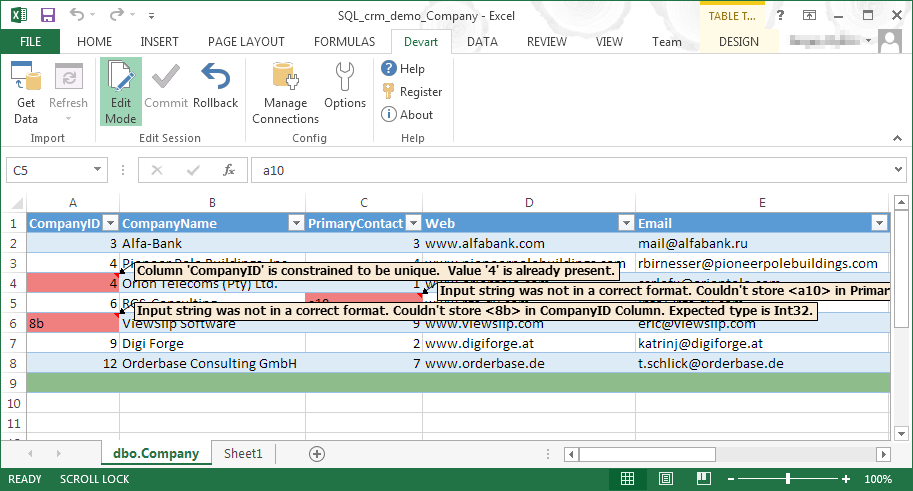
Devart Excel Add-ins allow you to use Excel capabilities to import, process, and analyze data from cloud applications and relational databases. The Excel Add-ins also allow users to make data changes and then save those changes back to the data source they were originally imported from.
$399.95
one-time fee
IBM DataStage
Score 7.7 out of 10
N/A
IBM® DataStage® is a data integration tool that helps users to design, develop and run jobs that move and transform data. At its core, the DataStage tool supports extract, transform and load (ETL) and extract, load and transform (ELT) patterns. A basic version of the software is available for on-premises deployment, and the cloud-based DataStage for IBM Cloud Pak® for Data offers automated integration capabilities in a hybrid or multicloud environment.N/A
Pricing
Devart Excel Add-insIBM DataStage
Editions & Modules
Excel Add-in Database Pack
$399.95
one-time fee
Excel Add-in Cloud Pack
$499.95
one-time fee
Excel Add-in Universal Pack
$599.95
one-time fee
No answers on this topic
Offerings
Pricing Offerings
Devart Excel Add-insIBM DataStage
Free Trial
YesYes
Free/Freemium Version
NoNo
Premium Consulting/Integration Services
NoNo
Entry-level Setup FeeNo setup feeNo setup fee
Additional DetailsPurchases include a perpetual license and 1 year of subscription which includes the product updates and premium support.
More Pricing Information
Community Pulse
Devart Excel Add-insIBM DataStage
Features
Devart Excel Add-insIBM DataStage
Data Source Connection
Comparison of Data Source Connection features of Product A and Product B
Devart Excel Add-ins
-
Ratings
IBM DataStage
8.2
11 Ratings
0% above category average
Connect to traditional data sources00 Ratings8.411 Ratings
Connecto to Big Data and NoSQL00 Ratings7.910 Ratings
Data Transformations
Comparison of Data Transformations features of Product A and Product B
Devart Excel Add-ins
-
Ratings
IBM DataStage
7.7
11 Ratings
3% below category average
Simple transformations00 Ratings8.011 Ratings
Complex transformations00 Ratings7.511 Ratings
Data Modeling
Comparison of Data Modeling features of Product A and Product B
Devart Excel Add-ins
-
Ratings
IBM DataStage
7.0
11 Ratings
11% below category average
Data model creation00 Ratings6.68 Ratings
Metadata management00 Ratings5.010 Ratings
Business rules and workflow00 Ratings7.110 Ratings
Collaboration00 Ratings7.111 Ratings
Testing and debugging00 Ratings6.511 Ratings
Data Governance
Comparison of Data Governance features of Product A and Product B
Devart Excel Add-ins
-
Ratings
IBM DataStage
5.5
10 Ratings
36% below category average
Integration with data quality tools00 Ratings5.510 Ratings
Integration with MDM tools00 Ratings5.510 Ratings
Best Alternatives
Devart Excel Add-insIBM DataStage
Small Businesses
Skyvia
Skyvia
Score 10.0 out of 10
Skyvia
Skyvia
Score 10.0 out of 10
Medium-sized Companies
IBM InfoSphere Information Server
Score 8.0 out of 10
IBM InfoSphere Information Server
Score 8.0 out of 10
Enterprises
IBM InfoSphere Information Server
Score 8.0 out of 10
IBM InfoSphere Information Server
Score 8.0 out of 10
All AlternativesView all alternativesView all alternatives
User Ratings
Devart Excel Add-insIBM DataStage
Likelihood to Recommend
8.0
(2 ratings)
6.9
(11 ratings)
Usability
-
(0 ratings)
8.0
(4 ratings)
Performance
-
(0 ratings)
9.0
(1 ratings)
Support Rating
-
(0 ratings)
9.6
(3 ratings)
User Testimonials
Devart Excel Add-insIBM DataStage
Likelihood to Recommend
Devart
Devart Excel Add-ins is really good for data comparison of one database table against another database table. There are plenty of times where the business users need help understanding with their Power BI data models are not connecting correctly and I use this tool to break down the differences between the tables they are trying to connect.
Read full review
IBM
DataStage is somewhat outdated for an ETL. I guess that's what makes it a bit lagged behind its competitors. It can be used for data processing, sure, but its performance seems to be lagging behind or quite slow given the server it is running from. I won’t depend on this application if it's handling a lot of mission-critical banking and business data.
Read full review
Pros
Devart
  • Devart Excel Add-in supports connectivity with various databases - which really helps to customize and massage data.
  • Since data is available in cloud, it is easily accessible everywhere.
  • It can also be integrated with SSIS components making it possible to resolve complex problems.
Read full review
IBM
  • Connect to multiple types of data-sources including Oracle, Teradata, Snowflake, SQl Server.
  • Powerful tool to load large volumes of data.
  • Transformation stages allow us to reduce the amount of code needed to create ETL scripts.
  • Allow us to synchronize and refresh data as much as needed.
Read full review
Cons
Devart
  • The data pump feature breaks sometimes
  • The profile usage monitoring is slow
  • The event profiler is delayed
Read full review
IBM
  • Technical support is a key area IBM should improve for this product. Sometimes our case is assigned to a support engineer and he has no idea of the product or services.
  • Provide custom reports for datastage jobs and performance such as job history reports, warning messages or error messages.
  • Make it fully compatible with Oracle and users can direct use of Oracle ODBC drivers instead of Data Direct driver. Same for SQL server.
Read full review
Usability
Devart
No answers on this topic
IBM
Because it is robust, and it is being continuously improved. DS is one of the most used and recognized tools in the market. Large companies have implemented it in the first instance to develop their DW, but finding the advantages it has, they could use it for other types of projects such as migrations, application feeding, etc.
Read full review
Performance
Devart
No answers on this topic
IBM
It could load thousands of records in seconds. But in the Parallel version, you need to understand how to particionate the data. If you use the algorithms erroneously, or the functionalities that it gives for the parsing of data, the performance can fall drastically, even with few records. It is necessary to have people with experience to be able to determine which algorithm to use and understand why.
Read full review
Support Rating
Devart
No answers on this topic
IBM
IBM offers different levels of support but in my experience being and IBM shop helps to get direct support from more knowledgeable technicians from IBM. Not sure on the cost of having this kind of support, but I know there's also general support and community blogs and websites on the Internet make it easy to troubleshoot issues whenever there's need for that.
Read full review
Alternatives Considered
Devart
Devart Excel stacks up very well against its alternatives. It has significant advantages as it keeps getting an update. Features are very much suitable for smaller organizations. For larger organizations the features cannot be used directly because of the size of the company and more native requirements of IT software requirements.
Read full review
IBM
With effective capabilities and easy to manipulate the features and easy to produce accurate data analytics and the Cloud services Automation, this IBM platform is more reliable and easy to document management. The features on this platform are equipped with excellent big data management and easy to provide accurate data analytics.
Read full review
Return on Investment
Devart
  • The data compare option saves our dev team a lot of time
  • The documenter feature is nice to use for explaining table definitions
  • The event profiler is great for usage metrics
Read full review
IBM
  • It’s hard to say at this point, it delivers, but not quite as I expected. It takes a lot of resources to manage and sort this out (manpower, financial).
  • Definitely, I don’t have the exact numbers, but given the data it processes, it is A LOT. So props to the developer of this application.
  • Again, based on my experience, I’d choose other ETL apps if there is one that's more user-friendly.
Read full review
ScreenShots

Devart Excel Add-ins Screenshots

Screenshot of Screenshot of Screenshot of Screenshot of