Digital T Card vs. Things

Overview
ProductRatingMost Used ByProduct SummaryStarting Price
Digital T Card
Score 0.0 out of 10
N/A
Digital TCards is a Kanban solution for streamlined workflow management. It empowers industries to customise workflow solutions tailored to their needs. Every process is tracked in real-time, from managing work orders to conducting quality inspections. Bottlenecks in the process are anticipated and addressed with features like scheduling tools and process audits, to ensure complete visibility into operations. TCards can be used across diverse industries such as manufacturing,…
$57.27
per month 3 seats included
Things
Score 8.9 out of 10
N/A
N/A
$9.99
one-time fee
Pricing
Digital T CardThings
Editions & Modules
Starter
£45
per month 3 seats (£10 for additional seats)
Lite
£140
per month 10 seats (£9 for additional seats)
Pro
£299
per month 25 seats (£8 for additional seats)
For iPhone & Watch
$9.99
one-time fee
For iPad
$19.99
one-time fee
For Mac
$49.99
one-time fee
Offerings
Pricing Offerings
Digital T CardThings
Free Trial
YesYes
Free/Freemium Version
NoNo
Premium Consulting/Integration Services
YesNo
Entry-level Setup FeeNo setup feeNo setup fee
Additional DetailsDiscount available for annual pricing.
More Pricing Information
Best Alternatives
Digital T CardThings
Small Businesses
Kintone
Kintone
Score 9.7 out of 10
Kintone
Kintone
Score 9.7 out of 10
Medium-sized Companies
Kintone
Kintone
Score 9.7 out of 10
Kintone
Kintone
Score 9.7 out of 10
Enterprises
MeisterTask
MeisterTask
Score 9.0 out of 10
MeisterTask
MeisterTask
Score 9.0 out of 10
All AlternativesView all alternativesView all alternatives
User Ratings
Digital T CardThings
Likelihood to Recommend
-
(0 ratings)
9.0
(1 ratings)
Usability
-
(0 ratings)
10.0
(1 ratings)
User Testimonials
Digital T CardThings
Likelihood to Recommend
Lean Transition Solutions Ltd
No answers on this topic
Cultured Code
It's great for everyday use, whether you adhere to the GTD regimen fully or just need a way to quickly capture and sort your tasks. However, it may be less suited if you're looking for a task manager that lets you collaborate with others or if you want to visualize your tasks in other ways, like a Gantt chart.
Read full review
Pros
Lean Transition Solutions Ltd
No answers on this topic
Cultured Code
  • Keeps track of my daily priorities.
  • Collects my work tasks.
  • Let's me sort and prioritize tasks.
  • Organize my tasks.
Read full review
Cons
Lean Transition Solutions Ltd
No answers on this topic
Cultured Code
  • Shortcut for moving tasks to areas.
Read full review
Usability
Lean Transition Solutions Ltd
No answers on this topic
Cultured Code
The interface of Things was good 10 years ago, and has been refined ever since. It's lightweight, while still being readable and showing just the information you need to see. Also, something I haven't seen in any other (of my) app(s) is the keyboard shortcut/launcher, where you start typing a letter, and a dropdown menu lets you quickly jump to a view.
Read full review
Alternatives Considered
Lean Transition Solutions Ltd
No answers on this topic
Cultured Code
I've tried numerous to-do apps, some that never even go out of beta. But I kept returning to Things, mostly for the user experience. It's unobtrusive and fast to use, and it looks fantastic, which is more important than I first realized. To become more organized, my app of choice needs to look organized. Also, many competing solutions are trying to force you into one way of using their app, while Things feels more open to letting you define your way of working with task management.
Read full review
Return on Investment
Lean Transition Solutions Ltd
No answers on this topic
Cultured Code
  • Working fewer nights, because I'm more organized.
  • Getting that admin done, that you'd rather avoid if possible.
  • Getting back to people in time more generally.
Read full review
ScreenShots

Digital T Card Screenshots

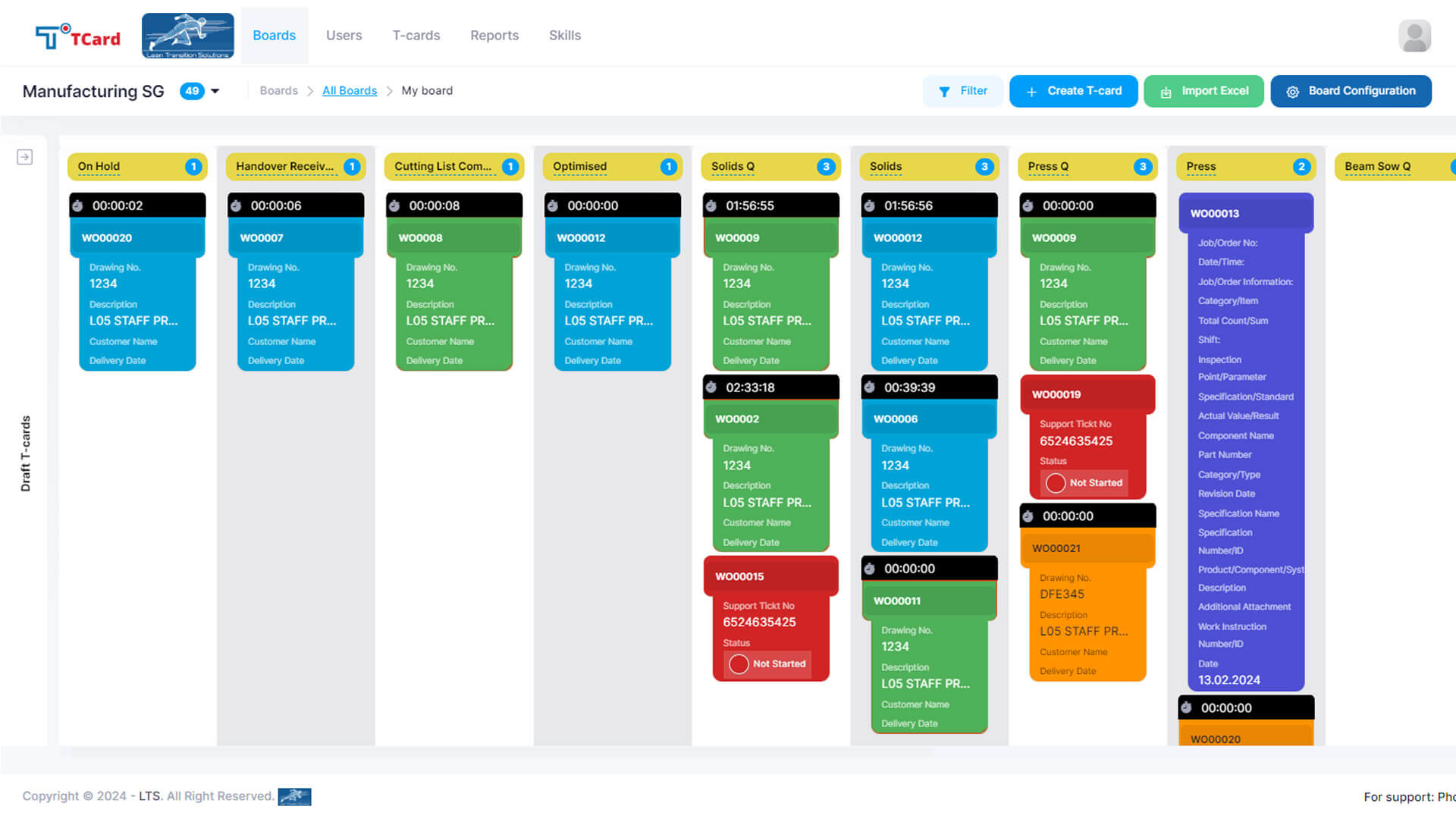
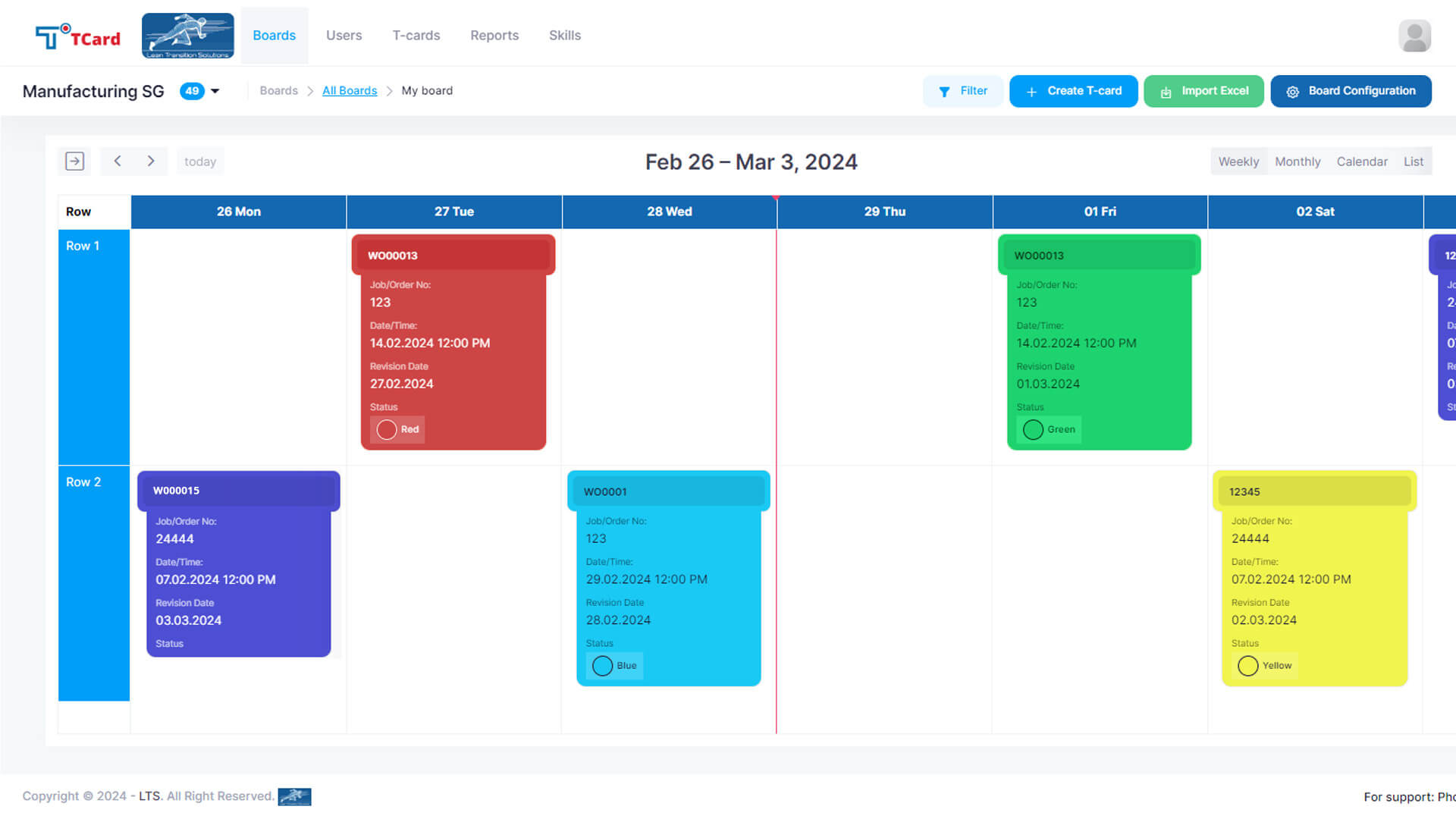
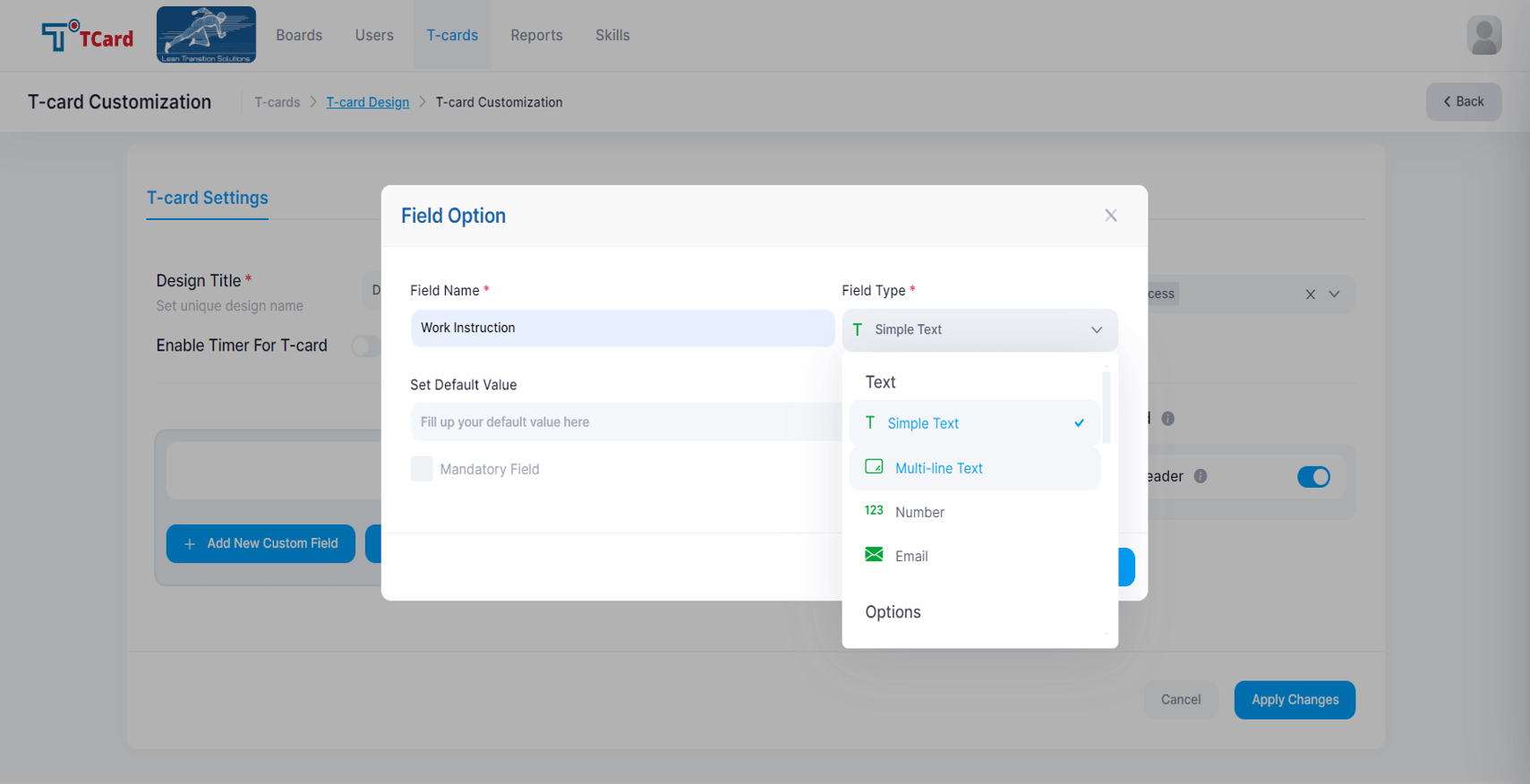
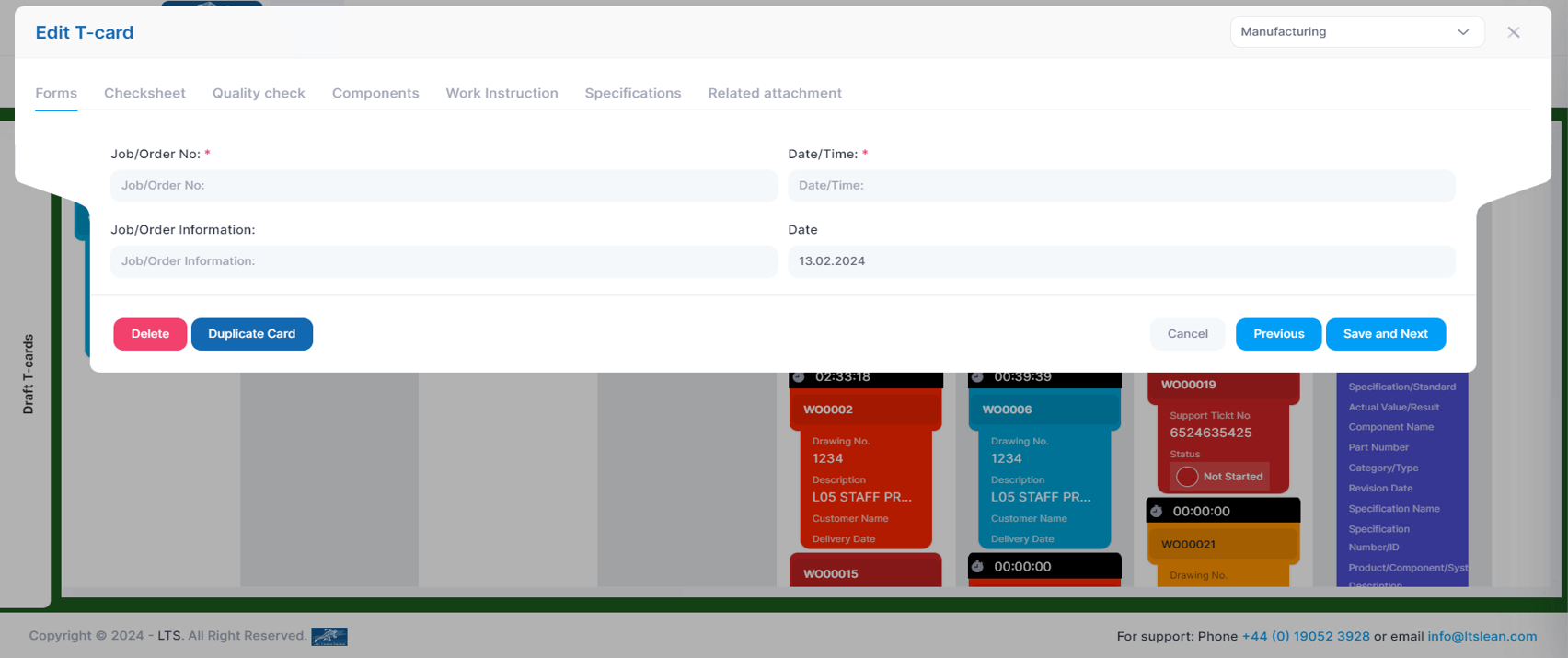
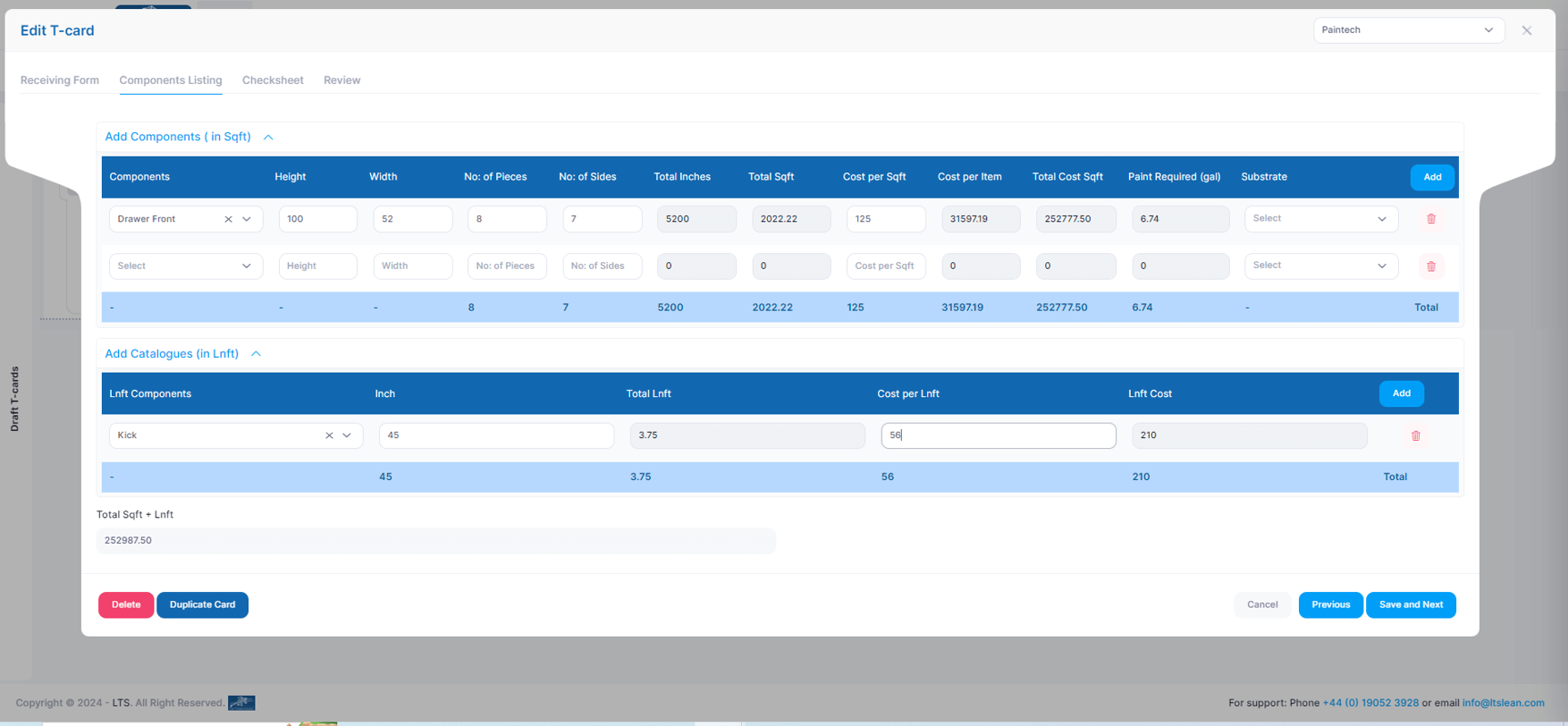
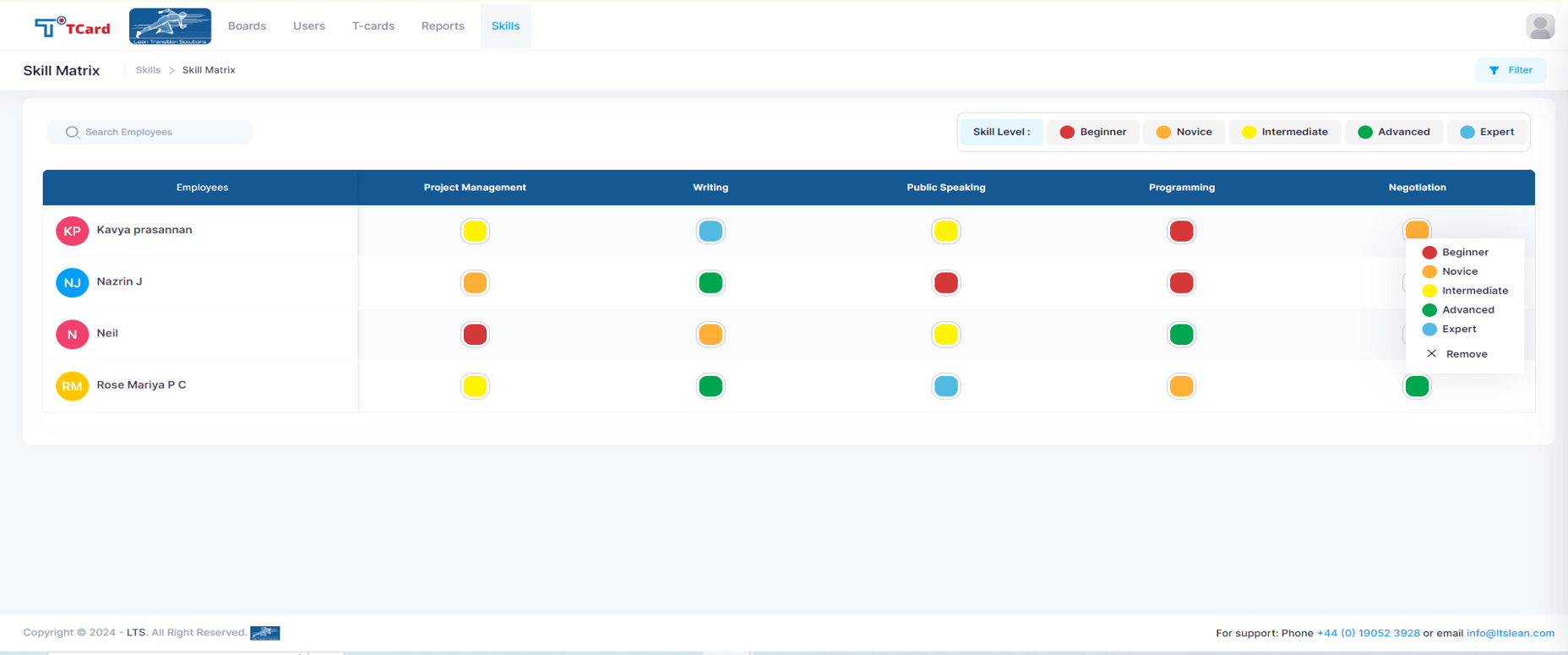
Screenshot of the Kanban boards that organise the process stages into columns and rows, giving a clear overview of each stage's progress.Screenshot of the Calendar view used to assign resources to specific dates by creating an associated card.Screenshot of the interface to tailor the cards, where users can create dynamic fields such as Text Area, Number, Dropdowns, Date and Time, Colour Options, Check Boxes, Radio Buttons, File Upload Area, Image Attachment, Dynamic Table, Icons and Users List.Screenshot of the screen to add multiple tabs in a Card that can help organise different data sets (Forms, Checksheets, Quality Checks, Components, Work Instructions, Specifications, Related Attachments), which will optimise the task flow.Screenshot of the advanced business rules in the TCard System, used to tailor workflow processes and customise how the tasks, information and data flow.Screenshot of the Skills Matrix, which is a tool used in workforce management to assess, document, and visualise the skills and competencies of employees. It helps identify skill gaps, training needs, and strengths, enabling better resource allocation and strategic planning by providing a clear overview of the skills available in a team or company. The skills matrix aids in making informed decisions about hiring, training, and project assignments.