Drools vs. Quixy

Overview
ProductRatingMost Used ByProduct SummaryStarting Price
Drools
Score 7.0 out of 10
N/A
Drools is an open source business rules management system developed by Red Hat.N/A
Quixy
Score 9.9 out of 10
Small Businesses (1-50 employees)
Enterprises can use Quixy's cloud-based no-code platform to enable their business users (citizen developers) to automate workflows and build simple to complex enterprise-grade applications for their custom needs. Quixy helps eliminate manual processes and turn ideas into applications making business more innovative, productive, and transparent. Users can start from scratch or customize pre-built apps from the Quixy app…N/A
Pricing
DroolsQuixy
Editions & Modules
No answers on this topic
Enterprise
Contact Sales
Platform
Contact Sales
per month billed annually. This plan is suitable when the no. of users is high and the no. of apps/workflows is low.
Solution
Contact Sales
per month billed annually. This plan is suitable when the no. of users is high and the no. of apps/workflows is low.
Solution
Suitable when the no. of users is high and the no. of apps/workflows is low
Platform
Suitable when the no. of apps/workflows is high
Offerings
Pricing Offerings
DroolsQuixy
Free Trial
NoNo
Free/Freemium Version
NoNo
Premium Consulting/Integration Services
NoYes
Entry-level Setup FeeNo setup feeNo setup fee
Additional DetailsSolution Suitable when the no. of users is high and the no. of apps/workflows is low Platform Suitable when the no. of apps/workflows is high Enterprise Suitable for bigger organizations looking for enterprise features
More Pricing Information
Community Pulse
DroolsQuixy
Best Alternatives
DroolsQuixy
Small Businesses

No answers on this topic

Stackby
Stackby
Score 9.0 out of 10
Medium-sized Companies
IBM Cloud Pak for Business Automation
Score 9.8 out of 10
Creatio
Creatio
Score 9.1 out of 10
Enterprises
IBM Cloud Pak for Business Automation
Score 9.8 out of 10
Creatio
Creatio
Score 9.1 out of 10
All AlternativesView all alternativesView all alternatives
User Ratings
DroolsQuixy
Likelihood to Recommend
7.0
(2 ratings)
10.0
(25 ratings)
Usability
-
(0 ratings)
9.5
(5 ratings)
User Testimonials
DroolsQuixy
Likelihood to Recommend
Open Source
As an open source rule engine and product suite, Drools is well suited for the small and middle scale business to manage and integrate the rules to build the rule-driven system which can process the business-critical data and events to produce the automated decision. It is better to use Drools in the well-secured environment (back-end behind the DMZ), not putting it on the customer-facing front or exposing it directly the to public where may bring direct security risk in the enterprise environment. Drools still needs a lot hardening on the security side.
Read full review
Quixy
Quixy BPM for managing business processes distinguishes itself through its user-friendly interface and the absence of any coding requirements. This makes it an ideal solution for companies looking to streamline their operations. Quixy BPM is suitable for businesses of all sizes and represents a cost-effective way to save time and effort.
Read full review
Pros
Open Source
  • Writing rules with business focus
  • Rules evolution and maintenance
  • separate business logic from program code
Read full review
Quixy
  • Forms Automation: Quixy helps us in developing forms within minutes and hours with simple drag and drop.
  • Report Builder: The report builder tool allows you to generate customized reports based on the data collected available in various data sources.
  • Integration: Integration with external systems through API's.
Read full review
Cons
Open Source
  • Fusion doesn't support persistence of working memory, which brings some extra high availability risk to our business.
  • Guvnor still has a lot room to be implemented, it is not so user-friendly for non-technical people, so a lot of business users complain it is hard to master.
  • Rule execution server doesn't even have JMX implemented, hard to be monitored.
  • Drools is still lacking support for key Web services standards.
Read full review
Quixy
  • Better UI/UX will take the platform to next level.
  • Application Library: Having base versions of frequently used applications in the app library helps the users to build applications quickly.
  • Having more online help content will help the users to resolve the issues on their own.
Read full review
Usability
Open Source
No answers on this topic
Quixy
Quixy has allowed us to focus on more important tasks, as the platform takes care of labor-intensive administrative work. The automation of various processes has been invaluable, as it has saved us a considerable amount of time and resources. Overall, Quixy has transformed our administrative work and has enabled us to allocate more resources to critical tasks, leading to better outcomes for our organization.
Read full review
Alternatives Considered
Open Source
I did not participate in drools choice. I can only compare drools with the previous situation which was using nothing.
Read full review
Quixy
While Excel is a powerful tool for organizing data and creating basic inventory spreadsheets, it lacks the automation and integration capabilities that Quixy provides. Also, we can integrate with other business systems, such as accounting and order fulfillment systems. So, we can actually have centralized system connected across several departments for automation.
Read full review
Return on Investment
Open Source
  • The IT department quickly adopted Drools as it is a very good java-based rule engine, which saves a lot of time to meet the project timeline and balanced our business requirements.
  • Recently we start considering the OpenRules, which may be more business user-friendly.
Read full review
Quixy
  • Faster Digitalization (time is money)
  • Step by Step and independent transition for every department
  • Automation of 70% of our manual process till date and counting
Read full review
ScreenShots

Quixy Screenshots

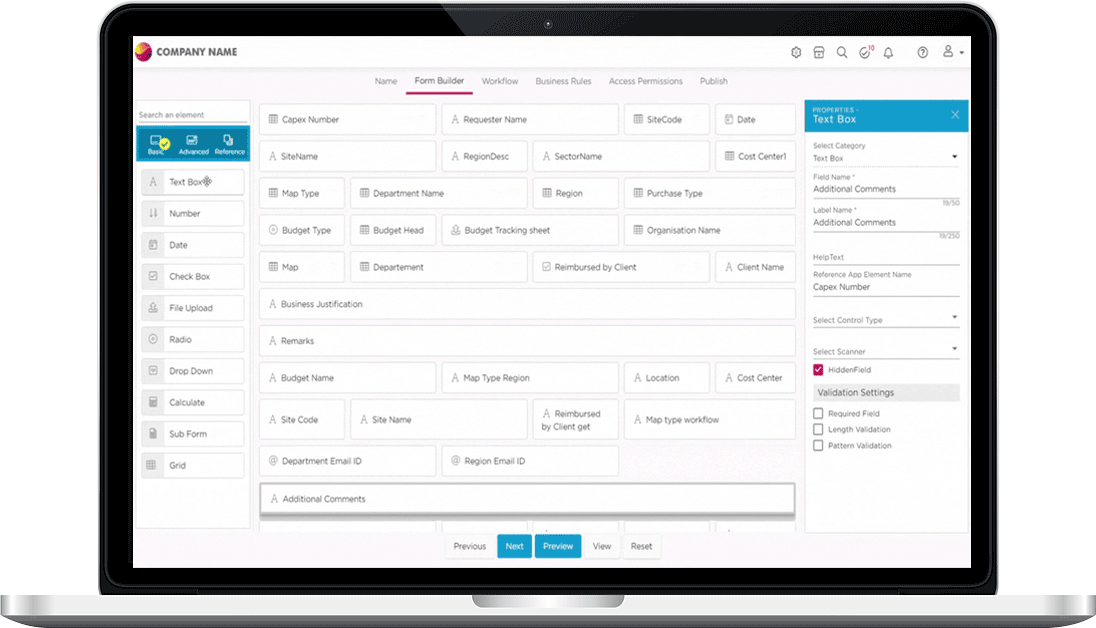
Screenshot of Quixy DashboardScreenshot of Quixy Form BuilderScreenshot of Quixy Workflow BuilderScreenshot of Quixy Mobile App ViewScreenshot of Quixy Device ResponsivenessScreenshot of Quixy Custom Themes