
eWhiteboard vs. Fenêtre Capture Tool
eWhiteboard vs. Fenêtre Capture Tool
| Product | Rating | Most Used By | Product Summary | Starting Price |
|---|---|---|---|---|
 eWhiteboard | N/A | N/A | N/A | |
 Fenêtre Capture Tool | N/A | The Fenêtre Capture Tool offers features to use in making professional screenshots and screen recordings. It is presented as ideal for anyone, but especially for people who are looking for an advanced function oriented Capture Tool, and because it can be connected with Microsoft Teams it is also functional in the office as well. Features of the Fenêtre Capture Tool include: Screenshot annotation Precise recording areas by pixels Arrow with text… | $0 |
| eWhiteboard | Fenêtre Capture Tool | |||||||||||||||
|---|---|---|---|---|---|---|---|---|---|---|---|---|---|---|---|---|
| Editions & Modules | No answers on this topic | No answers on this topic | ||||||||||||||
| Offerings |
| |||||||||||||||
| Entry-level Setup Fee | No setup fee | No setup fee | ||||||||||||||
| Additional Details | — | The Capture Tool is free to use software | ||||||||||||||
| More Pricing Information | ||||||||||||||||
| eWhiteboard | Fenêtre Capture Tool | |
|---|---|---|
| Small Businesses |  Traqq Score 9.1 out of 10 |  Sendspark Score 10.0 out of 10 |
| Medium-sized Companies |  ManageEngine ADAudit Plus Score 9.0 out of 10 |  Snagit Score 9.6 out of 10 |
| Enterprises | ManageEngine ADAudit Plus Score 9.0 out of 10 | Snagit Score 9.6 out of 10 |
| All Alternatives | View all alternatives | View all alternatives |
| eWhiteboard | Fenêtre Capture Tool | |
|---|---|---|
| ScreenShots | Fenêtre Capture Tool Screenshots 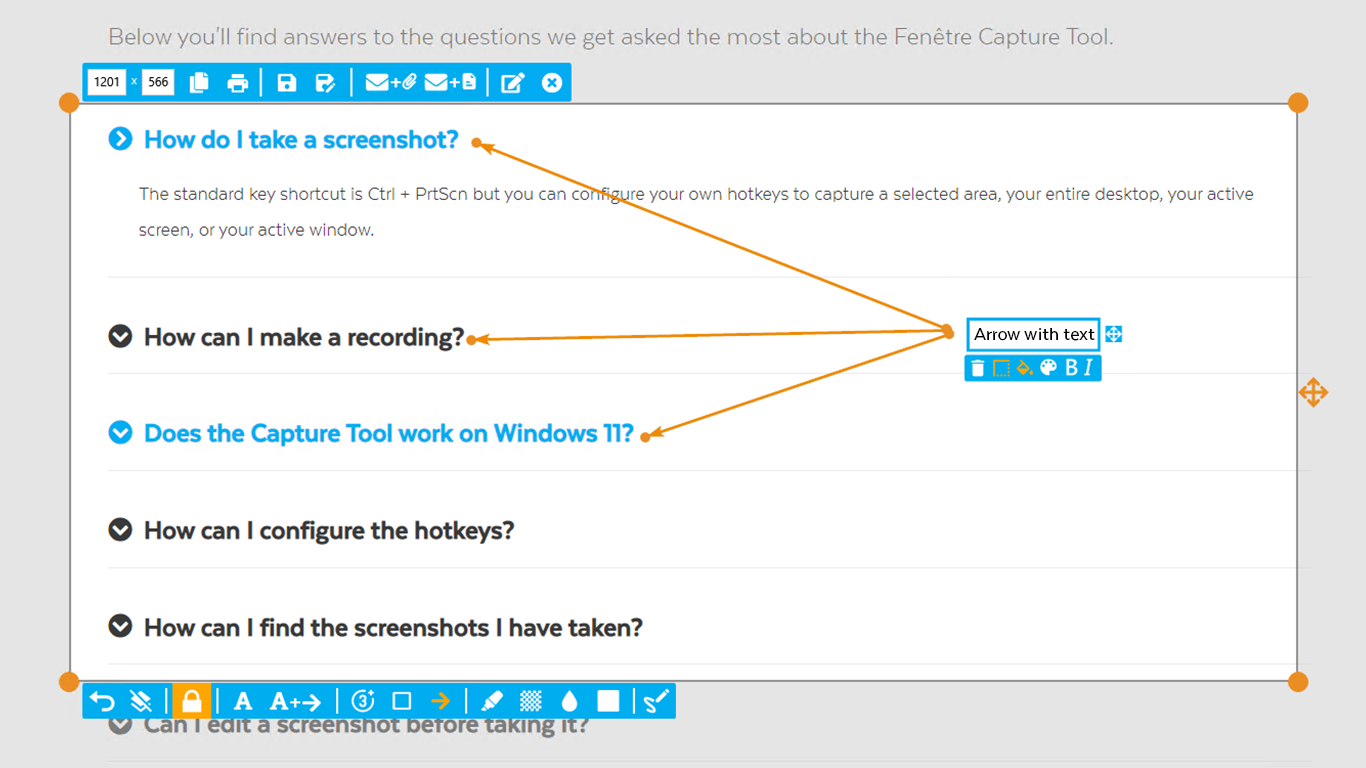 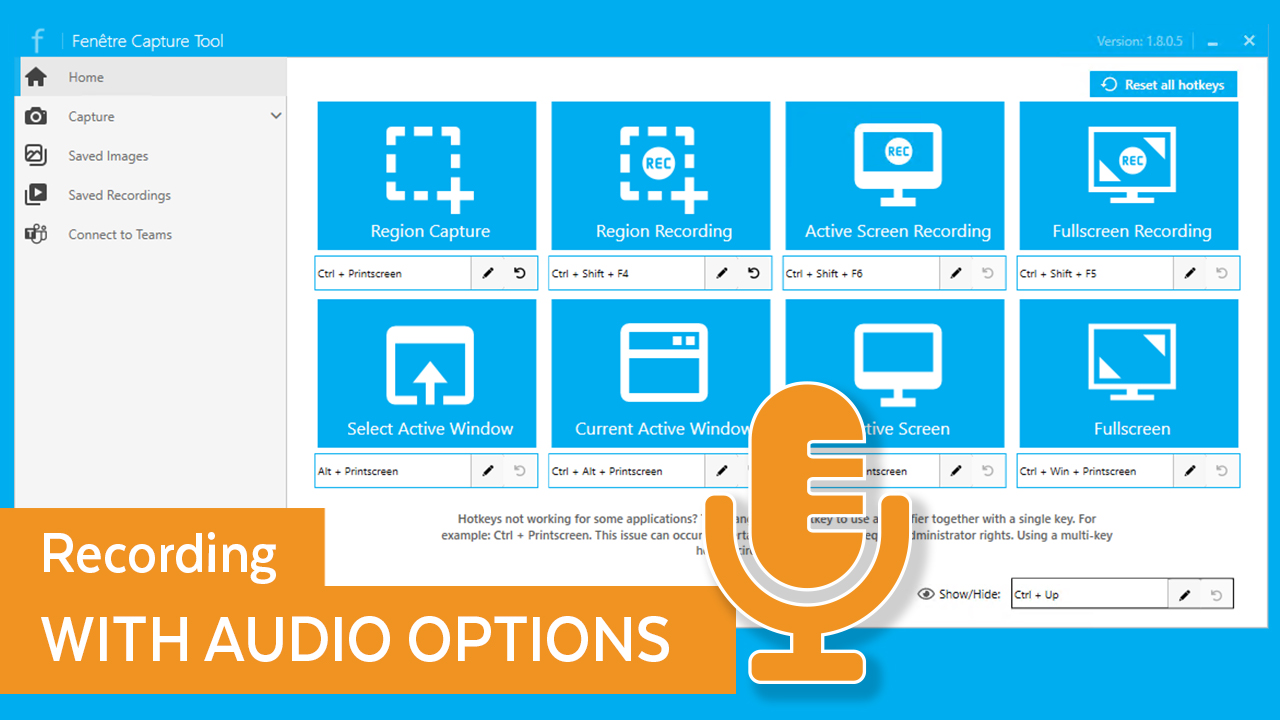 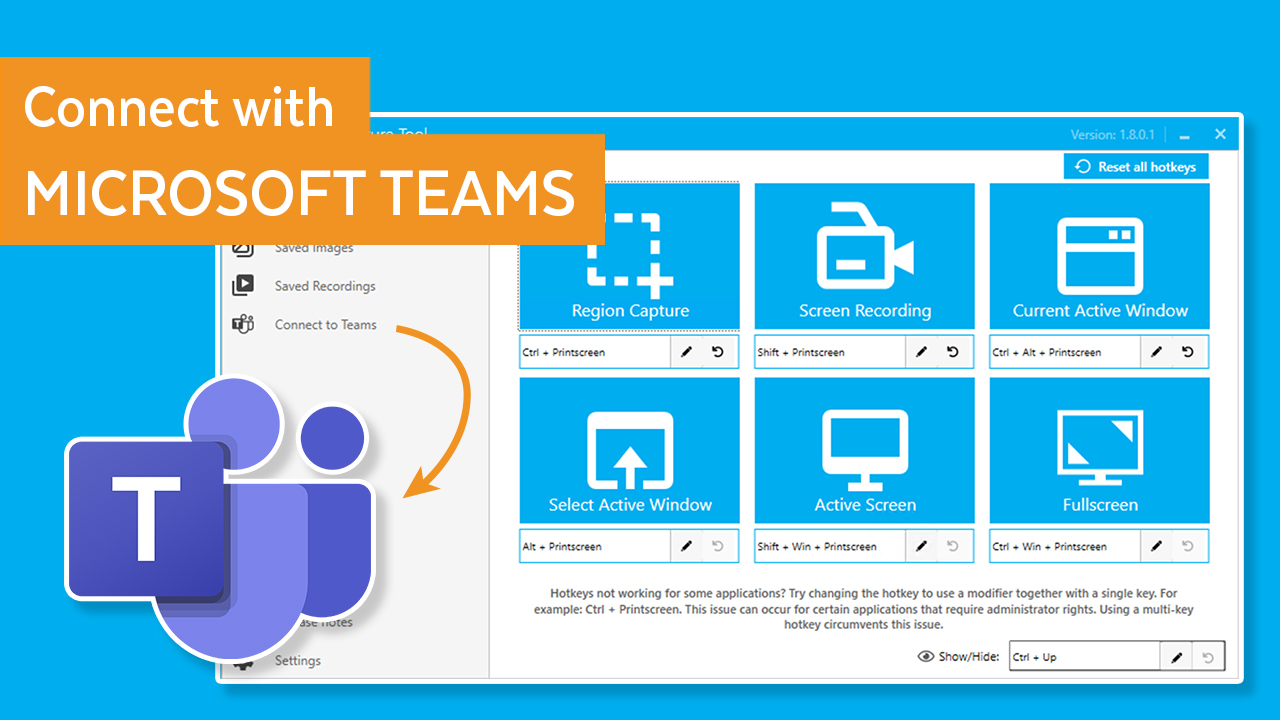  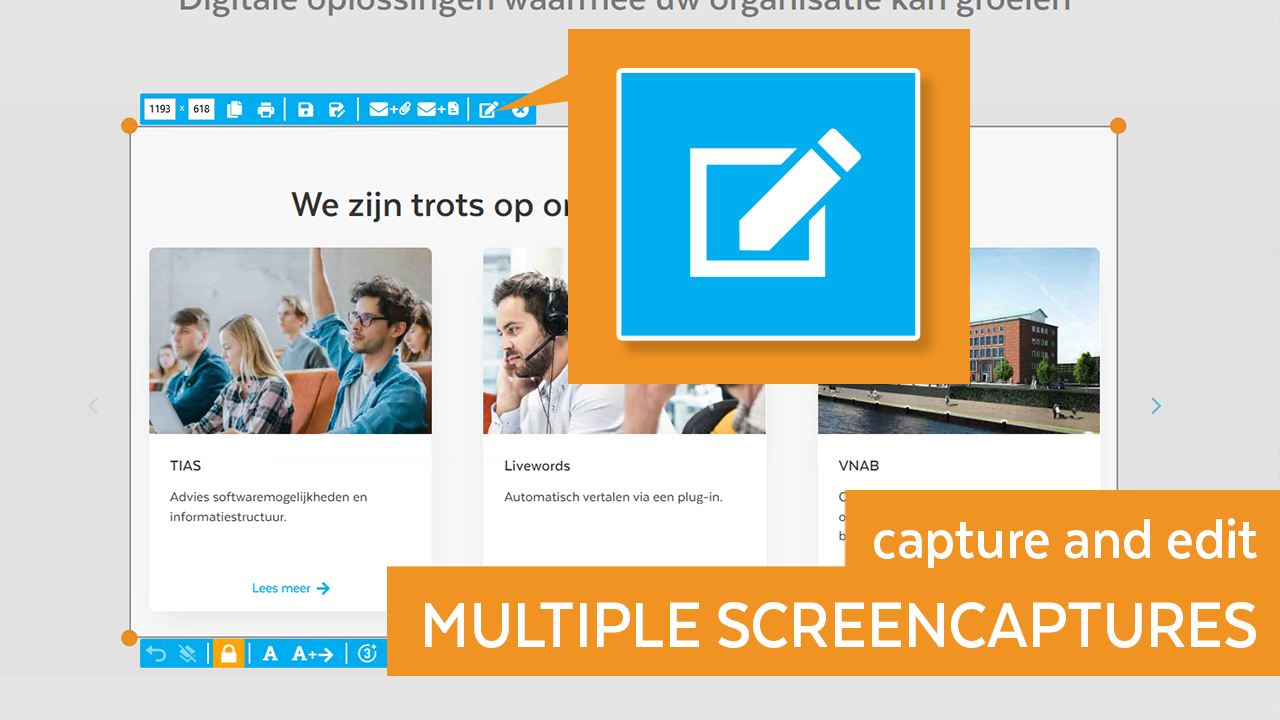 |