F5 BIG-IP Local Traffic Manager (LTM) vs. Pinggy

Overview
ProductRatingMost Used ByProduct SummaryStarting Price
F5 BIG-IP Local Traffic Manager (LTM)
Score 9.7 out of 10
N/A
F5 states that the "brain" of the BIG-IP platform, Local Traffic Manager (LTM) intelligently manages network traffic so applications are always fast, available, and secure.N/A
Pinggy
Score 0.0 out of 10
N/A
Pinggy is presented as a simple localhost tunneling solution. With Pinggy, users can create HTTP, TCP, UDP, or TLS tunnels to a localhost, enabling instant access to websites or applications, even behind firewalls and NATs. There is no need to download anything, no complex server configurations - just streamlined, secure access for developers, teams, and innovators.
$3
per month per seat
Pricing
F5 BIG-IP Local Traffic Manager (LTM)Pinggy
Editions & Modules
No answers on this topic
Pinggy Pro
$3
per month per seat
Offerings
Pricing Offerings
F5 BIG-IP Local Traffic Manager (LTM)Pinggy
Free Trial
NoYes
Free/Freemium Version
NoYes
Premium Consulting/Integration Services
NoNo
Entry-level Setup FeeNo setup fee$30 per month per seat
Additional DetailsPlan: Enterprise Contact Us: contact@pinggy.io Features: 1. Dedicated Servers / On Premise 2. Unlimited persistent tunnels 3. Unlimited custom subdomains 4. Unlimited custom domains 5. Unlimited persistent TCP/UDP ports 6. Unlimited Teams 7. API to monitor and manage tunnels 8. Priority Discord & Call Support
More Pricing Information
Community Pulse
F5 BIG-IP Local Traffic Manager (LTM)Pinggy
Considered Both Products
F5 BIG-IP Local Traffic Manager (LTM)
Chose F5 BIG-IP Local Traffic Manager (LTM)
Best performance, low latency and high availability
Chose F5 BIG-IP Local Traffic Manager (LTM)
Being a financial company, there is always a need for the DDOS protection for the apps which client will hit on a regular basis
Chose F5 BIG-IP Local Traffic Manager (LTM)
NetScaler
Chose F5 BIG-IP Local Traffic Manager (LTM)
The flexibility for the iRules and configurations
Chose F5 BIG-IP Local Traffic Manager (LTM)
NGINX, NetScaler, HAProxy Enterprise and Tetrate Istio Subscription
Chose F5 BIG-IP Local Traffic Manager (LTM)
NetScaler
Chose F5 BIG-IP Local Traffic Manager (LTM)
As of now just LTM
Chose F5 BIG-IP Local Traffic Manager (LTM)
A10 Networks AX Series
Chose F5 BIG-IP Local Traffic Manager (LTM)
Obviously NetScaler, because we had that functionality, we just turned it on. We were only using it for our Citrix farms and we migrated all of our F5 uses over to the NetScalers. So simply because that was, other than buying the product, which the actual NetScaler themselves …
Chose F5 BIG-IP Local Traffic Manager (LTM)
F5 BIG-IP DNS
Chose F5 BIG-IP Local Traffic Manager (LTM)
F5 is doing its specialized function. There is no other product that can beat them. We are extremely happy with the product. Especially on load balancing, traffic redirecting TLS encryption, and SNI modification. We will continue to explore F5's product, especially on the …
Chose F5 BIG-IP Local Traffic Manager (LTM)
F5 BIG-IP DNS, F5 BIG-IP Access Policy Manager (APM) and F5 BIG-IP SSL Orchestrator
Chose F5 BIG-IP Local Traffic Manager (LTM)
It serves the needs of our organization and assists with additional needs regarding the network.
Chose F5 BIG-IP Local Traffic Manager (LTM)
We use both products and performed well.
Chose F5 BIG-IP Local Traffic Manager (LTM)
We are using both of them for load balancing and our web apps firewall.
Chose F5 BIG-IP Local Traffic Manager (LTM)
We combine the AWAF and F5 BIG-IP Local Traffic Manager to not only deliver high performance apps but also secure the apps against so many kinds of threats.
Chose F5 BIG-IP Local Traffic Manager (LTM)
F5 Big-IP Advanced Web Application Firewall
Chose F5 BIG-IP Local Traffic Manager (LTM)
The F5 LTMs integrate great with the F5 DNS appliances and makes on the fly decisions using iquery. We have two HA data centers that the F5 LTMs are used in and integrate great with teh F5 DNS servers.
Chose F5 BIG-IP Local Traffic Manager (LTM)
F5 BIG-IP Local Traffic Manager (LTM) was the most robust and highest performing ADC product.
Pinggy

No answer on this topic

Best Alternatives
F5 BIG-IP Local Traffic Manager (LTM)Pinggy
Small Businesses
Cloudflare
Cloudflare
Score 8.9 out of 10
Cloudflare
Cloudflare
Score 8.9 out of 10
Medium-sized Companies
Cloudflare
Cloudflare
Score 8.9 out of 10
Cloudflare
Cloudflare
Score 8.9 out of 10
Enterprises
NGINX
NGINX
Score 9.1 out of 10
NGINX
NGINX
Score 9.1 out of 10
All AlternativesView all alternativesView all alternatives
User Ratings
F5 BIG-IP Local Traffic Manager (LTM)Pinggy
Likelihood to Recommend
9.6
(0 ratings)
-
(0 ratings)
Likelihood to Renew
8.7
(0 ratings)
-
(0 ratings)
Usability
9.6
(0 ratings)
-
(0 ratings)
Support Rating
8.0
(0 ratings)
-
(0 ratings)
Implementation Rating
9.0
(0 ratings)
-
(0 ratings)
User Testimonials
F5 BIG-IP Local Traffic Manager (LTM)Pinggy
Likelihood to Recommend
There was a need to have the DR environment to be available actively but not to send the traffic unless the production is down The F5 BIG-IP Local Traffic Manager (LTM) priority feature helped achieving it. It was well suited in handling the HTTP headers using polices and iRules. It was less appropriate from the application security perspective in the current version. But after attending the AppWorld 2024, I see a lot of ways to protect the network and the application with several features.
Read full review
No answers on this topic
Pros
  • Sure. It does load balancing fantastically. I mean, it's an industry standard product for that. We also use it for TLS offload for applications. Those are the two main use cases for that. We do also use some of the I rules for traffic filtering. We've used that in some of the external facing services. It does a really nice job with that. It's a little bit complicated sometimes and some of the Cipher Suite stuff is interesting.
Read full review
No answers on this topic
Cons
  • Some of the stuff you have to dive into the CLI to really use, I'm going to reach back to the previous employer for this. So I had a much greater degree of involvement with it at that point in time for, I was the crypto guy at the company and I had to design all the cipher suites that we actually implemented on our front end banking products. So in order to do that, I had to dive into it, download all the Cipher suites, figure out the actual order of operation for them, how they were selected because I wanted to design the Cipher Suites to actually provide a specific customer experience for the types of connections that our customers were likely to initiate. Getting at that information was a giant PITA. It was poorly documented at the time. I'm not sure if it's documented any better now. Every time the software changed or got upgraded, made your version, I'd have to do it all over again because the upgrades to the stack, which looked like it was based on open SSL, but it was heavily modified with a different syntax. Oh yay. That's fun too. So I had to write giant documents describing all of the ciphers that I was designing for this because it just kept changing all the time. So I didn't care for that aspect of it. Traffic management does a great job for that.
Read full review
No answers on this topic
Likelihood to Renew
F5 has always been one of the best products we have in the data center. We had few issues with the BUG and Code upgrades but the main use cases for F5 was always top notch. From High availability to Globally load balancing applications across multiple data centers and muti cloud environments.
Read full review
No answers on this topic
Usability
I am very comfortable with this product not only configuring it but automating it as well. There are not many configurations or situations where I do not know how to implement it on the device. I find it straightforward and easy to use.
Read full review
No answers on this topic
Support Rating
Good after sales support if one purchased direct support from F5.
Read full review
No answers on this topic
Implementation Rating
Easy to implement if one had attended F5 Training for Local Traffic Manager (LTM).
Read full review
No answers on this topic
Alternatives Considered
Obviously NetScaler, because we had that functionality, we just turned it on. We were only using it for our Citrix farms and we migrated all of our F5 uses over to the NetScalers. So simply because that was, other than buying the product, which the actual NetScaler themselves were cheap. I mean it cost us like $60,000 for all of them for the hardware. We were already licensed for it, so it was a no-brainer. We didn't have a choice. Definitely a superior product. A lot more functionality, particularly in corner cases where you might need to make some specific traffic tweaks. I would say that the NetScaler doesn't do nearly as good a job with that traffic filtering. You only really get URI filtering with NetScaler. You don't have the flexibility, the eye rolls or the complexity of the eye rolls, so that's a negative too.
Read full review
No answers on this topic
Return on Investment
  • It has allowed us to let application developers know that the issues are with their application and not due to the network, because of where it sits. This has been invaluable when troubleshooting issues when they arise. Knowing whether or not traffic is even hitting the F5 BIG-IP Local Traffic Manager (LTM), either ingress or outgoing. If the Dev's information is not even making it to the F5 BIG-IP Local Traffic Manager (LTM), we can quickly tell them and let them figure the issue out on their own, saving the rest of the Network Team from getting that 2am call.
Read full review
No answers on this topic
ScreenShots

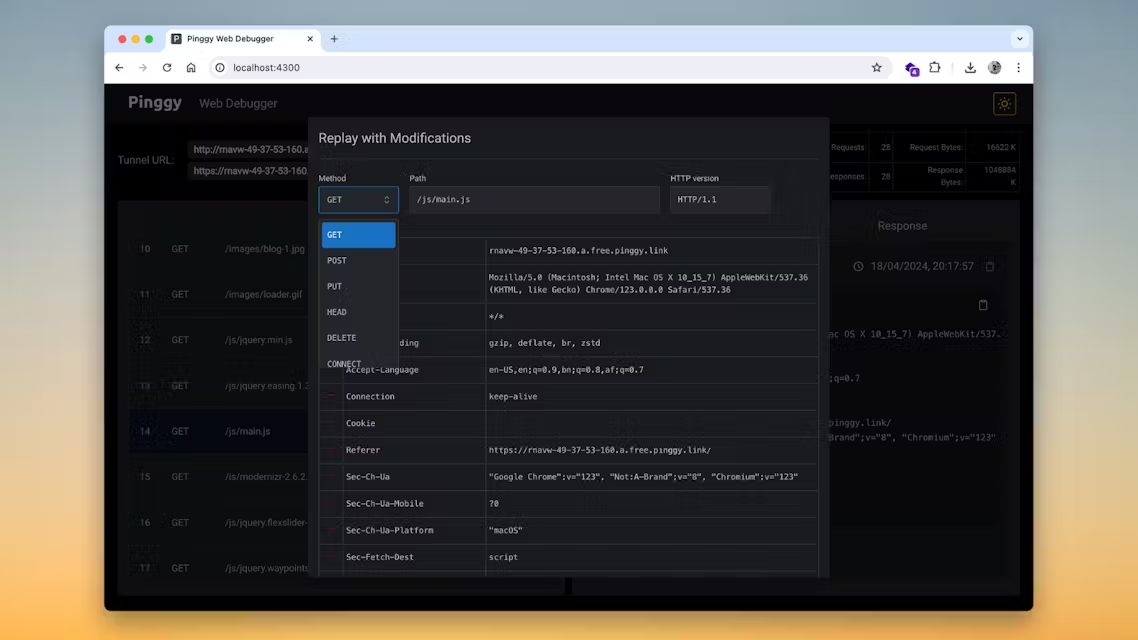
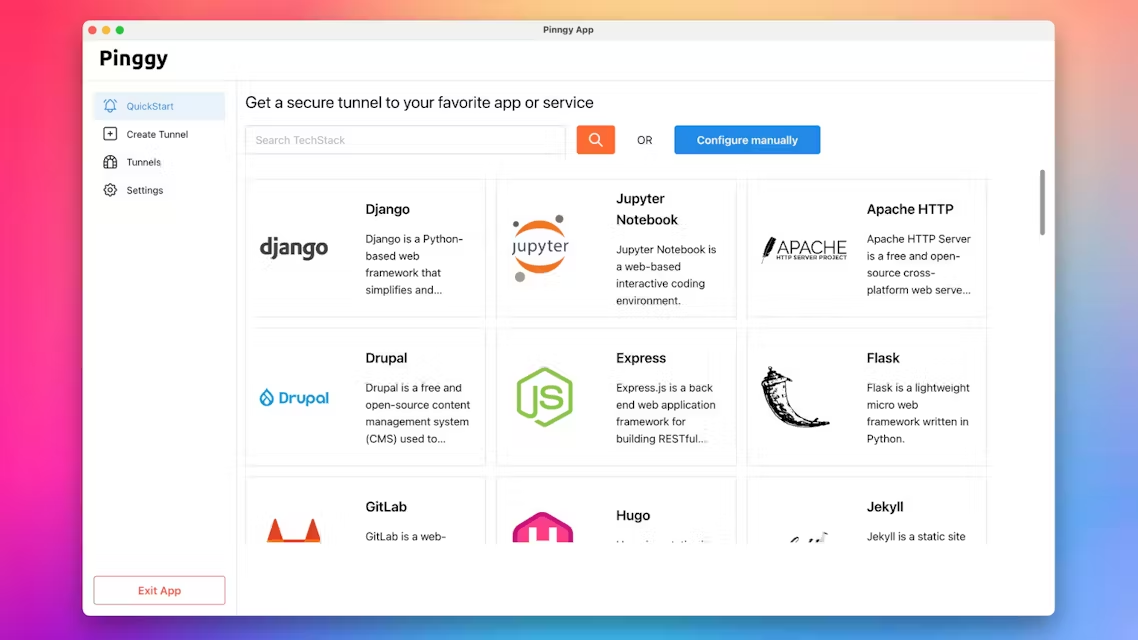
Pinggy Screenshots

Screenshot of Screenshot of Screenshot of Screenshot of Screenshot of Screenshot of