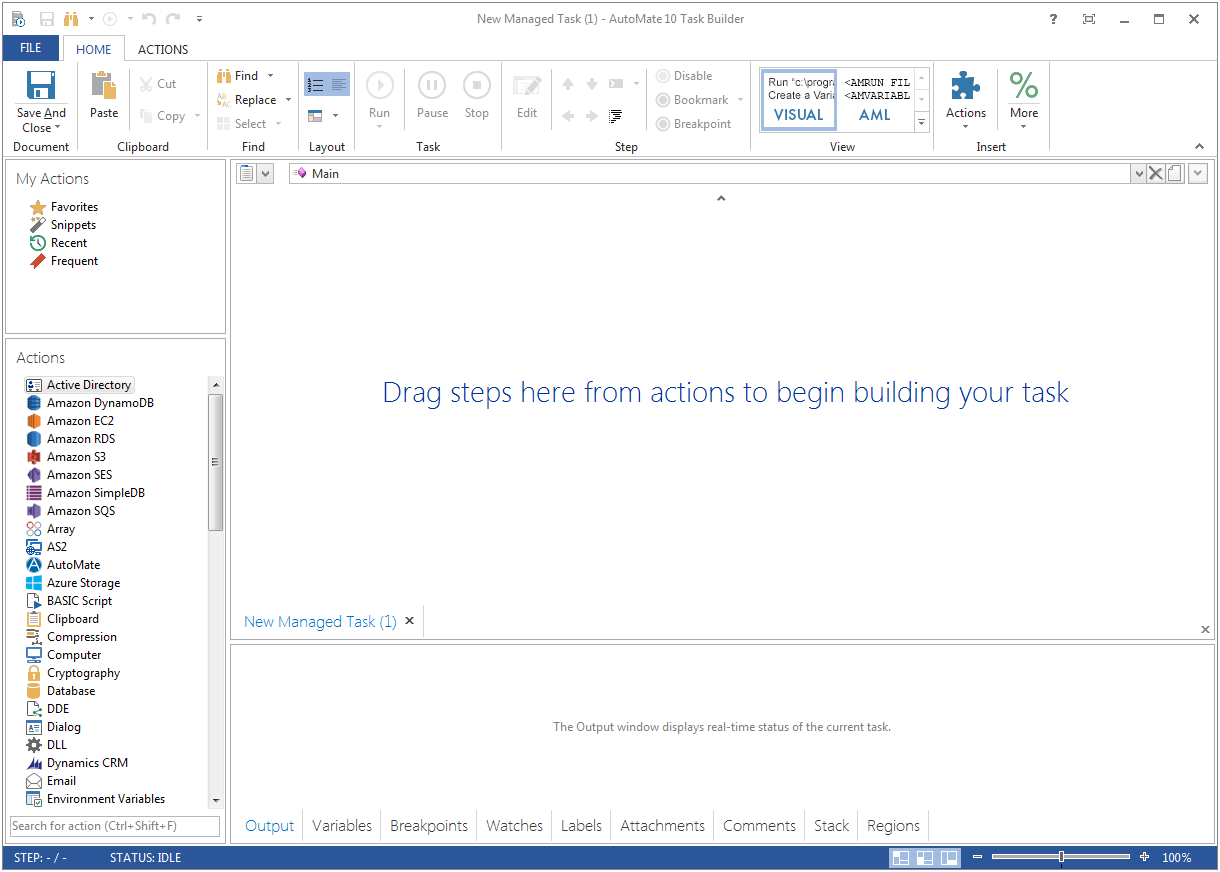
Fortra's Automate (formerly HelpSystems Automate) is a robotic process automation platform for desktop applications. According to the vendor, it offers the ability to automate almost any business process, and no technical expertise is required—IT and business users alike can understand the drag-and-drop interface.
N/A
Fortra's Globalscape Enhanced File Transfer (EFT)
Score8 out of 10
N/A
With operational efficiency in mind, Globalscape’s Enhanced File Transfer™ (EFT™) Enterprise boasts quick and intuitive setup, advanced automation capabilities, and real-time visibility into data transfers. Globalscape was acquired by Fortra in August 2020. It is now a Fortra company.
Integrations Analyst III in Information Technology at Aqua America (Utilities, 1001-5000 employees)
Chose Fortra's Globalscape Enhanced File Transfer (EFT)
Globalscape and Automate are similar. However, with Automate, you do not have PGP or SSH keyring functionality within the application. You would need to purchase and install them separately. So as far as organization I like Globalscape for key retainment. Globalscape's …
A de minimis incentive was given to thank the reviewer for their time. The incentive was not used to bias or drive a particular response, nor was the incentive contingent on a positive endorsement. More Info
It's great for repetitive or regularly scheduled activities like reports or file transfers. However, it's not so good for on-demand activities. It doesn't support task shortcuts to run specific tasks. If it did it would be perfect.
A de minimis incentive was given to thank the reviewer for their time. The incentive was not used to bias or drive a particular response, nor was the incentive contingent on a positive endorsement. More Info
Globalscape EFT is well suited for file transmissions. It is very intuitive and easy to create file transmission rules. We transmit many files back and forth between vendors and software applications. File transmissions are fast and reliable. Globalscape allows us to specify certain file naming conventions, contain only certain data, format the data to be a specific way, etc.
A de minimis incentive was given to thank the reviewer for their time. The incentive was not used to bias or drive a particular response, nor was the incentive contingent on a positive endorsement. More Info
A de minimis incentive was given to thank the reviewer for their time. The incentive was not used to bias or drive a particular response, nor was the incentive contingent on a positive endorsement. More Info
A de minimis incentive was given to thank the reviewer for their time. The incentive was not used to bias or drive a particular response, nor was the incentive contingent on a positive endorsement. More Info
Would like to see the ability for a rule in EFT to link the the Advanced Workflow that it is called (rather than having to manually locate the Advanced Workflow)
Would like the ability to disable just a part of an Event Rule
Would like to see more template creation functionality
A de minimis incentive was given to thank the reviewer for their time. The incentive was not used to bias or drive a particular response, nor was the incentive contingent on a positive endorsement. More Info
A de minimis incentive was given to thank the reviewer for their time. The incentive was not used to bias or drive a particular response, nor was the incentive contingent on a positive endorsement. More Info
A de minimis incentive was given to thank the reviewer for their time. The incentive was not used to bias or drive a particular response, nor was the incentive contingent on a positive endorsement. More Info
A de minimis incentive was given to thank the reviewer for their time. The incentive was not used to bias or drive a particular response, nor was the incentive contingent on a positive endorsement. More Info
Globalscape and Automate are similar. However, with Automate, you do not have PGP or SSH keyring functionality within the application. You would need to purchase and install them separately. So as far as organization I like Globalscape for key retainment. Globalscape's transmission reporting is a lot better as well. Although it could be enhanced a little more, I use it to report any transmission issues with the Vendors. But the Event Rule functionality that Globalscape has in building simple action logic is where you save a lot of time instead of coding transmissions. Automate does not have active-active replication within their application. Meaning they do not have the ability to have two servers active for off loading transmission in case of bottlenecks. However, if one server goes down, the secondary server will be active. We have both products and don't mind working in either one of them, but Globalscape seems to be the more comprehensive and scalable application
It's been a net positive as AutoMate requires less eyes on specific tasks so that people can focus attention elsewhere and do more analysis.
Less manual work also decreases the chances of mistakes and/or missed jobs. Since Automate can schedule everything, send email notifications, etc., there is less time wasted.
A de minimis incentive was given to thank the reviewer for their time. The incentive was not used to bias or drive a particular response, nor was the incentive contingent on a positive endorsement. More Info
A de minimis incentive was given to thank the reviewer for their time. The incentive was not used to bias or drive a particular response, nor was the incentive contingent on a positive endorsement. More Info