TrustRadius: an HG Insights company

Save this comparison

Save this comparison

Add Product

Recommended Comparisons

    Overview
    ProductRatingMost Used ByProduct SummaryStarting Price

    Fortra’s Automate

    Score8 out of 10
    N/AFortra's Automate (formerly HelpSystems Automate) is a robotic process automation platform for desktop applications. According to the vendor, it offers the ability to automate almost any business process, and no technical expertise is required—IT and business users alike can understand the drag-and-drop interface.N/A

    DataGrip

    Score9.7 out of 10
    N/ADataGrip, from JetBrains, is a database IDE that is tailored to suit the specific needs of professional SQL developers.

    $9.90

    per month per user

    Pricing
    Fortra’s AutomateDataGrip
    Editions & Modules
    No answers on this topic
    For Individuals
    $99
    per year per user
    For Organizations
    $229
    per year per user
    All Products Pack for Individuals
    $289
    per year per user
    All Products Pack for Organizations
    $779
    per year per user
    Offerings
    Pricing Offerings
    Fortra’s AutomateDataGrip
    Free Trial
    YesYes
    Free/Freemium Version
    NoNo
    Premium Consulting/Integration Services
    YesNo
    Entry-level Setup FeeOptionalNo setup fee
    Additional Details——
    More Pricing Information
    Community Pulse
    Fortra’s AutomateDataGrip
    Considered Both Products
    Fortra
    No answer on this topic
    JetBrains
    No answer on this topic
    Key User Insights
    Would buy again
    No answers on this topic
    100%
    Would buy again
    5 Answers
    Delivers good value for the price
    No answers on this topic
    80%
    Delivers good value for the price
    4 Answers
    Happy with the feature set
    No answers on this topic
    100%
    Happy with the feature set
    5 Answers
    Lived up to sales and marketing promises
    No answers on this topic
    80%
    Lived up to sales and marketing promises
    4 Answers
    Implementation went as expected
    No answers on this topic
    100%
    Implementation went as expected
    5 Answers
    Best Alternatives
    Fortra’s AutomateDataGrip
    Small Businesses
    No answers on this topic
    Visual Studio
    Score8.8 out of 10
    Medium-sized Companies
    IBM Robotic Process Automation
    Score8.4 out of 10
    PyCharm
    Score9.3 out of 10
    Enterprises
    UiPath Automation Platform
    Score8.5 out of 10
    WebStorm
    Score9.6 out of 10
    All AlternativesView all alternativesView all alternatives
    User Ratings
    Fortra’s AutomateDataGrip
    Likelihood to Recommend
    10.0
    (4 ratings)
    8.4
    (5 ratings)
    Usability
    10.0
    (1 ratings)
    8.5
    (2 ratings)
    Support Rating
    10.0
    (1 ratings)
    -
    (0 ratings)
    User Testimonials
    Fortra’s AutomateDataGrip
    Likelihood to Recommend
    Fortra
    It's great for repetitive or regularly scheduled activities like reports or file transfers. However, it's not so good for on-demand activities. It doesn't support task shortcuts to run specific tasks. If it did it would be perfect.
    Incentivized
    Read full review
    JetBrains
    You will like DataGrip; it is the best software to channel and influence data systems and efficiently. It will help you be more efficient and productive in exporting computer data; it is very effective. There are no errors, and you will feel comfortable using them. It promotes data quality and has excellent graphics to represent your information through statistical processes.
    Incentivized
    Read full review
    Pros
    Fortra
    • Very detailed task builder. Easy to read step by step a task's operation even if you don't have much programming knowledge.
    • Scheduling for automation jobs is very flexible. Allows us to create all kinds of job schedules as needed.
    • Organization of jobs, tasks, conditions is done well. Allows us to easily manage our items.
    Incentivized
    Read full review
    JetBrains
    • I like and enjoy this tool because it is intuitive and straightforward; its interface and panels are for managing local and remote databases.
    • It is beneficial and powerful for database administration and has extensive support for handling multiple database engines.
    • DataGrip's features and functionalities are excellent; they make our work easier and faster.
    • We can manage several databases at the same time.
    Incentivized
    Read full review
    Cons
    Fortra
    • A reporting capability on tasks: enabled, disabled, by folder, by trigger, etc. Currently there is none.
    • An "OR" in their conditional statements - currently there is only "AND".
    • Some kind of temporary backup when changing a task - separate from the current back up/restore functionality (which works well).
    Incentivized
    Read full review
    JetBrains
    • An easier way to have a pool saved queries that can opened quickly
    Incentivized
    Read full review
    Usability
    Fortra
    It's just very easy to use, extremely versatile, and very reliable. It's hard to find use cases where it won't work.
    Incentivized
    Read full review
    JetBrains
    Usability has two aspects, being a complete tool and being easy... DataGrip has a lot of features but it is big, not clear how to use most of the things and most people won't need them. In my opinion, usability is good enough but not friendly.
    Read full review
    Support Rating
    Fortra
    Support is very helpful and responsive, although using the tool is very user-friendly, so I hardly use the service.
    Incentivized
    Read full review
    JetBrains
    No answers on this topic
    Alternatives Considered
    Fortra
    Incentivized
    Read full review
    JetBrains
    DataGrip provides a single UI for many DBMS platforms, instead of using one for each. Because of that, you can migrate things between platforms using the tool and "look across" all databases at once.
    Incentivized
    Read full review
    Return on Investment
    Fortra
    • It's been a net positive as AutoMate requires less eyes on specific tasks so that people can focus attention elsewhere and do more analysis.
    • Less manual work also decreases the chances of mistakes and/or missed jobs. Since Automate can schedule everything, send email notifications, etc., there is less time wasted.
    Incentivized
    Read full review
    JetBrains
    • It has been perfect for detailed analysis of clients and companies; it gives us the competitiveness we were always looking for.
    Incentivized
    Read full review
    ScreenShots

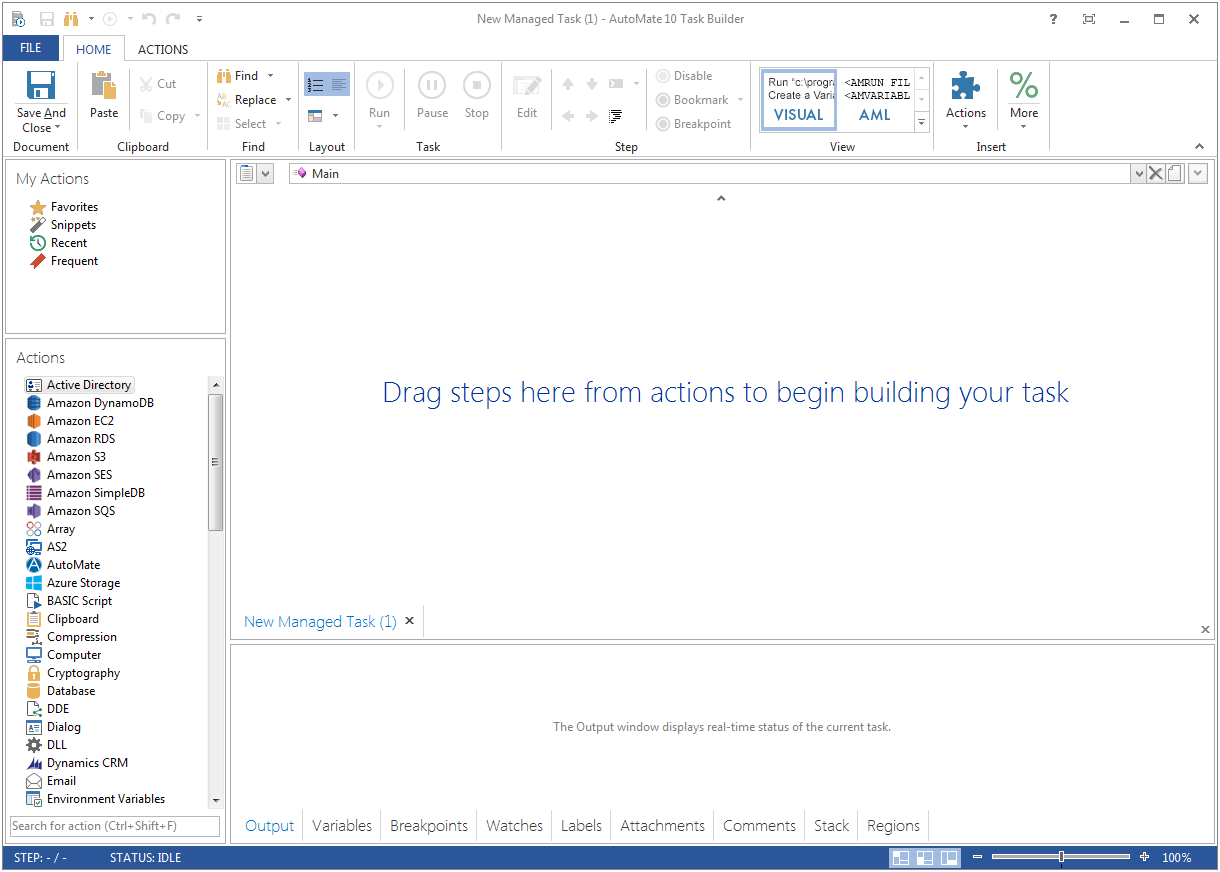
    Fortra’s Automate Screenshots

    Product screenshotProduct screenshot