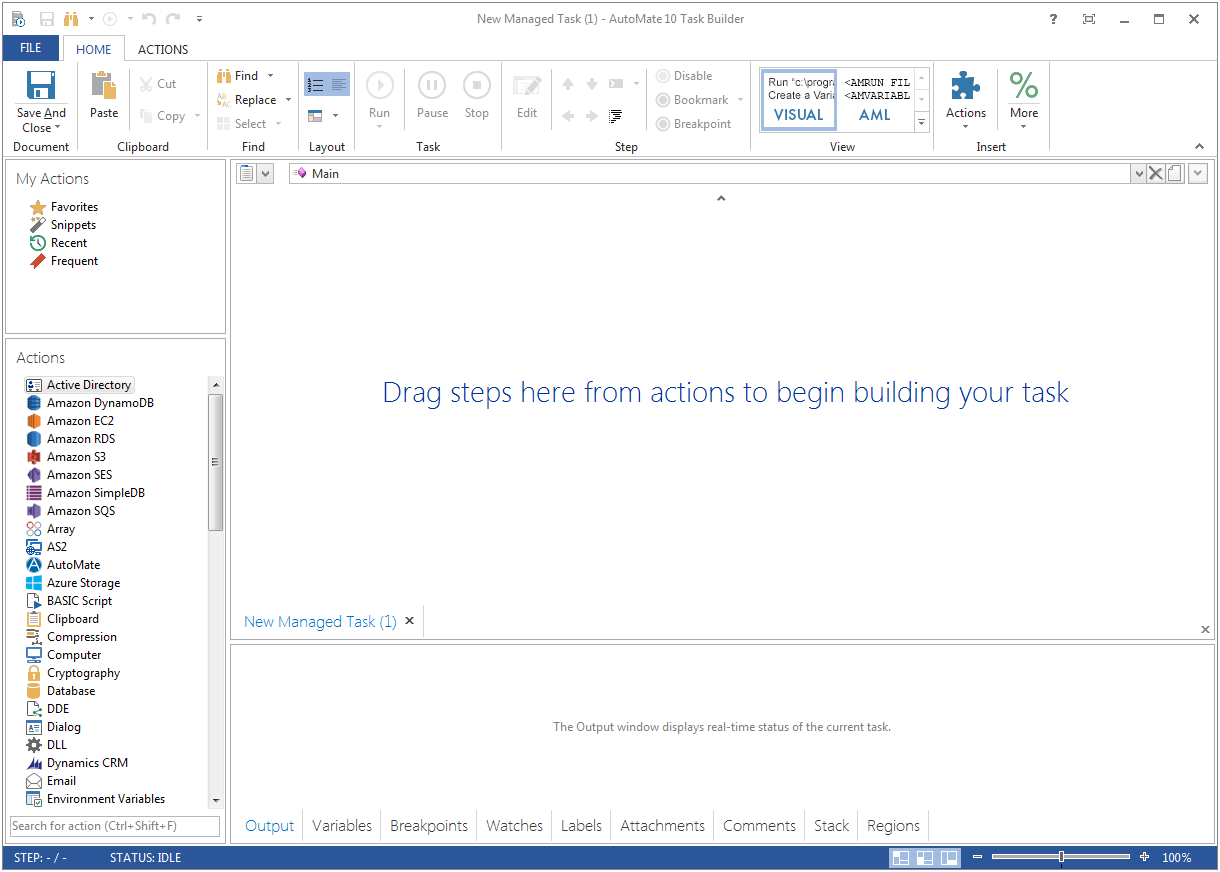
Fortra's Automate (formerly HelpSystems Automate) is a robotic process automation platform for desktop applications. According to the vendor, it offers the ability to automate almost any business process, and no technical expertise is required—IT and business users alike can understand the drag-and-drop interface.
N/A
Komprise
Score10 out of 10
N/A
Komprise is the database development and management solution from the company of the same name in Campbell, California.
It's great for repetitive or regularly scheduled activities like reports or file transfers. However, it's not so good for on-demand activities. It doesn't support task shortcuts to run specific tasks. If it did it would be perfect.
A de minimis incentive was given to thank the reviewer for their time. The incentive was not used to bias or drive a particular response, nor was the incentive contingent on a positive endorsement. More Info
As any other archiving solution, it is very well suited for environments with a large footprint of unstructured data (CIFS / NFS shares for user data) with a large amount of unused/old files and a need to keep those unused files for long term. In our scenario, due to some legal and contractual constraints we need to keep these files for 15 years. Archiving is a good choice to move the unused files to a cheaper storage tier, both on-prem or cloud.
A de minimis incentive was given to thank the reviewer for their time. The incentive was not used to bias or drive a particular response, nor was the incentive contingent on a positive endorsement. More Info
A de minimis incentive was given to thank the reviewer for their time. The incentive was not used to bias or drive a particular response, nor was the incentive contingent on a positive endorsement. More Info
A de minimis incentive was given to thank the reviewer for their time. The incentive was not used to bias or drive a particular response, nor was the incentive contingent on a positive endorsement. More Info
A de minimis incentive was given to thank the reviewer for their time. The incentive was not used to bias or drive a particular response, nor was the incentive contingent on a positive endorsement. More Info
A de minimis incentive was given to thank the reviewer for their time. The incentive was not used to bias or drive a particular response, nor was the incentive contingent on a positive endorsement. More Info
A de minimis incentive was given to thank the reviewer for their time. The incentive was not used to bias or drive a particular response, nor was the incentive contingent on a positive endorsement. More Info
A de minimis incentive was given to thank the reviewer for their time. The incentive was not used to bias or drive a particular response, nor was the incentive contingent on a positive endorsement. More Info
A de minimis incentive was given to thank the reviewer for their time. The incentive was not used to bias or drive a particular response, nor was the incentive contingent on a positive endorsement. More Info
We have used Veritas Enterprise Vault in the past, and besides its being a well-known player on the data archiving market, their tool is far more complex to implement, to manage and to keep working. Komprise is very robust and also very easy to implement, as most part of the job is done on Komprise side. The management console is delivered through a public URL as a SaaS platform. You only need to deploy a few VMs for scan/archiving/user access, which they call "Observer VMs." Komprise also doesn't uses Stub files, which is a poor implementation adopted by the competitor for file access. We had a lot of issues in the past with stub files. Komprise has implemented 'bread crumbs', which are CIFS symlinks to the files on the Observer. It is a very good implementation and it works really well.
A de minimis incentive was given to thank the reviewer for their time. The incentive was not used to bias or drive a particular response, nor was the incentive contingent on a positive endorsement. More Info
It's been a net positive as AutoMate requires less eyes on specific tasks so that people can focus attention elsewhere and do more analysis.
Less manual work also decreases the chances of mistakes and/or missed jobs. Since Automate can schedule everything, send email notifications, etc., there is less time wasted.
A de minimis incentive was given to thank the reviewer for their time. The incentive was not used to bias or drive a particular response, nor was the incentive contingent on a positive endorsement. More Info
A de minimis incentive was given to thank the reviewer for their time. The incentive was not used to bias or drive a particular response, nor was the incentive contingent on a positive endorsement. More Info