Fortra’s Automate vs. Redgate SQL Toolbelt Essentials

Overview
ProductRatingMost Used ByProduct SummaryStarting Price
Fortra’s Automate
Score 8.0 out of 10
N/A
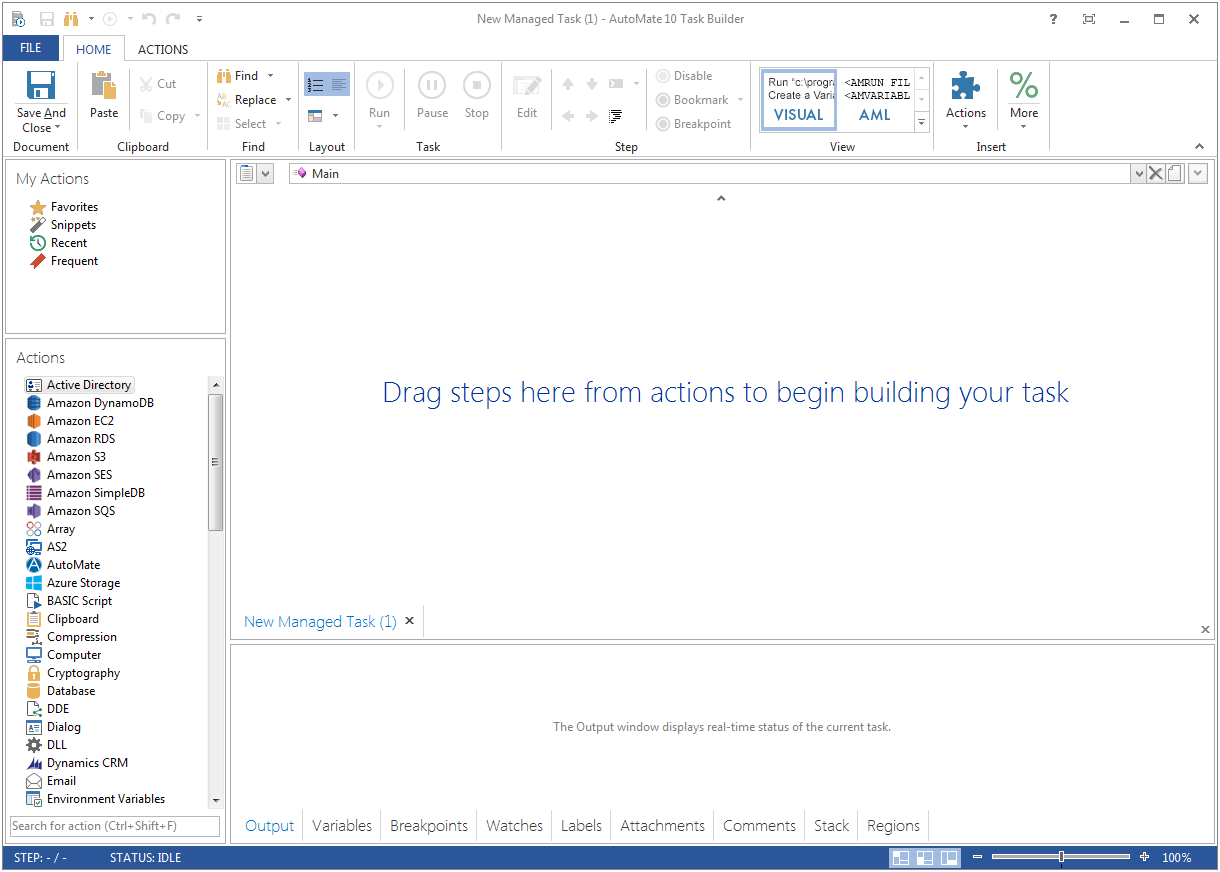
Fortra's Automate (formerly HelpSystems Automate) is a robotic process automation platform for desktop applications. According to the vendor, it offers the ability to automate almost any business process, and no technical expertise is required—IT and business users alike can understand the drag-and-drop interface.N/A
Redgate SQL Toolbelt Essentials
Score 9.5 out of 10
N/A
Redgate's SQL Toolbelt Essentials includes industry-standard tools for SQL Server development & deployment, enabling users to include SQL Server databases in agile processes and enabilng developers to embed robust and scalable development practices.
$1,209
per year per user (1-4 users)
Pricing
Fortra’s AutomateRedgate SQL Toolbelt Essentials
Editions & Modules
No answers on this topic
Offerings
Pricing Offerings
Fortra’s AutomateRedgate SQL Toolbelt Essentials
Free Trial
YesYes
Free/Freemium Version
NoNo
Premium Consulting/Integration Services
YesNo
Entry-level Setup FeeOptionalNo setup fee
Additional Details
More Pricing Information
Community Pulse
Fortra’s AutomateRedgate SQL Toolbelt Essentials
Best Alternatives
Fortra’s AutomateRedgate SQL Toolbelt Essentials
Small Businesses
airSlate WorkFlow
airSlate WorkFlow
Score 9.9 out of 10
DBeaver
DBeaver
Score 8.6 out of 10
Medium-sized Companies
UiPath Automation Platform
Score 8.4 out of 10
DBeaver
DBeaver
Score 8.6 out of 10
Enterprises
UiPath Automation Platform
Score 8.4 out of 10
DBeaver
DBeaver
Score 8.6 out of 10
All AlternativesView all alternativesView all alternatives
User Ratings
Fortra’s AutomateRedgate SQL Toolbelt Essentials
Likelihood to Recommend
10.0
(4 ratings)
8.0
(14 ratings)
Usability
10.0
(1 ratings)
7.0
(1 ratings)
Support Rating
10.0
(1 ratings)
8.6
(5 ratings)
User Testimonials
Fortra’s AutomateRedgate SQL Toolbelt Essentials
Likelihood to Recommend
Fortra
It's great for repetitive or regularly scheduled activities like reports or file transfers. However, it's not so good for on-demand activities. It doesn't support task shortcuts to run specific tasks. If it did it would be perfect.
Read full review
Redgate
We use SQL Compare to troubleshoot performance problems quite a bit since our data model is more like a template and not everything is 100% in sync and customization occurs between different client databases. We continually get pulled into performance issues and the developers will say Client A is performing different than Client B, why? Using SQL Compare, we usually find that one client was tuned and had indexes altered or added that weren't deployed to all clients or other objects weren't deployed correctly during the release. On the other hand, since our data model practices allow client databases to drift I tried to create a new golden image by trying to compare multiple databases based on the same data model and found it to be a very difficult process to complete using SQL Compare. SQL Compare gave me too much information and doesn't allow enough filtering to eliminate a lot of the noise.
Read full review
Pros
Fortra
  • Very detailed task builder. Easy to read step by step a task's operation even if you don't have much programming knowledge.
  • Scheduling for automation jobs is very flexible. Allows us to create all kinds of job schedules as needed.
  • Organization of jobs, tasks, conditions is done well. Allows us to easily manage our items.
Read full review
Redgate
  • Simple and easy comparison of database schemas and data. Differences can be copied or synced from one database to another with a click of a button.
  • You can save "projects" so that you can easily rerun a previous comparison whenever you need to.
  • It has a very simple, easy to learn interface. I've never needed to read any documentation or watch any tutorials in order to figure out how to do something.
Read full review
Cons
Fortra
  • A reporting capability on tasks: enabled, disabled, by folder, by trigger, etc. Currently there is none.
  • An "OR" in their conditional statements - currently there is only "AND".
  • Some kind of temporary backup when changing a task - separate from the current back up/restore functionality (which works well).
Read full review
Redgate
  • Pricing.... I wish there was an inexpensive developer version I could buy for myself.
  • Portability.... I would like to use it from a flash drive so I can use it where ever I am asked to work.
  • Unbundled.... This may be available already but I dont' recall I can buy it cheaply as a stand-alone product. Its only part of the bundle - cost effectively.
Read full review
Usability
Fortra
It's just very easy to use, extremely versatile, and very reliable. It's hard to find use cases where it won't work.
Read full review
Redgate
It's a good tool to have, but becomes expensive to buy a user license for each developer.
Read full review
Support Rating
Fortra
Support is very helpful and responsive, although using the tool is very user-friendly, so I hardly use the service.
Read full review
Redgate
They have a great community website where you can search for answers but are also very responsive when it comes to direct support.
Read full review
Alternatives Considered
Fortra
Read full review
Redgate
I've used Visual Studio Database Projects for this type of work in the past with some success, but Redgate SQL Compare is faster, more transparent, and simply easier to use. Faster is self explanatory. More transparent, means that it's much easier to set up your desired options for schema change deployment scripts. Easier to use, It's really dead simple. Start a project, connect your source, connect destination, click compare.
Read full review
Return on Investment
Fortra
  • It's been a net positive as AutoMate requires less eyes on specific tasks so that people can focus attention elsewhere and do more analysis.
  • Less manual work also decreases the chances of mistakes and/or missed jobs. Since Automate can schedule everything, send email notifications, etc., there is less time wasted.
Read full review
Redgate
  • Makes deployment fairly simple. Cutting our deployment time down.
  • With the SDK, we can customize our deployment process very quickly and easily.
  • History is not great, it does create scripts you can go back and see but it would be nice to have a quicker version view by object to save time.
Read full review
ScreenShots

Fortra’s Automate Screenshots

Screenshot of Screenshot of