Chose Framer
- More intuitive
- Breaks less
- WYSIWYG but then positive
- Breaks less
- WYSIWYG but then positive

| Product | Rating | Most Used By | Product Summary | Starting Price |
|---|---|---|---|---|
 Framer | N/A | Framer is a zero-code website builder offering a fully featured interactive design canvas that’s optimized for designing sites. Alternately, users can start in Figma and copy to Framer later. Framer features a built-in CMS, and optional premium hosting options with customizable application limits, and no hard hosting limits. | $10 per month per site | |
 Slickplan | N/A | Slickplan helps teams and agencies bring order to complex website planning projects – from initial ideas and concepts to production-ready deliverables. Rather than bouncing between docs, spreadsheets and disconnected tools, Slickplan provides a centralized space to structure site architecture, map user flows, plan and create content as well as review designs together. The application's goal is to help users achieve faster launches, fewer revisions, smoother handoffs to… | $11.99 per month |
| Framer | Slickplan | |||||||||||||||
|---|---|---|---|---|---|---|---|---|---|---|---|---|---|---|---|---|
| Editions & Modules |
|
| ||||||||||||||
| Offerings |
| |||||||||||||||
| Entry-level Setup Fee | No setup fee | No setup fee | ||||||||||||||
| Additional Details | 50% discount for annual pricing. | Discount available for annual billing. | ||||||||||||||
| More Pricing Information | ||||||||||||||||
| Framer | Slickplan | |
|---|---|---|
| Considered Both Products | Framer  Maria Sergeeva UX and Content Designer Chose Framer Framer is a good balance between complexity and price. Wix and Tilda look good for even simpler projects, while Framer offers more sophisticated options. But at a certain point of complexity, as I already mentioned - number of pages, complicated automations- I would move to … |  Slickplan No answer on this topic |
| Framer | Slickplan | |
|---|---|---|
| Small Businesses |  Ecwid by Lightspeed Score 10.0 out of 10 | Ecwid by Lightspeed Score 10.0 out of 10 |
| Medium-sized Companies |  10Web Score 7.5 out of 10 | 10Web Score 7.5 out of 10 |
| Enterprises |  Adobe Experience Manager Score 8.6 out of 10 | Adobe Experience Manager Score 8.6 out of 10 |
| All Alternatives | View all alternatives | View all alternatives |
| Framer | Slickplan | |
|---|---|---|
| Likelihood to Recommend | 8.7 (0 ratings) | - (0 ratings) |
| Usability | 9.0 (0 ratings) | - (0 ratings) |
| Framer | Slickplan | |
|---|---|---|
| Likelihood to Recommend |
Maria Sergeeva UX and Content Designer | No answers on this topic |
| Pros |
| No answers on this topic |
| Cons |
| No answers on this topic |
| Usability |
| No answers on this topic |
| Alternatives Considered |
| No answers on this topic |
| Return on Investment |
| No answers on this topic |
| ScreenShots | Slickplan Screenshots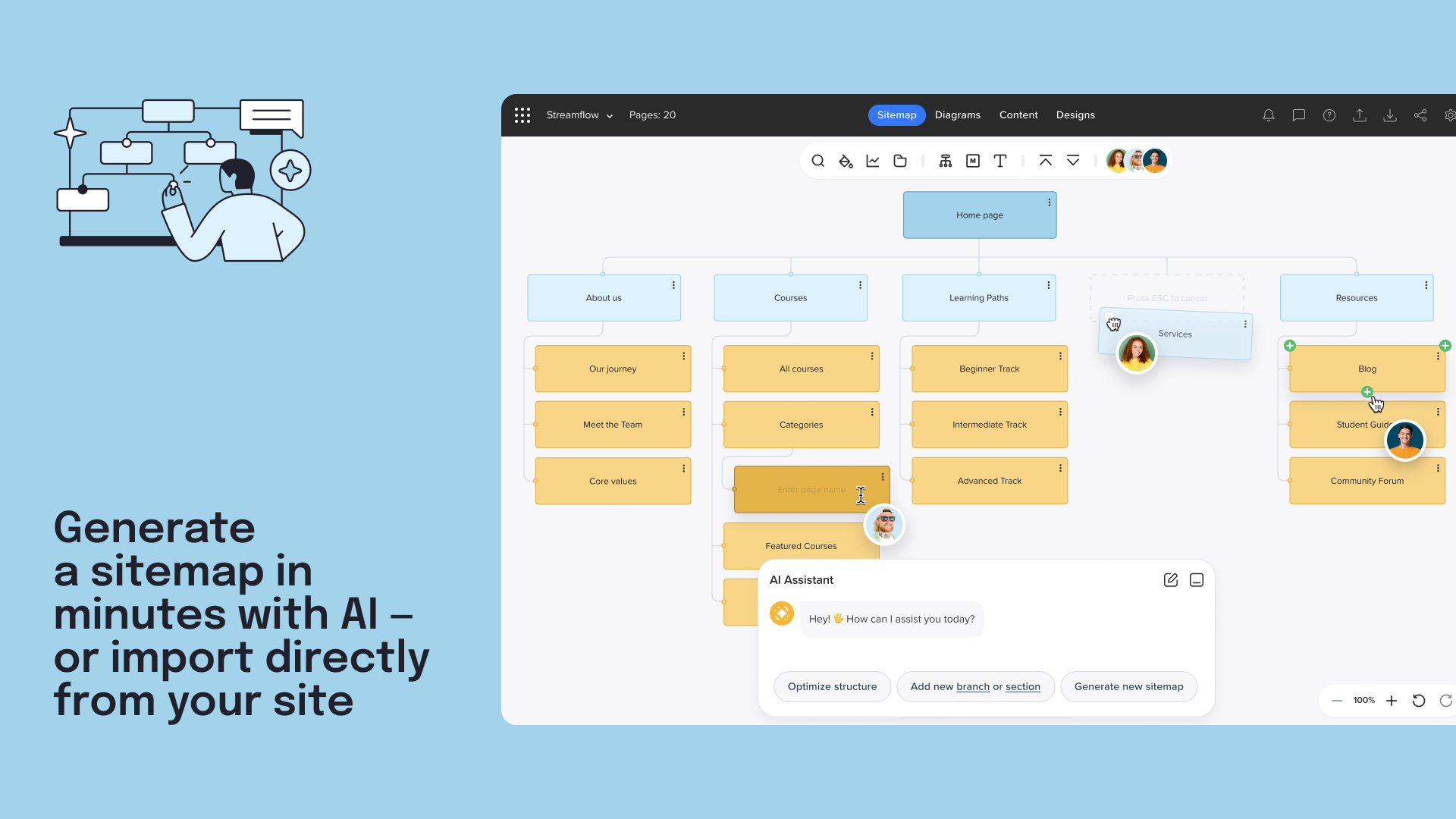      |