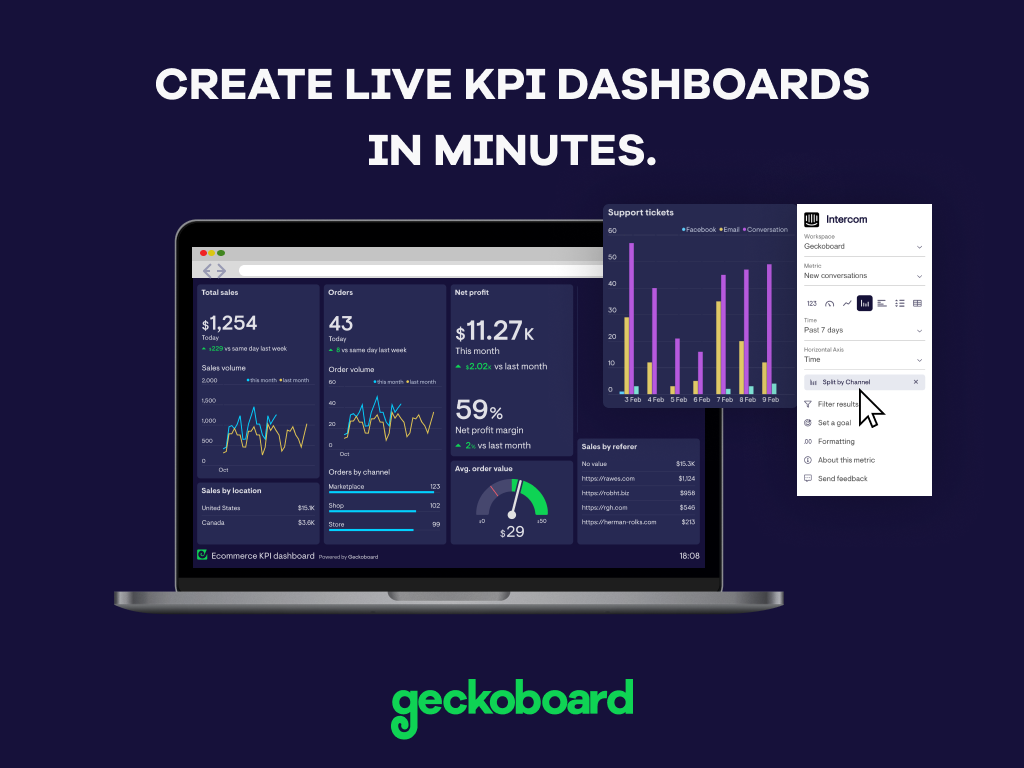
Geckoboard enables users to create real time dashboards using data from over 80 cloud services. It integrates with other products such as: AWeber, Basecamp, Campaign Monitor and HubSpot.
$35
per month
Klipfolio Klips
Score 6.0 out of 10
Small Businesses (1-50 employees)
Klipfolio is a customizable dashboard and reporting platform that provides real-time business insights. It is used by small to mid-sized businesses and agencies to track performance metrics and create tailored reports, and to consolidate, transform, and visualize data.
$90
per month
Tom Sawyer Model-Based Engineering
Score 0.0 out of 10
N/A
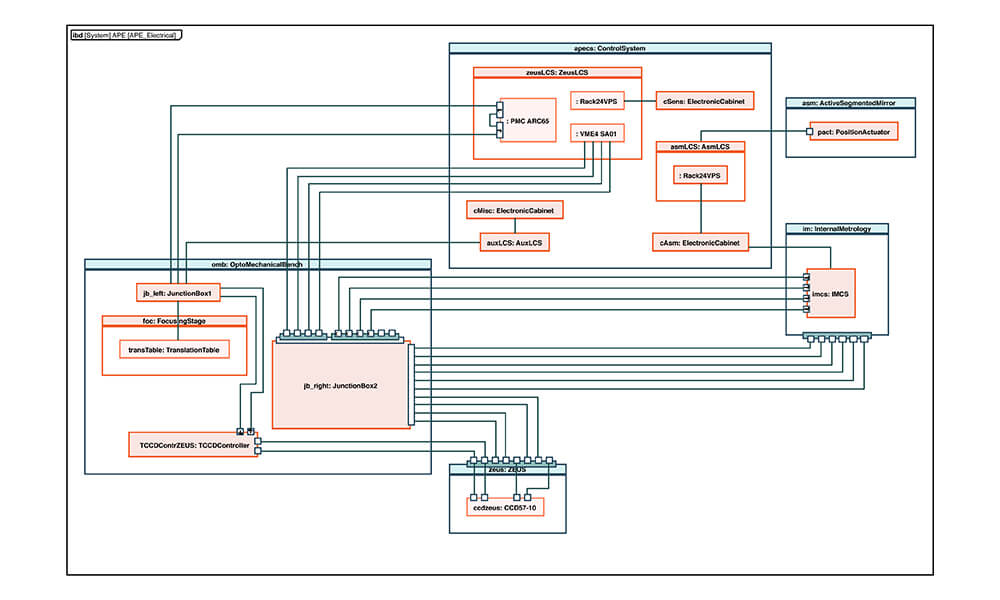
Twenty-first century design and manufacturing depend on digital transformation. That's why model-based systems engineering (MBSE) and diagram automation are taking off. Tom Sawyer aims to help users transform model definitions into rigorous, customized, user-friendly, and highly interactive visualizations. The vendor states that while many organizations are transitioning to an MBSE approach, up to 80% of a modeler’s time is spent validating, rearranging, and reproducing diagram contents…
N/A
Pricing
Geckoboard
Klipfolio Klips
Tom Sawyer Model-Based Engineering
Editions & Modules
Starter
$35
per month
Team
$159
per month
Team Plus
$275
per month
Company
$599
per month
Base
$90
per month
Grow
$190
per month
Team
$350
per month
No answers on this topic
Offerings
Pricing Offerings
Geckoboard
Klipfolio Klips
Tom Sawyer Model-Based Engineering
Free Trial
Yes
Yes
Yes
Free/Freemium Version
Yes
No
No
Premium Consulting/Integration Services
No
No
No
Entry-level Setup Fee
No setup fee
Optional
Optional
Additional Details
—
Discount available for annual pricing. There are various implementation and training options available, from a 60 Day Proof of Concept, to Onboarding & Training, or ongoing dedicated Data Hero support.
Contact sales@tomsawyer.com for business inquiries.
More Pricing Information
Community Pulse
Geckoboard
Klipfolio Klips
Tom Sawyer Model-Based Engineering
Considered Multiple Products
Geckoboard
Verified User
Anonymous
Chose Geckoboard
We are a Google shop and our Analytics and Reporting team have and use GDS. However, Geckoboard can output some of the same types of data (albeit maybe not as granular) and can be used by a wide swath of our users (including project managers, account execs, developers, etc.). …
I find Geckoboard and Klipfolio to be in parallel in terms of performance and presentation. I will say that Klipfolio pulls slightly ahead as it allows for custom branding (great when sharing data with external stakeholders) and having access/edit control based on roles.
Business Analyst (Business Development/Market Valuation)
Chose Geckoboard
Geckoboard is a great dashboard that offers value and simplicity. It is easy to train and use right away. The other systems are more expensive but offer more details.
It was clear that Klipfolio had the edge in terms of the number of third-party connectors and templates available, allowing us to quickly be up and running with various API integrations and visually stunning designs in only an hour. It was a no-brainer for us, and we're glad we …
Compared
to other tools, Klipfolio is a more versatile one. These features allow us to
create a dashboard that can incorporate data from several sources. In many
The responsive and friendly design of the website caught my attention first, after that I realized that the whole site is the same and it is very easy to enter the metrics of each site.
Klipfolio is a more flexible tool when we consider its many functions. These functions allows the us to create a dashboard which can combine multiple data sources. These combinations of data sources often provide deeper insights when compared with other visualization tools. …
Not quite as close but a lot of the data one uses goes to Klipfolio. It would be great if they were to connected more seamlessly. Sometimes using the data in Google Sheets and Google Slides is the easiest option, despite corporate wanting us to use the program more.
Klipfolio had by the far most user-friendly interface with the best visualization I found. The price was below average on the software I compared to when I first purchased Klipfolio back in 2018. Today I primarily use Microsoft Power BI, because it is part of the Microsoft …
Over the years, I have been required to work with other platforms to collect and analyze data for a variety of ad agencies and clients that I have worked with. It really came down to a Goldilocks comparison where we consistently found that dashboard platforms were bloated with …
I chose Klipfolio for its low-cost-of-entry, the easy to use designer/editor and multitude of data sources expecting to outgrow it 'someday', but have yet to encounter any significant limitations that would make me want to switch. Power BI and Tableau both have much larger …
These and many other BI tools are the most direct competitors. I only have experience with Klipfolio and Tableau. Tableau is definitely more capable, but much more difficult to learn and use. Klipfolio is simple and really packs a punch for its simplicity. I have yet to run …
Klipfolio had the best API. We could connect more MarTech with Klipfolio than any other BI tool we used. Klipfolio's API was also the most stable. We ran into connectivity issues with some of the competitors. The metrics wouldn't refresh because the API lost the connection …
Web Analytics and Data dashboarding (consulting mandate)
Chose Klipfolio Klips
Klipfolio is certainly the best solution for dashboards. Compared to Power BI, Power BI is more of an analyst tool to build deep analysis and reports. Making and sharing dashboards in Power BI is a pain. Tableau is great but cost way more. Also, the skills needed to build …
They are all based on a similar methodology (Excel) but I felt Klipfolio had better integrations and their support team has been the difference maker. For a company that needs some hand-holding and guidance, Klipfolio is the right choice.
Klipfolio is the better choice, because they have a better price and upgraded flexible plans, many more data connectors, and a good support from the technical team. The Klip constructor is better in graphs, formulas and they have a "snippet code" for programmers. Works better …
I have not personally tried any other products like Klipfolio, but based on my personal experience Klipfolio has a strong foundation for their platform and I feel its only going to get better over time as they grow. I would encourage people to give a few platforms a try and I …
They have good support, forums, tutorials, webinars, agents to track your progress, klipfolio university, klipfolio gallery and klipfolio insiders with all the rewards.
A beautiful UI, with visuals that interest even those that hate staring at data. It's well suited for small to medium-sized businesses/corporations in which high-level sharing of data between teams is required -- the larger the distance between teams, the better as it's a great tool for level-setting on complex data. It would be less appropriate for small businesses, or those that do not need to summarize complex data to share with those not familiar with the data source
It's a piece of software that's capable of almost anything. Dynamic variables can be changed in real-time via the interface's UI/UX and UI/UX customizations. As a result, it can always keep its database up-to-date and obtain the most current information from a variety of sources. The Klip customer service team is extremely friendly and helpful. Every time a problem with the Klip setup arises, they're there to help. As a result of their activities, they try to work with the group's experience.
Dashboard design. Super simple and easy to set up, move and size components, and display.
Klip creation. This is report/chart creation. Klipfolio straddles the line well between ease-of-use and robust capability for data crunching and visualization.
Data sync. I have had very few data sync issues. The sync just works and it is very light-weight on API calls.
Multiple data source formats. You can make data sources in JSON, Summarized View, and Detailed View.
Modeled data sources. You can create modeled versions of any data source, which allows you to lock in data formats, add columns (including formula columns), and more.
Team permissions. I have been able to set team permission sets and use that to display the given dashboards around the office. With this, I can control who has access to which data.
Chart options. There is a great selection of chart types to choose from.
Great support. Their support staff has always been very responsive—almost always immediate. I have always been able to resolve my issues with them.
Onboarding. The process of setting up a new client for a dashboard can be a little tedious.
File size upload and third-party integrations. I have been limited to the size of the .csv file we were uploading but we were able to find a workaround.
With a simple interface and available templates, creating basic dashboards is easy. Obviously depending on the data you want to visualize, there may be higher learning curves. That being said, they have a huge amount of integrations and extensible frameworks. If you are using anything made in the past ten years there is an API function or integration that can get it talking to the platform. As such, it's pretty easy to hit the main data points you want and get it on a cheap display in front of your team.
My initial impressions of the software have been extremely positive. There are YouTube tutorials that explain how to make klips. The intuitive design of the UI It appears that everything in this software has been thoroughly tested to create all the visualizations that can be imagined as well as the user input controls that allow users to have exactly the data they want to be displayed in seconds, considering the various functions and formulas available in the Excel integrations and the extensive list of other services that can be integrated.
The support levels vary based on the level of plan that you have but that's to be expected. Virtually everything except the Enterprise plan has basic chat/email support. While they are responsive they are not going to be much assistance in helping you figure out API calls or implementing 3rd party integrations. That is to be expected and the support community can pretty much get you in the right direction if you look.
It provides all the necessary information to be able to carry out the analysis of any type of business, to know how money is managed virtually, what to do to have greater visibility, in addition to being a platform that is always accessible and allows continuous and efficient work.
We are a Google shop and our Analytics and Reporting team have and use GDS. However, Geckoboard can output some of the same types of data (albeit maybe not as granular) and can be used by a wide swath of our users (including project managers, account execs, developers, etc.). We can also save and reuse boards for similar products and get our data in front of the eyes that need to see it quickly without a lot of fuss.
It was clear that Klipfolio had the edge in terms of the number of third-party connectors and templates available, allowing us to quickly be up and running with various API integrations and visually stunning designs in only an hour. It was a no-brainer for us, and we're glad we went with them instead of the other options.
While we originally used this as an internal IS tool, we eventually have expanded it to be used by nearly every department.
Because pricing is monthly, we can grow or decrease our usage based on our current client needs.
Because it is low cost and easy to deploy, we can utilize it in place of considerable resources in analytics and reporting by delivering snapshots of data without pulling reports.
Klipfolio not only delivers great-looking dashboards, but it makes our agency look awesome to our clients!
Klipfolio is one of the few platforms that we have implemented where the minimal investment has consistently provided maximum results in the return on our investment.
Not only had Klipfolio proven to be a fiscally smart - money-saving - move, but has also proven to be a great time saver as well.
Thanks to Klipfolio we spend less time having to pull data and have more time to analyze and strategize for our reporting and recommendations to our clients.