Geosite vs. IGiS Desktop (Powered by Scanpoint Geomatics Limited)

Overview
ProductRatingMost Used ByProduct SummaryStarting Price
Geosite
Score 9.0 out of 10
N/A
Geosite is a SaaS platform providing geospatial data for reconnaissance, planning and operations in real-time.N/A
IGiS Desktop (Powered by Scanpoint Geomatics Limited)
Score 7.0 out of 10
N/A
IGiS Desktop provides advanced GIS software for GIS mapping and image processing by aiming to use innovative ways of analyzing, visualizing, and processing geographic data. IGiS Desktop aims to redefine the GIS software industry with integrated GIS mapping, and image processing capabilities with advanced analysis extensions on a single platform. It makes collaboration easy with OGC-supported platforms. Standardized UI and ribbon-based navigation make the user-interface intuitive and…N/A
Pricing
GeositeIGiS Desktop (Powered by Scanpoint Geomatics Limited)
Editions & Modules
No answers on this topic
Offerings
Pricing Offerings
GeositeIGiS Desktop (Powered by Scanpoint Geomatics Limited)
Free Trial
NoNo
Free/Freemium Version
NoNo
Premium Consulting/Integration Services
NoNo
Entry-level Setup FeeNo setup feeNo setup fee
Additional DetailsContact vendor for pricing information
More Pricing Information
Community Pulse
GeositeIGiS Desktop (Powered by Scanpoint Geomatics Limited)
Best Alternatives
GeositeIGiS Desktop (Powered by Scanpoint Geomatics Limited)
Small Businesses
ArcGIS
ArcGIS
Score 8.0 out of 10
ArcGIS
ArcGIS
Score 8.0 out of 10
Medium-sized Companies
ArcGIS
ArcGIS
Score 8.0 out of 10
ArcGIS
ArcGIS
Score 8.0 out of 10
Enterprises
ArcGIS
ArcGIS
Score 8.0 out of 10
ArcGIS
ArcGIS
Score 8.0 out of 10
All AlternativesView all alternativesView all alternatives
User Ratings
GeositeIGiS Desktop (Powered by Scanpoint Geomatics Limited)
Likelihood to Recommend
9.0
(1 ratings)
-
(0 ratings)
User Testimonials
GeositeIGiS Desktop (Powered by Scanpoint Geomatics Limited)
Likelihood to Recommend
Geosite
Geosite can be used brilliantly if you have the final format ready as per your need, it can aggregate, clean, compile & summarize data as per your liking & recommendations & can even help in simplifying the summary as per the understanding levels of target audience, however if you do not have a specific format for summaries in mind, it can struggle to make sense of raw data & present it appealingly in a visual format which can be easier to go through rather than just a large set of numbers.
Read full review
Scanpoint Geomatics Limited
No answers on this topic
Pros
Geosite
  • Aggregating data across multiple platforms
  • Cleaning data very effectively to keep only the most relevant bits
  • Creating context from raw data for analysis & implementation
Read full review
Scanpoint Geomatics Limited
No answers on this topic
Cons
Geosite
  • Ability to quickly transform numbers to visual representation needs an overhaul
  • More customization options when it comes to presenting raw data
  • Transforming aggregated data into context driven summaries need to be more elaborate
Read full review
Scanpoint Geomatics Limited
No answers on this topic
Return on Investment
Geosite
  • Representing data visually has helped us in delivering trainings effectively
  • Converting raw data to context based summaries has cut down on project TAT significantly
  • More options are needed however to visualize the data from numbers to charts/graphs
Read full review
Scanpoint Geomatics Limited
No answers on this topic
ScreenShots

IGiS Desktop (Powered by Scanpoint Geomatics Limited) Screenshots
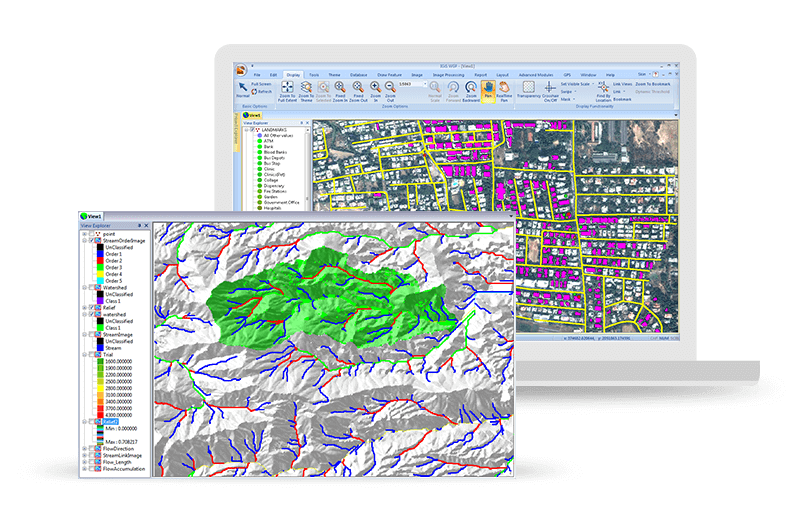
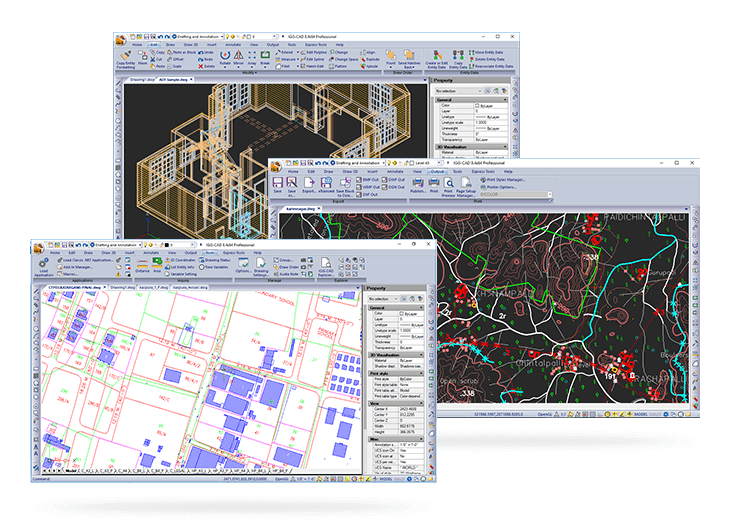
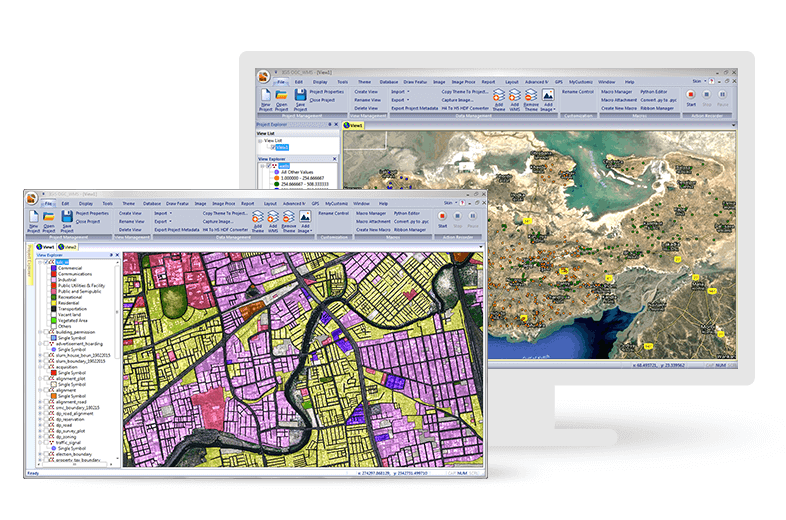
Screenshot of Easily Create, View and Analyse Your Geospatial Data: Next-generation cartographic and visualisation tools for conceptualisation, production, dissemination, and analysis of 2D and 3D maps. It is a 64-bit, Unicode compliant Desktop GIS with an intuitive user interface where data can be viewed in multiple tabs using Multiple Document Interface (MDI).Screenshot of Make Your Life Simpler with Integrated IGiS Software: IGiS aims to redefine the GIS industry with integrated GIS and Image Processing capabilities with advanced analysis extensions on a single platform. Being an OGC compliant platform, makes it easy to collaborate in heterogeneous environment. Standardized UI and ribbon-based navigation makes it easy to use and adapt.Screenshot of Advanced Geo-Processing: IGiS has advanced tools for GIS data conversion, analysis, and visualisation. Advance geospatial users can effectively use tools like Topology creation, Geo-processing, overlay analysis, attribute query builder for desired analysis and output.Screenshot of Efficient Image Processing: IGiS has a rich array of tools and analytical models to analyse and process images. It can manage a multitude of image sources like aerial, satellite, optical, microwave, LIDAR, stereo, GPR, and more. Through smart modelling techniques, IGiS efficiently visualises, analyses, and processes image data, identify patterns, explore changes over time, and carry out scientific analysis to understand spatial relationships.Screenshot of Integrated CAD Tool: IGiS CAD is an extensive mapping tool with cartographic as well as engineering capabilities for mapping real-world objects. IGiS CAD has efficient, fast, user-friendly and feature rich tool to convert and digitize 2D and 3D GIS data. Using Coordinate Geometry (COGO) descriptions, users can accurately create features from any engineering drawing sources and geo-reference them into the GIS database.Screenshot of Manage and Analyse Data Seamlessly: IGiS enables you to store, manage, and edit geospatial data seamlessly. It is a comprehensive tool that supports data integration for a wide range of geospatial data formats including real-time sensor data and big data. Compliance to OGC Standards enables you to store and share data through privileged authentication.