GForge vs. TechExcel DevSuite

Overview
ProductRatingMost Used ByProduct SummaryStarting Price
GForge
Score 0.0 out of 10
Enterprise companies (1,001+ employees)
GForge is a DevOps and project management platform offering tools for tickets, code, documentation, and collaboration. Available as both cloud-hosted SaaS and on-premise installation, GForge supports air-gapped networks and offline deployment - making it a fit for defense contractors, aerospace companies, and other organizations with strict security or compliance requirements. Core Capabilities Project Management: Customizable trackers…
$6
per month per user
TechExcel DevSuite
Score 9.2 out of 10
N/A
TechExcel in Lafayette, California offers DevSuite, an application lifecycle management (ALM) platform.N/A
Pricing
GForgeTechExcel DevSuite
Editions & Modules
Standard
$6
per month per user
No answers on this topic
Offerings
Pricing Offerings
GForgeTechExcel DevSuite
Free Trial
YesNo
Free/Freemium Version
YesNo
Premium Consulting/Integration Services
YesNo
Entry-level Setup Fee$2,000 one-time fee per installationNo setup fee
Additional DetailsAll features are included at every pricing level - there are no add-on modules or tiered feature gates. The first 5 users are free on both SaaS and on-premise deployments. Enterprise licensing is available for organizations that need to deploy multiple on-premise instances without separate procurement for each installation. Contact GForge Group for enterprise pricing.
More Pricing Information
Community Pulse
GForgeTechExcel DevSuite
Best Alternatives
GForgeTechExcel DevSuite
Small Businesses
Polarion ALM
Polarion ALM
Score 9.9 out of 10
Polarion ALM
Polarion ALM
Score 9.9 out of 10
Medium-sized Companies
Polarion ALM
Polarion ALM
Score 9.9 out of 10
Polarion ALM
Polarion ALM
Score 9.9 out of 10
Enterprises
Polarion ALM
Polarion ALM
Score 9.9 out of 10
Polarion ALM
Polarion ALM
Score 9.9 out of 10
All AlternativesView all alternativesView all alternatives
User Ratings
GForgeTechExcel DevSuite
Likelihood to Recommend
-
(0 ratings)
8.0
(1 ratings)
Support Rating
-
(0 ratings)
8.0
(1 ratings)
User Testimonials
GForgeTechExcel DevSuite
Likelihood to Recommend
The GForge Group, Inc
No answers on this topic
TechExcel
DevSuite helps us as a company collaborate on how to best manage the requirements and specifications of a technical design. It allows us to create, organize, manage and visualize requirements and specifications, so everyone has access to the same information and is able to use version control to make things easier.
Read full review
Pros
The GForge Group, Inc
No answers on this topic
TechExcel
  • Building apps.
  • Development.
  • Project management.
Read full review
Cons
The GForge Group, Inc
No answers on this topic
TechExcel
  • Collaboration.
  • Functionality.
  • Ease of use.
Read full review
Support Rating
The GForge Group, Inc
No answers on this topic
TechExcel
I'd say it offers pretty much all of the functionality that we need, including scrum, talk mgmt, multiple workflows, full audits, MS Office integration, and many other things. We really can't complain, as it's doing basically exactly what we were promised it would. Pricing is fair and has not gone up.
Read full review
Alternatives Considered
The GForge Group, Inc
No answers on this topic
TechExcel
We were given a really good recommendation from a trusted partner on the implementation and use of this tool, so while we looked at other solutions like Microfocus and Inflectra, but we were pretty convinced we would go with DevSuite from pretty early on in the selection process. We knew it would accomplish what we needed it to, and the price was quite fair.
Read full review
Return on Investment
The GForge Group, Inc
No answers on this topic
TechExcel
  • Scalability.
  • Planning and organization.
  • Development.
Read full review
ScreenShots

GForge Screenshots

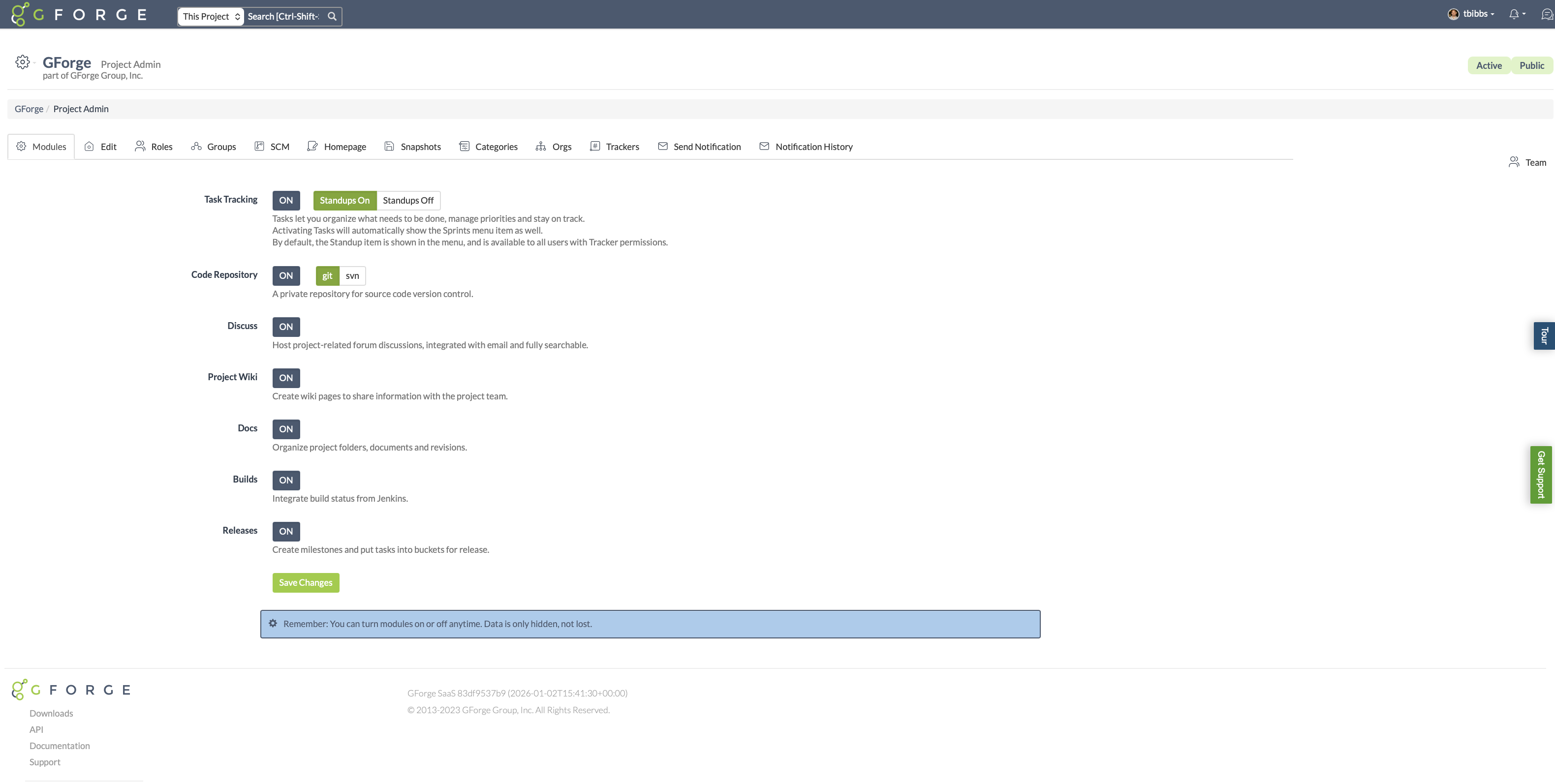
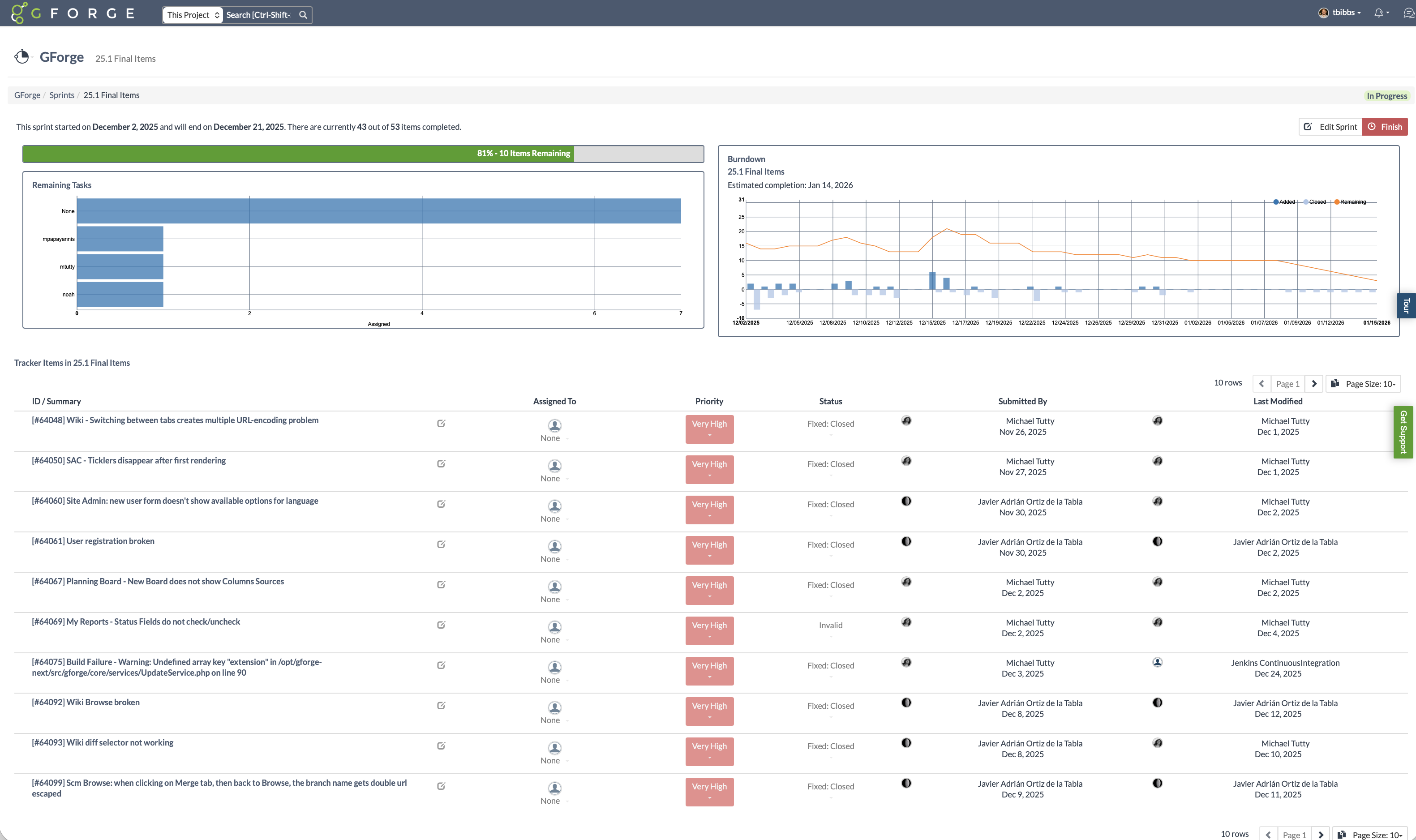
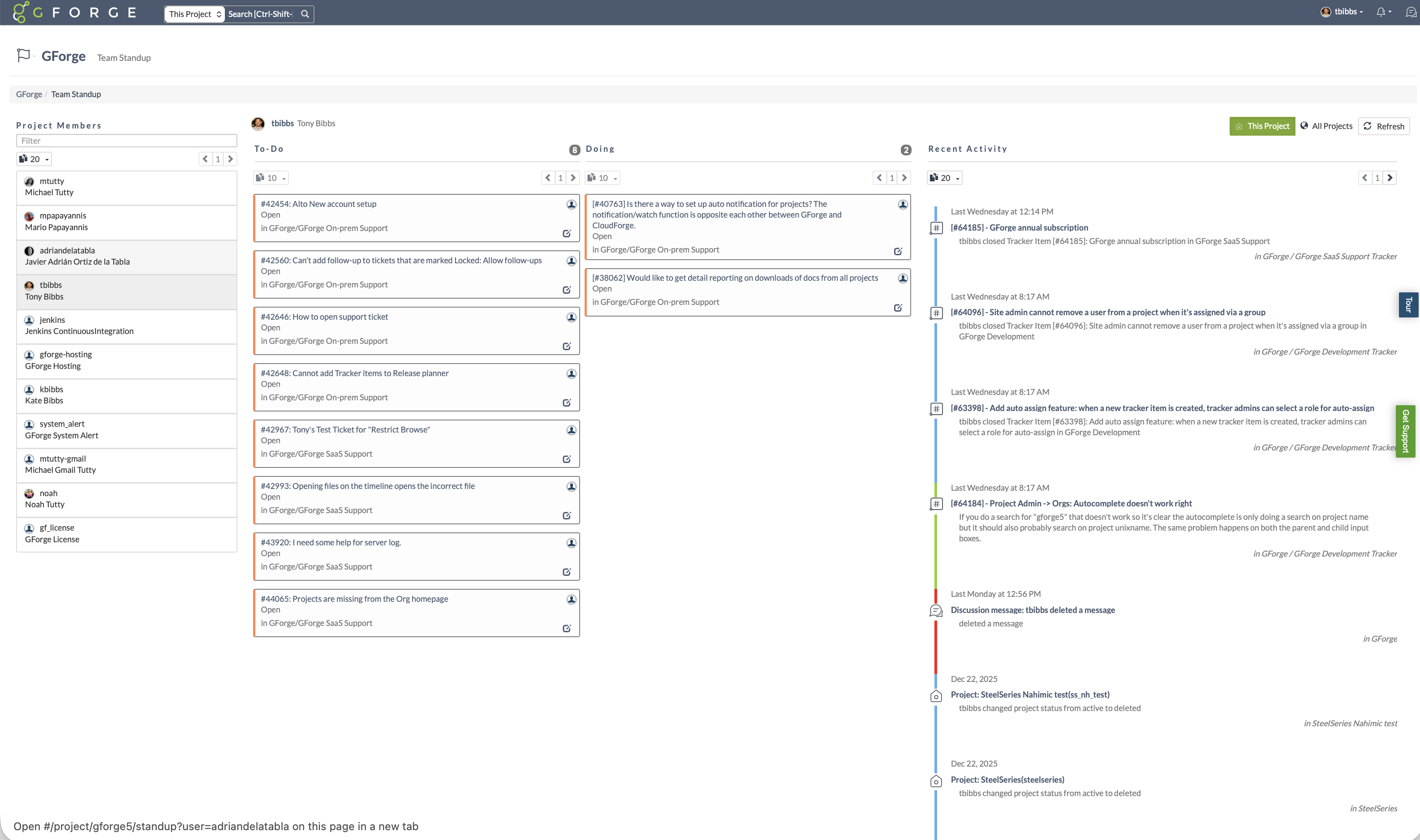
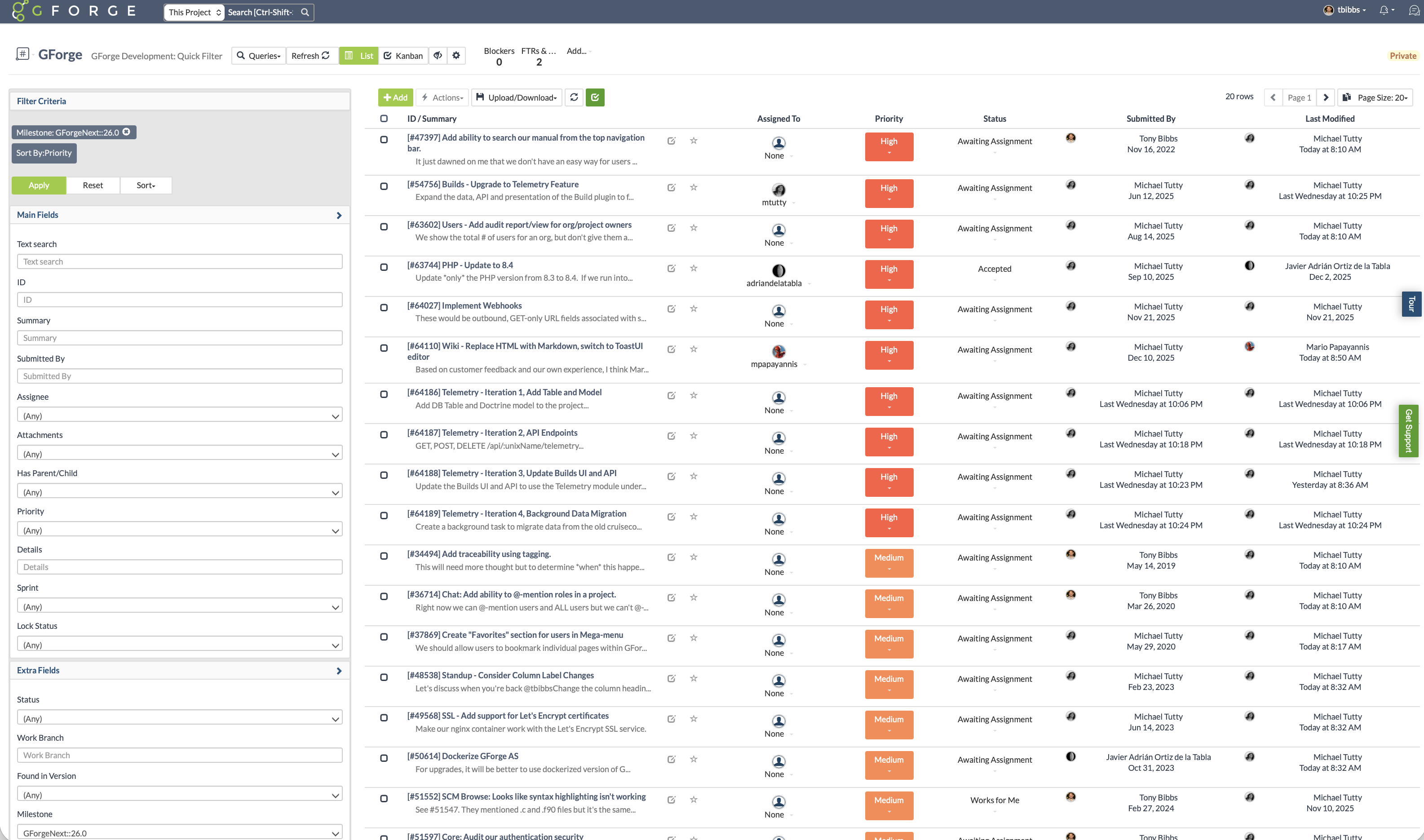
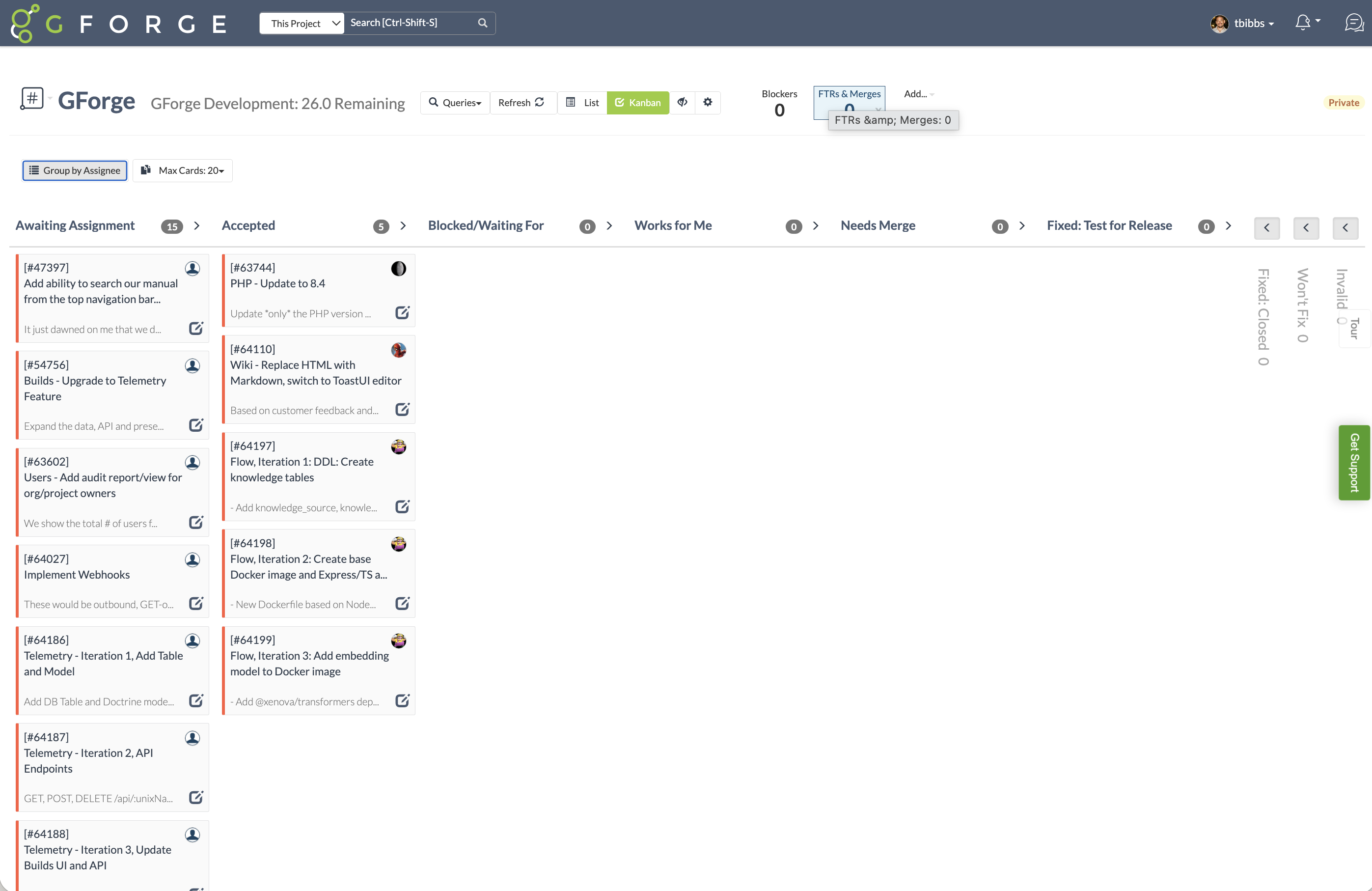
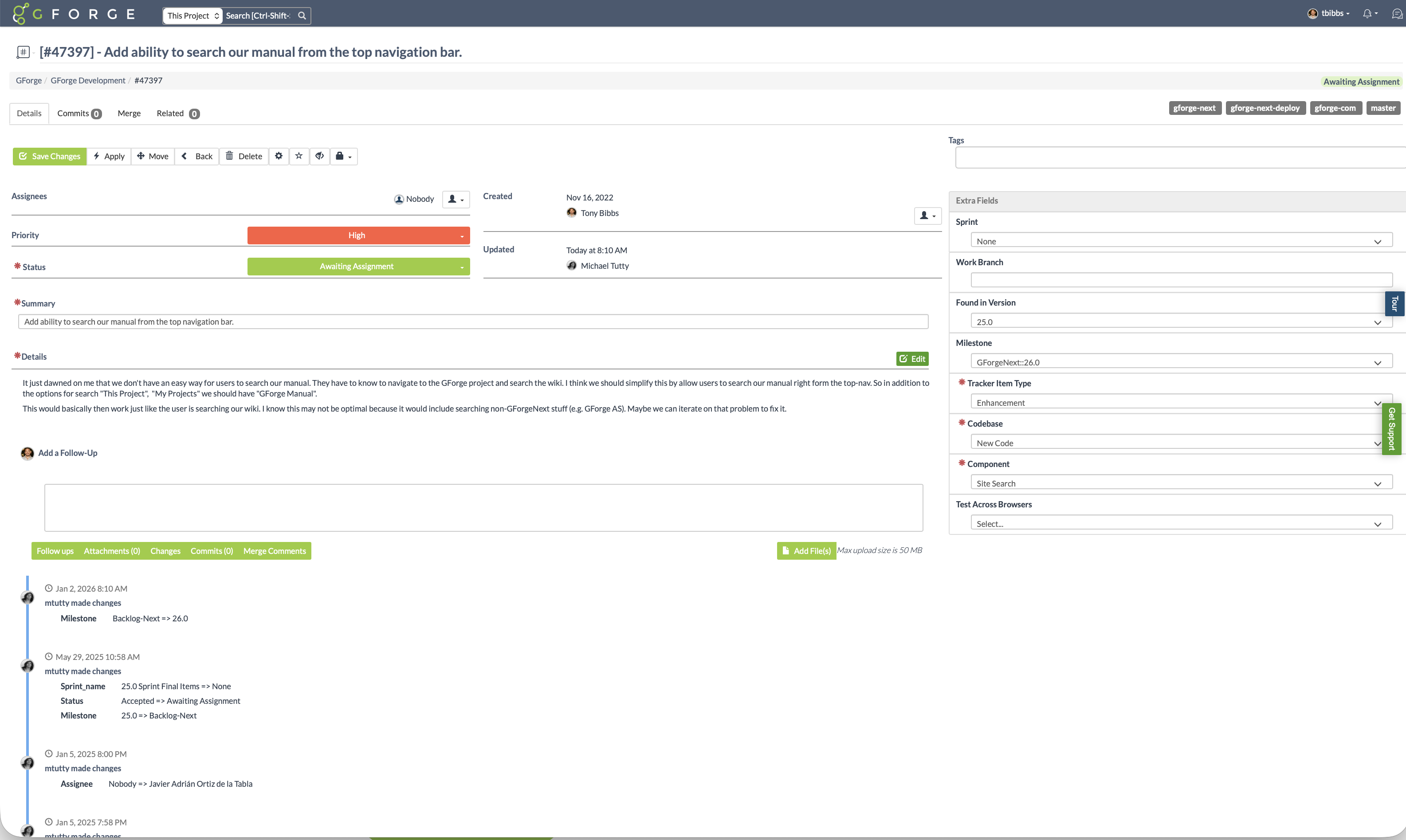
Screenshot of Use only the features you need. GForge lets project administrators enable or disable task tracking, source control (Git or SVN), wiki, documents, builds, and releases at any time. GForge scales up or down with your project - without losing data.Screenshot of Track sprint progress with visual burndown charts and estimated completion dates. See remaining tasks by assignee, monitor velocity, and keep releases on track - all integrated with your trackers and milestones.Screenshot of See what everyone is working on at a glance. The standup view shows each team member's to-do and in-progress items alongside a real-time activity stream - replacing the need for daily status meetings or separate standup tools.Screenshot of Filter and sort issues by milestone, priority, status, assignee, or any custom field. Save filtered views for quick access to the tasks that matter most - whether that's your current sprint backlog, high-priority bugs, or items awaiting assignment.Screenshot of Visualize workflow with drag-and-drop Kanban boards. Cards move through customizable status columns as work progresses - switch between Kanban and list views with one click.Screenshot of Every issue captures the full picture: priority, status, custom fields, file attachments, and linked commits. A complete change history shows who changed what and when - providing full traceability from request to release.