TrustRadius: an HG Insights company

Save this comparison

Save this comparison

Add Product

Recommended Comparisons

    Overview
    ProductRatingMost Used ByProduct SummaryStarting Price

    GitGuardian

    Score9 out of 10
    N/AGitGuardian is an end-to-end NHI security platform designed to help organizations strengthen their Non-Human Identity (NHI) security posture and address compliance standards and regulations. As attackers increasingly target NHIs, such as service accounts, service principals, and applications, protecting and managing these critical assets has become paramount. NHIs rely on “secrets” like API keys and certificates for authentication, and their rapid proliferation has led to significant…

    $0

    (for individuals or up to 25 devs)

    Patch My PC Patch Management

    Score9.1 out of 10
    Enterprise companies (1,001+ employees)
    Software that extends Microsoft Configuration Manager to deploy and patch third-party applications. It is designed to handle the tedious task of packaging, testing, troubleshooting, and deploying applications in the environment. The software automates the creation and patching of third-party applications. Optionally, users can configure automatic deployment rules for complete automation and control over third-party patch management in the enterprise.

    $1

    per year per seat

    Pricing
    GitGuardianPatch My PC Patch Management
    Editions & Modules
    Small Teams - 1-25 developers
    $0
    per developer in the perimeter
    Standard 26-100 developers
    $18
    per developer in the perimeter
    Standard - 26 to 100 developers
    $18
    developer per month
    Enterprise - above 100 developers
    adhoc
    developer
    Basic
    $1
    per year per seat
    Enterprise
    $2
    per year per seat
    Intune Essentials
    $3.25
    per year per seat
    Enterprise Plus
    $3.50
    per year per seat
    Offerings
    Pricing Offerings
    GitGuardianPatch My PC Patch Management
    Free Trial
    YesYes
    Free/Freemium Version
    YesNo
    Premium Consulting/Integration Services
    NoNo
    Entry-level Setup FeeNo setup feeNo setup fee
    Additional Details——
    More Pricing Information
    Community Pulse
    GitGuardianPatch My PC Patch Management
    Considered Both Products
    GitGuardian
    No answer on this topic
    Patch My PC
    No answer on this topic
    Key User Insights
    Would buy again
    100%
    Would buy again
    23 Answers
    No answers on this topic
    Delivers good value for the price
    100%
    Delivers good value for the price
    20 Answers
    No answers on this topic
    Happy with the feature set
    100%
    Happy with the feature set
    23 Answers
    No answers on this topic
    Lived up to sales and marketing promises
    100%
    Lived up to sales and marketing promises
    19 Answers
    No answers on this topic
    Implementation went as expected
    100%
    Implementation went as expected
    22 Answers
    No answers on this topic
    Features
    GitGuardianPatch My PC Patch Management
    Threat Intelligence
    Comparison of Threat Intelligence features of GitGuardian and Patch My PC Patch Management
    Feature
    GitGuardian
    -
    Ratings
    Patch My PC Patch Management
    10.0
    1 Ratings
    21% above category average
    Vulnerability Classification00 Ratings10.01 Ratings
    Vulnerability Management Tools
    Comparison of Vulnerability Management Tools features of GitGuardian and Patch My PC Patch Management
    Feature
    GitGuardian
    -
    Ratings
    Patch My PC Patch Management
    10.0
    1 Ratings
    18% above category average
    Vulnerability Intelligence00 Ratings10.01 Ratings
    Best Alternatives
    GitGuardianPatch My PC Patch Management
    Small Businesses
    GitLab
    Score8.9 out of 10
    No answers on this topic
    Medium-sized Companies
    GitLab
    Score8.9 out of 10
    Tenable Nessus
    Score8.8 out of 10
    Enterprises
    GitLab
    Score8.9 out of 10
    Tenable Vulnerability Management
    Score8.9 out of 10
    All AlternativesView all alternativesView all alternatives
    User Ratings
    GitGuardianPatch My PC Patch Management
    Likelihood to Recommend
    9.0
    (23 ratings)
    10.0
    (1 ratings)
    Likelihood to Renew
    -
    (0 ratings)
    10.0
    (1 ratings)
    Implementation Rating
    -
    (0 ratings)
    10.0
    (1 ratings)
    User Testimonials
    GitGuardianPatch My PC Patch Management
    Likelihood to Recommend
    GitGuardian
    I do think it'll absolutely fit everyone who codes integrates with another platform or services. We all forget that one credentials one in a while, and especially those who managed public repository, it is important to keep an eye on accidentally committed credentials. While I think you don't really needs it for personal project, it's a nice to have, you don't want to waie up to 50k USD of sudden surcharge on resources you don't use.
    Incentivized
    Read full review
    Patch My PC
    I highly recommend Patch My PC to businesses of all types and sizes. The tool is highly customizable and can meet the needs of any organization. It is easy to implement with Configuration Manager (SCCM) and Intune and can be set up within a matter of minutes.
    Read full review
    Pros
    GitGuardian
    • GitGuardian monitors every public or private GitHub commit ( that have GitGuardian installed) and event in real-time for secrets and sensitive data. In a leak scenario it immediately notifies us.
    • It uses sophisticated pattern matching techniques to detect credentials that cannot be strictly defined with a distinctive pattern (like unprefixed credentials)
    • It covers several API providers, database connection strings, private keys, certificates, usernames and passwords etc
    • GitGuardian have high True Positive Rate of around 91% and reduces alert fatigue with smart occurrences regrouping
    Read full review
    Patch My PC
    • Great customer support
    • Automation of application creation and updates
    • Easy to integrate and manage
    Read full review
    Cons
    GitGuardian
    • Improved user interface: It would be beneficial to have a more intuitive and user-friendly interface for Internal Monitoring on GitGuardian. This would make it easier for users to quickly access the data they need and understand the results of their scans.
    • Automated alerts: It would be helpful to have automated alerts when certain conditions are met, such as when a scan reveals sensitive data or when a new repository is created. This would help users stay informed and take action in a timely manner.
    • More detailed reports: Currently, Internal Monitoring reports are limited in terms of the depth of information they provide. It would be useful to have more detailed reports that include additional metrics, such as the number of repositories scanned and the types of sensitive data found.
    • Faster scan times: Scan times can be slow at times, making it difficult to stay on top of changes in repositories quickly. It would be beneficial to have faster scan times so that users can take action quickly when needed.
    Read full review
    Patch My PC
    • SAS solution
    • Be able to select a specific application version for deployment
    Read full review
    Likelihood to Renew
    GitGuardian
    No answers on this topic
    Patch My PC
    I consider Patch My PC a necessary tool for any environment I manage. I cannot imagine managing an environment without it, as the time and effort it saves is invaluable.
    Read full review
    Implementation Rating
    GitGuardian
    No answers on this topic
    Patch My PC
    The implementation is super easy, specially if you're just Integrating it with Intune.
    Read full review
    Alternatives Considered
    GitGuardian
    I've evaluated quite a few other tools, like git-secrets, Git-leaks, scan, and maybe a few more. They're all great but quite surprisingly none of them detected Github OAuth Secrets for us. A lot of the FOSS tools out there focus on much simpler, generic secrets, which is good in itself but with GitGuardian, it was dead simple from day one. I just connected our Github Account and set up the gg-shield cli and that was all.
    Incentivized
    Read full review
    Patch My PC
    Patch My PC is a tool developed and maintained by experienced systems administrators, who have a deep understanding of the workings of Configuration Manager (SCCM) and Intune. They know what it takes to successfully deploy applications to end-users, making the tool an ideal choice for managing software updates and deployments.
    Read full review
    Return on Investment
    GitGuardian
    • GitGuardian Internal Monitoring has had a positive impact on our overall business objectives. By providing visibility into our code repositories and alerting us to potential security risks, we have been able to identify and mitigate security issues before they become a problem. This has allowed us to focus more on developing our product and less on responding to security incidents. We have also seen an increase in customer confidence in our product as a result of using GitGuardian Internal Monitoring, which has led to increased customer loyalty and retention. Overall, the ROI of using GitGuardian Internal Monitoring has been very positive for our business.
    • We have seen an increase in the security of our codebase, as well as an improvement in the speed and accuracy of our code reviews. This has enabled us to quickly identify and address any potential security issues before they become a problem. Additionally, we have seen an increase in our ROI as a result of using GitGuardian Internal Monitoring, as it has allowed us to save time and money by preventing costly security breaches.
    • No more.
    Read full review
    Patch My PC
    • Saves countless hours on manually packaging applications
    • Saves countless hours on investigating what applications in your environment needs updated
    • saves you 1-3 headcounts in your department
    Read full review
    ScreenShots

    GitGuardian Screenshots

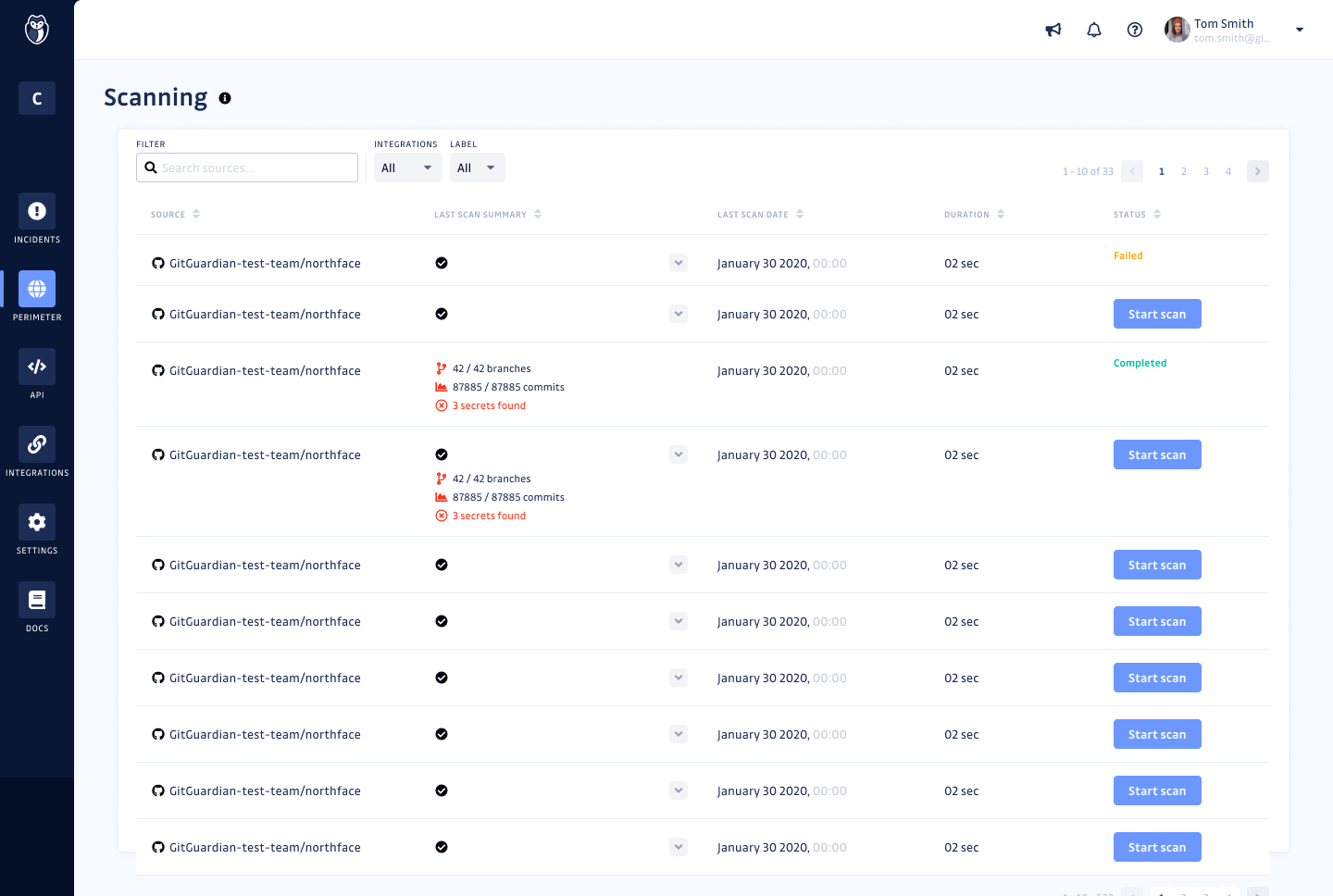
    Screenshot of GitGuardian Internal Monitoring - Monitoring ScreenScreenshot of GitGuardian Internal Monitoring - Secrets detailsScreenshot of GitGuardian Internal Monitoring - Scanning screen

    Patch My PC Patch Management Screenshots

    Screenshot of The general tab is where you can configure the license key and other general settings including the WSUS Code Signing certificate for third-party software updates.Screenshot of You can enable different third-party products to publish to WSUS and sync into Configuration Manager in the updates tab. You can also right-click on all products, vendors, or specific products to enable custom right-click actions.Screenshot of Enable products for application creation and management using the ConfigMgr Apps tab in the Publisher. This feature will automatically package third-party applications and keep them up to date. You can deploy these applications using task sequences or collection deployments in Configuration Manager.Screenshot of The CVE import wizard in the Patch My PC Publisher can evaluate CVE in a file and let you know which ones are either in the Patch My PC catalog or already published to WSUS.Screenshot of The sync schedule controls how often the Publisher will download the catalog and publish new third-party updates and applications to ConfigMgr or Intune.Screenshot of The alerts tab will automatically send you email, Microsoft Teams, or Slack alerts when new updates or applications are created. These alerts will also include details like severity level, classification level, and CVE's.