TrustRadius: an HG Insights company

Glympse PRO vs. Salesforce Maps

Save this comparison

Save this comparison

Add Product

Recommended Comparisons

    Overview
    ProductRatingMost Used ByProduct SummaryStarting Price

    Glympse PRO

    N/AN/AGlympse PRO is a solution used to enhance and improve operations for field services, delivery, and last mile logistics. It provide businesses with on-location service appointments looking to provide their customers with better information around scheduled jobs. Glympse PRO provides real-time, continuously updated ETAs reminders of when the service technician will arrive via tailored and professional on-the-way text/email messages. It aims to provide customers with a stress-free…

    $15

    per month per user

    Salesforce Maps

    Score10 out of 10
    Small Businesses (1-50 employees)
    Salesforce Maps (formerly MapAnything) helps users map their CRM data. Users can: View customer, prospect, employee, partner, & competitor locations Build routes, call lists, campaigns, & event invite lists directly from the map Map wins & losses and visualize team activities & performance Maps is Salesforce-integrated & was built on Force.com. According to the vendor, the software has 1400+ customers so far. Use cases include: Field…

    $30

    per user / month

    Pricing
    Glympse PROSalesforce Maps
    Editions & Modules
    No answers on this topic
    Winter 2017 / 10.4.6
    $30
    per user / month
    Offerings
    Pricing Offerings
    Glympse PROSalesforce Maps
    Free Trial
    YesYes
    Free/Freemium Version
    NoNo
    Premium Consulting/Integration Services
    NoNo
    Entry-level Setup FeeNo setup feeNo setup fee
    Additional Details——
    More Pricing Information
    User Ratings
    Glympse PROSalesforce Maps
    Likelihood to Recommend
    -
    (0 ratings)
    10.0
    (4 ratings)
    Usability
    -
    (0 ratings)
    10.0
    (2 ratings)
    Support Rating
    -
    (0 ratings)
    1.0
    (1 ratings)
    User Testimonials
    Glympse PROSalesforce Maps
    Likelihood to Recommend
    Glympse
    No answers on this topic
    Salesforce
    This is best suited when there is territory management at the field or rep level. One can easily distribute the area/ locality, balance revenue, and optimize sales/outcome. However, this may be less appropriate for organizations that operate entirely on remote sales or for those where geographic location does not matter.
    Incentivized
    Read full review
    Pros
    Glympse
    No answers on this topic
    Salesforce
    • Drilling down from the map point, to account/work order/opportunity.
    Incentivized
    Read full review
    Cons
    Glympse
    No answers on this topic
    Salesforce
    • They just restructured their pricing model and we are ending our contract because of it - you have to pay for 10 users.
    • The crossover with accounts and contacts are hard to map.
    • The window sizes when navigating the maps are difficult to work with.
    Incentivized
    Read full review
    Usability
    Glympse
    No answers on this topic
    Salesforce
    It aligns well with business needs. We clearly get productivity gain, and its seamless integration with Salesforce makes things easier. The ability to visualize things and performance geographically helps us to make better decisions. It also saves us lots of time and effort and increases efficiency.
    Incentivized
    Read full review
    Support Rating
    Glympse
    No answers on this topic
    Salesforce
    Support was comical. It was barely available and the few times I did get help the language barrier was extraordinarily problematic
    Incentivized
    Read full review
    Alternatives Considered
    Glympse
    No answers on this topic
    Salesforce
    Allows for many more contacts to be loaded into the map.
    Incentivized
    Read full review
    Return on Investment
    Glympse
    No answers on this topic
    Salesforce
    • For the first time, we were able to see donors on a map which was life-changing.
    • Its allowed us to target donors on trips and other email campaigns when we haven’t been able to before.
    Incentivized
    Read full review
    ScreenShots

    Glympse PRO Screenshots

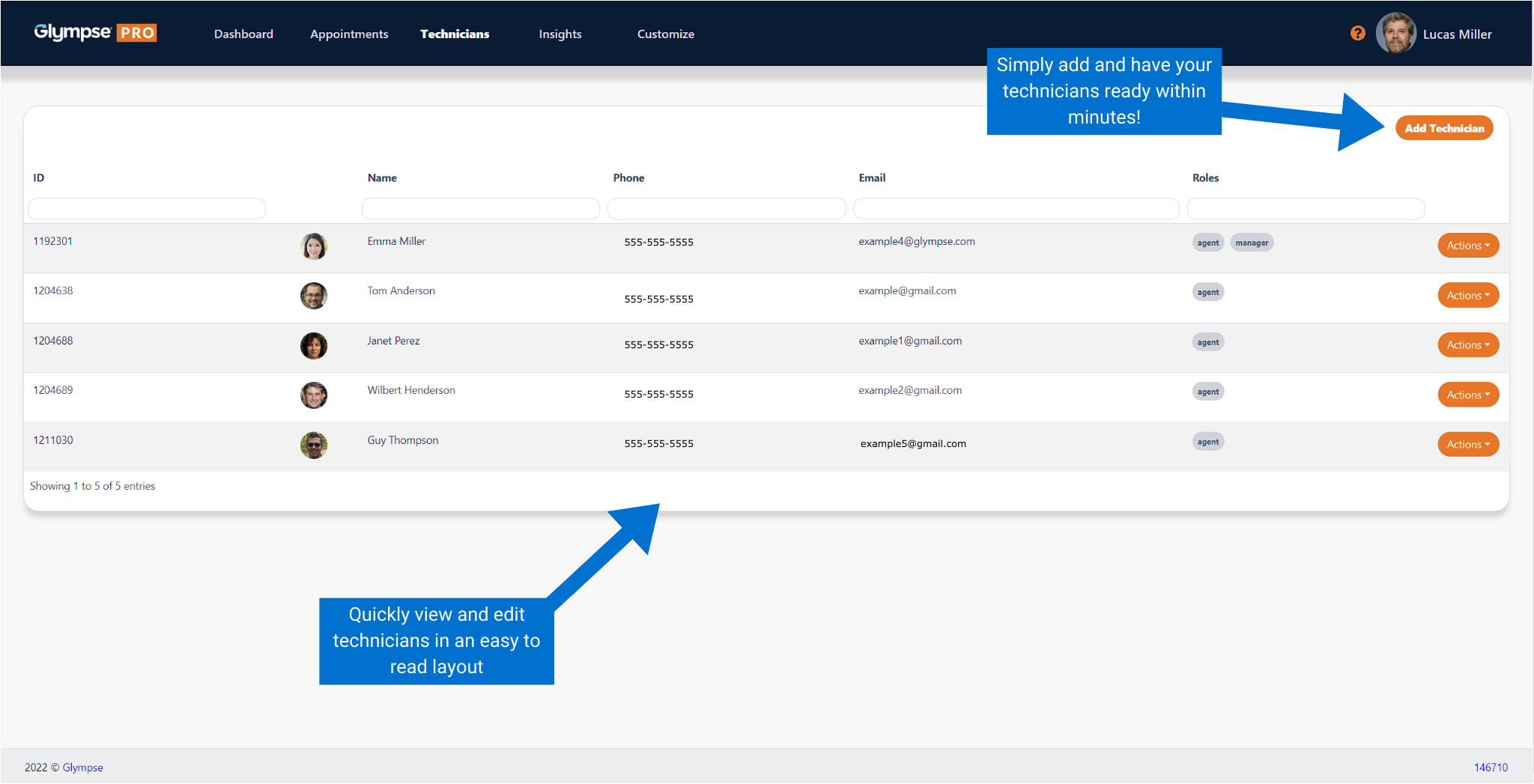
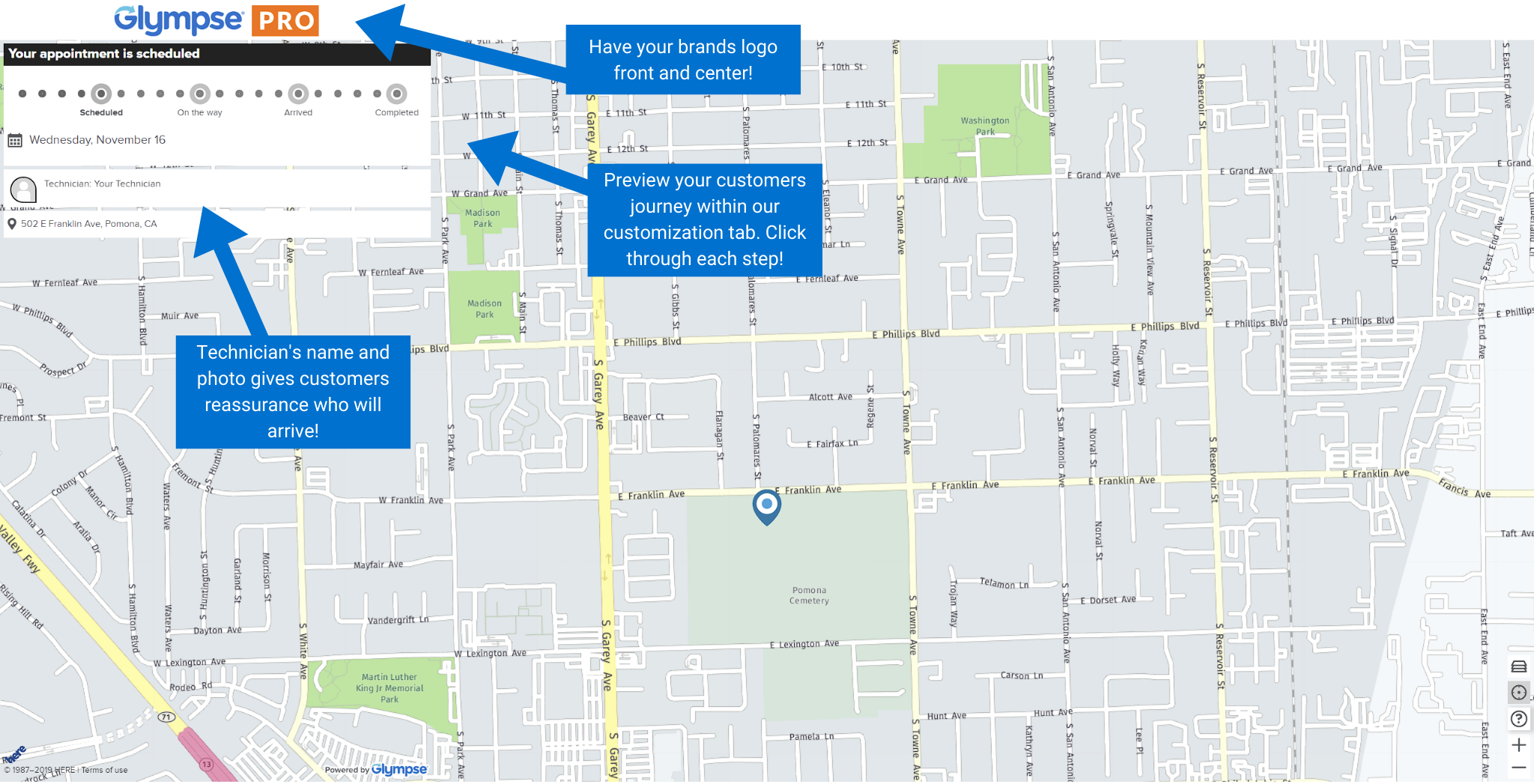
    Screenshot of The Glympse PRO Dashboard provides office staff a glimpse of the operational benefits of having technicians share their on-the-way location with customers. It provides key metrics on current and historical data around the overall daily activities, metrics, and statistics. Examples include data on technicians’ total jobs completed, canceled jobs, promise time, and location of the technician shared with the customer.Screenshot of The “Orders Tab” gives an overview of upcoming orders, scheduled orders and past orders. There is a filter capability at the top of the row to allow for data information filters and narrowing a search, such as an order description/number, name of a staff member, an order description, etc.Screenshot of In the “Technicians” tab, technicians can be added into the system, searched by name, email, or their role in the organization.Screenshot of The “insights'' tab shows data collected and compiled by Glympse PRO. Important information such as deliveries completed, delivered canceled, customer feedback, and a graph of the average daily volume can be viewed in this tab with a detailed breakdown of each of the data insights, by clicking on each insight.Screenshot of The Glympse PRO experience seen by customers can be branded and personalized by clicking on the “Customize” tab. The company’s logo (in .png, .jpg or .svg) can be uploaded so the brand can be displayed when customers click on their unique URL link received in their text notifications. Colors that will be displayed to customers in the live ETA phase can also be changed.Screenshot of The preview tab displays exactly what customer will see. The preview tab can be used to experiment with logos and color schemes.