GoCD, from ThoughtWorks in Chicago, is an application lifecycle management and development tool.
N/A
Rencore Code (SPCAF)
Score8.8 out of 10
Enterprise companies (1,001+ employees)
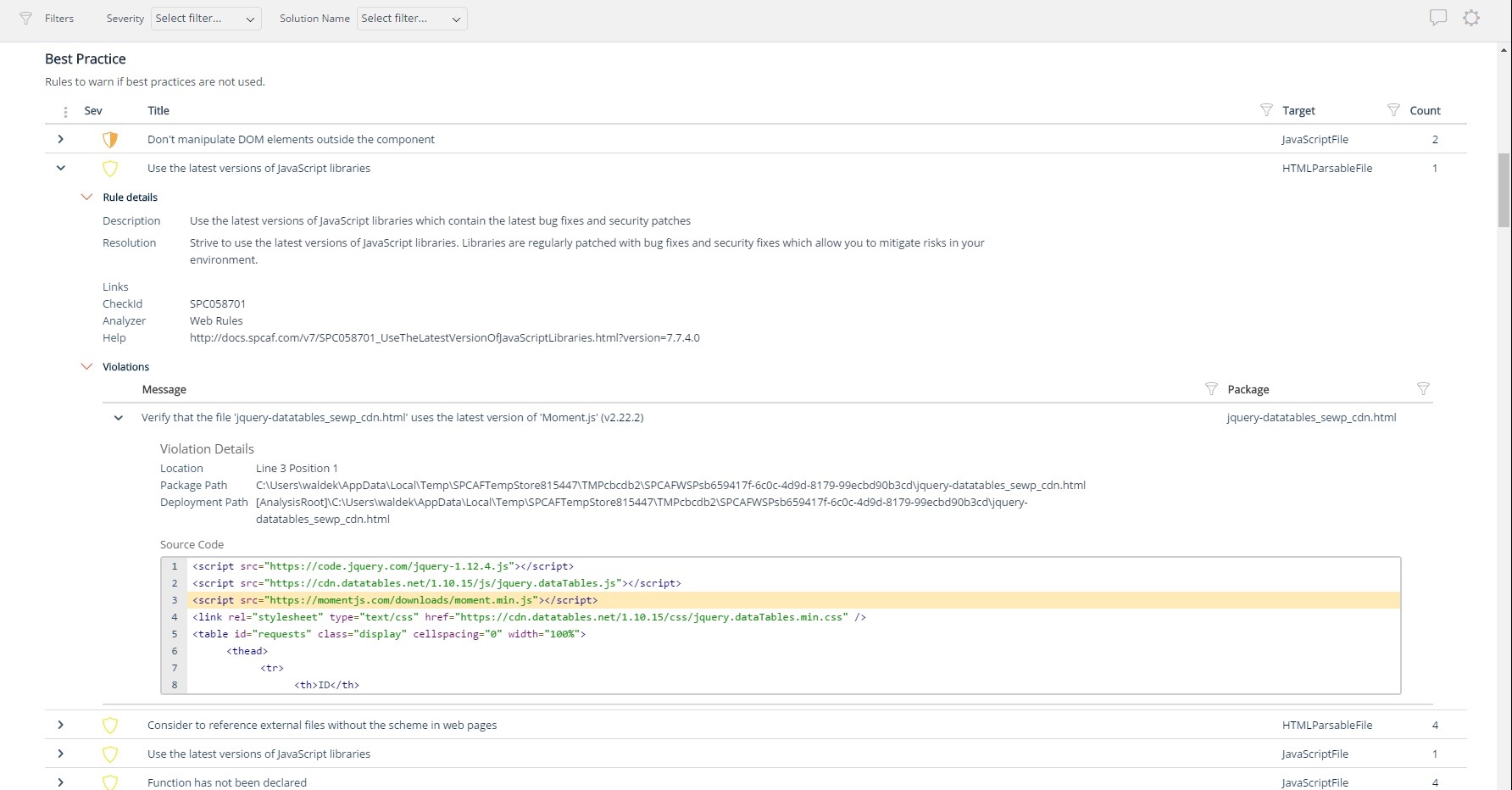
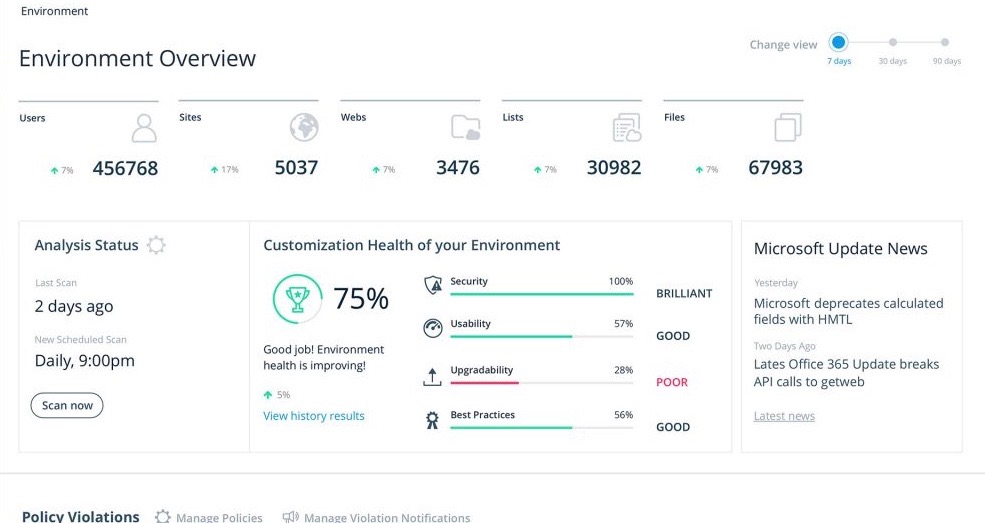
Many organizations that use Office 365 are exposed to security risks that they are unaware of. As they extend SharePoint to meet their business needs, they build applications using technologies that range from end-user Microsoft Flow to developer-focused SharePoint Framework. Unfortunately, all of these custom applications are capable of circumventing the security measures organizations have in place exposing the organization and its data to security…
Previously, our team used Jenkins. However, since it's a shared deployment resource we don't have admin access. We tried GoCD as it's open source and we really like. We set up our deployment pipeline to run whenever codes are merged to master, run the unit test and revert back if it doesn't pass. Once it's deployed to the staging environment, we can simply do 1-click to deploy the appropriate version to production. We use this to deploy to an on-prem server and also AWS. Some deployment pipelines use custom Powershell script for.Net application, some others use Bash script to execute the docker push and cloud formation template to build elastic beanstalk.
A de minimis incentive was given to thank the reviewer for their time. The incentive was not used to bias or drive a particular response, nor was the incentive contingent on a positive endorsement. More Info
For Microsoft shops that are doing custom development on the Microsoft cloud platform in Office 365 and Azure, the Rencore toolset is an absolute must, especially if you are involved in converting farm solutions to cloud, or just moving into cloud development for the first time.
Pipeline-as-Code works really well. All our pipelines are defined in yml files, which are checked into SCM.
The ability to link multiple pipelines together is really cool. Later pipelines can declare a dependency to pick up the build artifacts of earlier ones.
Agents definition is really great. We can define multiple different kinds of environments to best suit our diverse build systems.
A de minimis incentive was given to thank the reviewer for their time. The incentive was not used to bias or drive a particular response, nor was the incentive contingent on a positive endorsement. More Info
Unique expert knowledge of their target platforms. Not many companies have such a unique position in their target market. Their employees have a deep understanding of SharePoint, Office 365 and Azure and also regularly advise Microsoft on these matters.
Community involvement and contribution to open source projects. Key employees at Rencore are considered thought leaders in their area of expertise and contribute to high profile Microsoft open source initiatives.
Rencore's unique position when it comes to code quality analysis in the SharePoint space sets it apart. There's really no alternative.
Platform governance is another Rencore strength. No other product provides the insights into your SharePoint Online environment with full auditing of not only configuration changes but also who changed which code where and when. Again no alternatives exist.
A de minimis incentive was given to thank the reviewer for their time. The incentive was not used to bias or drive a particular response, nor was the incentive contingent on a positive endorsement. More Info
Rencore's product line is of course still a bit of a niche: SharePoint code quality is not something every organization on the planet is concerned with - although Rencore does much more than that.
We feel Rencore's marketing efforts are mainly targeted at technologists. There's a lot of other potential, especially for their platform governance product.
GoCD is easier to setup, but harder to customize at runtime. There's no way to trigger a pipeline with custom parameters.
Jenkins is more flexible at runtime. You can define multiple user-provided parameters so when user needs to trigger a build, there's a form for him/her to input the parameters.
A de minimis incentive was given to thank the reviewer for their time. The incentive was not used to bias or drive a particular response, nor was the incentive contingent on a positive endorsement. More Info
I don't know of any products that compete in the space and if there were any, they would not stand a chance against Rencore. Behind any good product is a team of highly skilled individuals, who all have the same goal, who are passionate what they do and lastly, are in it for the betterment of where they started; As Developers themselves. You can't buy that
Settings.xml need to be backed up periodically. It contains all the settings for your pipelines! We accidentally deleted before and we have to restore and re-create several missing pipelines
More straight forward use of API and allows filtering e.g., pull all pipelines triggered after this date
A de minimis incentive was given to thank the reviewer for their time. The incentive was not used to bias or drive a particular response, nor was the incentive contingent on a positive endorsement. More Info
The clear impact was the amount of time saved code reviewing or going through lines of code marked off by other tools that are not relevant. We cannot put a number on it since the project started off with the tool in place but based on the rules applied it could be as high as 20% of the project time.