Google Tasks, also available via a mobile app, aims to allow users to manage, capture, and edit tasks from anywhere, at anytime, with to-dos that sync across all devices. Integrates with Gmail and Google Calendar.
N/A
StoriesOnBoard
Score1.1 out of 10
N/A
StoriesOnBoard is a holistic product management tool powered by user feedback. Through collecting user and customer feedback into a single repository and sorting it based on custom rules and collaborating with stakeholders to form actionable feature ideas from them, users can make sure their ideas will be driven by real user needs. Ideas can be validated on a public roadmap and then placed on a user story map to plan releases. StoriesOnBoard supports the product management…
If other google products are already in use, it is very easy to get into Google Tasks as well and everybody probably has a google account, hence, does not need another account as well. It is helpful for simple to do lists, we would not recommend for larger project planning.
A de minimis incentive was given to thank the reviewer for their time. The incentive was not used to bias or drive a particular response, nor was the incentive contingent on a positive endorsement. More Info
As mentioned earlier, we also use StoriesOnBoard to create other processes (customer and employee journey). We use the swim lanes to differentiate between measures, tools and processes and working with them is very easy and understandable for this purpose.
Less easy is the use of context, i.e. when one part of a story map depends on another story map. This cannot be avoided (at least for us) to avoid creating redundancy (and the risk of creating different stages). At appropriate places, we refer to the other map in the title.
The best part, Google Tasks is FREE. No paywall, no ads. Just pure productivity. I was looking for some task-management app which is free, since it was difficult to get a paid one. I found that this was the perfect solution for me.
It's deeply integrated with other Google services like Gmail and Calendar. It can pick tasks with Gmail from emails, in the form of suggestions. It's up to you, completely. The tasks will appear in your calendar automatically, if it's time or date specific.
It's simple and hassle free to insert tasks and complete them. The app loads fast and hardly faces any crash. I encountered no such crashes.
It is present in multiple platforms. I would create a task in my phone, and would check it off on my laptop.
It's hassle free to add and check off tasks. It was very helpful for me in college.
A de minimis incentive was given to thank the reviewer for their time. The incentive was not used to bias or drive a particular response, nor was the incentive contingent on a positive endorsement. More Info
Google is simple to use and easy to understand. Having a one-click to add tasks via Google Calendar is a must for any busy business that manages multiple accounts and/or projects. Compliance and business standards are at the forefront, with notification reminders so you don't forget any of those annual certifications, for example.
A de minimis incentive was given to thank the reviewer for their time. The incentive was not used to bias or drive a particular response, nor was the incentive contingent on a positive endorsement. More Info
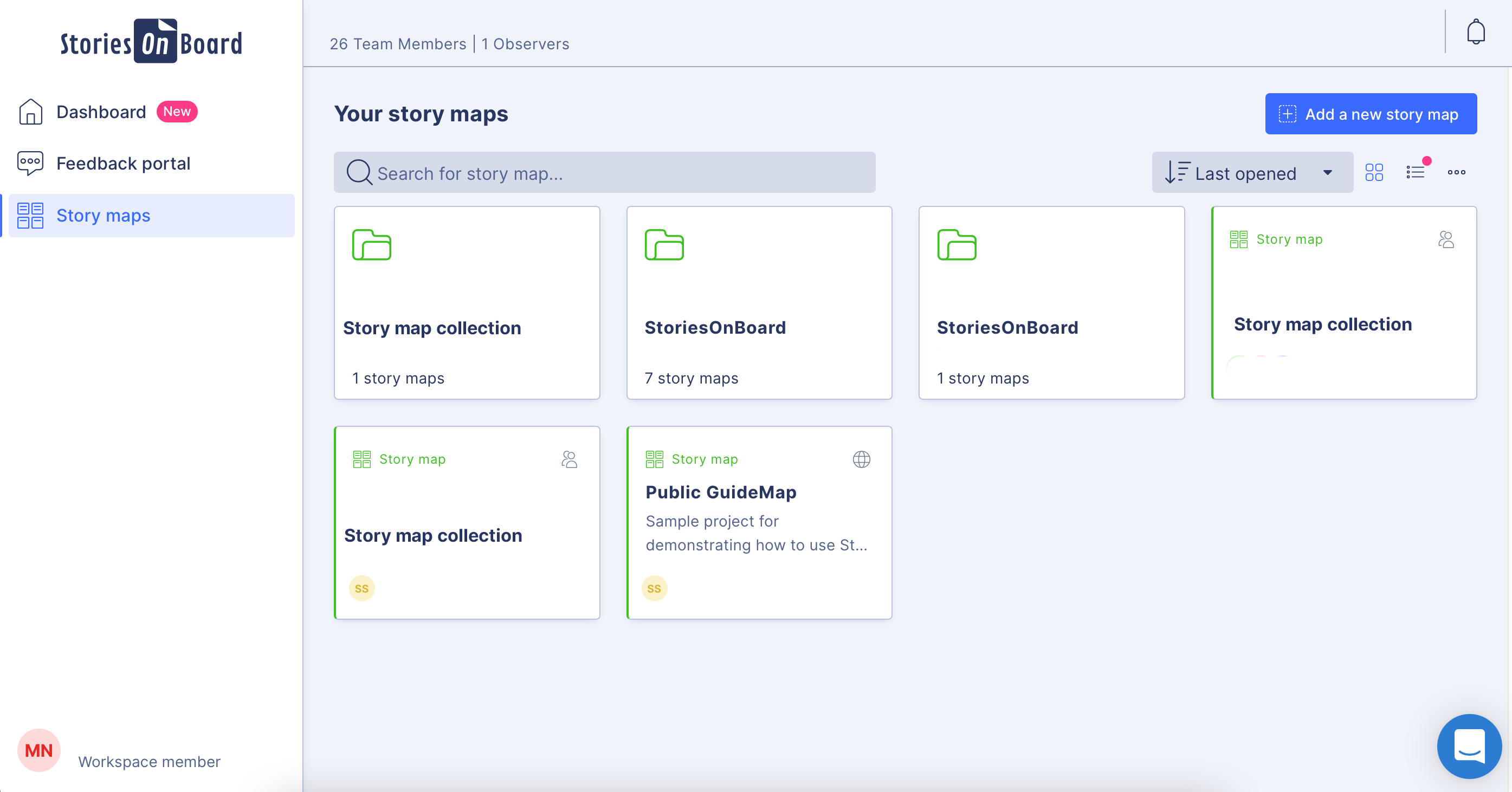
StoriesOnBoard works really well; all features are well thought through. It could look a bit fresher, although the new updated dashboard is already much better than it was.
Since the app is free, we can't expect to get a great support. 1. The app does not even have a dedicated forum where other members can help each other. 2. The app only has a feedback option, which I rarely think visits the team. 3. Even after sending many feedbacks, you can't expect a reply. 4. In a nutshell, if you face any problem, you can just wait. Nothing more than that.
Google Tasks is not necessarily better than its competitors and certainly not as robust or complex as most to-do applications and platforms available in the market, but because it is automatically integrated into G Suite services--our primary technology interface--this free option has precluded us from needing to explore other tools that are often "better" but not as intuitive when so much time and focus is already spent within the Google ecosystem.
A de minimis incentive was given to thank the reviewer for their time. The incentive was not used to bias or drive a particular response, nor was the incentive contingent on a positive endorsement. More Info
The only other competitor we looked at was cardboardit.com. Both had solid functionality, but StoriesOnBoard was more user-friendly and quick to learn and use in our opinion.
Personally, has managed over 1280 tasks for me in the past couple of years that I have been able to check off thanks to the app
Has accurately allowed me personally to schedule out tasks into the future that I want to get done but don't have the mental space currently to be trying to remember or do
A de minimis incentive was given to thank the reviewer for their time. The incentive was not used to bias or drive a particular response, nor was the incentive contingent on a positive endorsement. More Info
StoriesOnBoard (and story mapping in general) creates a low-cost visual method of aligning on high-level business and technical requirements early in a project and provides an ongoing reference as the project progresses. Having this alignment is critical for the later stages of the project.