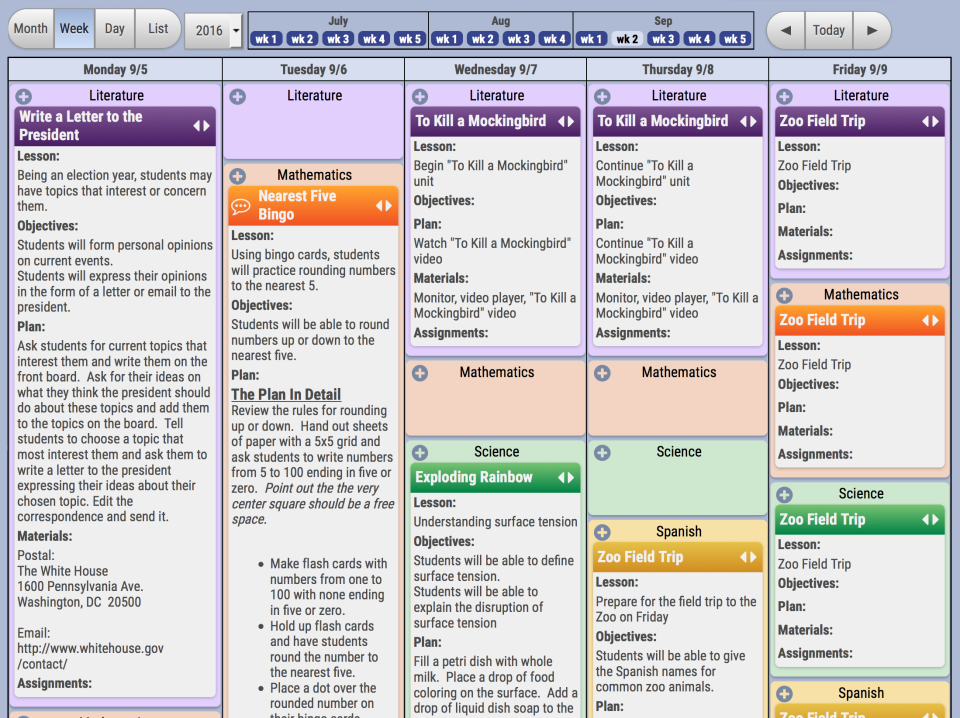
Gradebook aims to help schools fulfill their mission and improve student outcomes with easy-to-use gradebook & SIS software that saves time. Cloud-enabled, standards-ready, with integrated lesson plans. According to the vendor, report card time has never been this easy.
N/A
Qustodio
Score7.7 out of 10
N/A
Qustodio helps schools and families keep children safe online. It is cloud-based software that filters apps and websites automatically, offers reporting, and works on platforms including Mac, Windows, Chromebook, iOS, Kindle and Android.
Gradelink is easy to use and keeps students and parents informed of the student's progress in a class. It is an excellent tool to foster communication between the teacher and the parent. Gradelink is very user-friendly and offers a variety of tools to assist the teacher in grading assignments. The teacher may select between points or percentages as well as provide a narrative for the parent to see what a particular assignment encompassed.
Qustodio is well-suited for organizations that want to monitor and manage internet usage to ensure a safe and productive online environment. It is useful for companies with strict internet usage policies, as well as those with a bring your own device policy. However, in scenarios where employees need a significant level of internet freedom to perform their job functions, Qustodio may be less appropriate.
A de minimis incentive was given to thank the reviewer for their time. The incentive was not used to bias or drive a particular response, nor was the incentive contingent on a positive endorsement. More Info
A de minimis incentive was given to thank the reviewer for their time. The incentive was not used to bias or drive a particular response, nor was the incentive contingent on a positive endorsement. More Info
A de minimis incentive was given to thank the reviewer for their time. The incentive was not used to bias or drive a particular response, nor was the incentive contingent on a positive endorsement. More Info
Gradelink SIS has a lot more helpful and useful features for teachers, admin, and staff. First, it has lesson plans and state standards integration which is a great help for teachers. With this feature, teachers don't have to worry about standards being in place for each lesson plan.
A de minimis incentive was given to thank the reviewer for their time. The incentive was not used to bias or drive a particular response, nor was the incentive contingent on a positive endorsement. More Info
Qustodio stacks up well against other products like Norton Family, Kaspersky Safe Kids, and Net Nanny in terms of its features and capabilities. All of these products offer similar features like website filtering, app management, and monitoring of internet activities. However, Qustodio stands out for its ease of use and user-friendly interface. It also offers more granular controls for setting time limits and restrictions, and the alerts it sends are more detailed and informative. Additionally, Qustodio's customer support is also very responsive and helpful.We selected Qustodio over the other products because it offered the best balance of features, ease of use, and customer support. It was also more cost-effective than some of the other options. Overall, Qustodio has proven to be a reliable and effective solution for our organization's internet usage management needs.
A de minimis incentive was given to thank the reviewer for their time. The incentive was not used to bias or drive a particular response, nor was the incentive contingent on a positive endorsement. More Info
A de minimis incentive was given to thank the reviewer for their time. The incentive was not used to bias or drive a particular response, nor was the incentive contingent on a positive endorsement. More Info