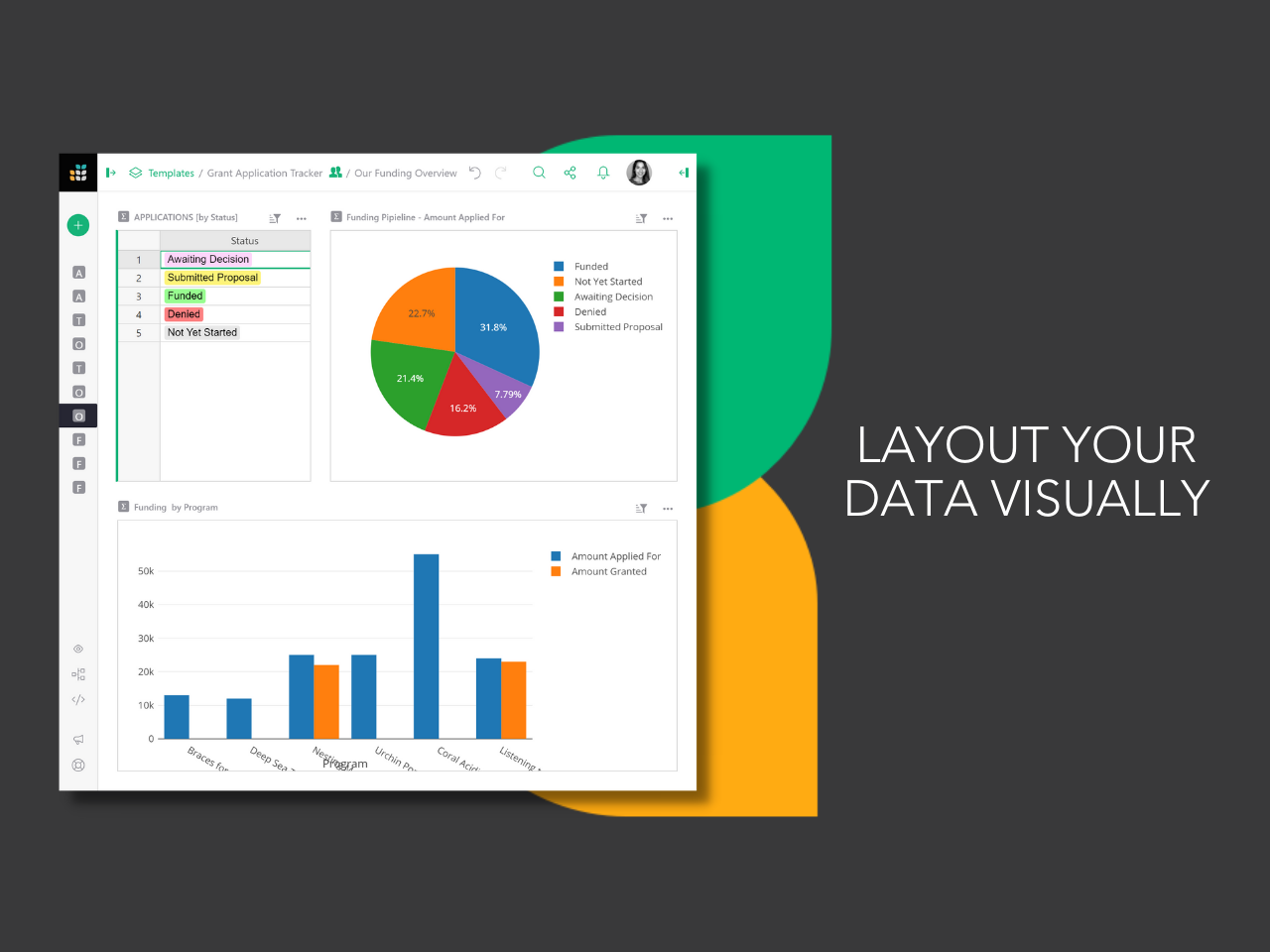
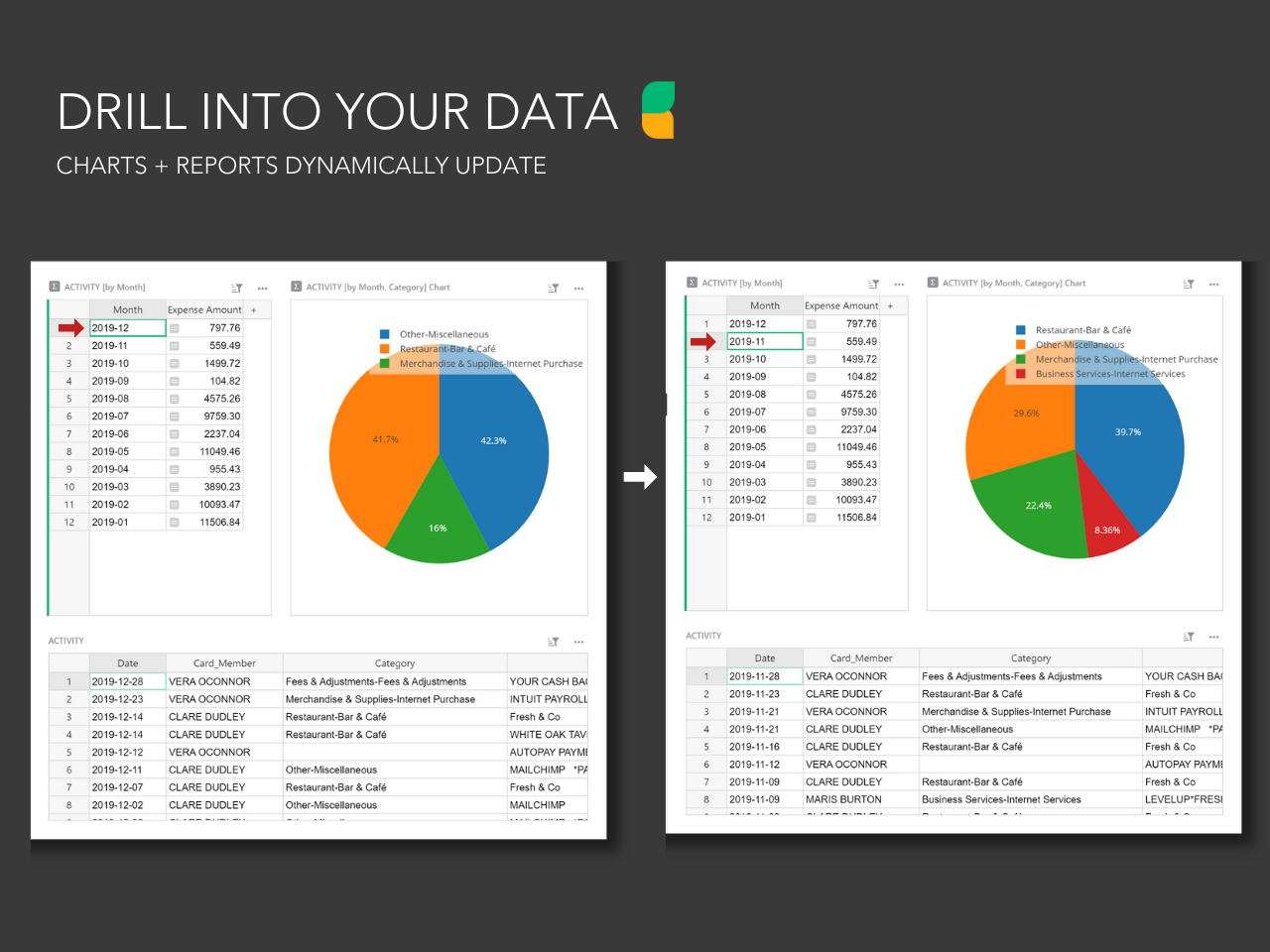
Grist combines the capabilities of spreadsheets, databases and app builders. Using a familiar spreadsheet interface, information can be organized as a relational database, and dashboards built using drag-and-drop. Solving spreadsheet problems Ensures data is well-structured and stored in one place with no duplication, no spreadsheet-wrangling, no merging documents. Collaboration on sensitive data Data is protected…
$8
per month per user
SeaTable
Score8.1 out of 10
N/A
With SeaTable, teams can organize tasks, assets, projects and ideas. It looks like a spreadsheet but structures any type of information, in the cloud or on the user's own server. SeaTable is a web solution to design business processeses and workflows. SeaTable is designed to give teams the information that is currently needed. Individual views provide the freedom to organize work as it is needed. SeaTable can be linked with other business applications and…
$0
up to 3 users
Pricing
Grist
SeaTable
Editions & Modules
Pro
$8
per month per user
Enterprise
Contact Sales
Free Version
$0
up to 3 users
Free Version
$0
per user, per year
Plus - monthly
$11
per user, per month
Enterprise - monthly
$22
per user, per month
General license
$84
per user, per year
Plus - yearly
$101
per user, per year
Enterprise - yearly
$203
per user, per year
Small Business Package #1
$483
for 10 users. per year
Small Business Package #2
$1,811
for 25 users, per year
Offerings
Pricing Offerings
Grist
SeaTable
Free Trial
Yes
No
Free/Freemium Version
Yes
Yes
Premium Consulting/Integration Services
No
Yes
Entry-level Setup Fee
No setup fee
No setup fee
Additional Details
—
—
More Pricing Information
Features
Grist
SeaTable
Project Management
Comparison of Project Management features of Grist and SeaTable
Feature
Grist
-
Ratings
SeaTable
7.5
3 Ratings
2% below category average
Task Management
00 Ratings
9.13 Ratings
Resource Management
00 Ratings
9.13 Ratings
Gantt Charts
00 Ratings
1.01 Ratings
Scheduling
00 Ratings
4.73 Ratings
Workflow Automation
00 Ratings
8.22 Ratings
Team Collaboration
00 Ratings
9.13 Ratings
Support for Agile Methodology
00 Ratings
6.01 Ratings
Support for Waterfall Methodology
00 Ratings
6.01 Ratings
Document Management
00 Ratings
9.12 Ratings
Email integration
00 Ratings
7.32 Ratings
Mobile Access
00 Ratings
8.01 Ratings
Timesheet Tracking
00 Ratings
9.01 Ratings
Change request and Case Management
00 Ratings
10.01 Ratings
Budget and Expense Management
00 Ratings
8.22 Ratings
Professional Services Automation
Comparison of Professional Services Automation features of Grist and SeaTable
This is well suited to someone (or a team) who are technically minded and have a dataset that they need to be able to use in many ways. It's less appropriate for a team who isn't technically minded and/or don't have the data they need to manipulate. It would be useful for things that you could use a database or spreadsheet for such as CRM, Advertising database, Business tracking, Health tracking etc.
A de minimis incentive was given to thank the reviewer for their time. The incentive was not used to bias or drive a particular response, nor was the incentive contingent on a positive endorsement. More Info
It does well as a CRM for a company to see all of their candidates or clients or whatever they are tracking. The sorting and grouping ability as well as the inclusion of many formula integrations is also helpful to organize content more meaningfully. If you don't have a lot of information that you need to track, this might have more than you require but it is still a great software to use.
A de minimis incentive was given to thank the reviewer for their time. The incentive was not used to bias or drive a particular response, nor was the incentive contingent on a positive endorsement. More Info
A de minimis incentive was given to thank the reviewer for their time. The incentive was not used to bias or drive a particular response, nor was the incentive contingent on a positive endorsement. More Info
SeaTable is a young company, and I have nothing to criticise, for now. - No solution will fit all use cases, in any event. --- I have found this one to be the most adaptable and complex on the European market. Due to the data location, I am reassured on the subject of GDPR compliance.
A de minimis incentive was given to thank the reviewer for their time. The incentive was not used to bias or drive a particular response, nor was the incentive contingent on a positive endorsement. More Info
For the value, you get much more with SeaTable including the statistics and the number of records that can be utilized on the free version. I also thoroughly enjoy the ease of adding formulas and having the reference right inside of the platform to ensure the selection of the correct formula to meet your needs.
A de minimis incentive was given to thank the reviewer for their time. The incentive was not used to bias or drive a particular response, nor was the incentive contingent on a positive endorsement. More Info
It's saved a lot of time in both creating an advertising database and managing it week to week effectively. I had previously created in others that haven't worked, and this does, saving me a good 1 hour weekly, and 5 hours or more each time I had problems with the last ones
Being able to stay on track with this has meant I'm following up at the right time (advertisers) and keeping a professional manner and not losing business due to missed communication
Saving me $ from buying a program like Access (or Airtable monthly) and then the learning curve that that has. This has a much easier learning curve to say the least.
A de minimis incentive was given to thank the reviewer for their time. The incentive was not used to bias or drive a particular response, nor was the incentive contingent on a positive endorsement. More Info
Positive: Savings in administrative staffing needs.
Positive: Customisation allows for real-life workflow management
Positive: Automation is a goal that SeaTable supports very well.
Negative: Not many people are familiar with solutions like SeaTable. They are used to working with inflexible (and often not-fit for purpose) administrative systems. They are adept at finding ways to circumvent the issues by using secondary tools, or they wait passively for web developers to deliver the functionality they need. - It is quite difficult to convey the opportunities that SeaTable offers to people who have not used it before. SeaTable cannot be blamed for this, but it creates work in needing to convey this to the organisation's stakeholders. --- I would recommend one person to be assigned the role of SeaTable specialist in an organisation, so that any issues can be quickly resolved.
A de minimis incentive was given to thank the reviewer for their time. The incentive was not used to bias or drive a particular response, nor was the incentive contingent on a positive endorsement. More Info