Wondershare HiPDF vs. Soda PDF

Overview
ProductRatingMost Used ByProduct SummaryStarting Price
Wondershare HiPDF
Score 0.0 out of 10
N/A
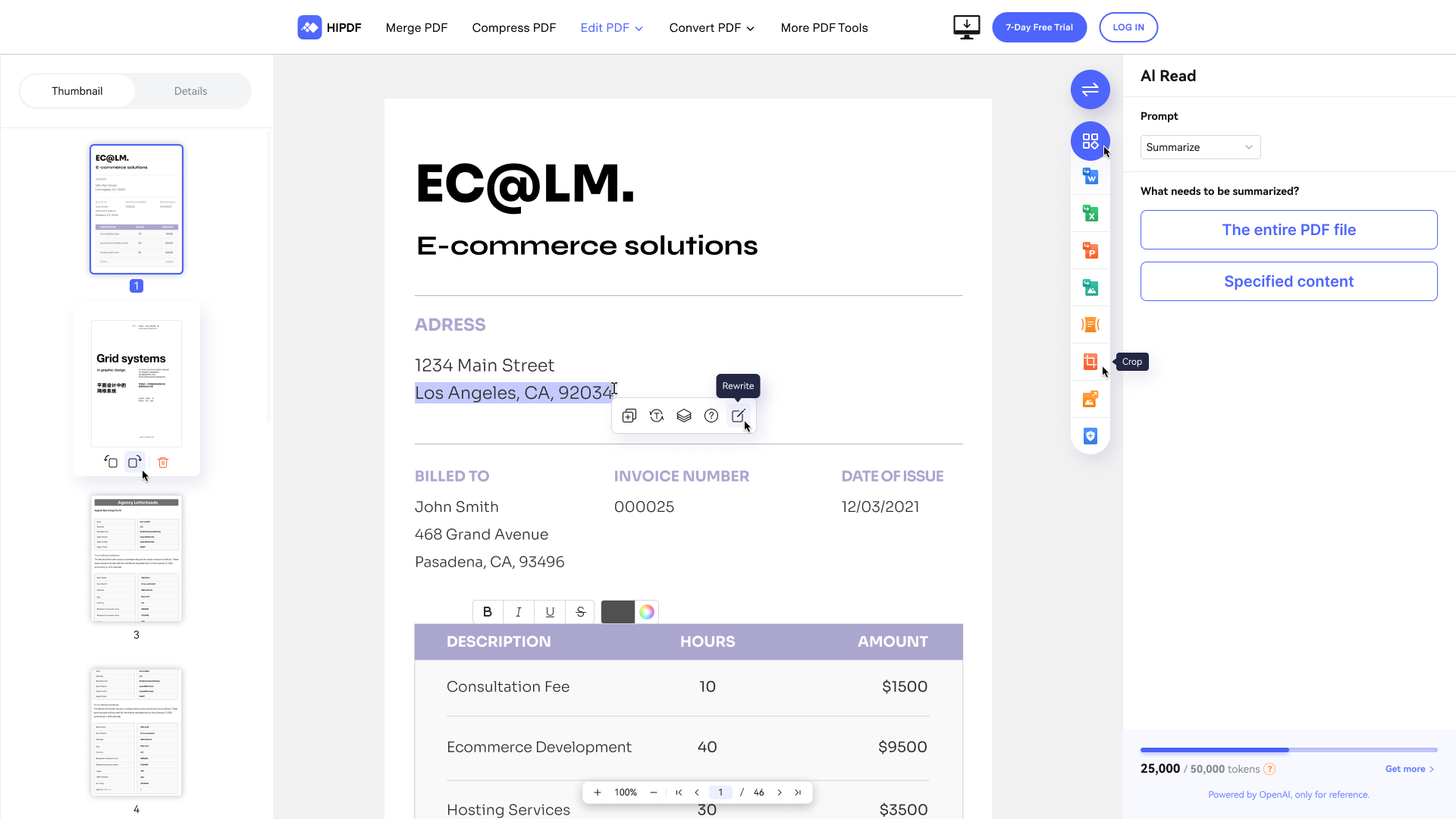
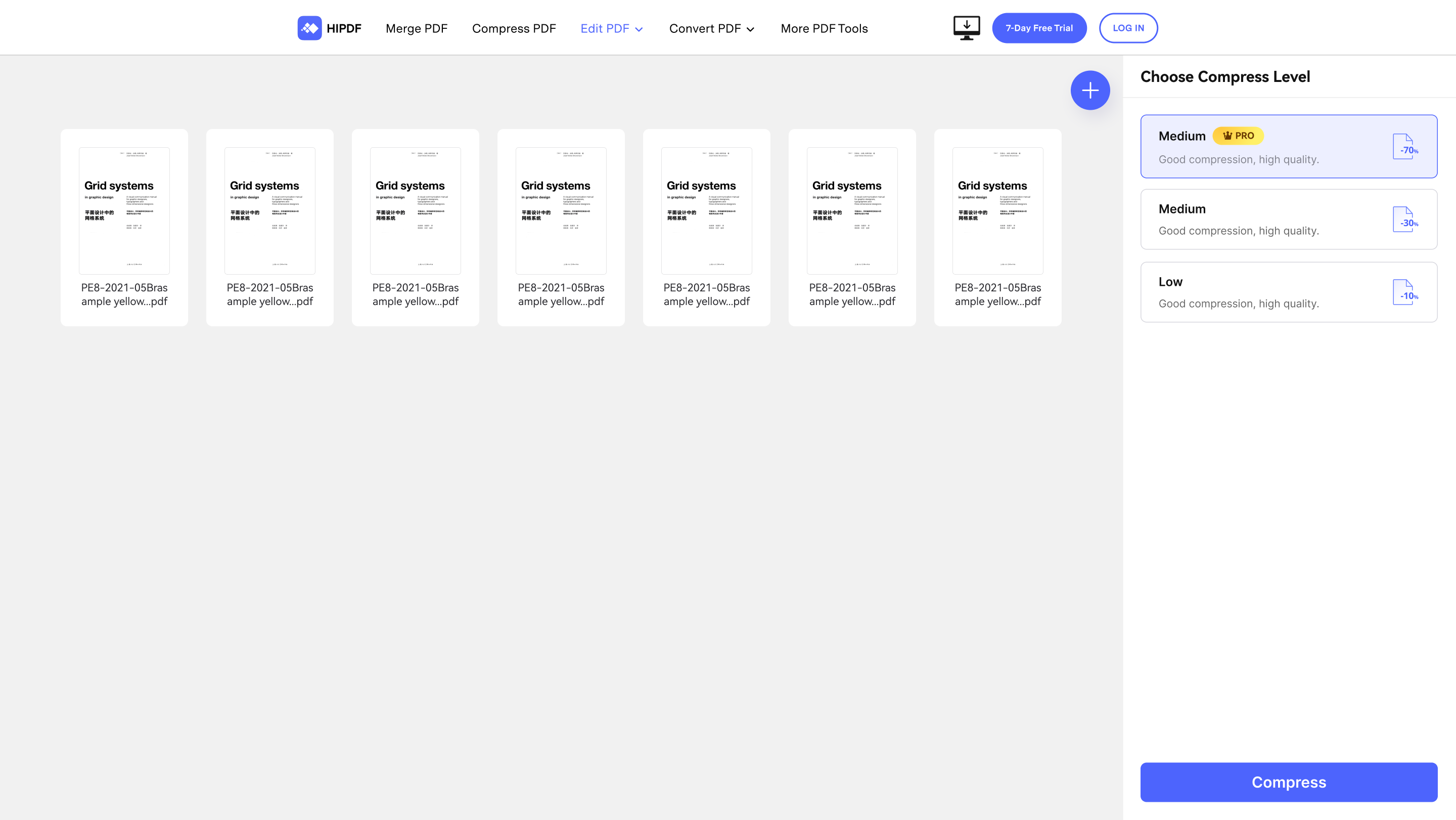
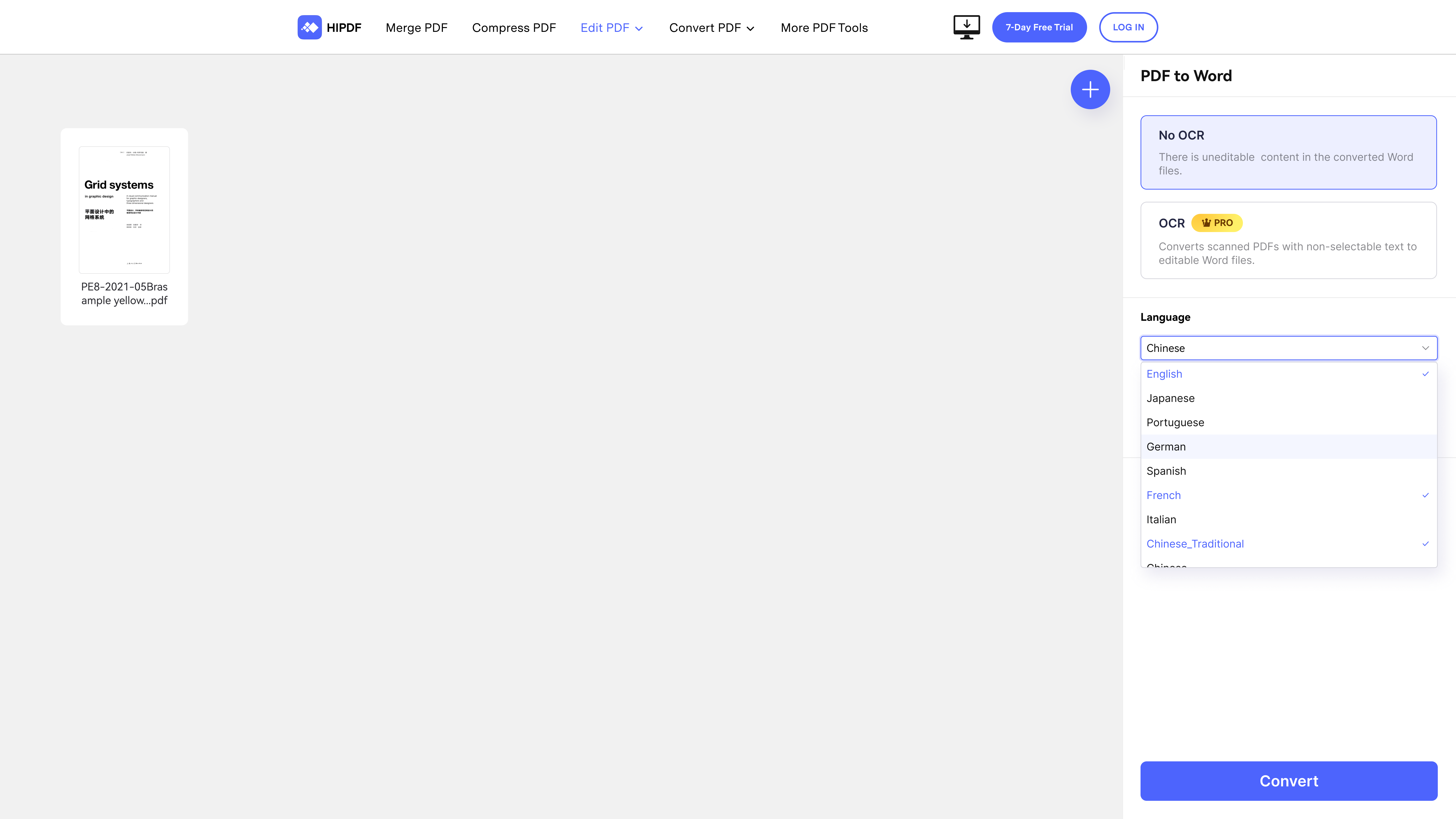
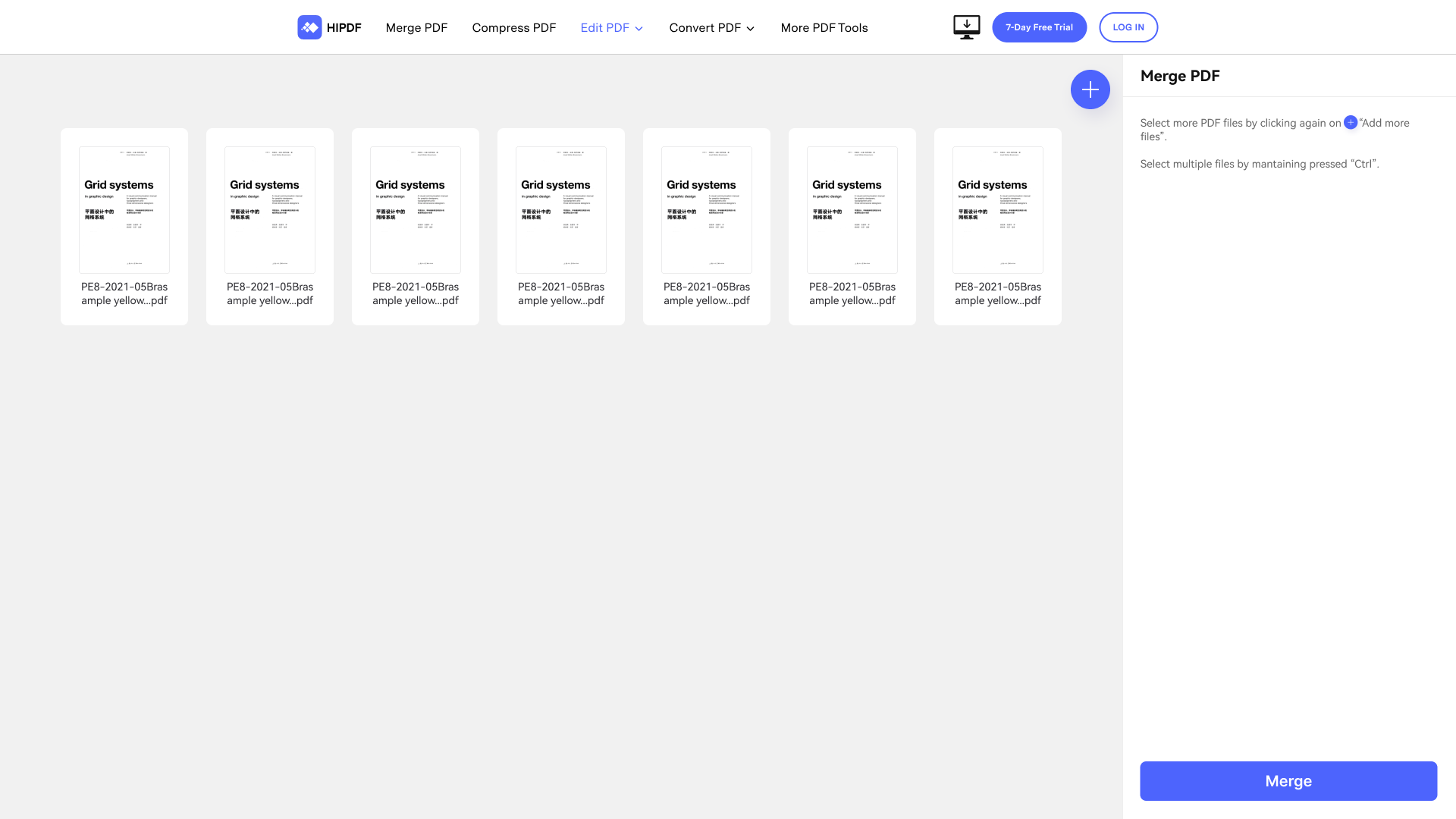
Wondershare HiPDF is an AI-powered online PDF solution that offers a wide range of features such as creating, editing, converting, and managing PDF documents across various file formats like Microsoft Word, Excel, PowerPoint, and image formats.
$5.99
per month per user
Soda PDF
Score 9.9 out of 10
N/A
LULU Software in Montreal offers Soda PDF Anywhere, their flagship product, a full-featured desktop and online PDF solution.N/A
Pricing
Wondershare HiPDFSoda PDF
Editions & Modules
Free Plan
$0
Monthly Plan
$5.99
per month per user
Yearly Plan
$39.99
per year per user
No answers on this topic
Offerings
Pricing Offerings
Wondershare HiPDFSoda PDF
Free Trial
YesNo
Free/Freemium Version
YesNo
Premium Consulting/Integration Services
NoNo
Entry-level Setup FeeNo setup feeNo setup fee
Additional DetailsAccess to all features, including OCR & AI tools No Batch Processing limit No adverts
More Pricing Information
Community Pulse
Wondershare HiPDFSoda PDF
Best Alternatives
Wondershare HiPDFSoda PDF
Small Businesses
Tungsten Power PDF
Tungsten Power PDF
Score 9.8 out of 10
Tungsten Power PDF
Tungsten Power PDF
Score 9.8 out of 10
Medium-sized Companies
pdfFiller
pdfFiller
Score 9.0 out of 10
pdfFiller
pdfFiller
Score 9.0 out of 10
Enterprises
Bluebeam
Bluebeam
Score 9.2 out of 10
Bluebeam
Bluebeam
Score 9.2 out of 10
All AlternativesView all alternativesView all alternatives
User Ratings
Wondershare HiPDFSoda PDF
Likelihood to Recommend
-
(0 ratings)
8.4
(2 ratings)
User Testimonials
Wondershare HiPDFSoda PDF
Likelihood to Recommend
Wondershare Technology
No answers on this topic
LULU Software
When I get any pdf form to fill, I use this software to fill in all the required details. It is very easy to fill any form in pdf format in this software. Whenever I need to sign any official document digitally, I use this software. It also helps us to protect our confidential documents with password protection. We add passwords to our confidential documents with the help of this software.
Read full review
Pros
Wondershare Technology
No answers on this topic
LULU Software
  • OCR comes in handy when you need to scan a document image for embedded text for edits. This feature is a common tool but the accuracy of OCR helps for quick edits.
  • Conversion options are a plus and a must-have when you need to convert between Microsoft Office and PDF.
  • During the pandemic, the ability to offer digital signing with personalized signatures is a major plus. Glad to have this tool available when needed.
Read full review
Cons
Wondershare Technology
No answers on this topic
LULU Software
  • After the edit when I see my documents in full screen view, I find the header of my documents blocked by editing tools.
  • Its Url to PDF creator doesn't work well.
  • It does not have mobile application for PDF editing
Read full review
Alternatives Considered
Wondershare Technology
No answers on this topic
LULU Software
I tried Smallpdf for sometime. It is also a very good tool for pdf related tasks but it doesn't provide a comprehensive functionality to edit a pdf document. I couldn't modify the text of my pdf documents in Smallpdf. But SodaPDF gives me the functionality to edit/change the text of my pdf documents. So I shifted from Smallpdf to this software.
Read full review
Return on Investment
Wondershare Technology
No answers on this topic
LULU Software
  • A recent project came across my desk where we had to recreate static files into editable word documents. Thank goodness for the OCR feature. It made for an almost flawless conversion. Minor edit here and there, no fault of the program. It was more due to the file quality of the original scan. Saved me time.
  • The feedback option is another plus: The review/comment function is great for easily getting document feedback. We just started using this feature. Another time-saver.
  • Document management due to file conversion options makes it easier to keep documents all in one place. Also, the ability to share these documents with coworkers is a major plus!
Read full review
ScreenShots

Wondershare HiPDF Screenshots

Screenshot of AI read: Summarize, rewrite, explain and chat with PDFs with the AI PDF reading assistantScreenshot of Compress PDF: Reduces the size of PDFs onlineScreenshot of Convert PDF: Converts PDF documents to and from any Microsoft Office format or imageScreenshot of Merge PDF: Combines PDF files onlineScreenshot of Protect PDF: Protects PDF from copying, editing, printing and viewing with passwords.Screenshot of Sign PDF: Used to quickly fill and sign PDFs from any device, anytime, anywhere