Idera DB Optimizer vs. IDERA SQL Diagnostic Manager

Overview
ProductRatingMost Used ByProduct SummaryStarting Price
Idera DB Optimizer
Score 0.0 out of 10
N/A
Optimize database SQL queries for multiple platforms from a single user interface Streamline tuning of SQL code on major DBMSs from one interface Tune SQL with automated performance optimization suggestions Tackle SQL queries with visual SQL tuning diagrams Pinpoint problem SQL with database profiling of wait-time analysis Load test alternative SQL queries in simulated production environmentN/A
IDERA SQL Diagnostic Manager
Score 8.1 out of 10
N/A
SQL Diagnostic Manager for Microsoft SQL Server helps database administrators to find and fix Microsoft SQL Server performance problems in physical, virtual, and cloud environments. Unlike its competition, it provides effective scalability, advanced SQL query analysis and optimization, prescriptive analysis with corrective SQL scripts, powerful automated alert responses, broad PowerShell integration, complete customization, and extensive support for current and legacy Microsoft SQL Server and…
$1,996
per instance with first year maintenance included
Pricing
Idera DB OptimizerIDERA SQL Diagnostic Manager
Editions & Modules
No answers on this topic
Standard via eCommerce
1,996.00
per instance with first year maintenance included
Offerings
Pricing Offerings
Idera DB OptimizerIDERA SQL Diagnostic Manager
Free Trial
NoYes
Free/Freemium Version
NoNo
Premium Consulting/Integration Services
NoNo
Entry-level Setup FeeNo setup feeNo setup fee
Additional Details
More Pricing Information
Community Pulse
Idera DB OptimizerIDERA SQL Diagnostic Manager
Features
Idera DB OptimizerIDERA SQL Diagnostic Manager
SQL Performance Monitoring
Comparison of SQL Performance Monitoring features of Product A and Product B
Idera DB Optimizer
-
Ratings
IDERA SQL Diagnostic Manager
8.0
7 Ratings
5% below category average
Performance dashboard00 Ratings9.07 Ratings
Intelligent alerting00 Ratings8.07 Ratings
Top SQL00 Ratings9.07 Ratings
Historical trend data00 Ratings9.06 Ratings
Virtualization support00 Ratings5.06 Ratings
Best Alternatives
Idera DB OptimizerIDERA SQL Diagnostic Manager
Small Businesses

No answers on this topic

No answers on this topic

Medium-sized Companies
LogicMonitor
LogicMonitor
Score 9.0 out of 10
LogicMonitor
LogicMonitor
Score 9.0 out of 10
Enterprises
LogicMonitor
LogicMonitor
Score 9.0 out of 10
LogicMonitor
LogicMonitor
Score 9.0 out of 10
All AlternativesView all alternativesView all alternatives
User Ratings
Idera DB OptimizerIDERA SQL Diagnostic Manager
Likelihood to Recommend
-
(0 ratings)
9.0
(8 ratings)
User Testimonials
Idera DB OptimizerIDERA SQL Diagnostic Manager
Likelihood to Recommend
Idera, Inc.
No answers on this topic
Idera, Inc.
SQL Server [Business Intelligence] Manager is useful for tracking performance across SSIS, SSRS and SSA and have the data represented in dashboards. It helps improve performance and helps end users. However, several features are redundant for smaller organization that can use the tools that comes with existing Microsoft products. These features also takes time to learn and use.
Read full review
Pros
Idera, Inc.
No answers on this topic
Idera, Inc.
  • SQLdm does a good job of providing information at a high level, but also allows me to drill down to specific queries and events if needed. I don't always need to sift through tons of details to get the information I need. It also gives a very wide range of information from SQL specific metrics, to OS metrics, to VM metrics, all the way up to host server metrics.
  • I like how the alert and notification system can be customized. For example, if you know a certain server regularly has long-running queries, you can adjust the alert to not fire unless a query has been running for 30 minutes while the rest of the servers fire after 30 seconds. That is very helpful in not being bombarded at dinner with alerts from a server similar to, "I've been at 90% cpu for 26 milliseconds!!!!!!!...and now it's back down to 30%" Good information to know, but not something you need to literally lose sleep over.
  • I like how you can configure different servers to be monitored differently. For example, you can have a group of servers called DEVELOPMENT that you can turn on heavier monitoring on so you can test how changes in applications might affect the SQL environment, but in the PRODUCTION group, you may only want to enable the heavier analysis and logging when performance issues are actively being reported.
Read full review
Cons
Idera, Inc.
No answers on this topic
Idera, Inc.
  • Windows client has some issues. When you have small time intervals for your data collection, it can cause the client to become unresponsive and require you to restart it.
  • It takes more time to get the web client running than it does to get the windows client running.
  • The visualizations have been the same for the last eight years--could use a little bit of a refresh.
Read full review
Alternatives Considered
Idera, Inc.
No answers on this topic
Idera, Inc.
IDERA SQL Diagnostic Manager for SQL, Redgate SQL, and MonitorLogicMonitor are similar products to each other. We decided on IDERA SQL Diagnostic Manager for SQL because our experience with locating heavy queries has been very good and it provides real-time monitoring of all servers and databases. It also allows you to have a large volume of historical data which allows you to analyze trends in the databases.
Read full review
Return on Investment
Idera, Inc.
No answers on this topic
Idera, Inc.
  • Allows us to quickly set up ETL processes as soon as we installed SQL Server.
  • There's a lot of free/paid resources available online, decreasing development time.
  • A tool with plenty of experienced developers.
Read full review
ScreenShots

IDERA SQL Diagnostic Manager Screenshots
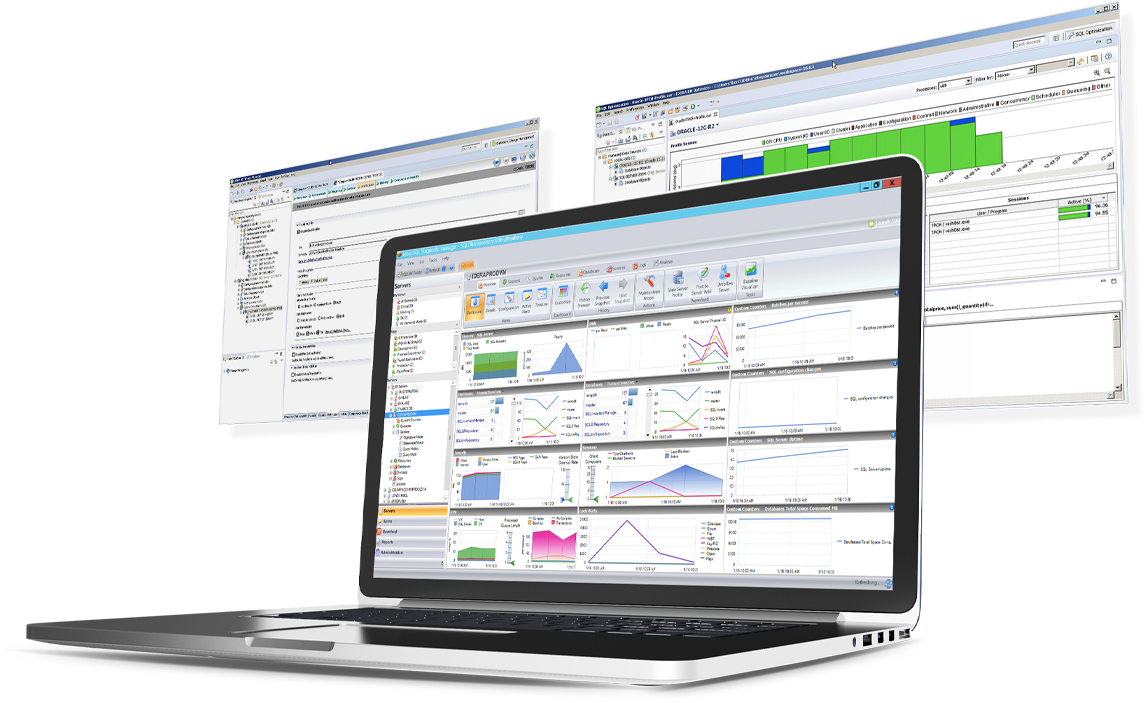
Screenshot of SQL Diagnostic Manager for SQL Server