Insightful vs. MonitUp

Overview
ProductRatingMost Used ByProduct SummaryStarting Price
Insightful
Score 7.1 out of 10
Small Businesses (1-50 employees)
Insightful is workforce analytics software that shows how work actually happens across teams, showing users where time is going, how teams are performing, and where work is breaking down — without relying on manual tracking or guesswork.
$10
per month per seat
MonitUp
Score 0.0 out of 10
N/A
Employee monitoring platform designed to help businesses with monitoring employee website access, computer performance, and time tracking. Features of the platform include an activity dashboard with an overview of all employees' activity, login and logout tracking, visibility into which websites employees are accessing, a list of all online and offline computers, customization, and user-specific data.
$2
per month per user
Pricing
InsightfulMonitUp
Editions & Modules
Workforce Analytics
$10
per month per seat
Automatic Time Mapping Annual
$12
per month per user
Automatic Time Mapping Annual
$12
minimum 250 users
Workflow Optimization
$15
per month per seat
Work Intelligence Bundle
$20
per month per seat
Work Intelligence Bundle
$20 + Extra Service Fee
per month per seat (250 seats minimum)
Enterprise Solutions
Custom
per employee per month
Enterprise (On-Premise)
Custom
250 seats minimum
No answers on this topic
Offerings
Pricing Offerings
InsightfulMonitUp
Free Trial
YesYes
Free/Freemium Version
NoNo
Premium Consulting/Integration Services
NoNo
Entry-level Setup FeeNo setup feeOptional
Additional DetailsEach device an employee uses for work counts as one seat. Additionally, users with Admin, Manager and Client access won’t be charged, unless Insightful is used to track their activities as well. Discount is available for annual and multi-year billing.
More Pricing Information
Community Pulse
InsightfulMonitUp
Best Alternatives
InsightfulMonitUp
Small Businesses
Traqq
Traqq
Score 9.1 out of 10
Traqq
Traqq
Score 9.1 out of 10
Medium-sized Companies
ActivTrak
ActivTrak
Score 8.5 out of 10
ActivTrak
ActivTrak
Score 8.5 out of 10
Enterprises
Hubstaff
Hubstaff
Score 9.4 out of 10
Hubstaff
Hubstaff
Score 9.4 out of 10
All AlternativesView all alternativesView all alternatives
User Ratings
InsightfulMonitUp
Likelihood to Recommend
9.0
(1 ratings)
-
(0 ratings)
User Testimonials
InsightfulMonitUp
Likelihood to Recommend
Insightful.io
As I already mentioned above, Workpuls helped us a lot while working from home and it helped us to track each and every moment of the employees. While tracking the different websites which employees were using and also helped with the productive and unproductive work done by each candidate as per the login on different websites and software.
Read full review
MonitUp
No answers on this topic
Pros
Insightful.io
  • Analysis of websites.
  • Screenshot of change of window.
  • Evaluation of productive and unproductive work.
Read full review
MonitUp
No answers on this topic
Cons
Insightful.io
  • As of now we haven't feel any missing feature for this particular software.
Read full review
MonitUp
No answers on this topic
Alternatives Considered
Insightful.io
While evaluating different software we checked different software but Workpuls seems user-friendly and cost-efficient, also the customer support is very active and as compared to other software we found it easy.
Read full review
MonitUp
No answers on this topic
Return on Investment
Insightful.io
  • Workpuls helped a lot with the positive way only to get the more productivity from employees while working from home.
Read full review
MonitUp
No answers on this topic
ScreenShots

Insightful Screenshots

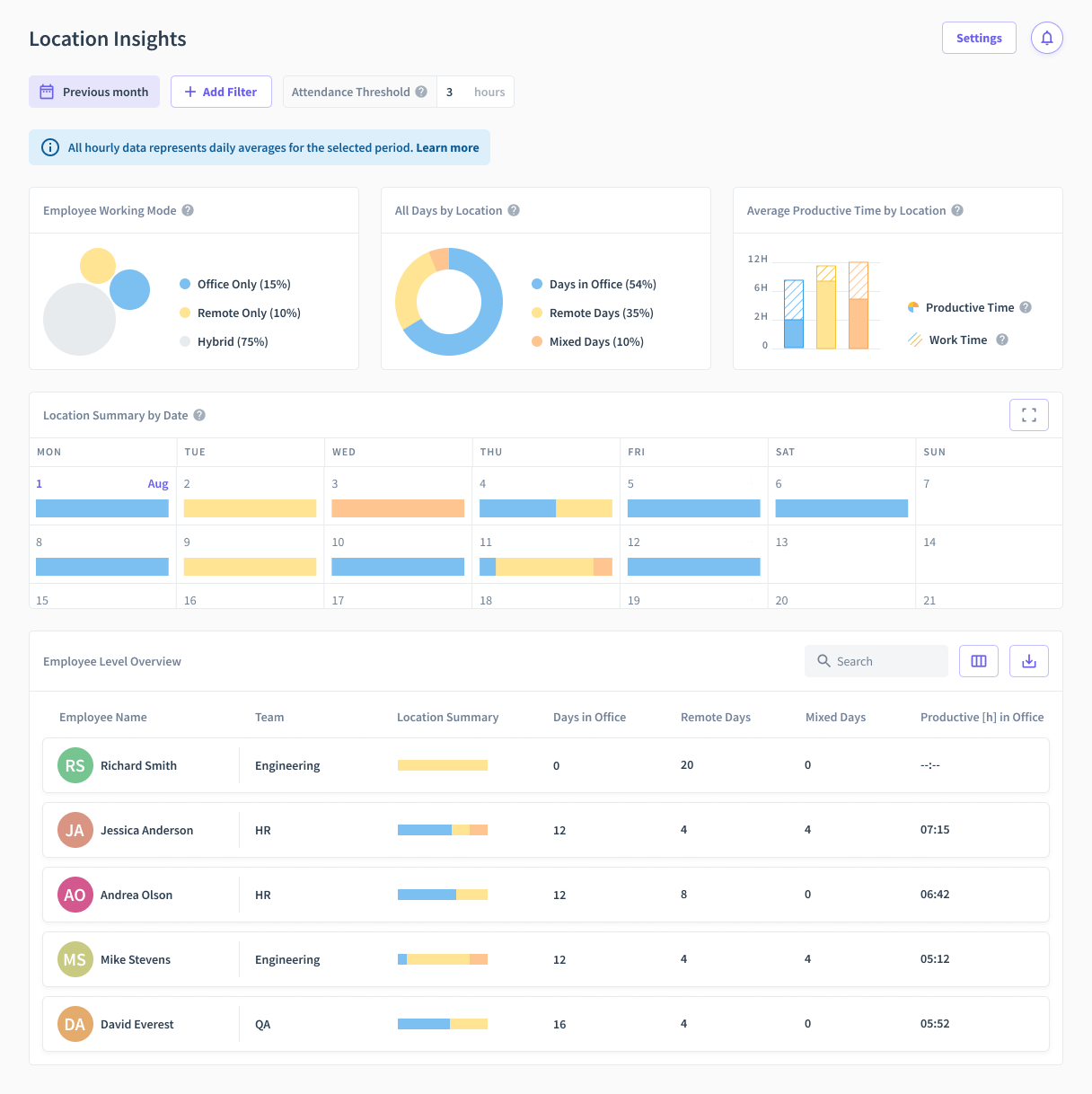
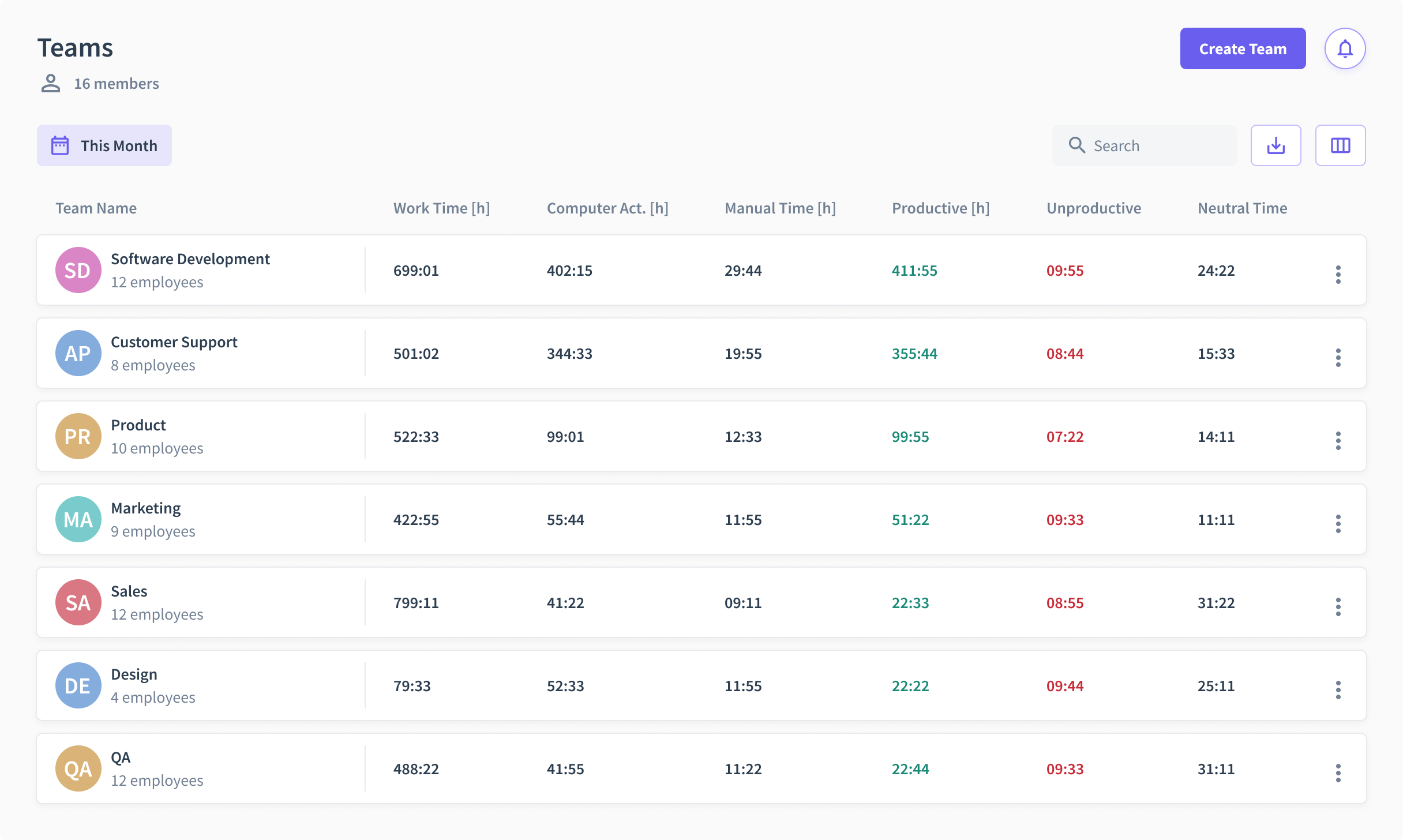
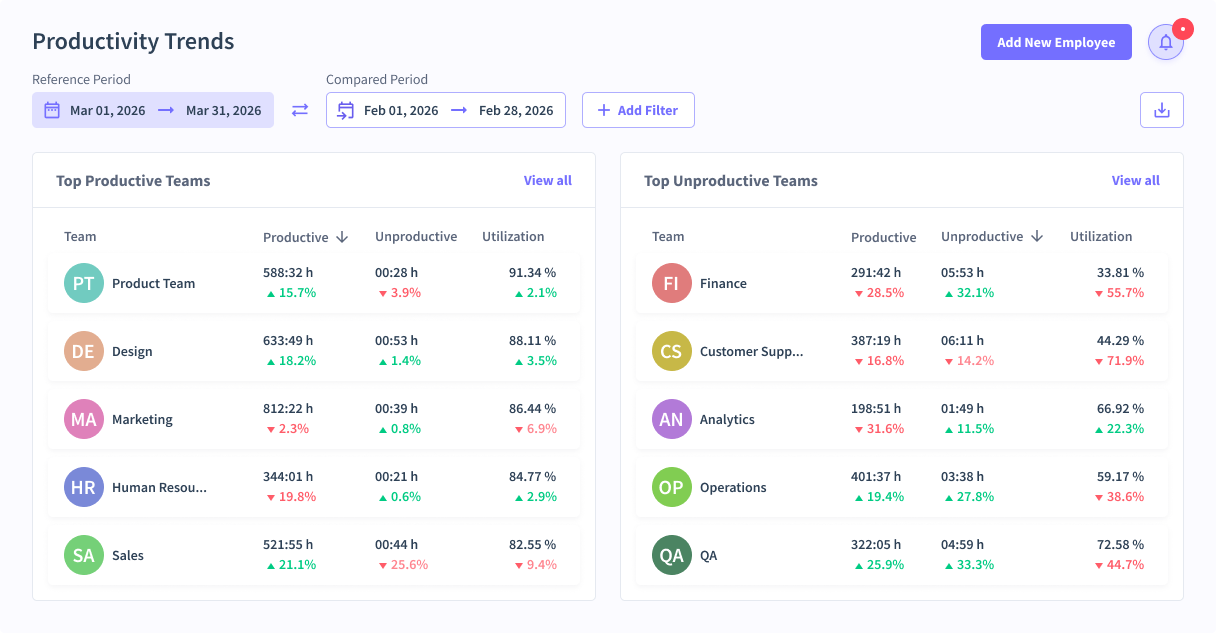
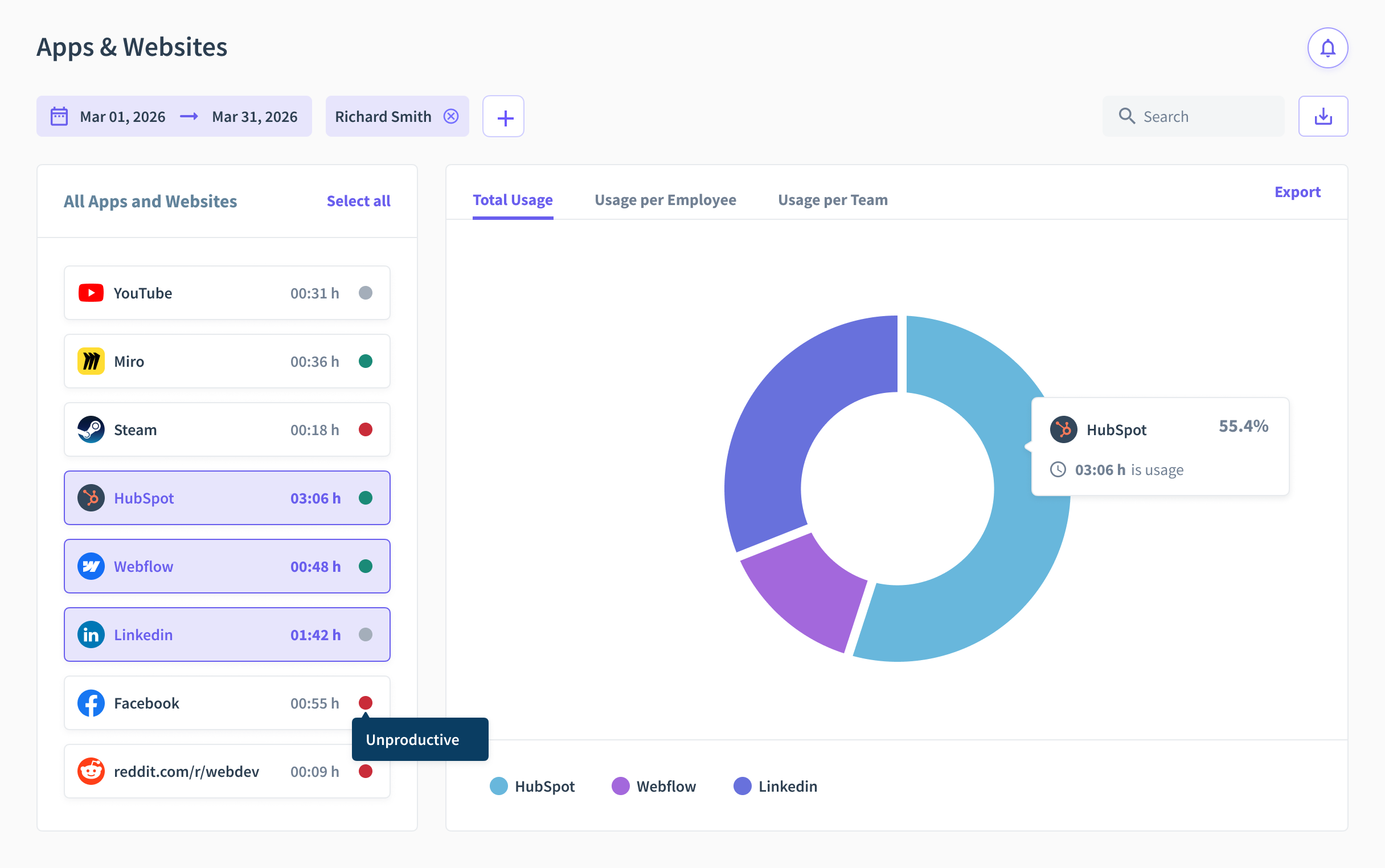
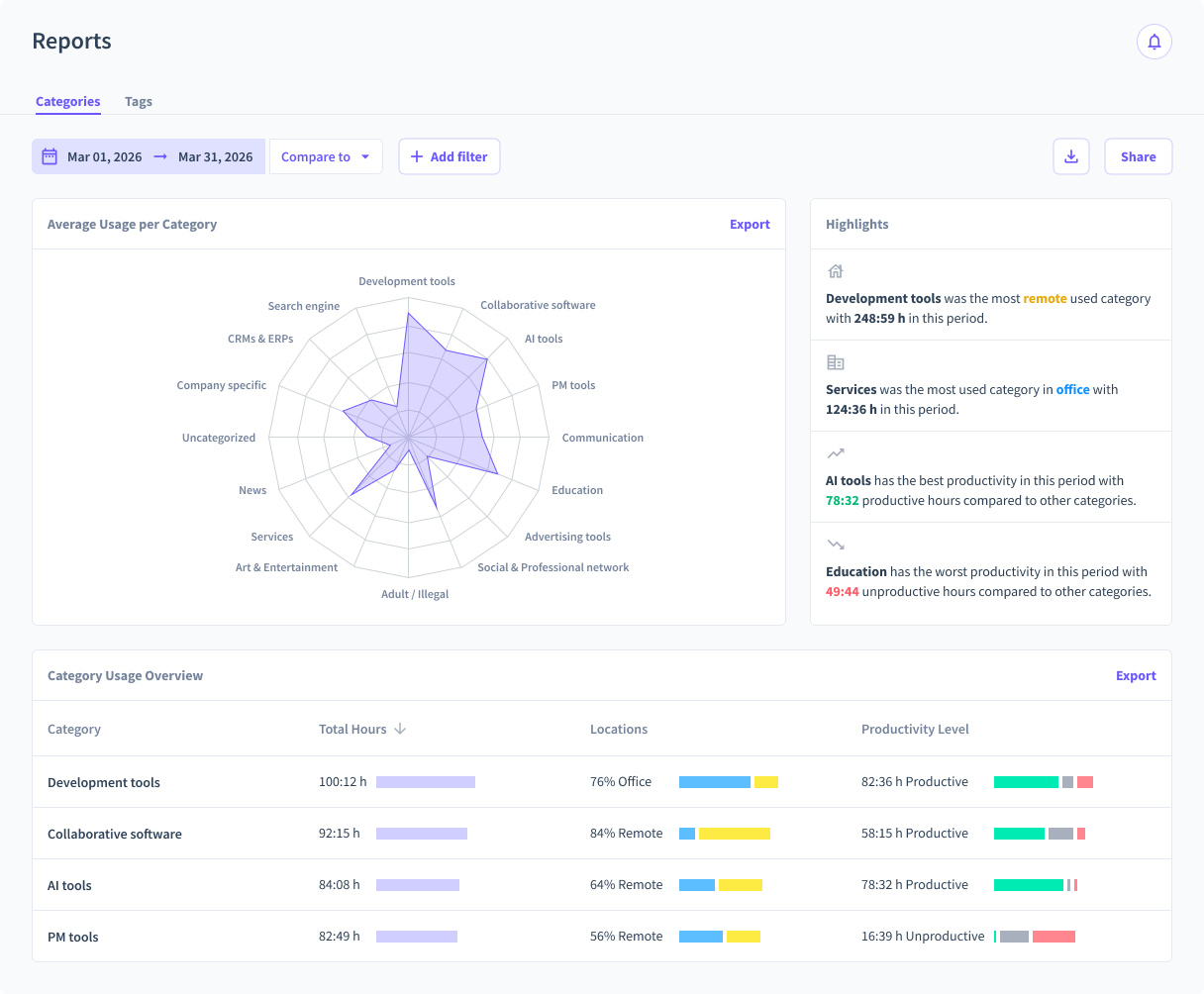
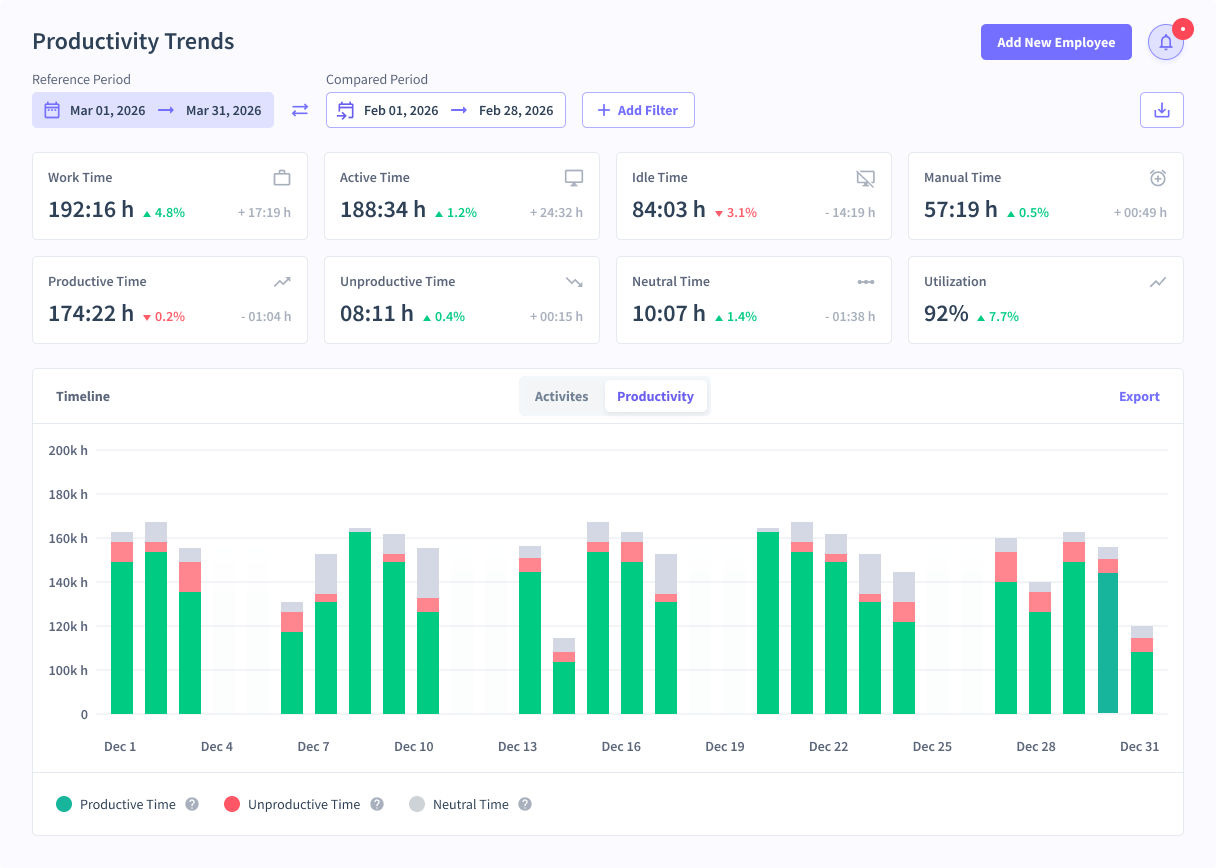
Screenshot of Location Insights ReportScreenshot of Teams OverviewScreenshot of Team Productivity TrendsScreenshot of Apps and WebsitesScreenshot of ReportsScreenshot of Productivity Trends

MonitUp Screenshots

Screenshot of User Dashboard
It gives you information about users, when he turned on his computer, how long he was away from his computer, when he shut down his computer in the evening. You can see the pie chart of the most used applications. The list at the bottom will show you the details of all the transactions of the user in the date range you have specified. In this way, you can have an idea about the efficiency of the user.Screenshot of Dashboard
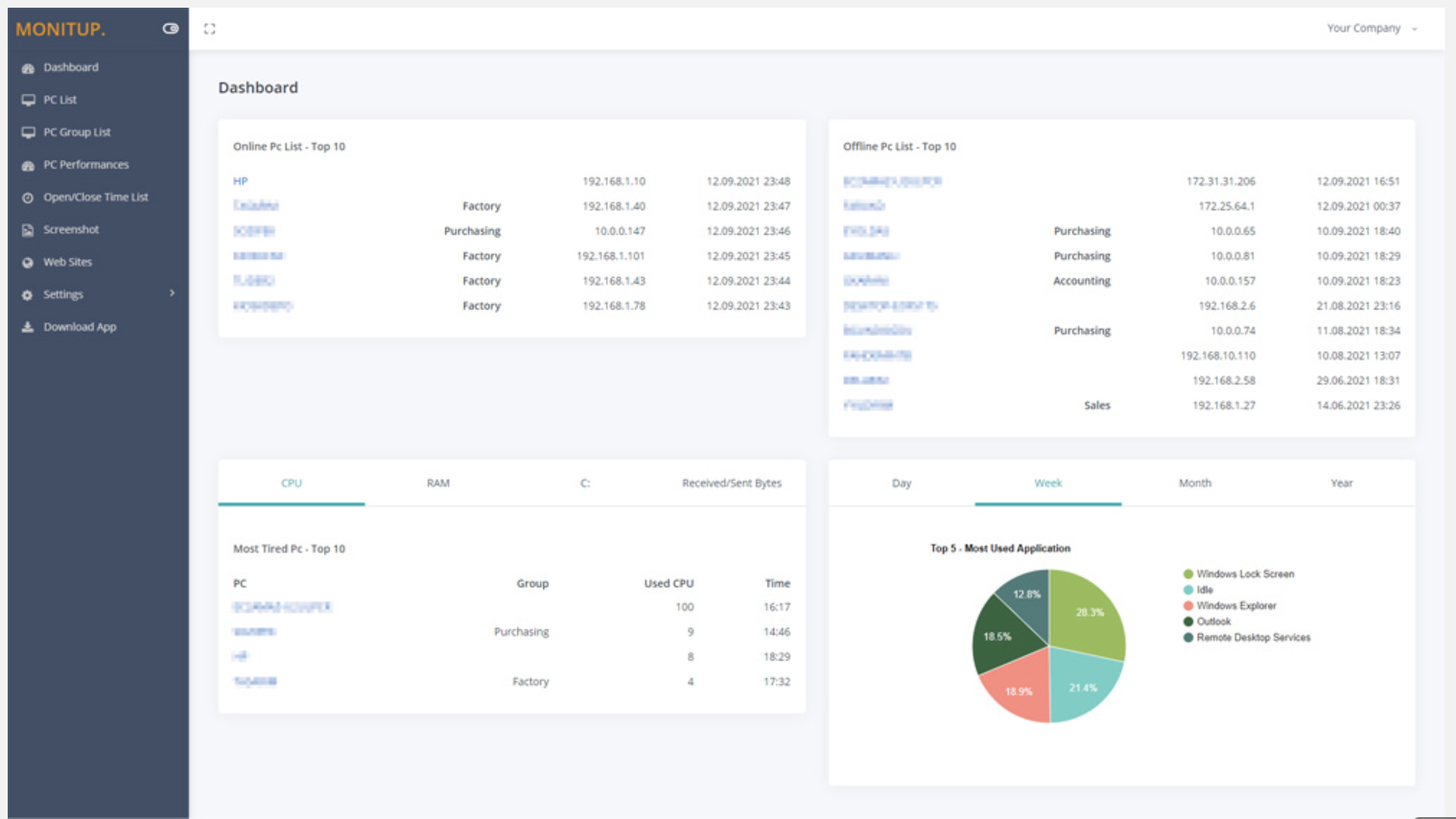
You can see the summary of the movements of the company employees on this screen. Online Computers, Offline Computers, IP Addresses, latest trading hours and pie chart of the most used programs in your company.Screenshot of Employee entrance and exit control
You can see when all employees turned on and off their computers. It helps you to distinguish missing or overwork easily.Screenshot of Websites are under control
You can see which websites employees browse and keep them under control. It is important information to increase employee productivity.Screenshot of Screenshot
Screenshots of the users you specify are taken every 5 minutes. In this way, you will have more data at hand to increase efficiency.Screenshot of Application Categories
All applications are divided into 3 categories. You can set the desired application as Productive, Unproductive Neutral. Thus, you can see the transactions on the graph and instantly analyze the efficiency of the user.